Submittals: Generate as Word Document Users can generate submittals as word documents in web Quadrel. Previously submittals generated as PDFs, this addition allows more flexibility for user needs.
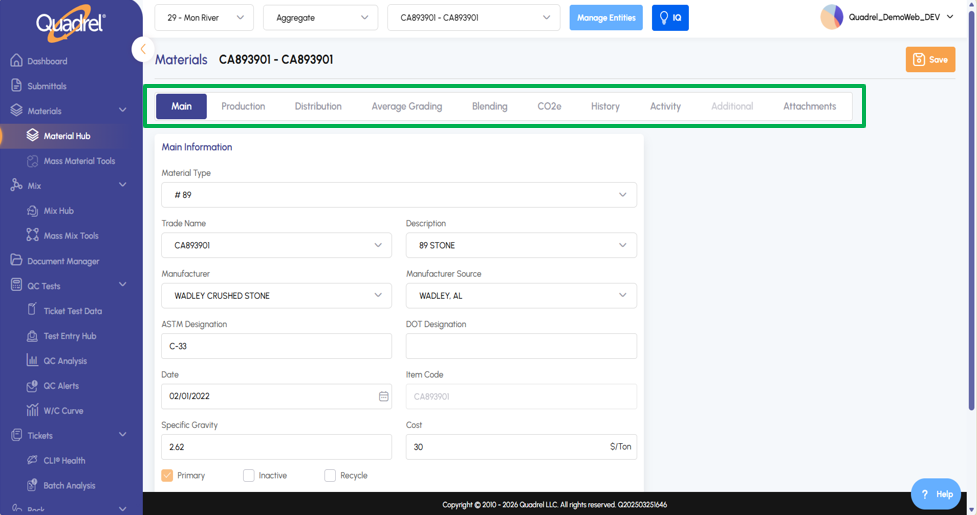
Material Hub: Lazy Loading Users will notice the material hub now loads faster by prioritizing the data displayed first on the main tab. Additional material data is loaded in the background, reducing overall wait time.
Batch Analysis Charts: Truck Water Users can now chart Truck water, Plant water, and Total water within the batch analysis charting tab. This is only available to customers who have purchased this addon.
Tables: Font Enhancement Users will now see that tables in web Quadrel use a darker, bolder, and more legible font.
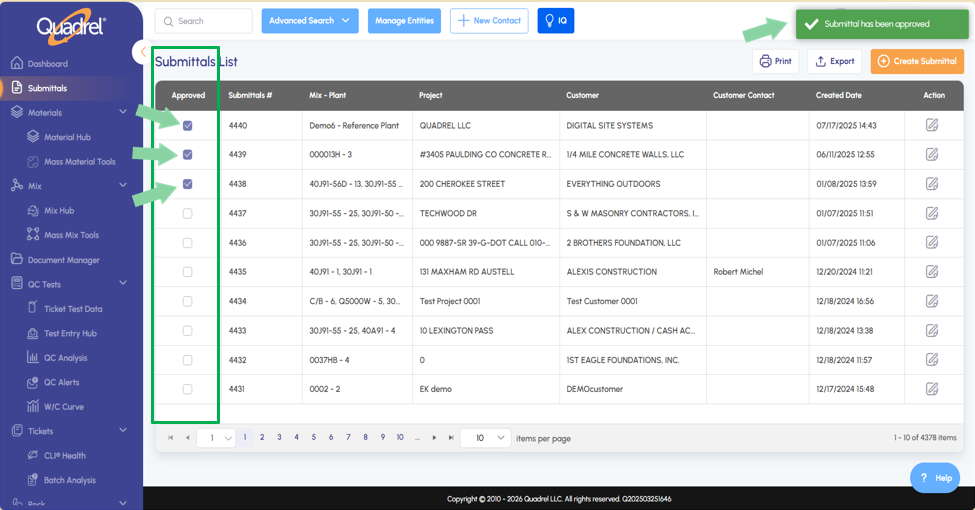
Submittals: Approved Submittal Checkbox.
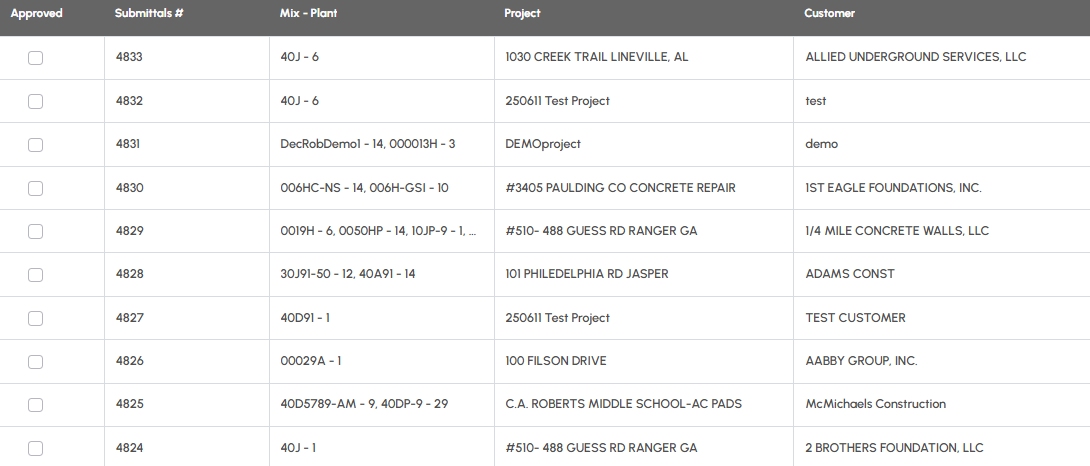
Users can now designate submittals in their account as approved via the approved column checkbox as shown in the screenshot below.
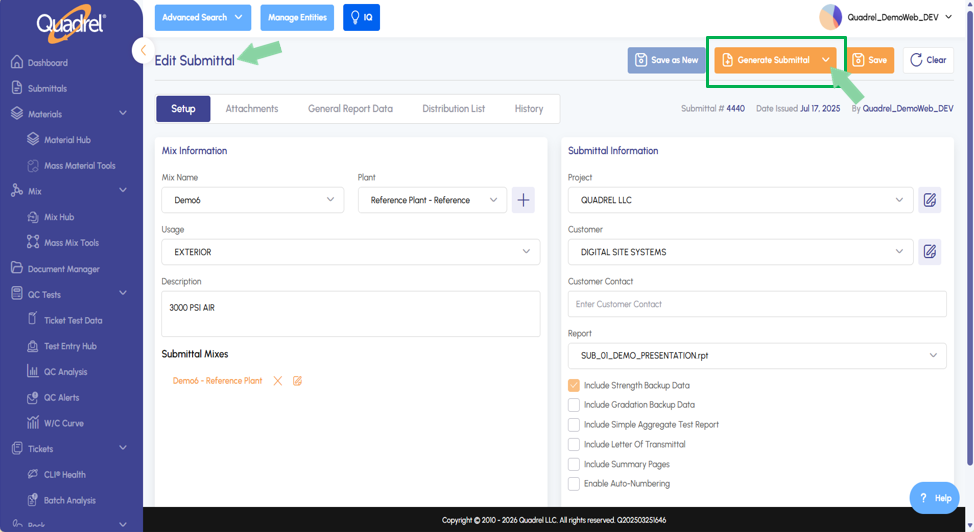
Submittals: Generate as Word Document.
Users can generate submittals as word documents in web Quadrel. Previously all submittals generated as PDFs, this addition allows more flexibility for user needs.
When ready to generate a submittal, click on the dropdown icon to opt to generate it as a Word Document.
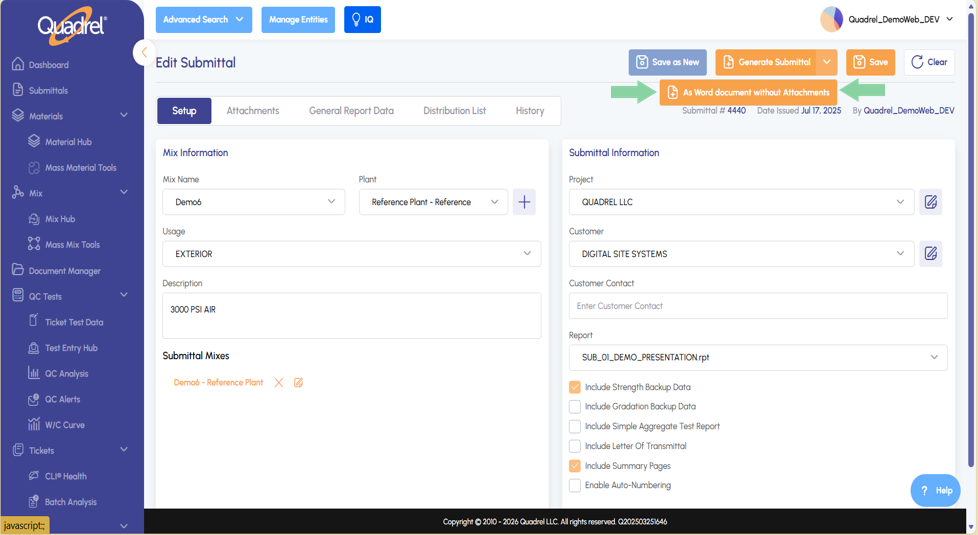
After clicking the icon, users will see the option to generate the submittal as a word document. Click this option and the submittal will be created for the user as a word document.
Material Hub: Material Distribution.
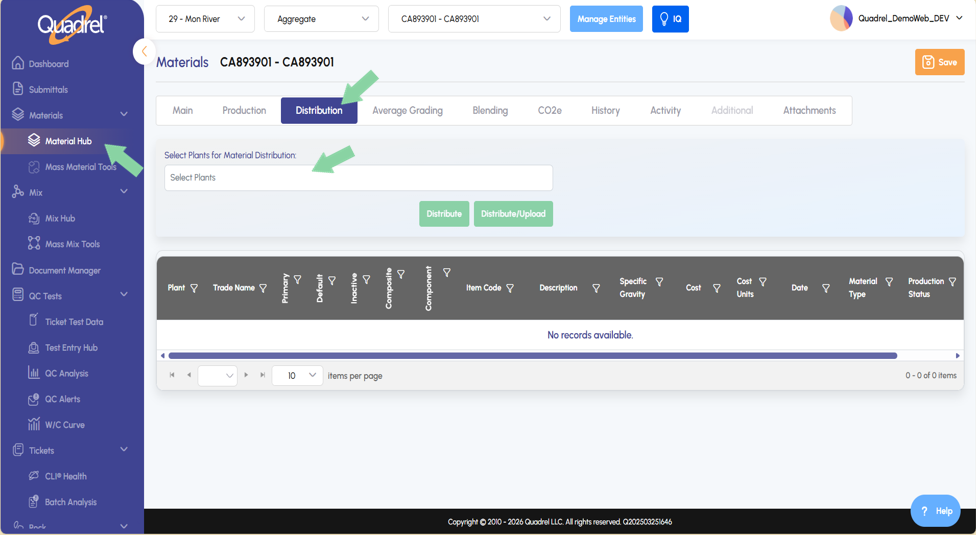
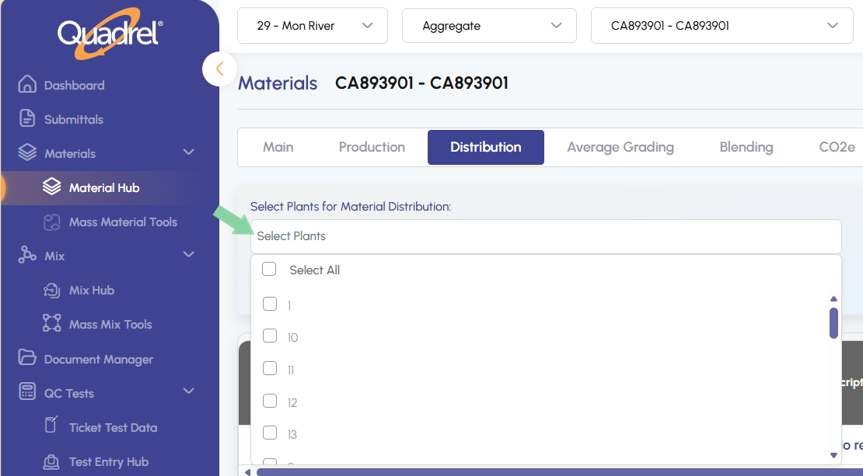
Users can now distribute materials to other plants as needed. Enter the material hub and select the material you would like to distribute to other plants. Switch to the Distribution tab and then select the dropdown menu.
Users can either select all or choose specific plants to distribute the material as shown in the image below.
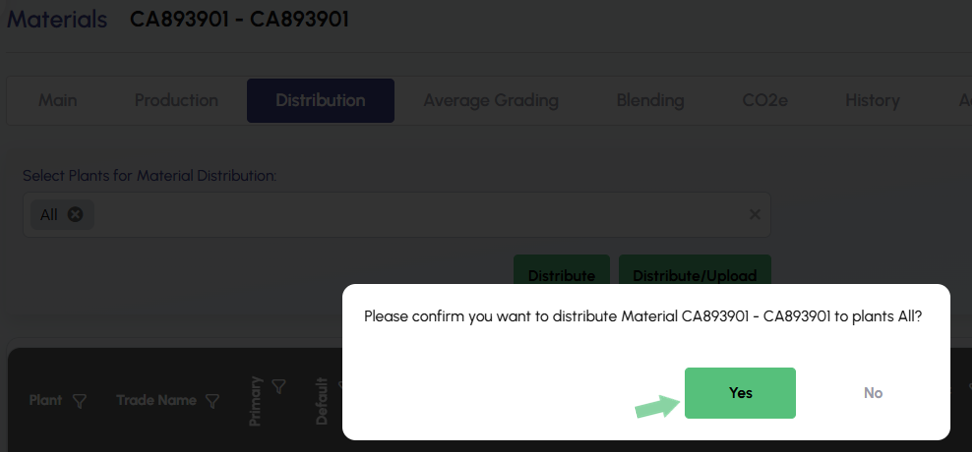
After choosing plants for distribution, click the green Distrbute button. A confirmation form will pop up, click yes to distribute the material to the selected plants.
Material Hub: Lazy Loading.
Loading tiles on the dashboard page is now faster due to the implementation of lazy loading. These changes make the software load data on the default tab first, while other tabs on the page load data in the background.
Material Hub: Attach Document Enhancements.
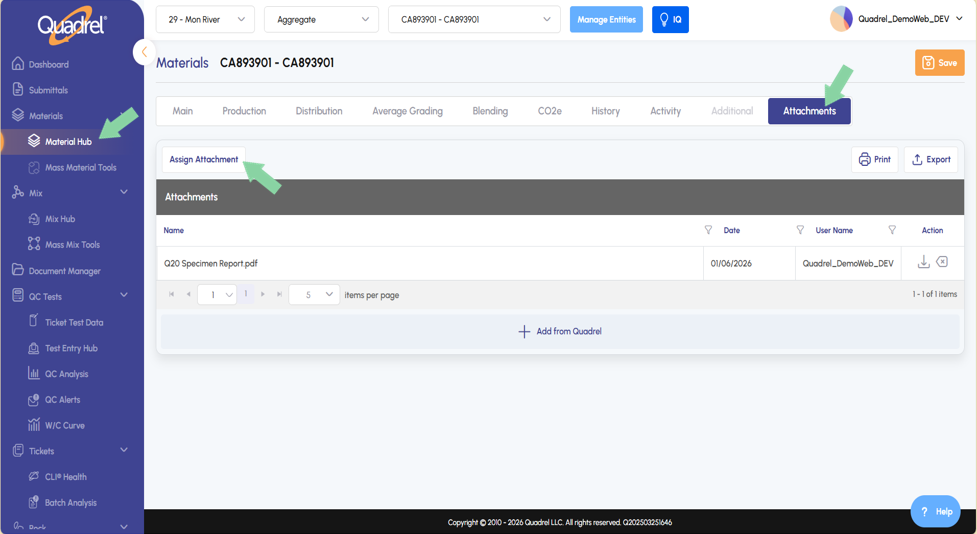
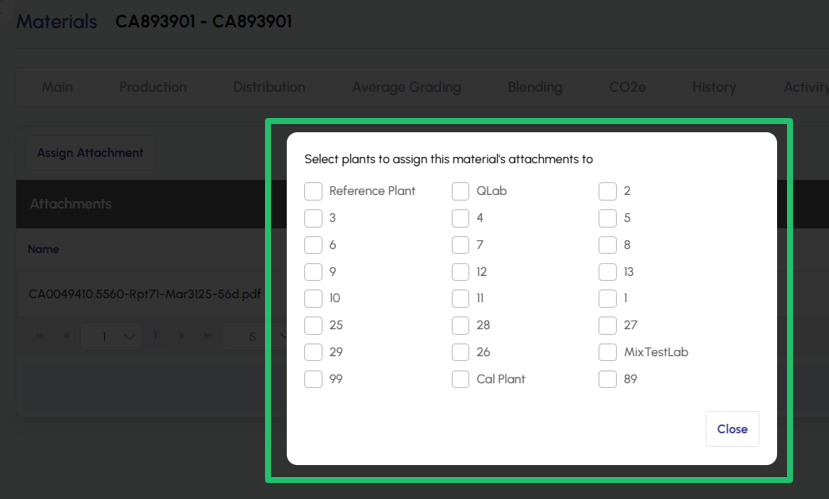
Users will notice a new button in the attachments tab for materials named Assign Attachment.
After clicking Assign Attachment, a form will pop up with all the plants. Allowing the user to checkbox which plants will also get this attachment added to the material. When you are done making selections, close the form and click save on the attachments tab.
Batch Analysis Charts: Truck Water.
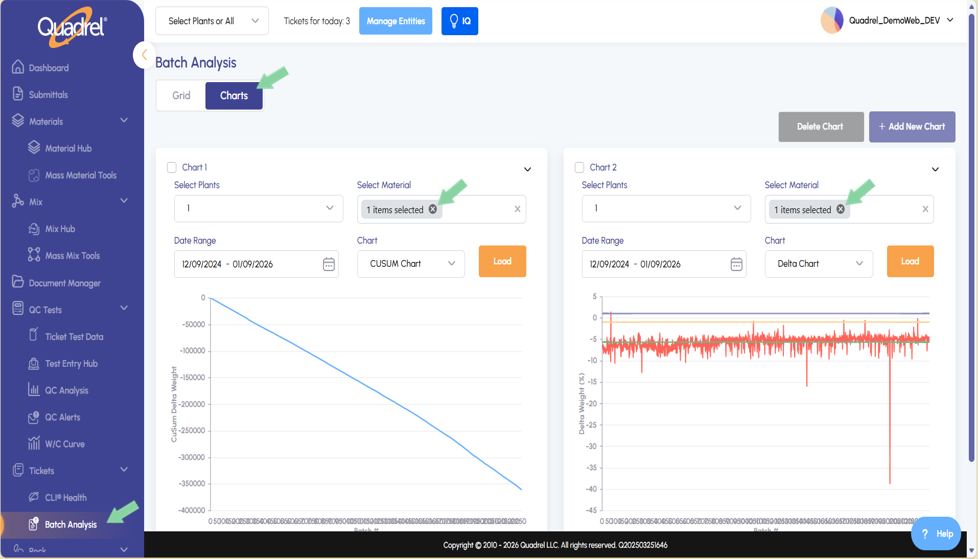
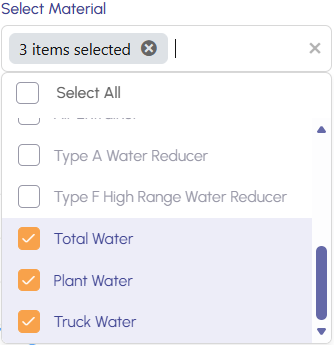
Users can now chart Truck water, Plant water, and Total water within the batch analysis charting tab. In the select material field, users can utilize the new options Truck water, Plant water, and Total water as needed when applicable.
In the image below, the left chart shows Total Water charted and the right chart shows Plant Water charted.
The screenshot below shows the three new available options in the Material dropdown menu.
Tables: Font Enhancement.
Users will now see that tables in web Quadrel use a darker, bolder, and more legible font as shown in the submittal list screenshot below.