10/03/2024 Release Notes: Quote updates, GWP search, etc.
We've significantly improved the quote creation process, offering you more flexibility and detailed cost breakdowns:
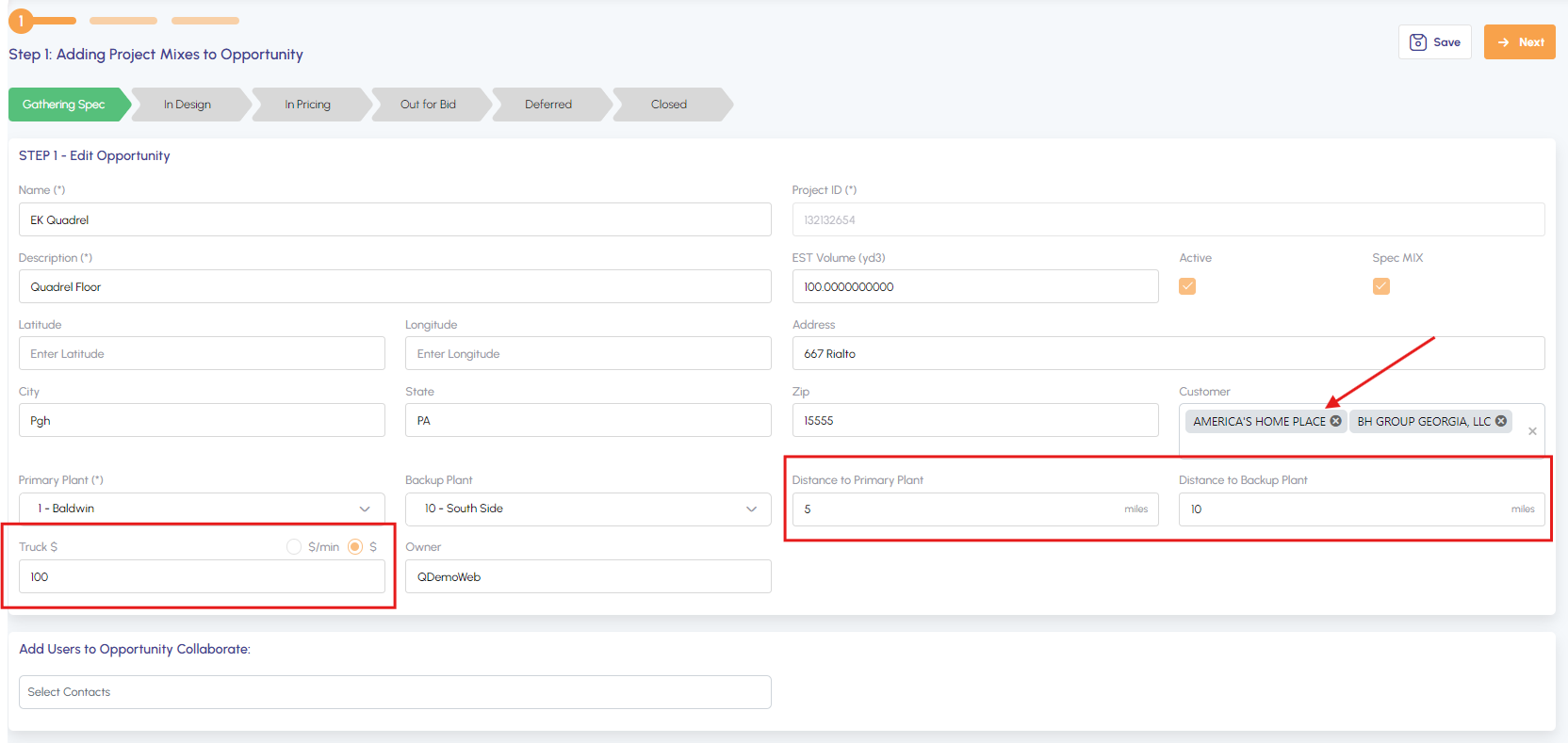
- Distance to Job Site: Add distance from plant to job site for precise calculations.
- Flexible Delivery Cost Options: Choose between a flat truck cost percentage or a cost per minute (automatically multiplied by the distance).
- Multiple Customer Selection: Choose multiple customers on the "Gathering Spec" tab.
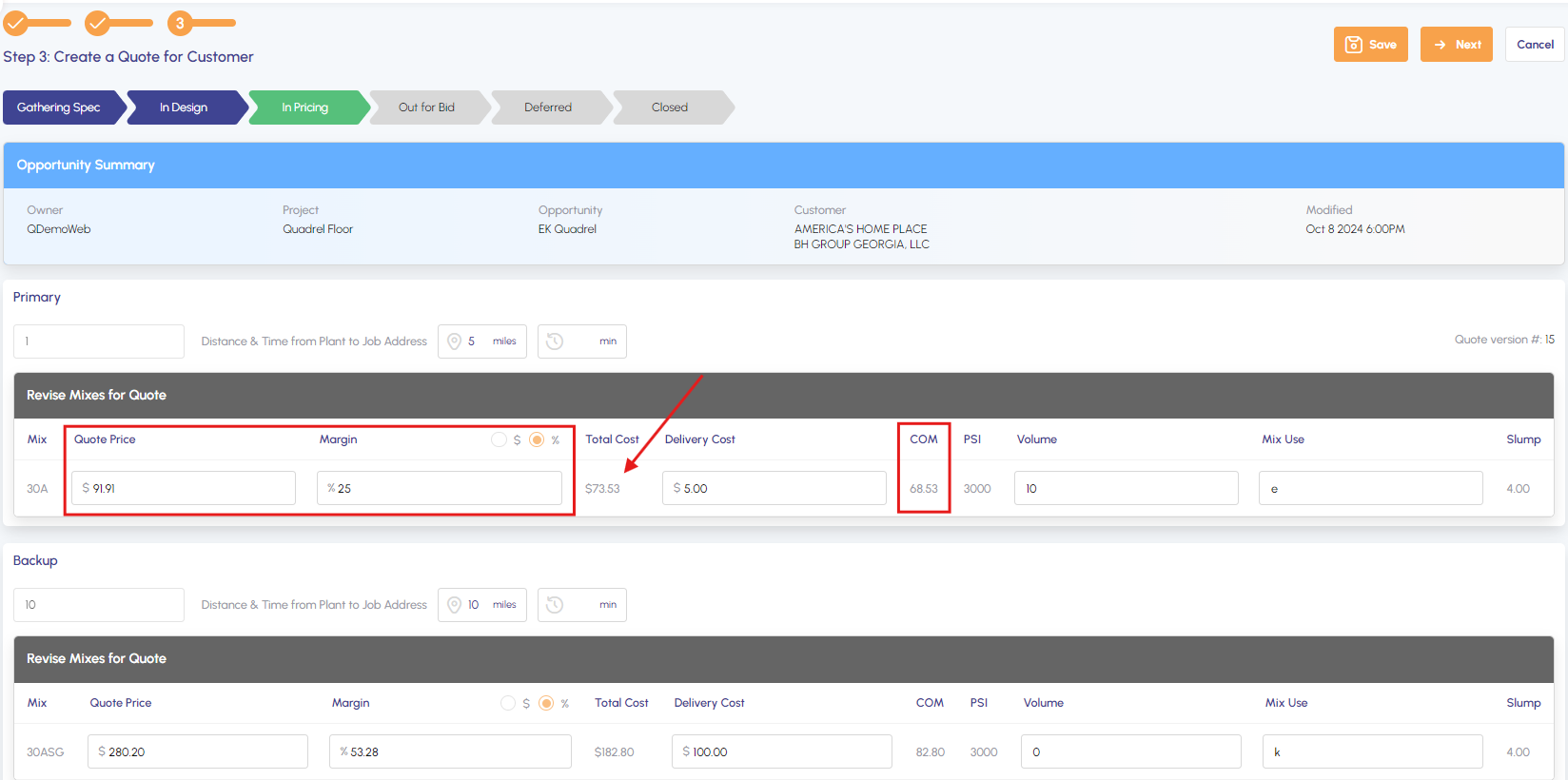
- Comprehensive Cost View: See the total cost, including delivery, per cubic yard.
- Flexible Pricing Options: Set prices by entering either the Quote Price or Margin.
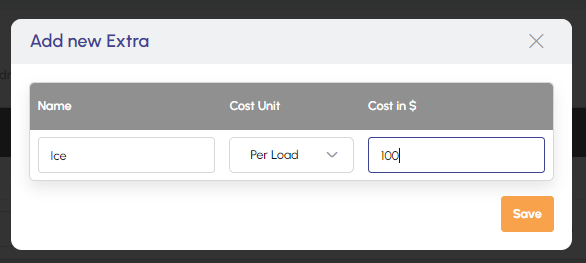
- Customizable Extras and Terms: Add new extras with appropriate cost units, update existing ones, and manage Terms for your quotes.
Easily find environmentally conscious mix options:
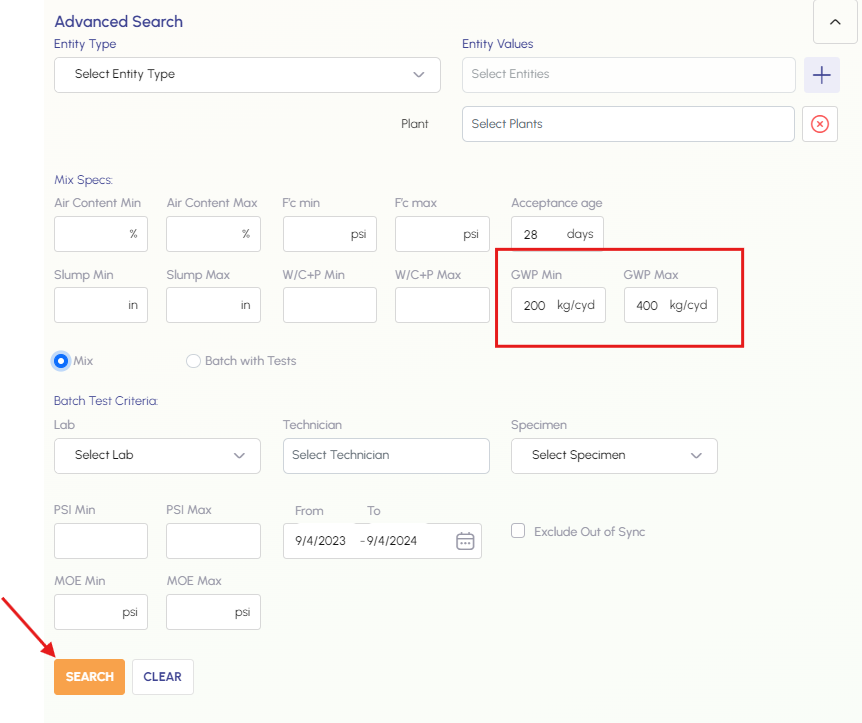
- Use the Advanced Search feature to set a GWP range.
- Quickly identify mixes that meet your sustainability requirements for submittals.
Enhance your technical specifications:
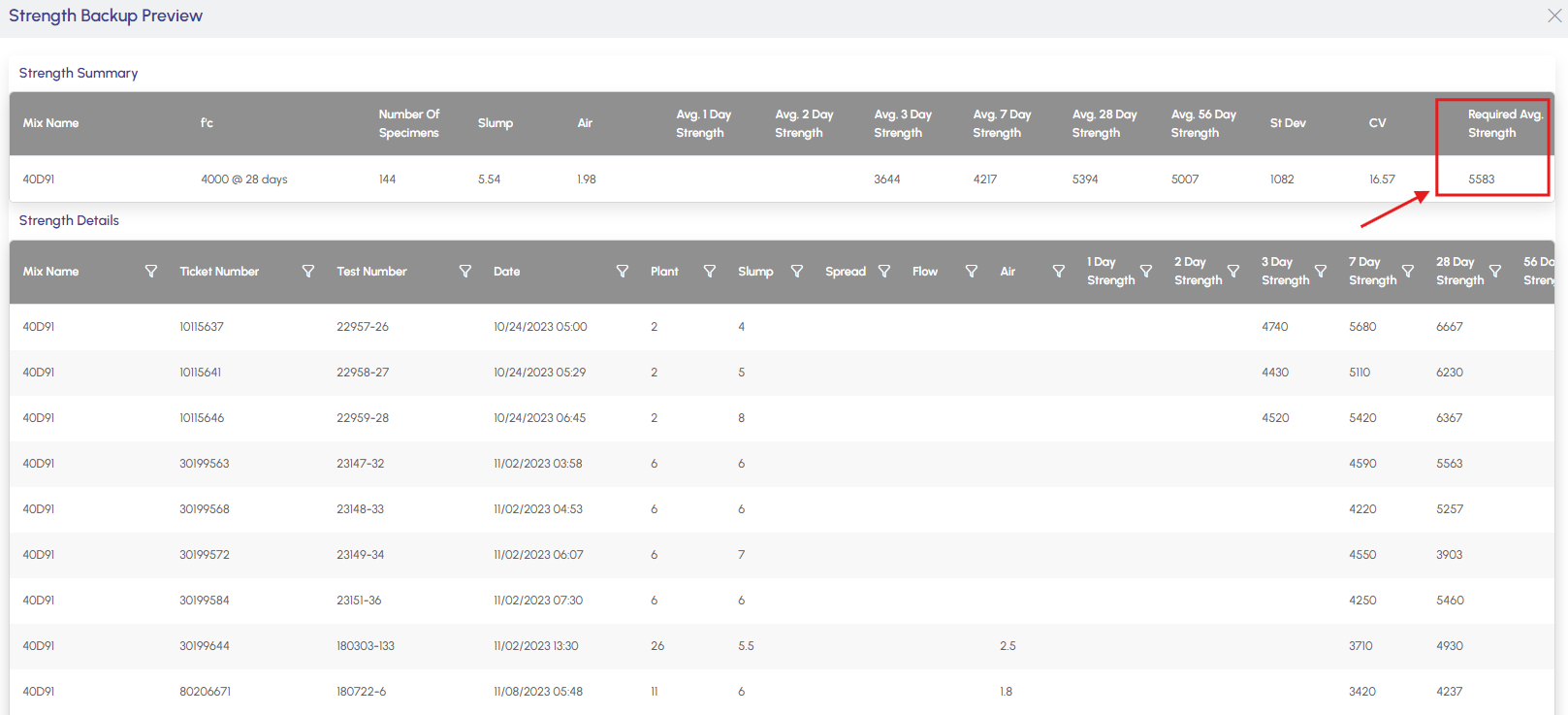
- View the required average strength for a selected mix in the Backup Data Preview.
- Access this feature through Technical Services Settings in a submittal.
Quote updates
Navigate to the "Gathering Spec" tab to add distance, delivery cost, and select multiple customers.
View total costs, including delivery, per cubic yard on the pricing screen. Set pricing by entering either Quote Price or Margin.
Add or update Extras with appropriate Cost Units.


Add or edit Terms for your quotes in the Terms section.



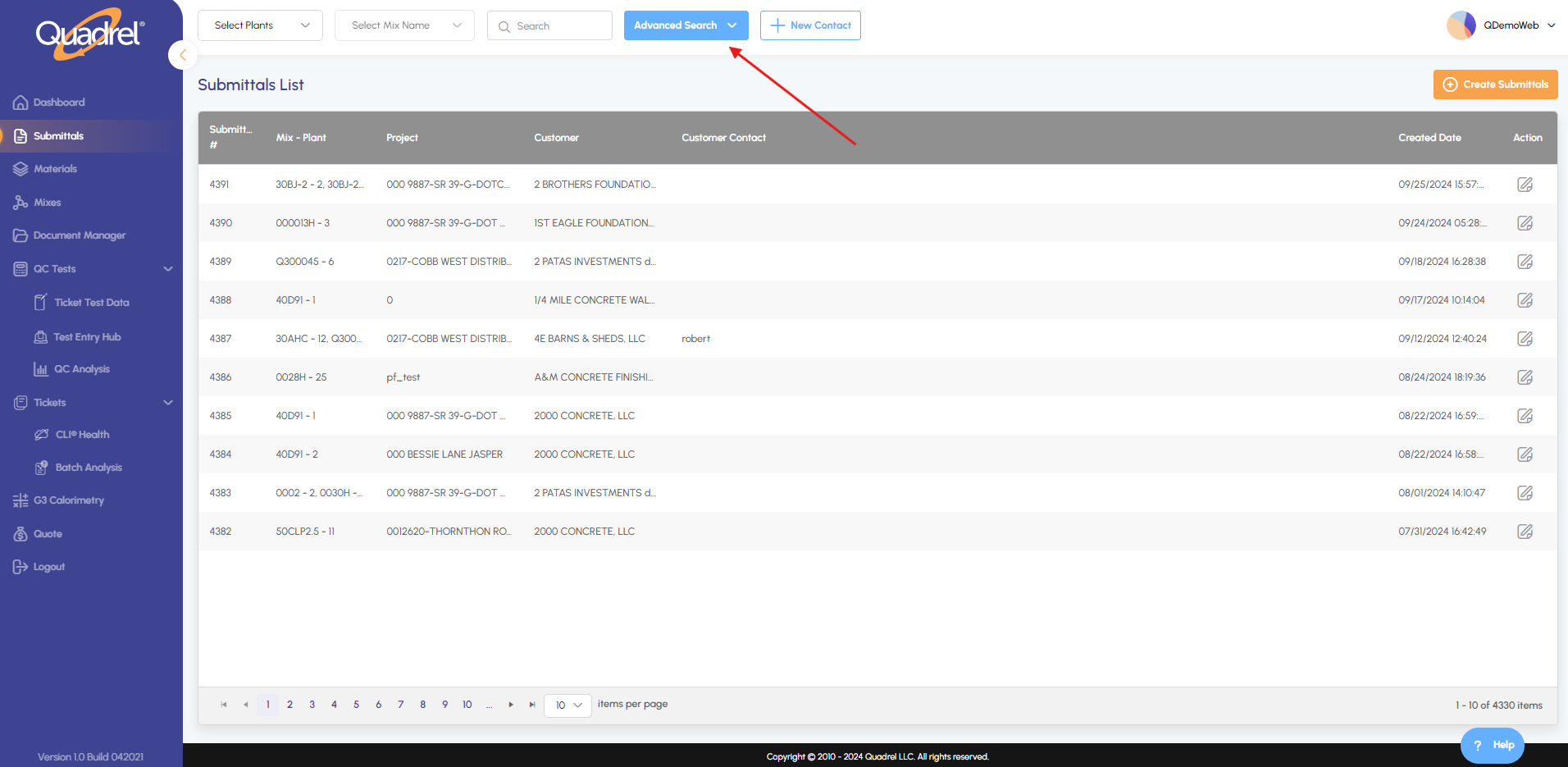
Search Mixes by GWP
Select Advanced Search.
Set GWP range and click search.
Viewing Required Average Strength
Open Technical Services Settings in a submittal and click Preview in Backup Data Source.