01/21/2025 Release: Mass Material Tools, Submittal History, Add New Contact, Delete Attachments and etc.
- Mass Material Tools
Edit multiple materials across plants simultaneously, saving time on bulk updates. - Submittal History
View and export your complete history of submittal changes in one place. - Add New Contact
Quick and simple process to add new contacts to your system. - Delete attachments in Document Manager
Remove unwanted attachments directly from Document Manager. - Out of Tolerance Values
Validates inputs in real-time and highlights when values exceed specified tolerances. - Mix Distribution
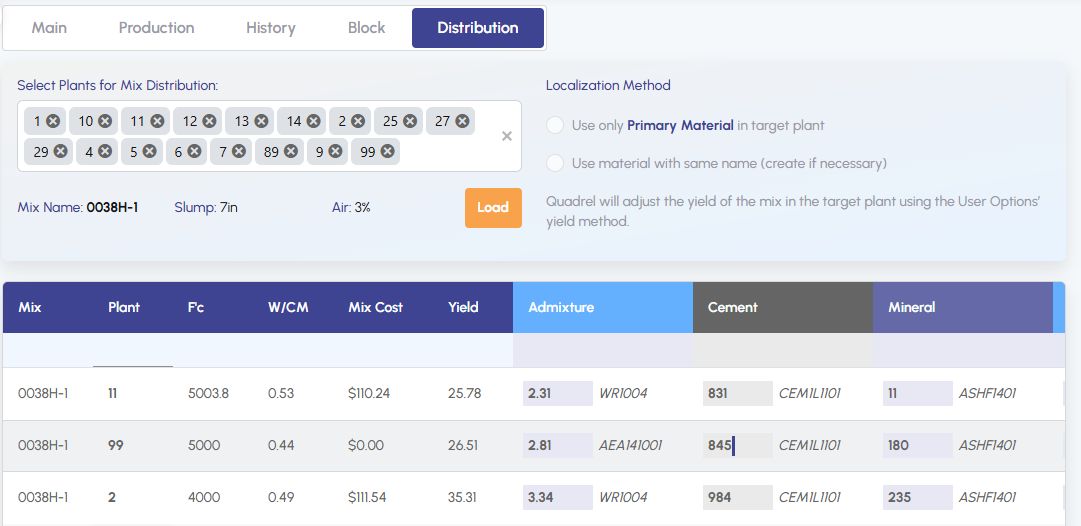
View and compare mix designs across multiple plants. - Quote Permissions
Manages quote creation access levels by role. - Mix EPD
Automatically generates Environmental Product Declaration (EPD) report from Climate Earth.
Mass Material Tools.
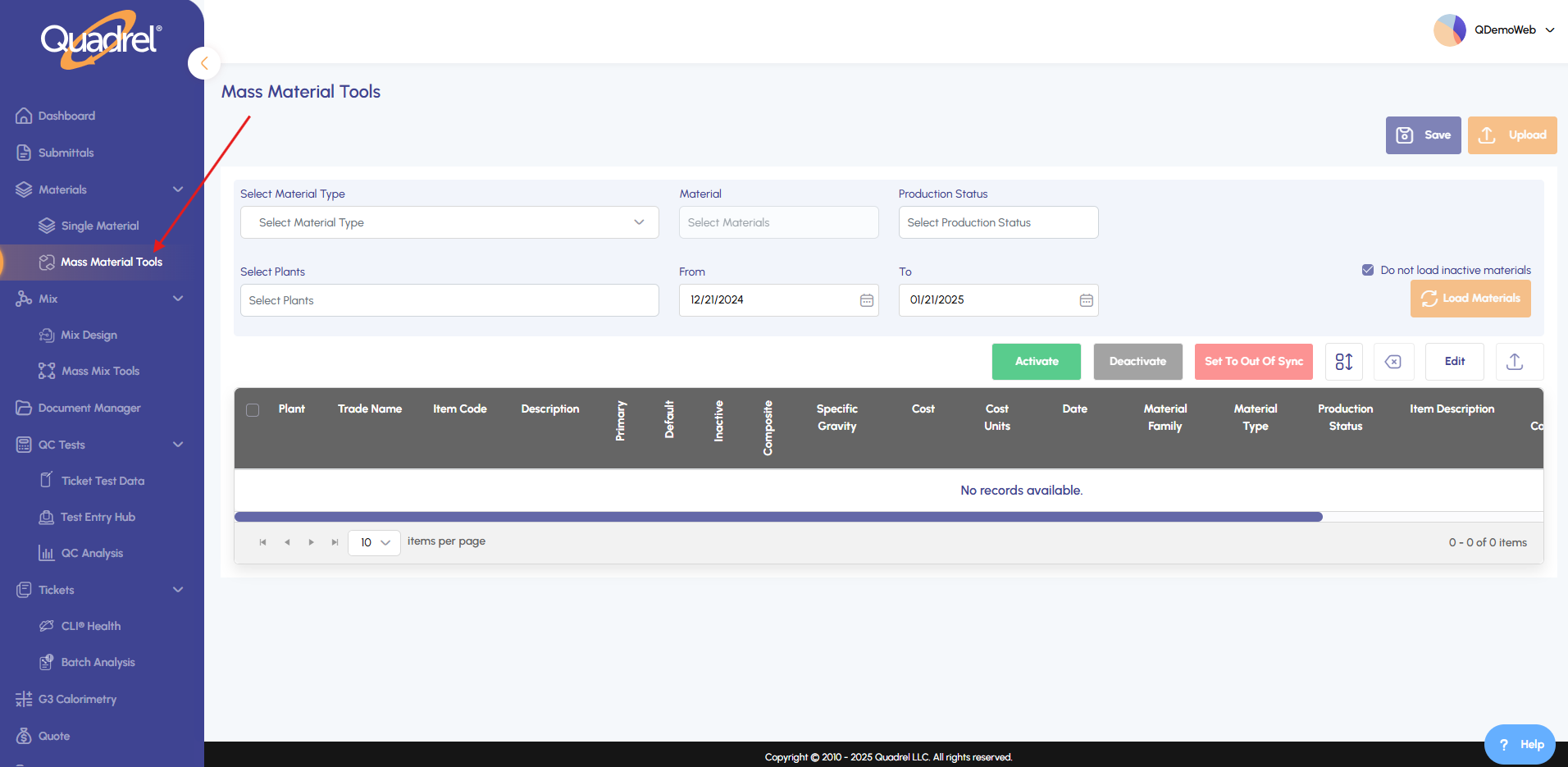
From the Materials menu, select Mass Material Tools.
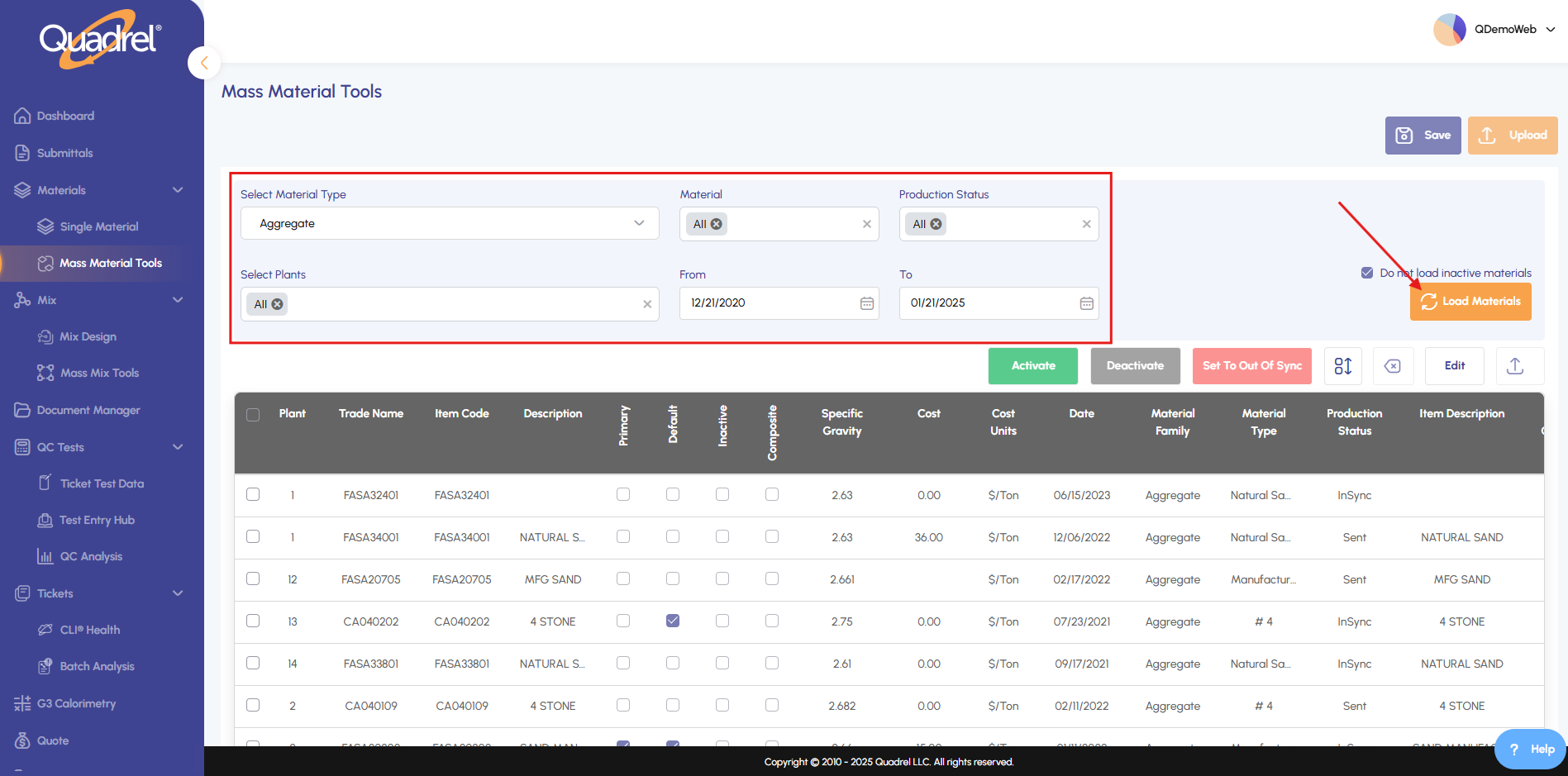
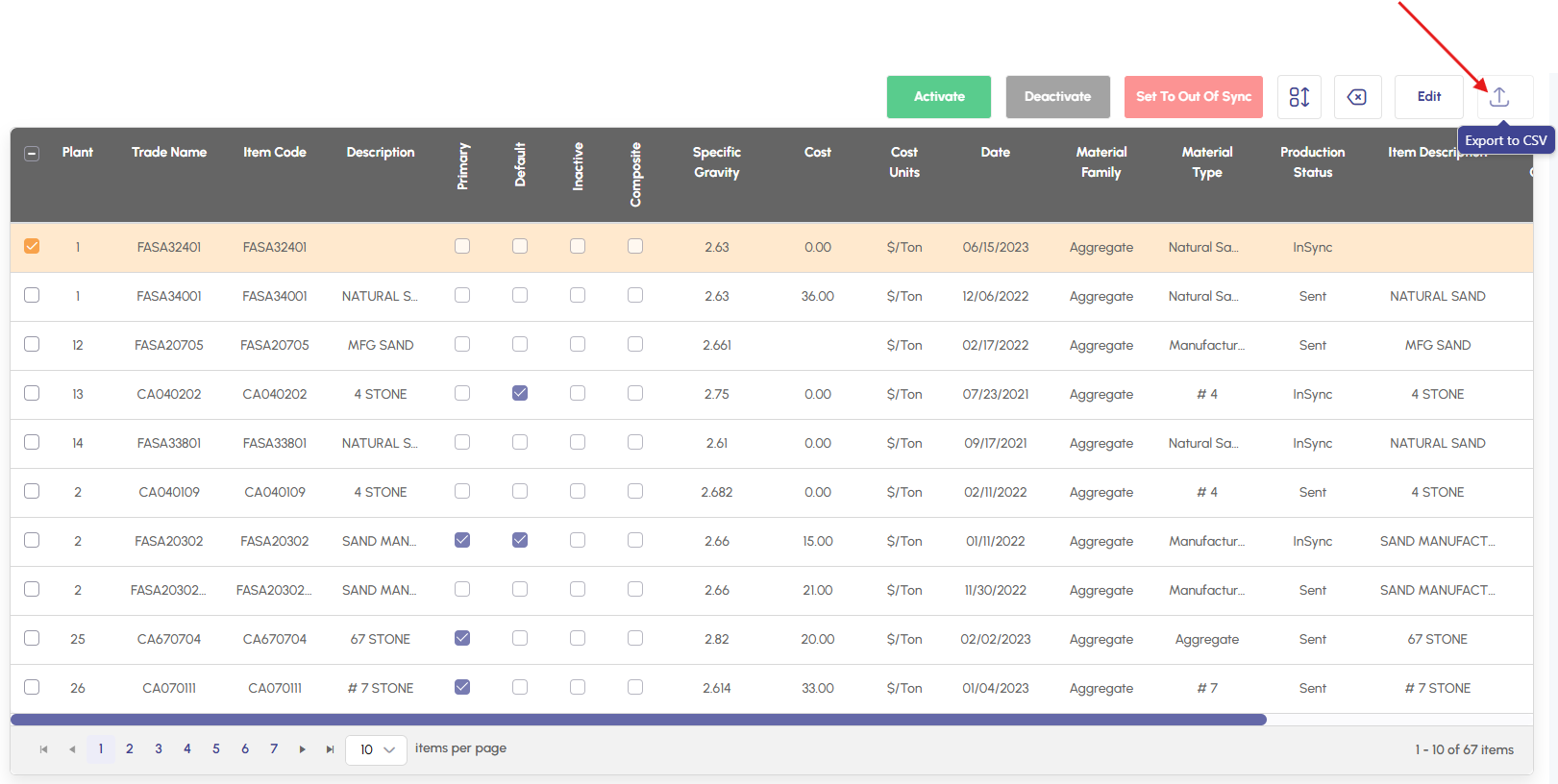
Choose the material type, material, status, dates and plant(s), then click Load Materials.
To modify Specific Gravity or Cost, click Edit.
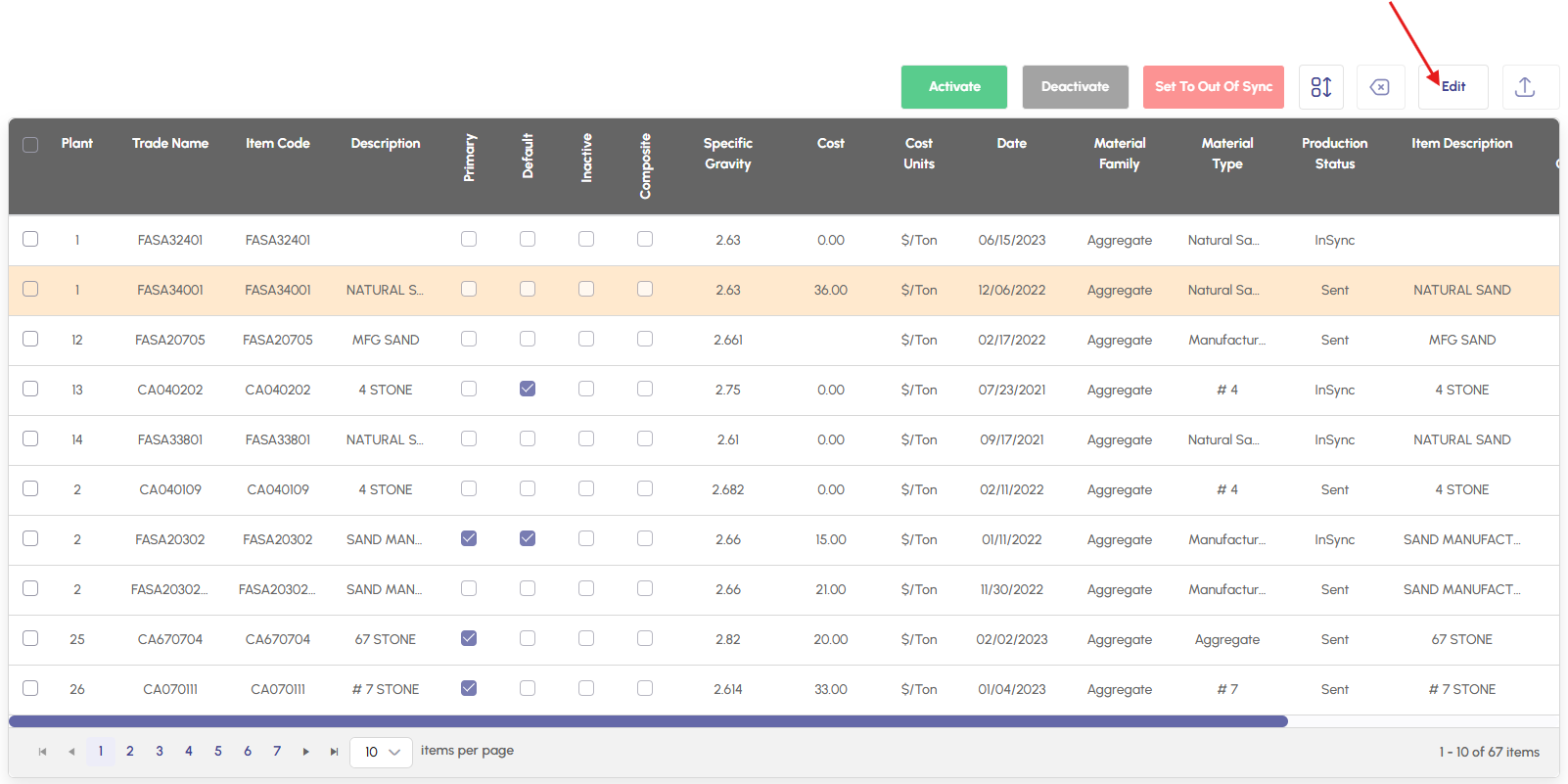
To export materials click on the download icon.
Submittal History.
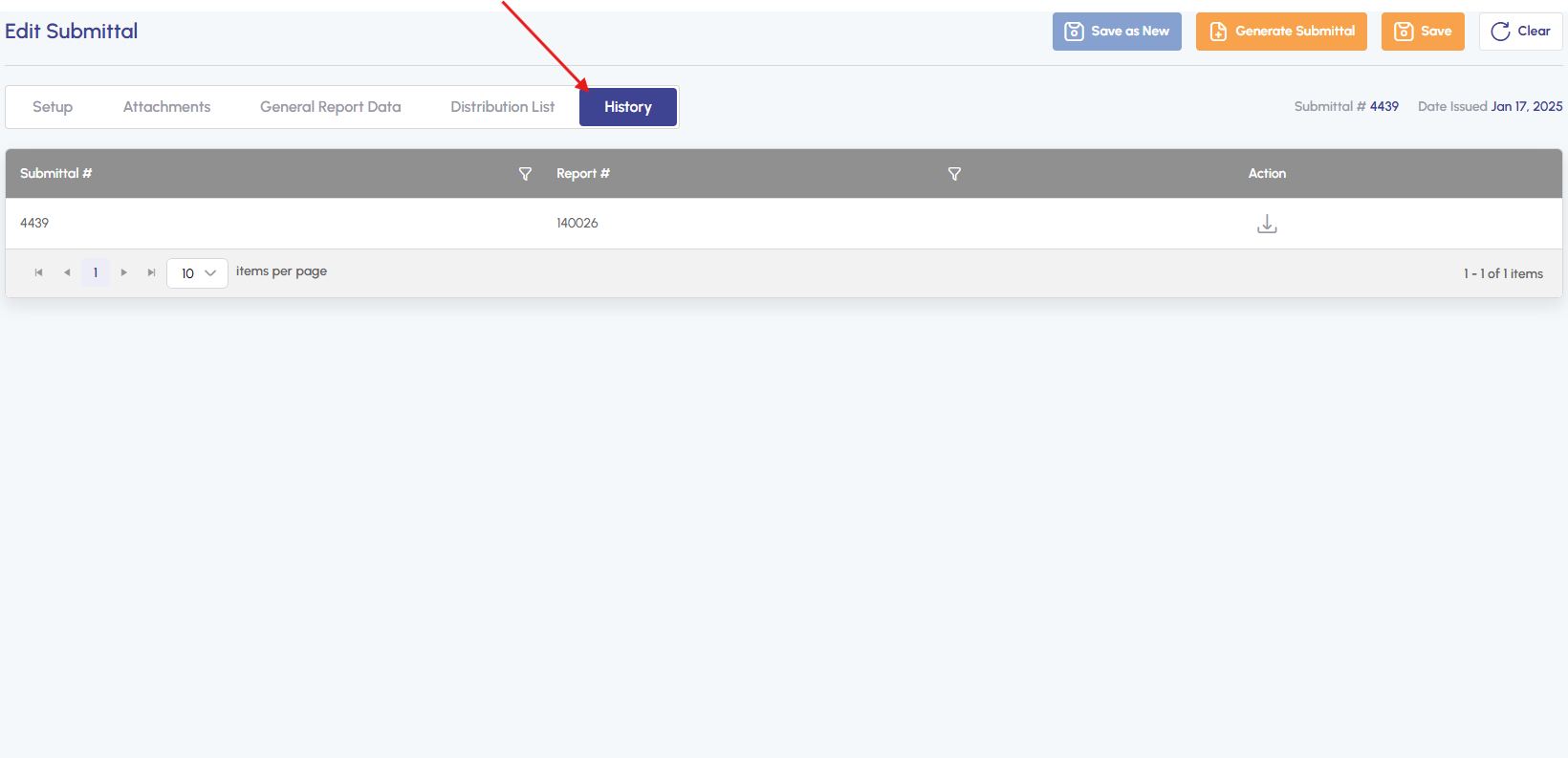
In the Submittal menu, select a submittal and click the History tab. This will hold a copy of your submitted submittals in the Quadrel cloud in case you need to refer to the exact document shared.
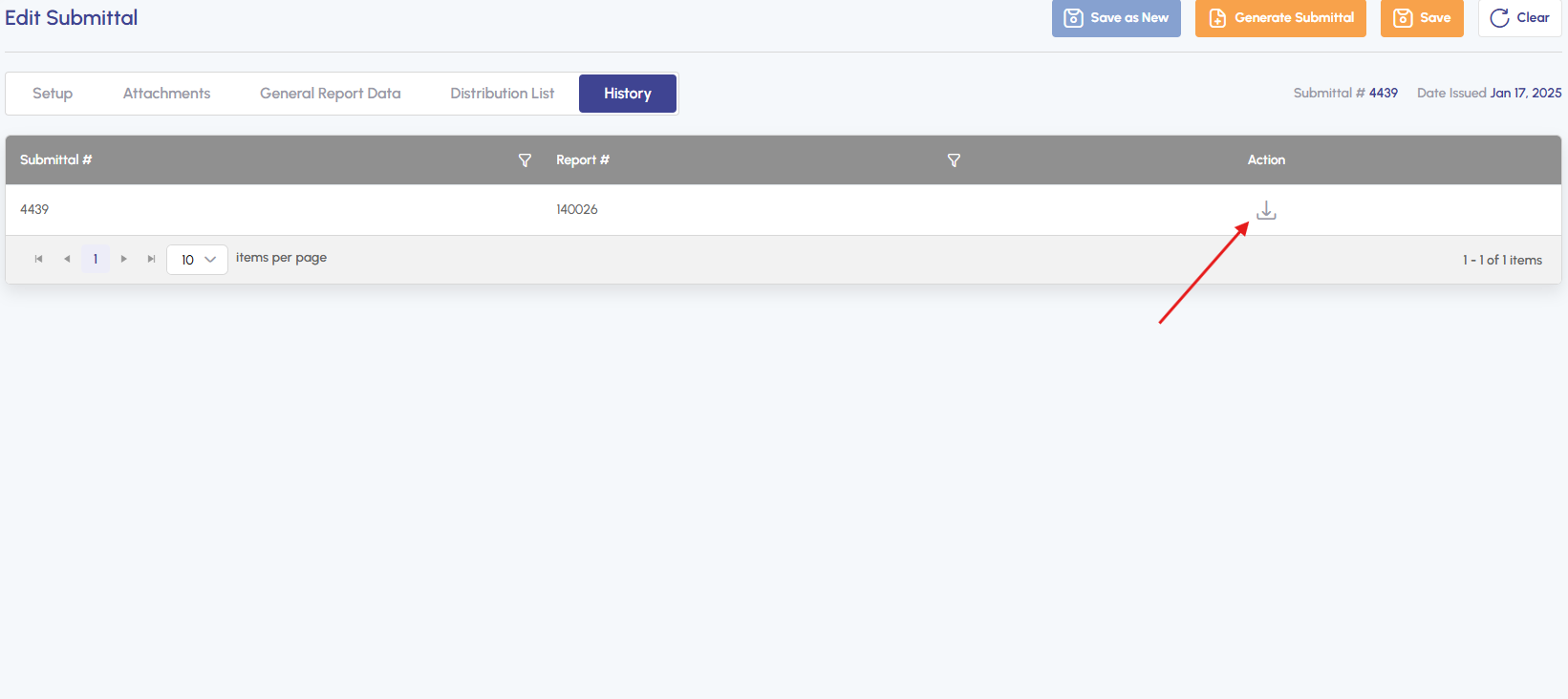
If needed, export the history by clicking download icon to save an Excel file.
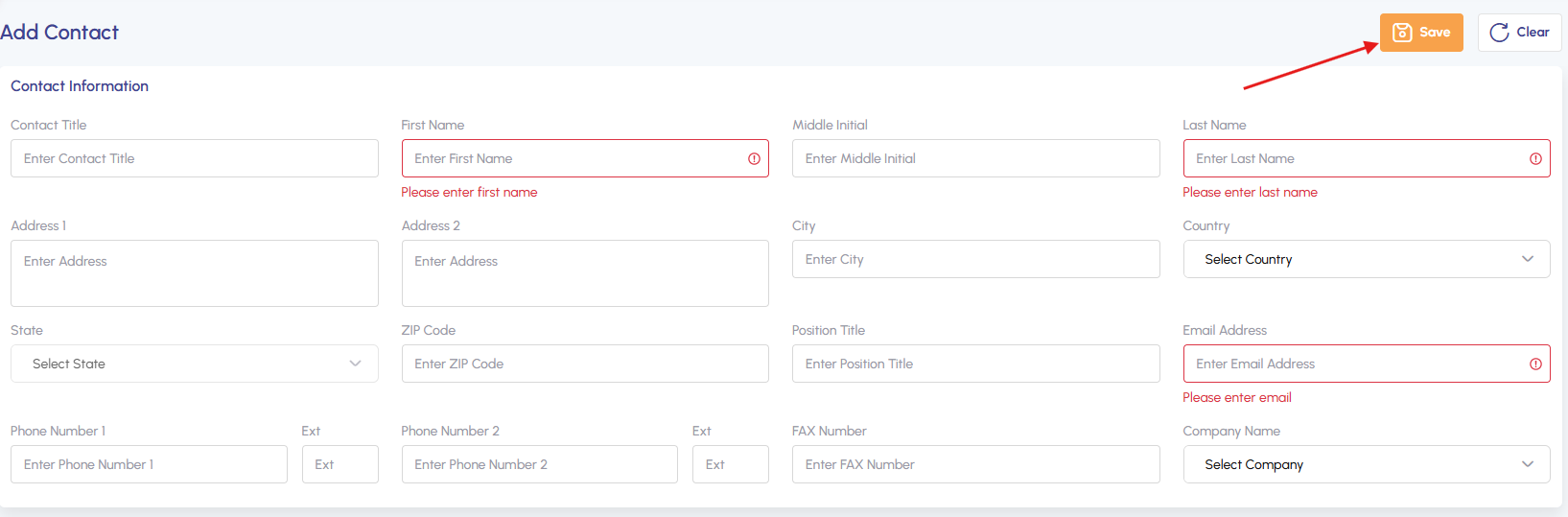
Add New Contact.
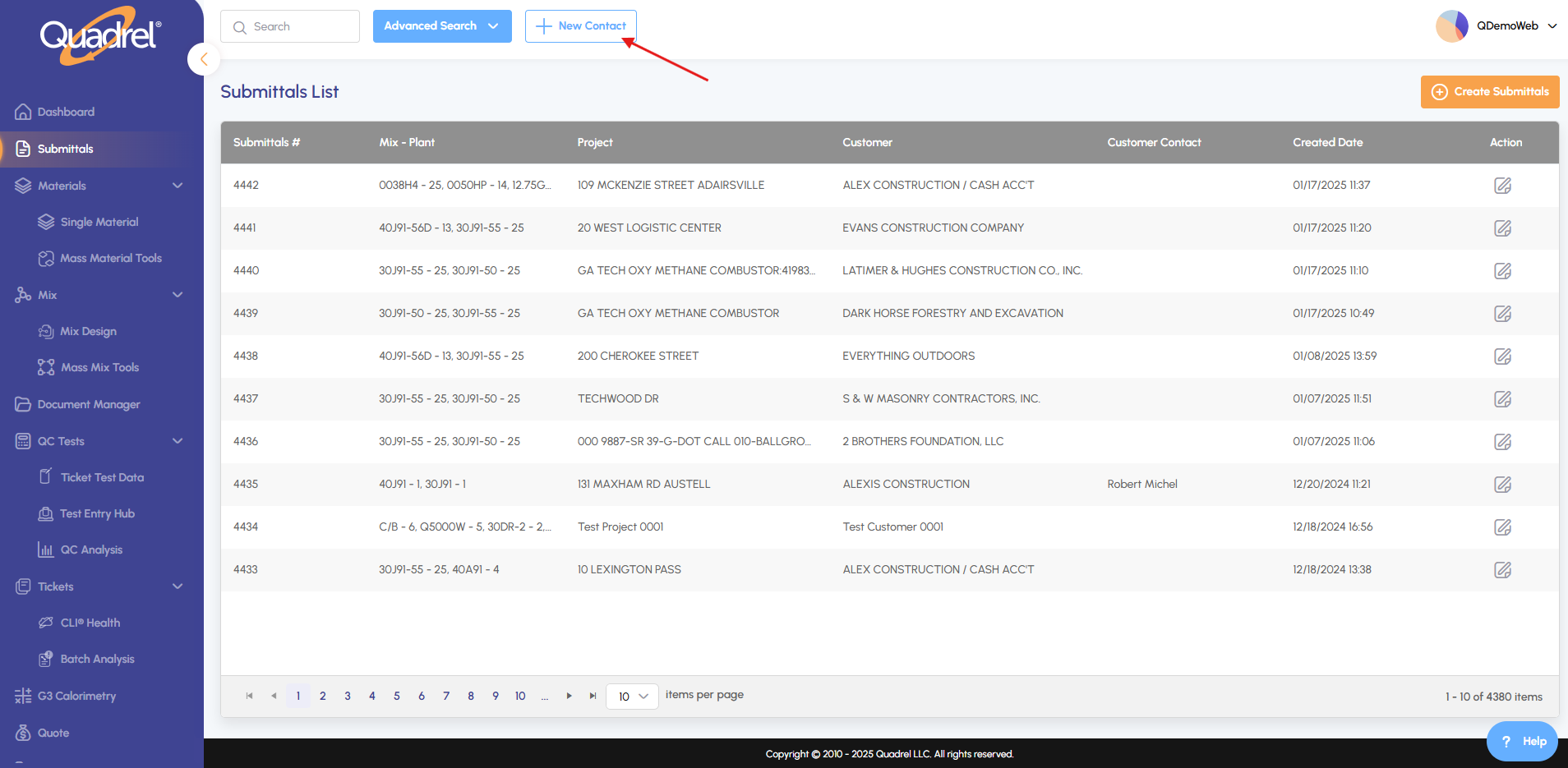
Go to Submittals, then click New Contact.
Enter required fields, then click Save.
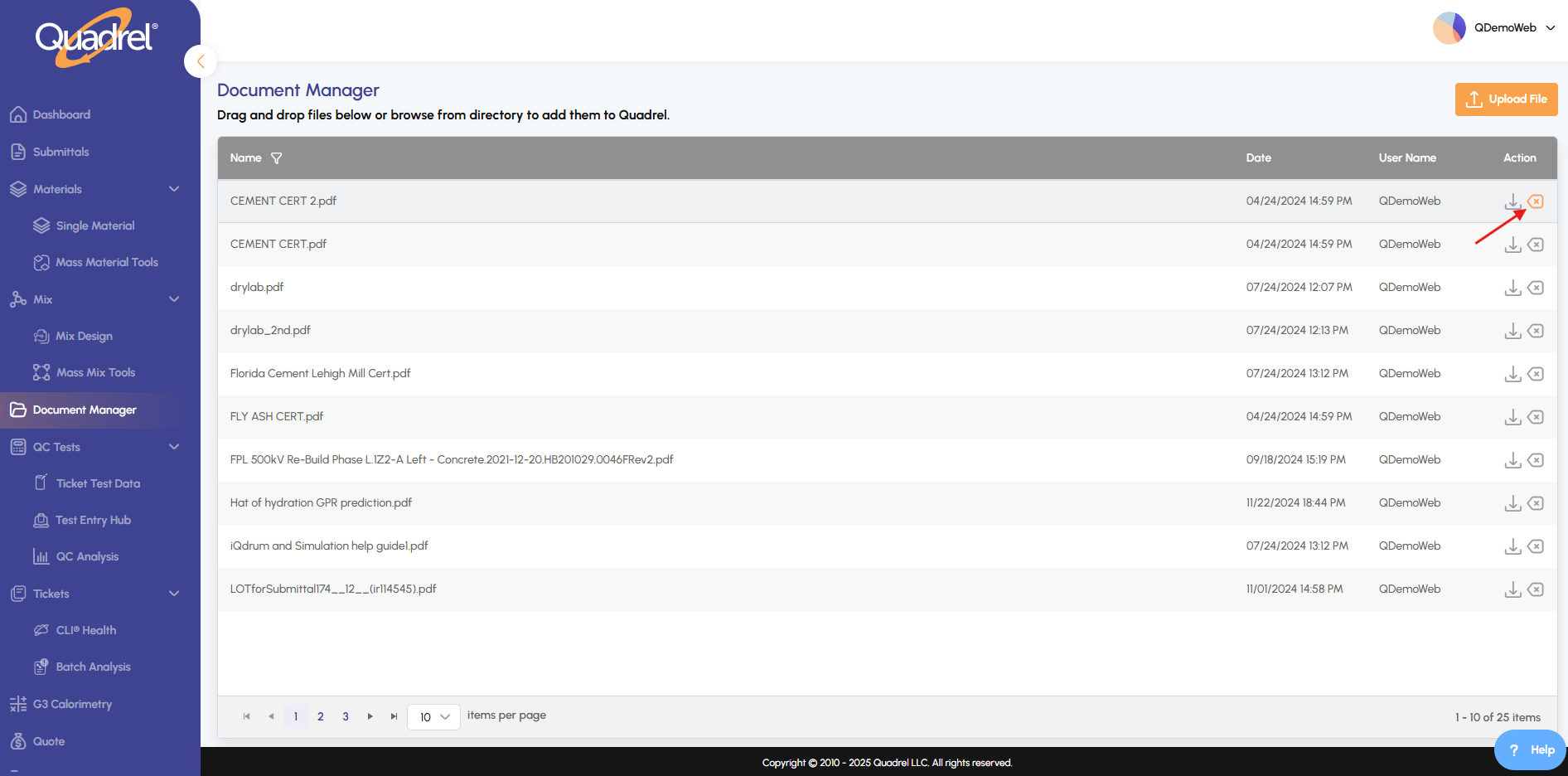
Delete attachments.
To remove an attachment in Document Manager, click the delete icon. The attachment will be permanently deleted from your document list.
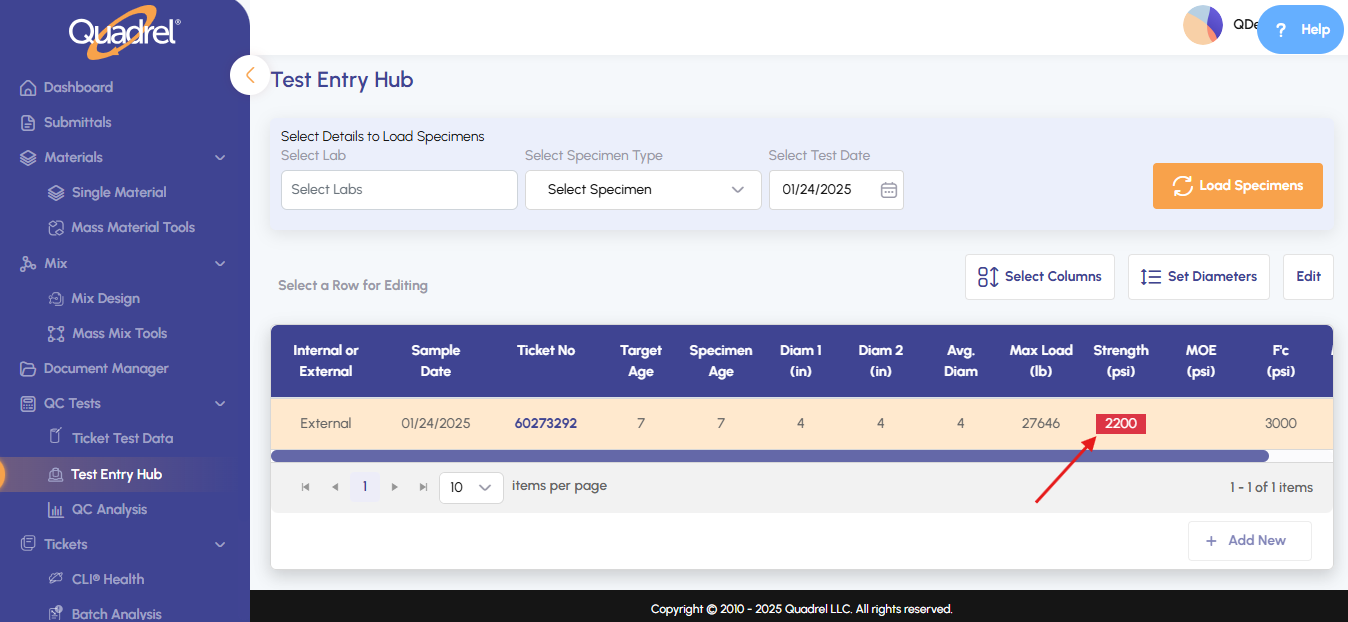
Out of Tolerance Values.
Test Entry Hub: Highlights strength values in red when below minimum requirements (F'c for 28-day tests, 0.75F'c for 7-day tests).
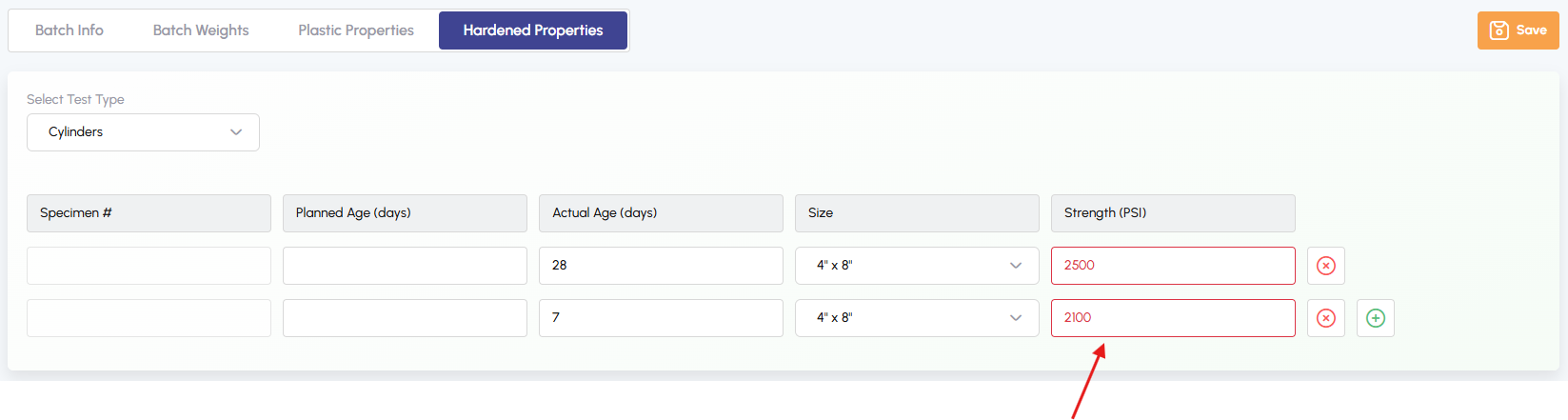
Ticket Test Data: Highlights plastic properties (slump and air content) in red when values fall outside specified ranges.

Ticket Test Data: Highlights strength values in red when below minimum requirements (F'c for 28-day tests, 0.75F'c for 7-day tests).
Mix Distribution.
Under the Distribution tab, select plants and click Load to view its recipe across selected plants.
Quote Permissions.
Limited – For Account Managers
- Can view and edit all details on Gathering Specs Page
- Can view and edit details on In Design page ONLY if it is not a spec mix project
Mix EPD.
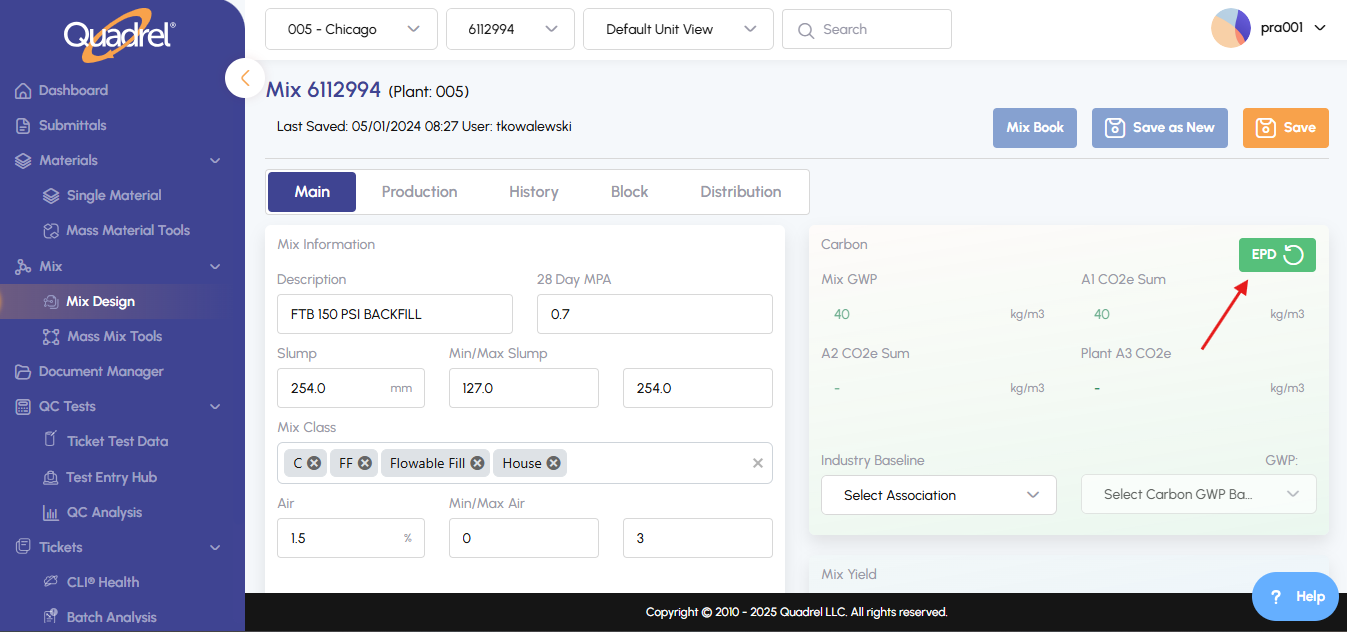
In Mix Design's Main tab, click EPD to generate the report. Currently we have an interface with WAP and Climate Earth. If a customer does not have the interface, the button will display a message to contact Quadrel with questions.