03/06/2026 Release: Mix Blending, Coarseness Workability, etc.
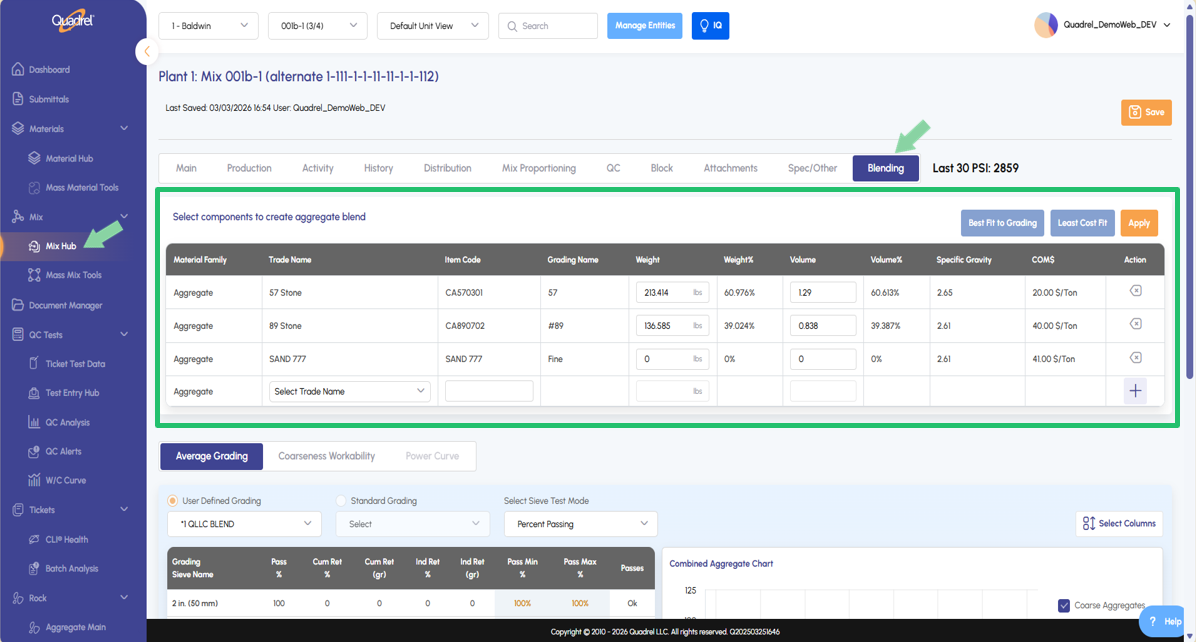
Blending: Mix Hub Now includes a Blending tab for creating and editing blended aggregates within a mix. Optimize blends using four methods: User-Defined, Standards, Best Fit / Least Cost, or Coarseness Workability.
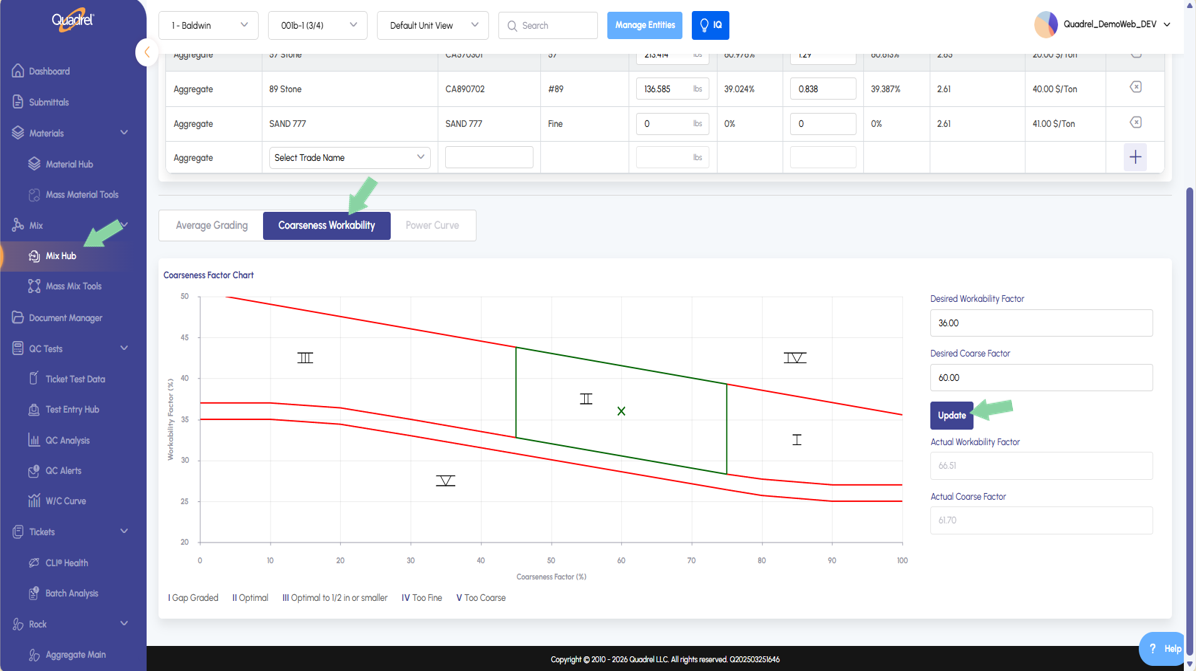
Mix Hub Blending: Coarseness Workability Users can now use coarseness workability to plot the desired “X” on mixes, adjustment on this tab will update calculations based on the mix's aggregates.
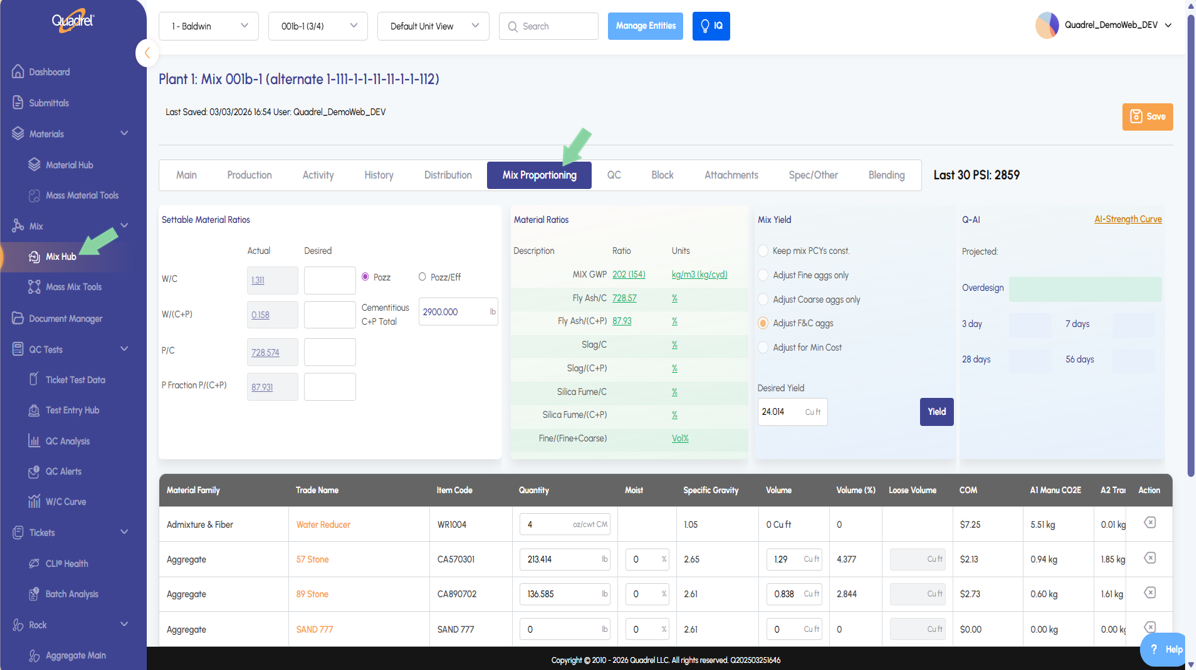
Mix Hub Main: Decimals Corrected The decimals on the mix hub main tab are corrected to show two places for admixtures, one for water and zero for cementitious and aggregate.
Now includes a Blending tab for creating and editing blended aggregates within a mix. Optimize blends using four methods: User-Defined, Standards, Best Fit / Least Cost, or Coarseness Workability.
Mix Hub Blending: Coarseness Workability.
Users can now use coarseness workability to plot the desired “X” on mixes, adjustment on this tab will update calculations on average grading.
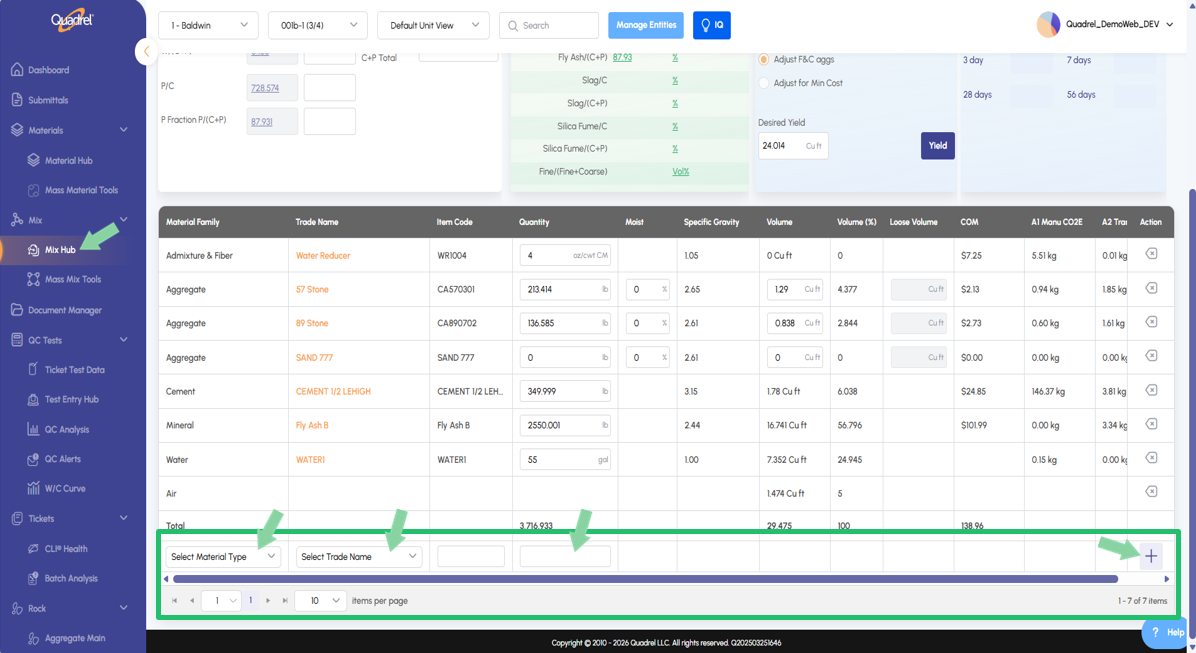
Mix Hub: Add Material on Proportioning Tab.
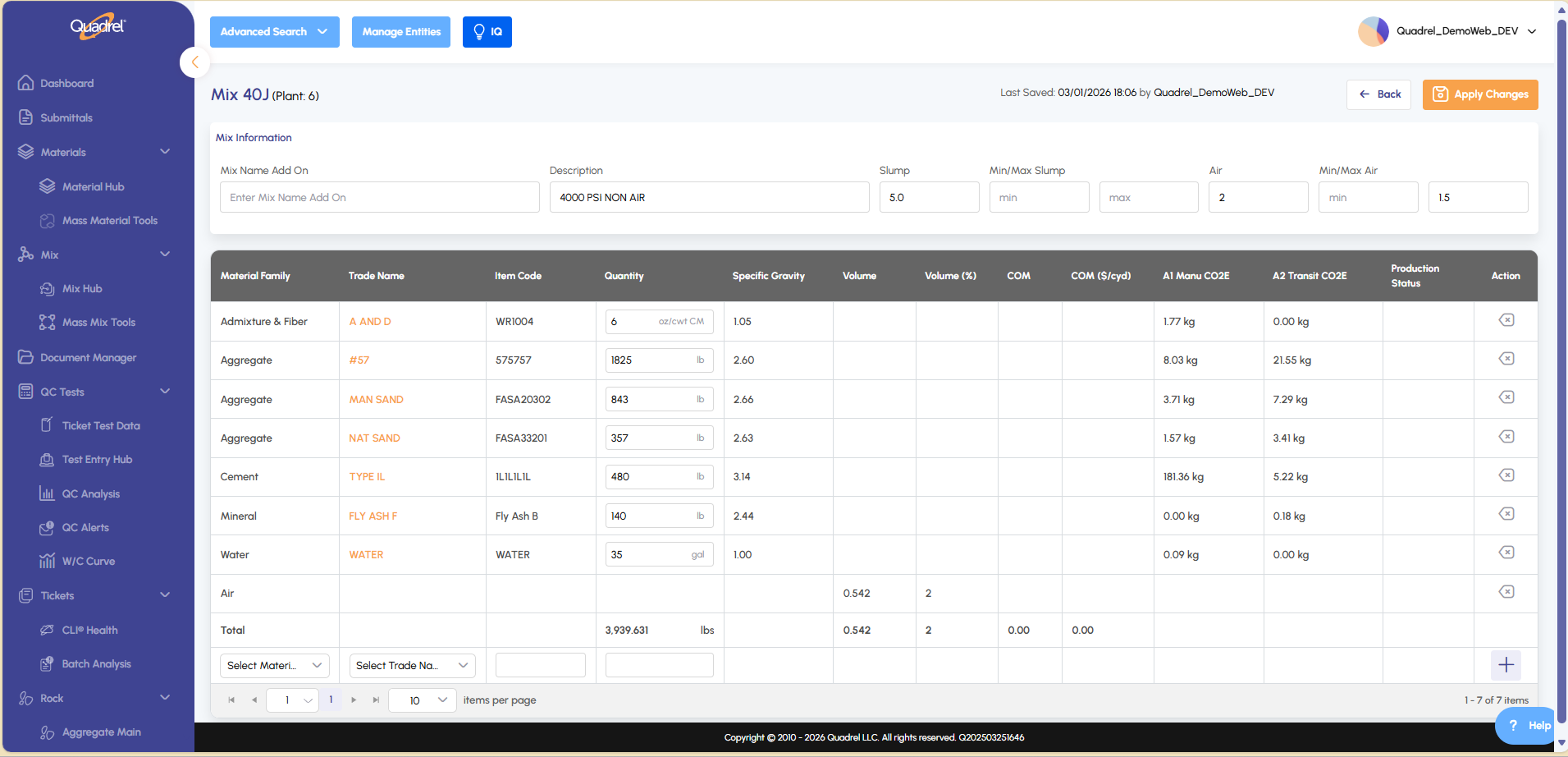
Users can now add materials on the mix proportioning tab, previously were only able to delete materials.
Scroll down until the full mix design is visible. Users will now notice that
Mix Hub Main: Decimals Corrected.
Users can now add materials on the mix proportioning tab, previously were only able to delete materials.
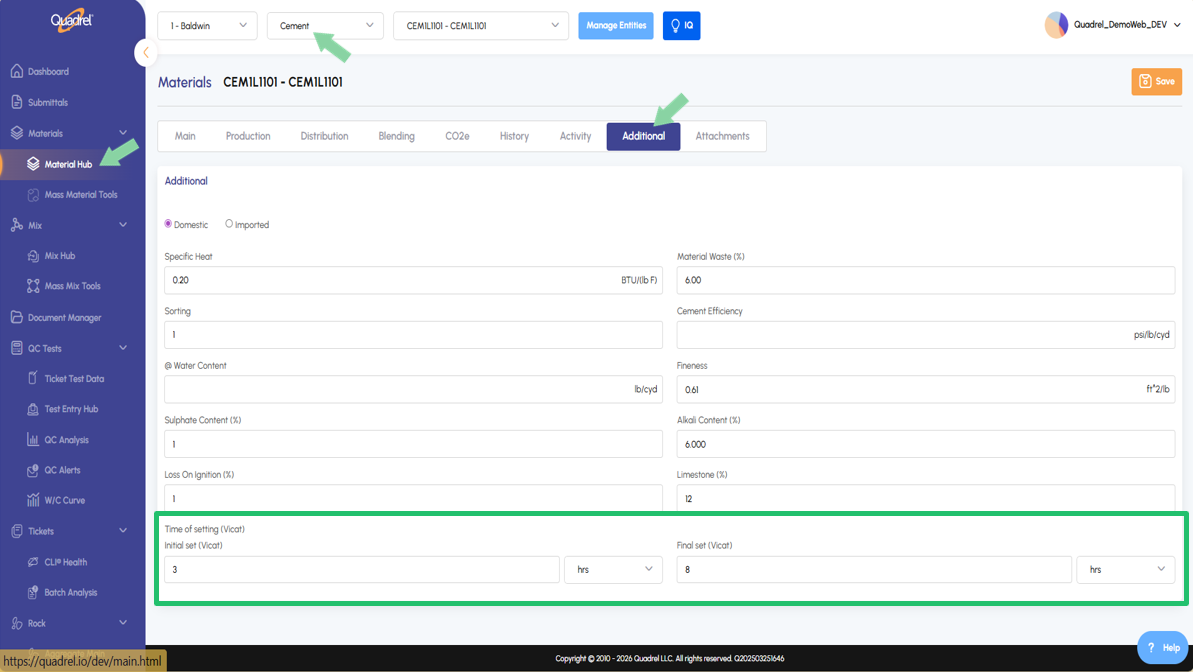
Material Hub Additional Tab (Cements): Time of Setting.
Users will now see two new fields in the material hub additional tab for cement material types. Initial and final time of setting (Vicat) can now be entered in minutes or hours.
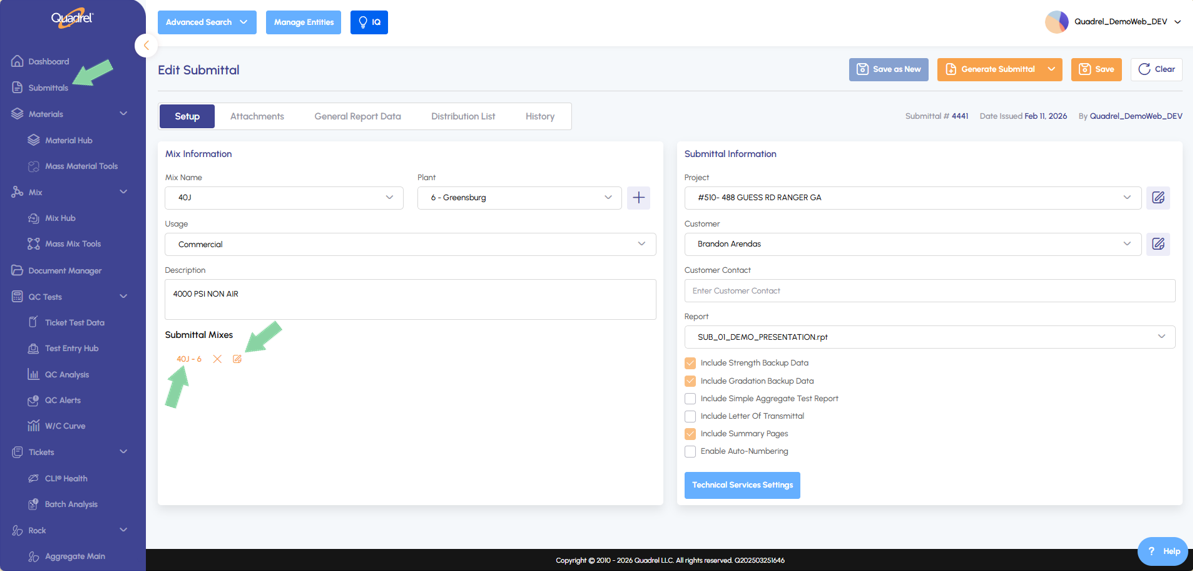
Sent State Mixes: Edit from Submittal Mix Form.
Mixes in a sent state can now be edited in the mix form opened from the submittal form. To reach the edit mix form within submittal, open the edit page for the desired submittal. In the lower left notice the Submittal Mixes area, click the mix name to highlight it and then click on the pencil icon.
Click the pencil icon next to the mix name in the image above to open the mix design within Submittals as shown below.