04/24/2025 Release: Dashboard updates, Mix Activity, Entities, etc.
- Dashboard: Internal & External
Switch between Internal, External, or both test types on the Dashboard and in QC analysis. - Batch Analysis: Charts
Visual representation of batched material trends using CUSUM and delta charts. - Mix Activity
Mix activity gives a log of mix changes, distributions, and user comments. - Distribution: Create Materials
When distributing a mix to a new plant, the option to use materials with same name and create them if necessary is available. - Entities: Project & Customer
Save new or edit existing project & customer entities in submittals. - QC Tests: Ticket Test Data
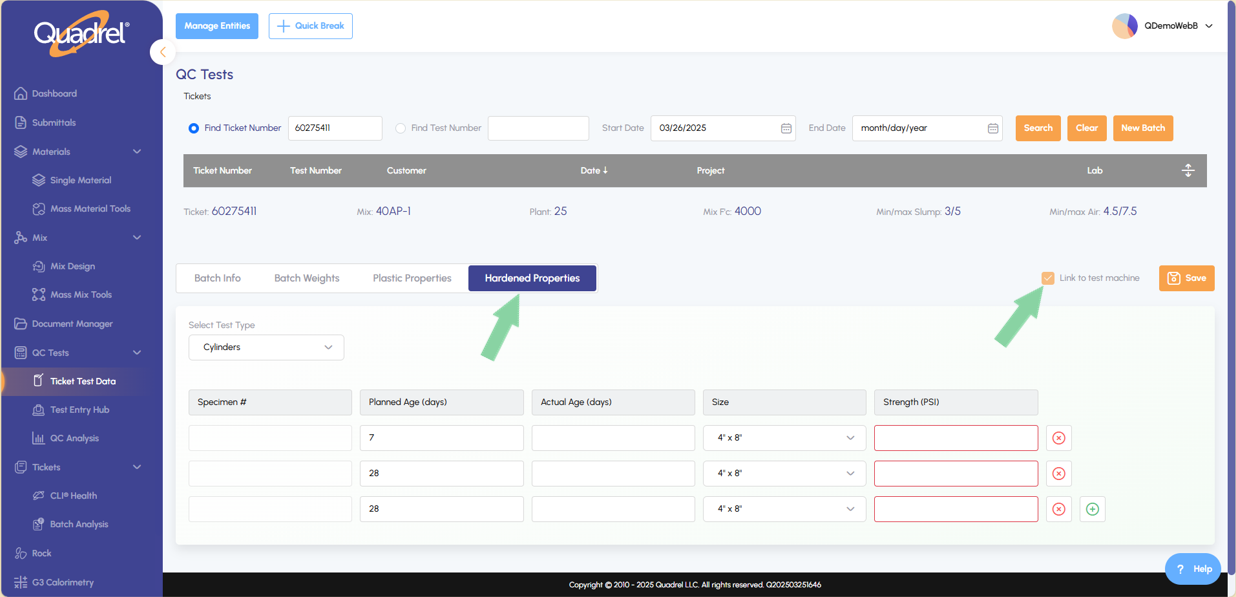
Option to have Quadrel send the tickets planned ages to the Forney machine in the Ticket Test Data page.
Dashboard: Internal & External.
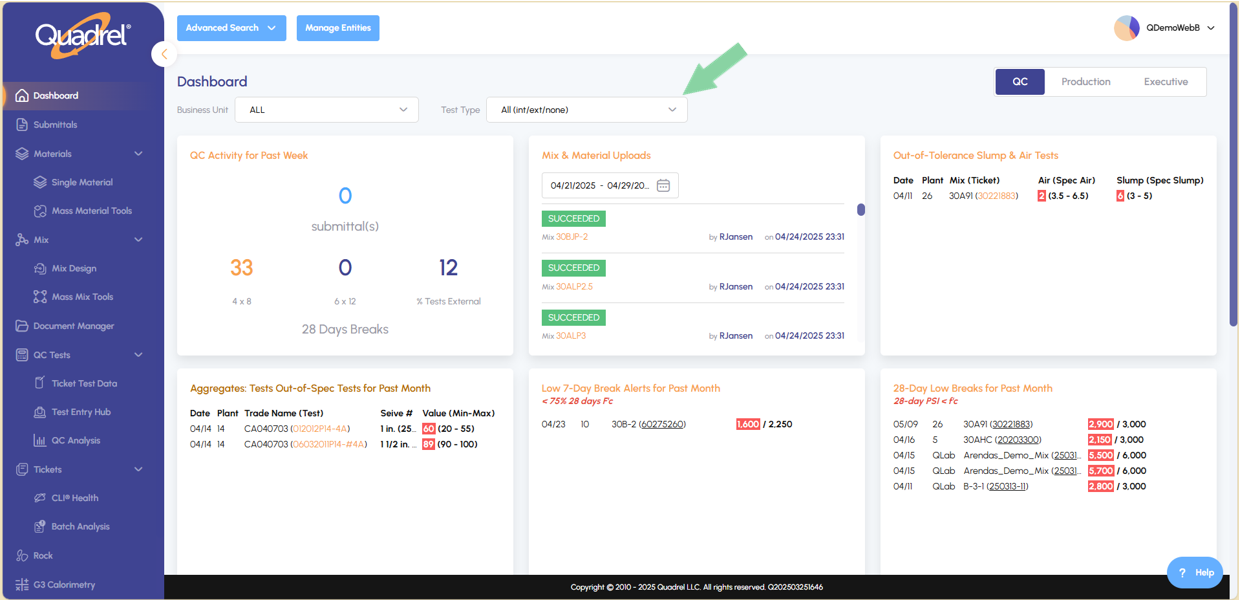
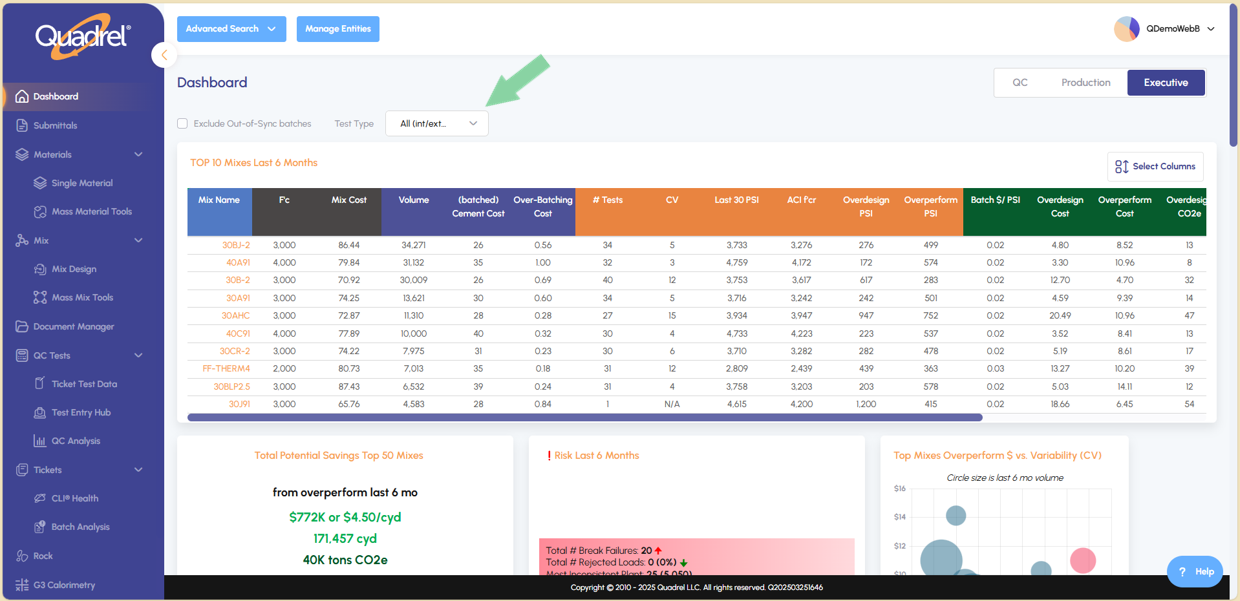
A dropdown menu has been added to the Dashboard QC and Executive tabs, allowing users to easily switch between Internal, External or both test types.
- When Internal is selected, the tiles below will display only Internal test data.
- When External is selected, only External test data will be shown.
- When All/None is selected, any and all tests are shown, even those without a lab selected.
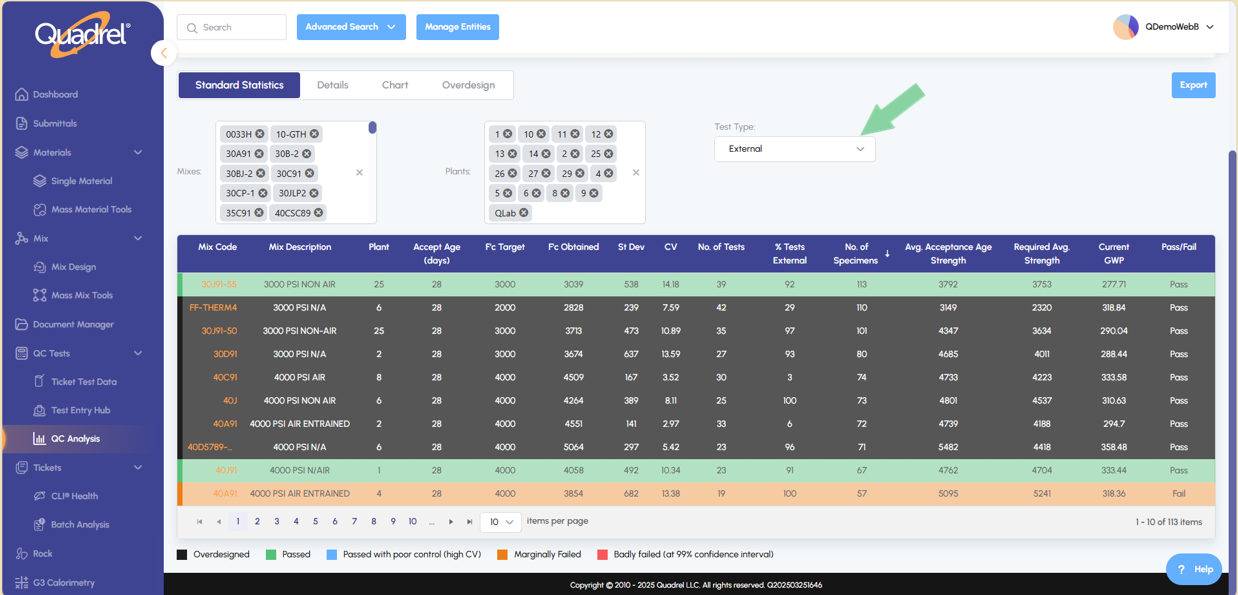
In the QC Analysis section, users can now filter tests by Internal, External, or All test types using the Test Type dropdown menu.
Batch Analysis: Charts.
The Batch Analysis page now includes a Charts tab with two new visual reports to help analyze material performance.
CUSUM Chart (Left Side):
Select a plant, then choose one or more materials. Click Load to generate the chart based on your selections. (Example shown with two material types selected.)
Delta Chart (Right Side):
Select a plant, one material can be selected for the Delta chart. After clicking Load, a visual report of the material’s delta weight will be displayed.
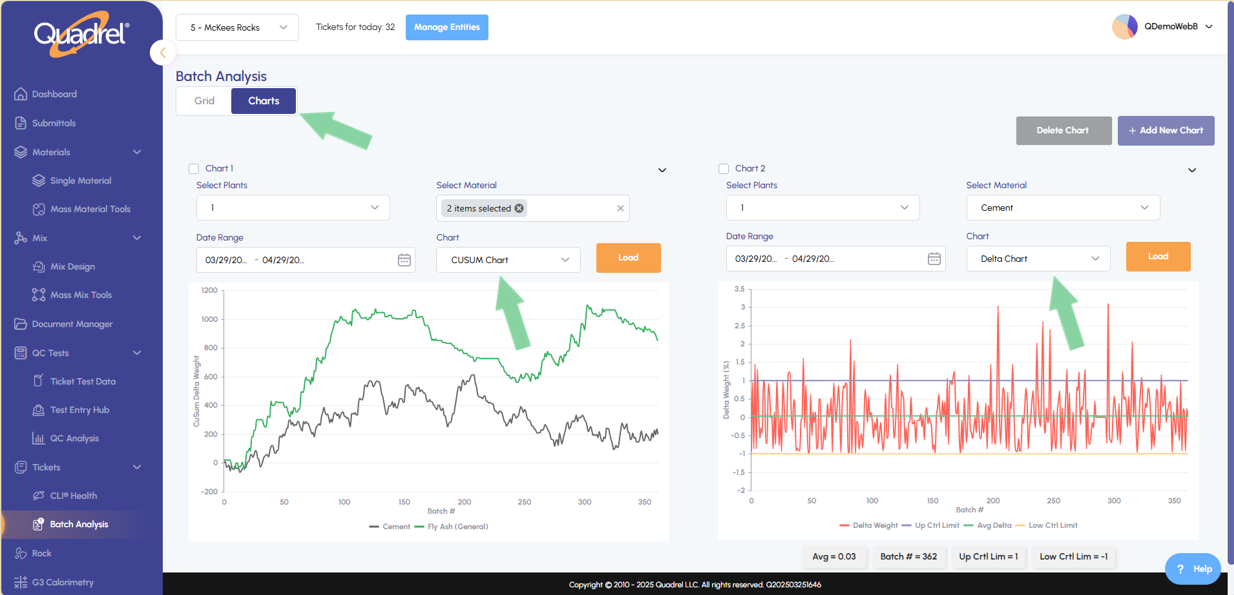
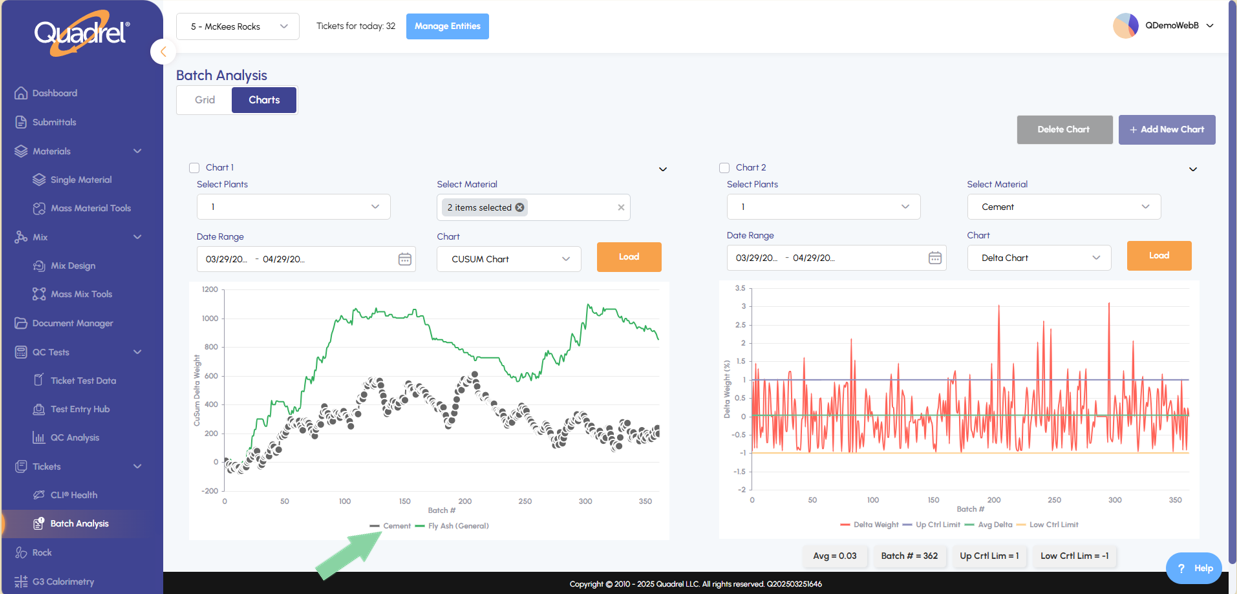
The new charts offer interactive capabilities to make analysis even easier: Hover over a material name in the legend to highlight all related data points on the chart. Click on any individual data point in either chart to drill down directly into the associated ticket details.
Mix Activity.
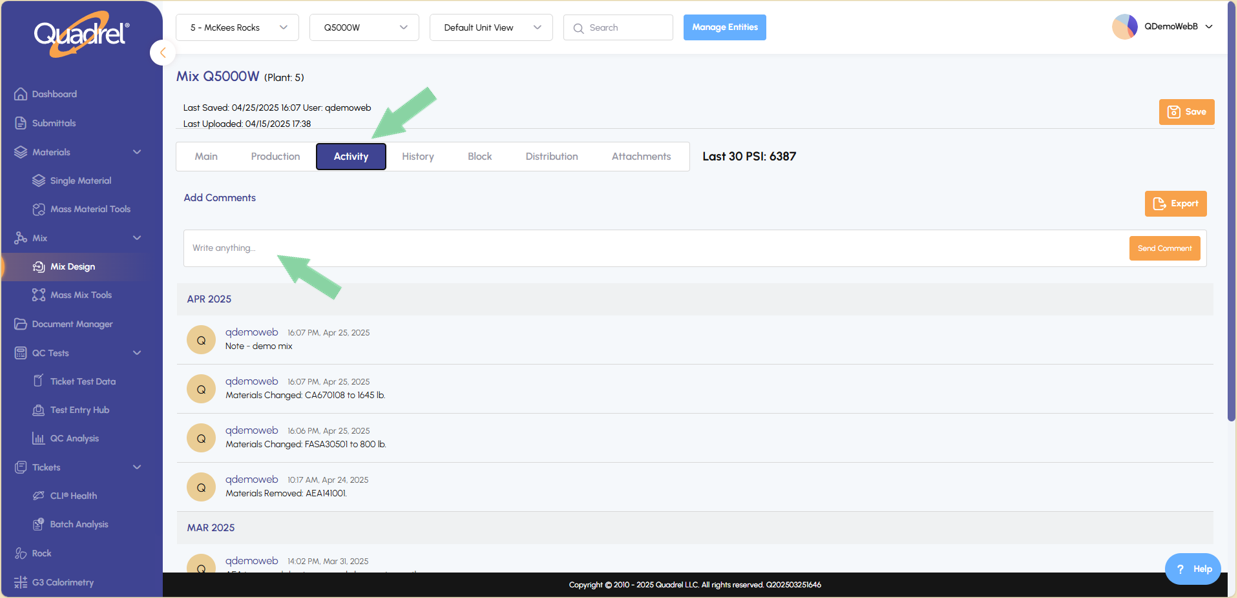
When viewing a mix, users can now switch to the Activity tab to view related notes and the change log.
- Any time a user adjusts or distributes a mix, Quadrel automatically records that activity here.
- Users can also publish their own comments directly on the Mix Activity tab.
- This feature is effective starting 04/24/2025; activity prior to this date is not recorded.
Distribution: Create Materials.
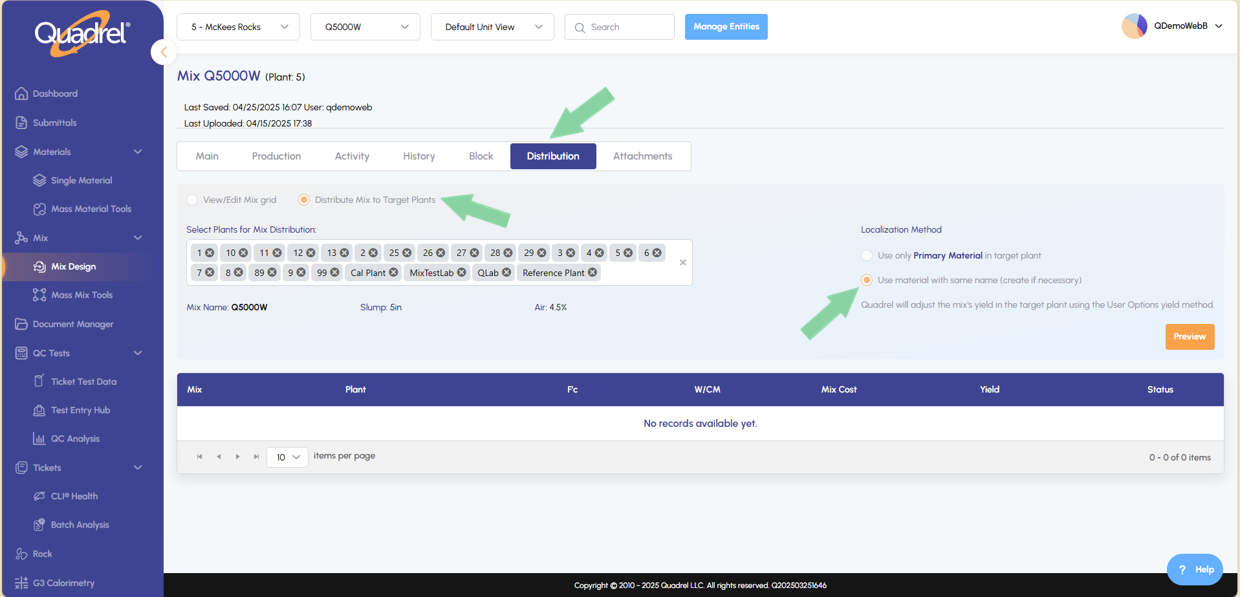
Users can now distribute a mix and automatically create missing materials in the receiving plant if needed.
- Click the Distribute Mix to Target Plants radio button and select the desired plants to receive the mix.
- On the right side of the form, check "Use material with same name (create if necessary)" to allow automatic material creation.
- Click Preview to review your selections before finalizing the distribution.
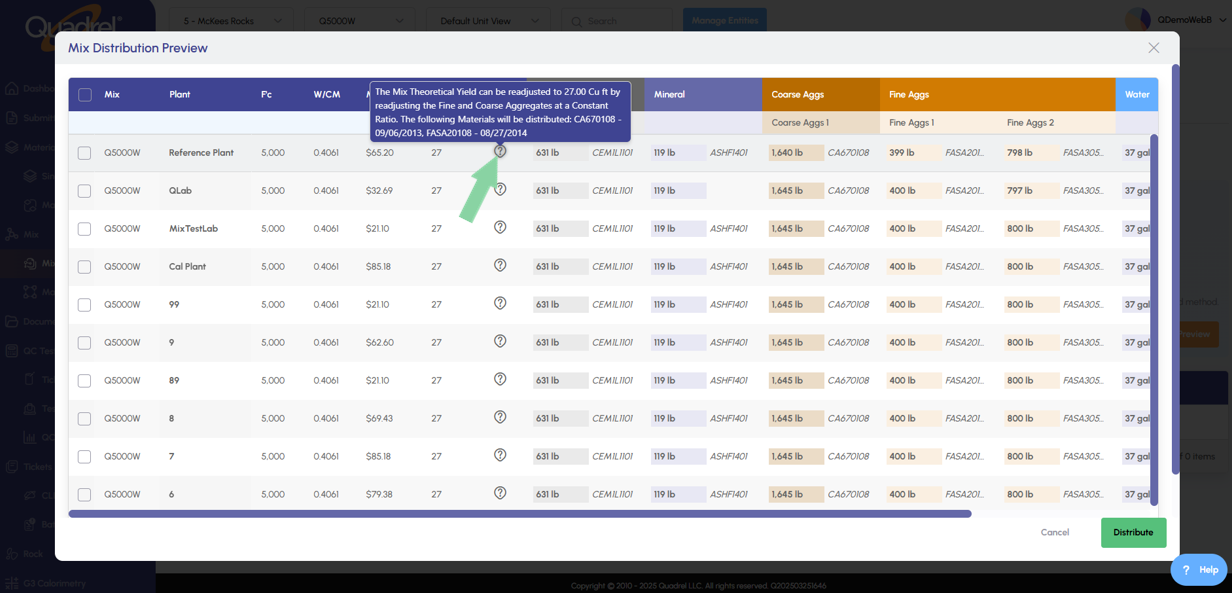
The preview form now includes a question icon in each row under the Status column. As shown in the example below, the status indicates that the specified materials need to be distributed alongside the mix to the designated plants. The user must check the checkbox on the left of each mix to distribute the mix.
Entities: Project & Customer.
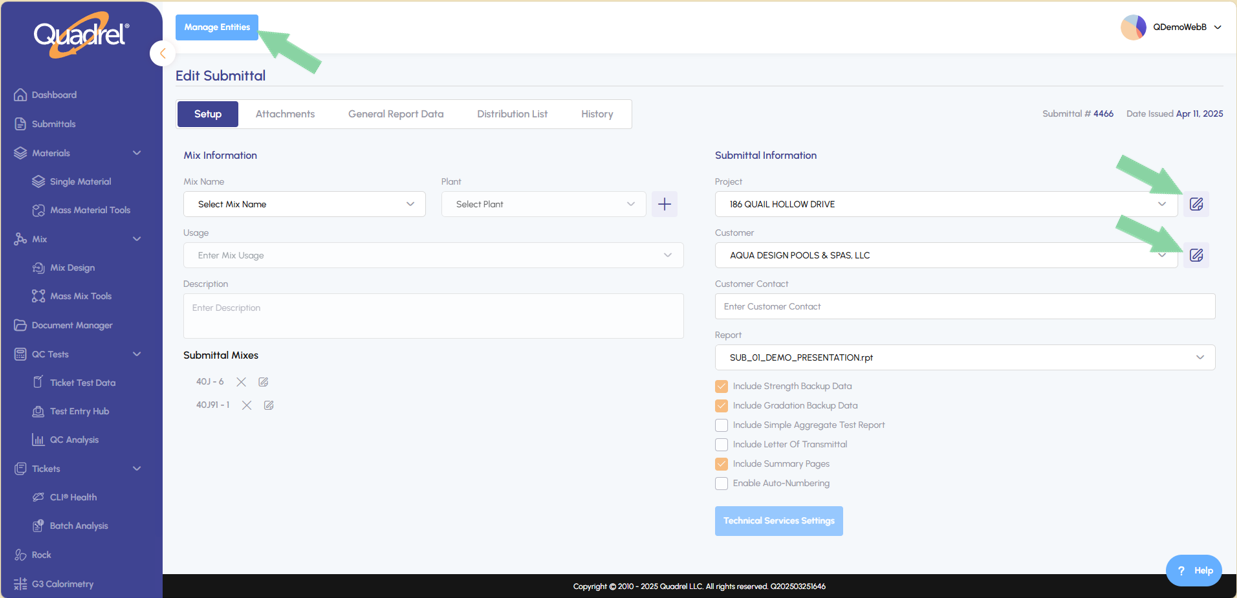
In the Edit Submittal Form, users can now quickly create a new project or customer by clicking the Manage Entities button. Additionally, users can edit an existing project or customer by clicking the edit icons on the right side of the form, as shown in the example below.
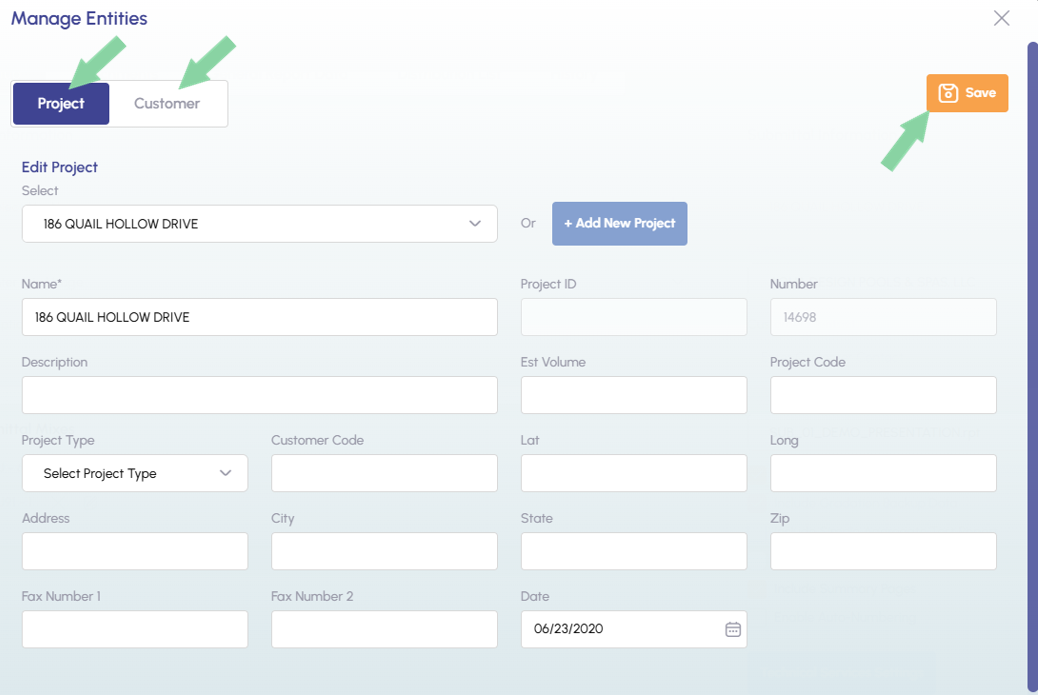
A quick fix example includes updating the address of a customer or project entity. Users can navigate between Project and Customer using the tabs at the upper left of the form. Remember to click Save after making any changes to the form.
QC Tests: Ticket Test Data.
Visit the Hardened Properties tab on a test ticket and notice the new "Link to Test Machine" checkbox. Check this box if you would like Quadrel to send the planned ages to the Forney machine (if this addon is purchased). This feature was previously only available in Legacy Quadrel and mField.