05/13/2026 Patch: Label Inactive Materials, Find by Mix Description, Notification Duration, etc.
Web Quadrel: Notification Duration Notification pop-ups in Web Quadrel now remain on screen for 15 seconds before dismissing, giving users enough time to fully read each notification.
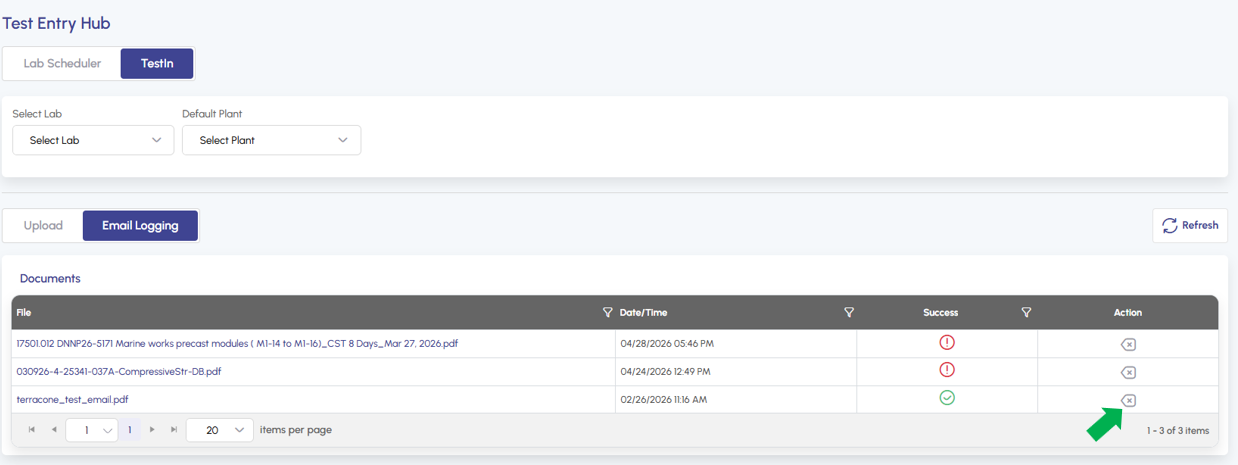
AI TestIn Email: Delete Documents Documents that are received in AI TestIn Email are able to be deleted as needed via the delete icon in the action column.
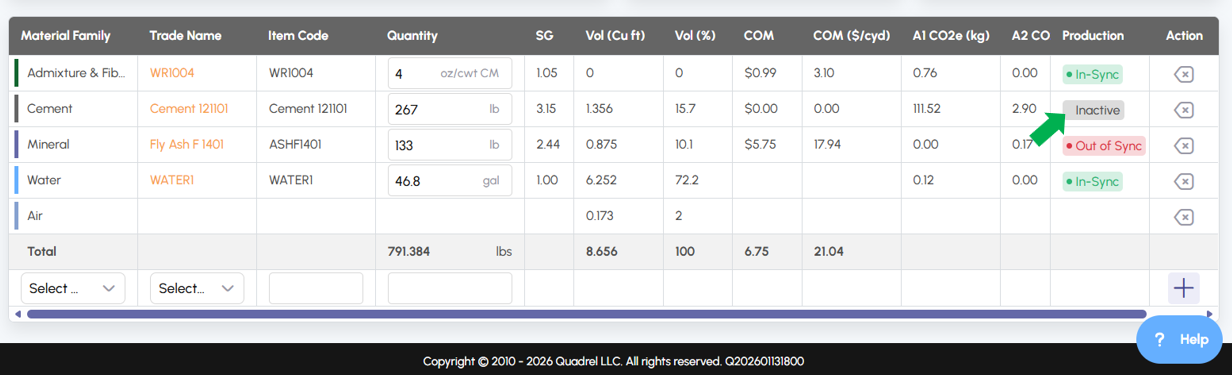
Mix Hub: Label Inactive Materials in Mix Recipe Mix designs in Mix Hub now clearly label any inactive materials in the recipe, helping users quickly identify mixes that may need to be reviewed or updated.
Document Manager: Overwrite Attachments When a document is uploaded to Document Manager with the same name as an existing file, Quadrel will now automatically overwrite the older version, streamlining version control and reducing duplicates.
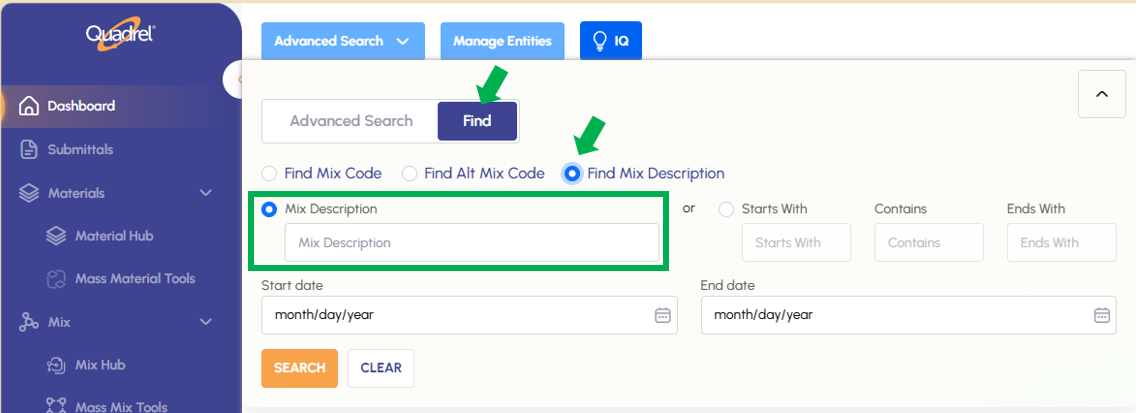
Advanced Search Find: Mix Description The Advanced Search tool on the Find tab now supports searching by mix description, adding another way to locate the exact mix you need.
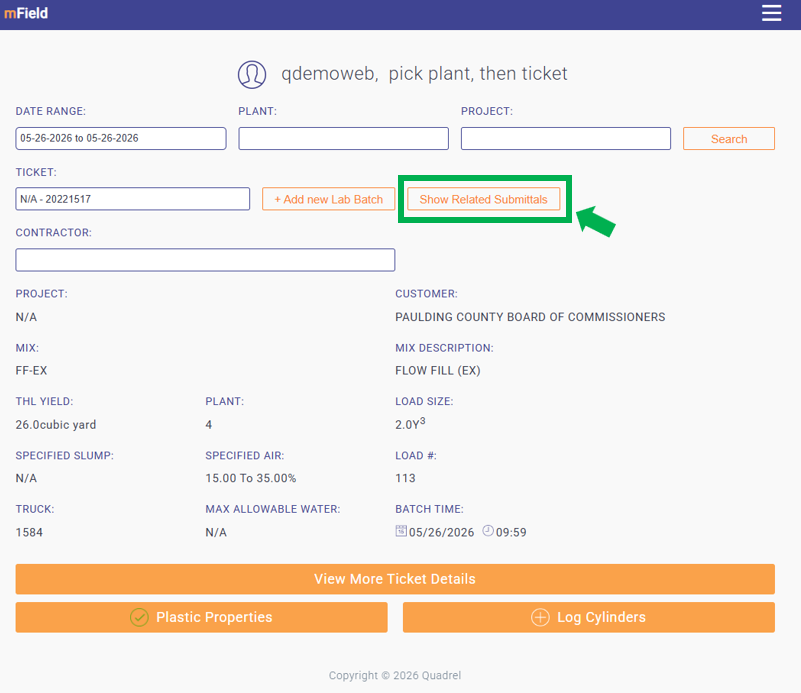
mField: Find Related Submittals A new button in the main area of mField lets users pull up submittals from the past three years that match the current project and mix combination, making related history easier to find.
Mix Hub: Max Water on Main Tab Max Water now displays on the Mix Hub main tab when a mix is selected. The value remains editable from the Spec/Other tab, giving users quicker visibility without sacrificing control.
Submittals: Find Mixes in Submittal Omni Search The Omni Search in Submittals now includes mix names alongside all other existing entities, making it faster to find the submittal you're looking for.
Web Quadrel: Notification Duration.
Notification pop-ups in Web Quadrel now remain on screen for 15 seconds before dismissing, giving users enough time to fully read each notification.
AI TestIn Email: Delete Documents.
Documents that are received in AI TestIn Email are able to be deleted as needed via the delete icon in the action column.
Mix Hub: Label Inactive Materials in Mix Recipe.
Mix designs in Mix Hub now clearly label any inactive materials in the recipe, helping users quickly identify mixes that may need to be reviewed or updated.
Document Manager: Overwrite Attachments.
When a document is uploaded to Document Manager with the same name as an existing file, Quadrel will now automatically overwrite the older version, streamlining version control and reducing duplicates.
Advanced Search Find: Mix Description.
The Advanced Search tool on the Find tab now supports searching by mix description, adding another way to locate the exact mix you need.
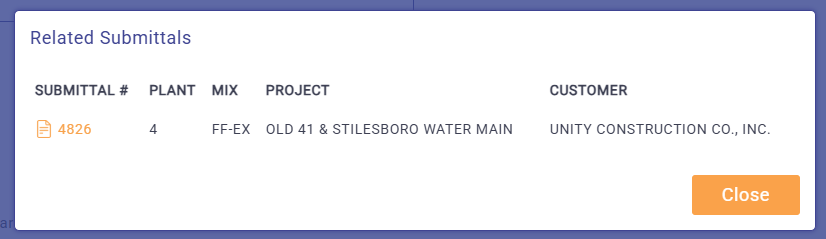
mField: Find Related Submittals.
A new button in the main area of mField lets users with this add on pull up submittals from the past three years that match the current project and mix combination, making related history easier to find.
After clicking the button, Quadrel will show you related submittals if applicable.
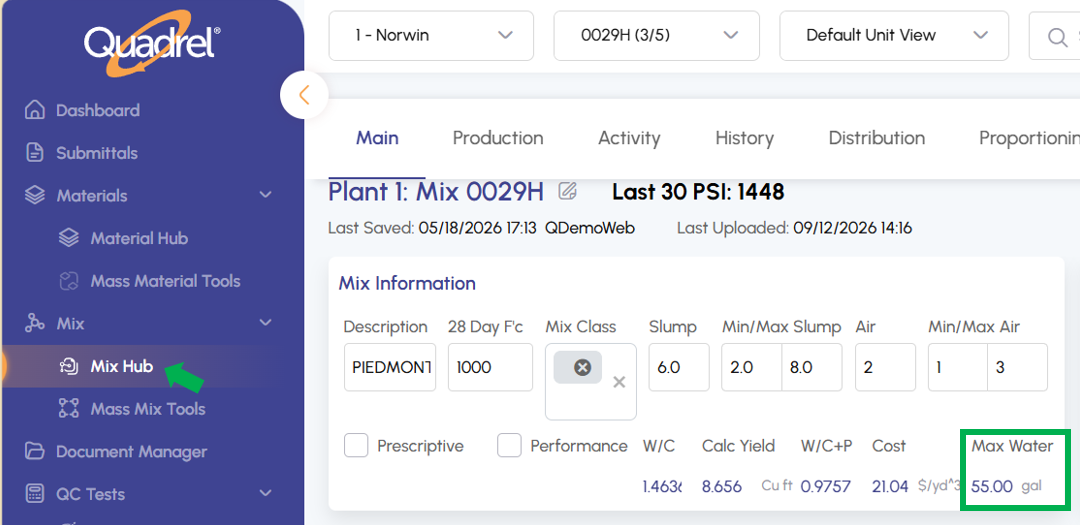
Mix Hub: Max Water on Main Tab.
Max Water now displays on the Mix Hub main tab when a mix is selected. The value remains editable from the Spec/Other tab, giving users quicker visibility without sacrificing control.
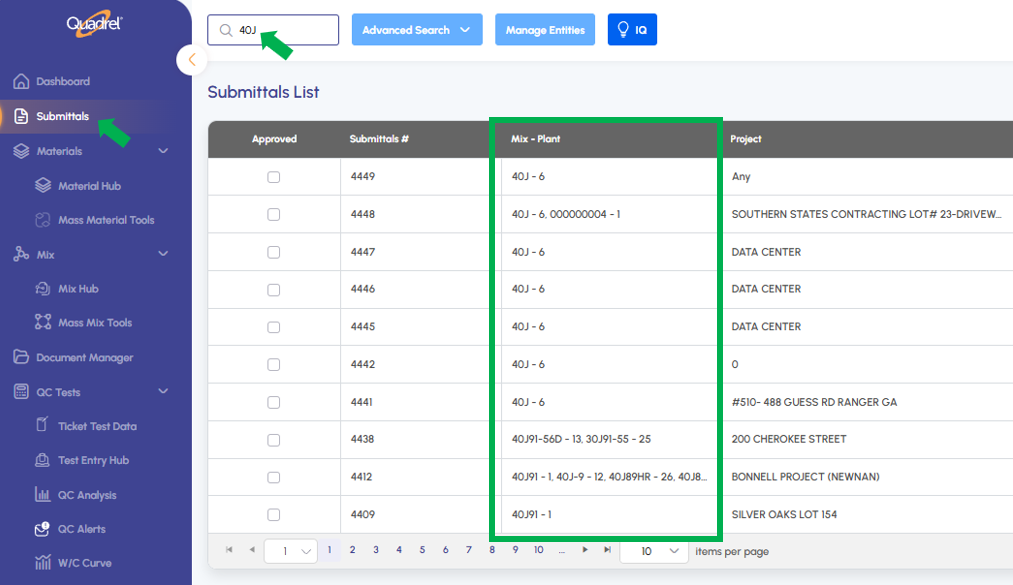
Submittals: Find Mixes in Submittal Omni Search.
The Omni Search in Submittals now includes mix names alongside all other existing entities, making it faster to find the submittal you're looking for.