08/23/2024 Release: Quick test Data Entry, Mix Book, etc.
- Quick Test Data Entry
Mass enter test data across tickets at once. - Dashboard Direct Links
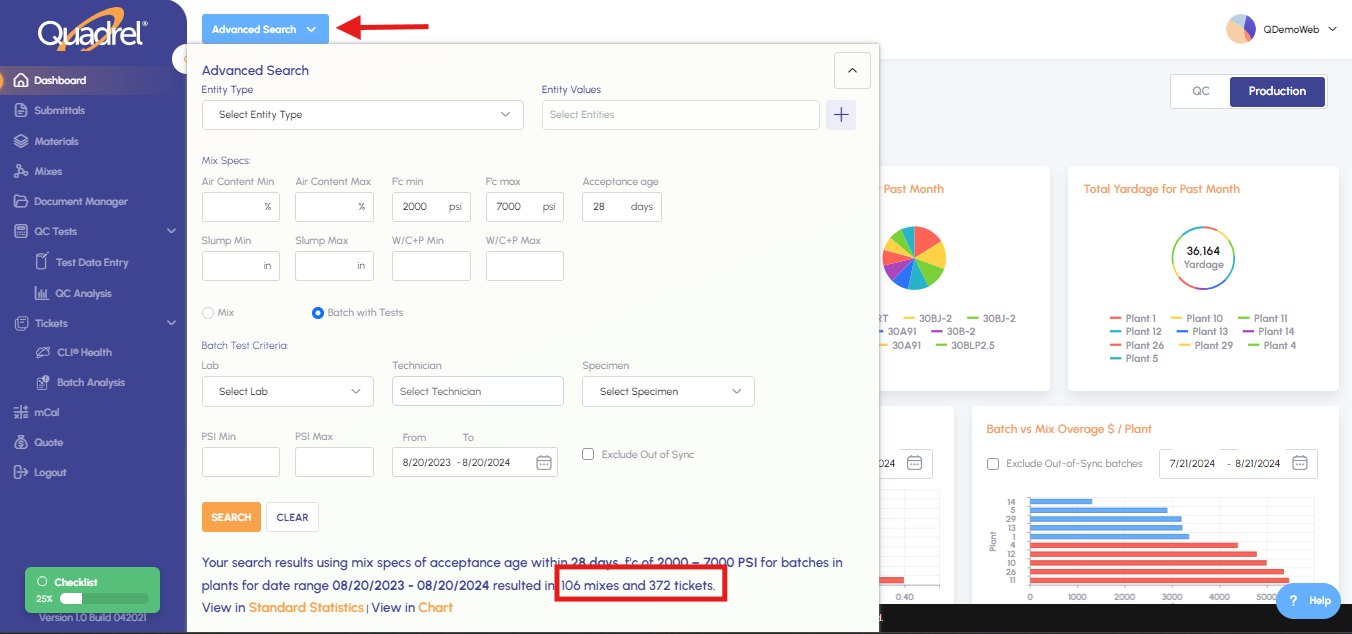
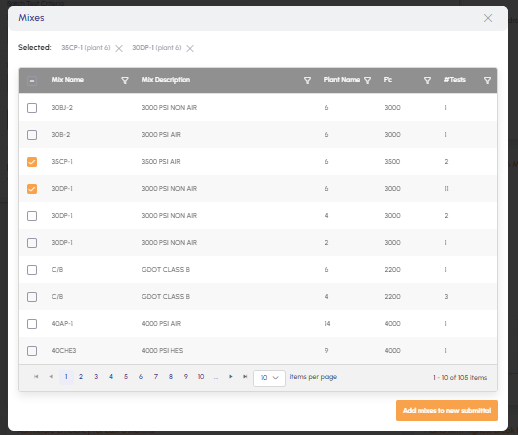
Drill-down into test, ticket, and mix data to understand summary metrics. - Advanced Search for Mixes
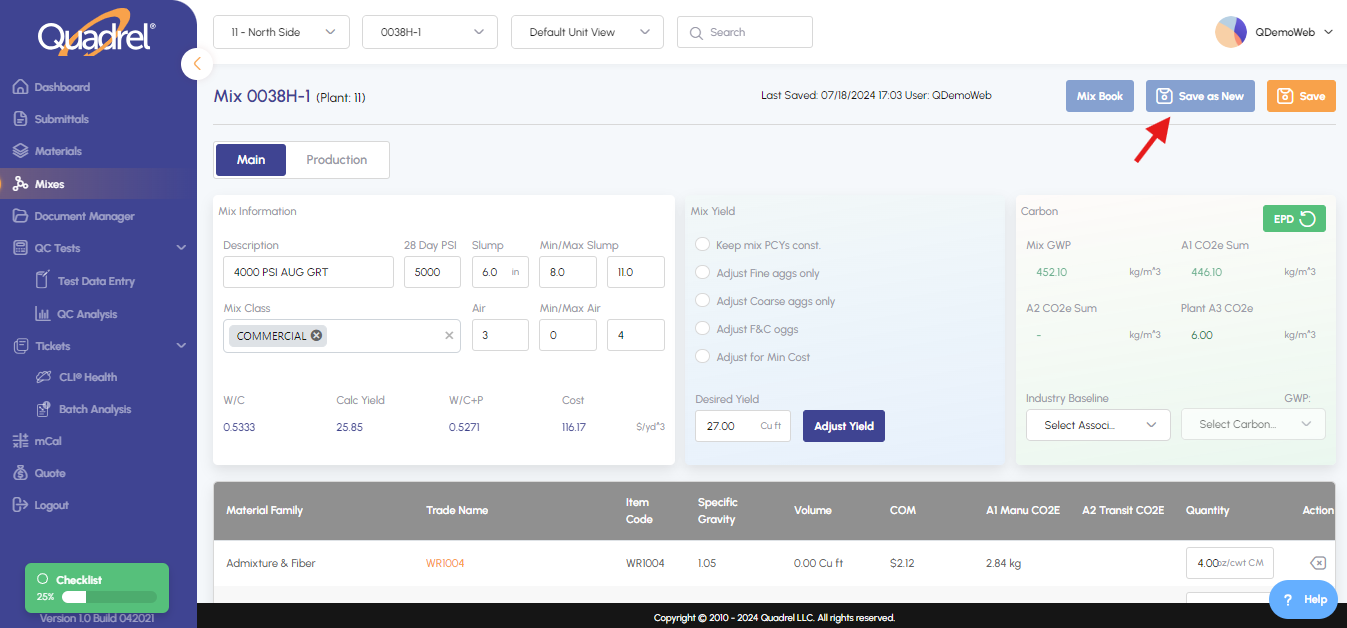
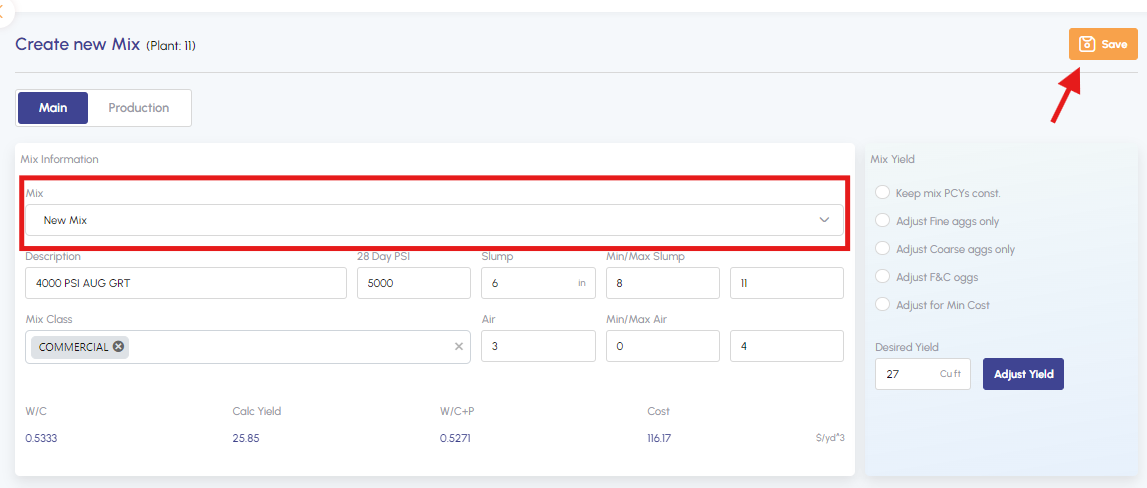
Powerful, user-friendly search across your mix inventory based on mix class, project, customer, spec, test criteria and more. Option to add to submittals. - Change a mix and save it as a new
Quickly adjust a mix and save it as a new version. - Updated Submittal/Material Attachment Upload
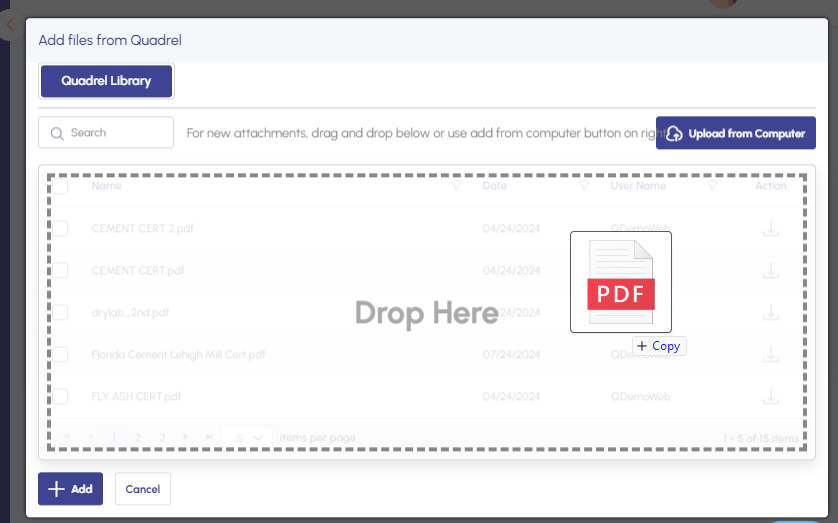
Updated user interface to easily drag and drop or upload files from your computer. - Generate Mix Book
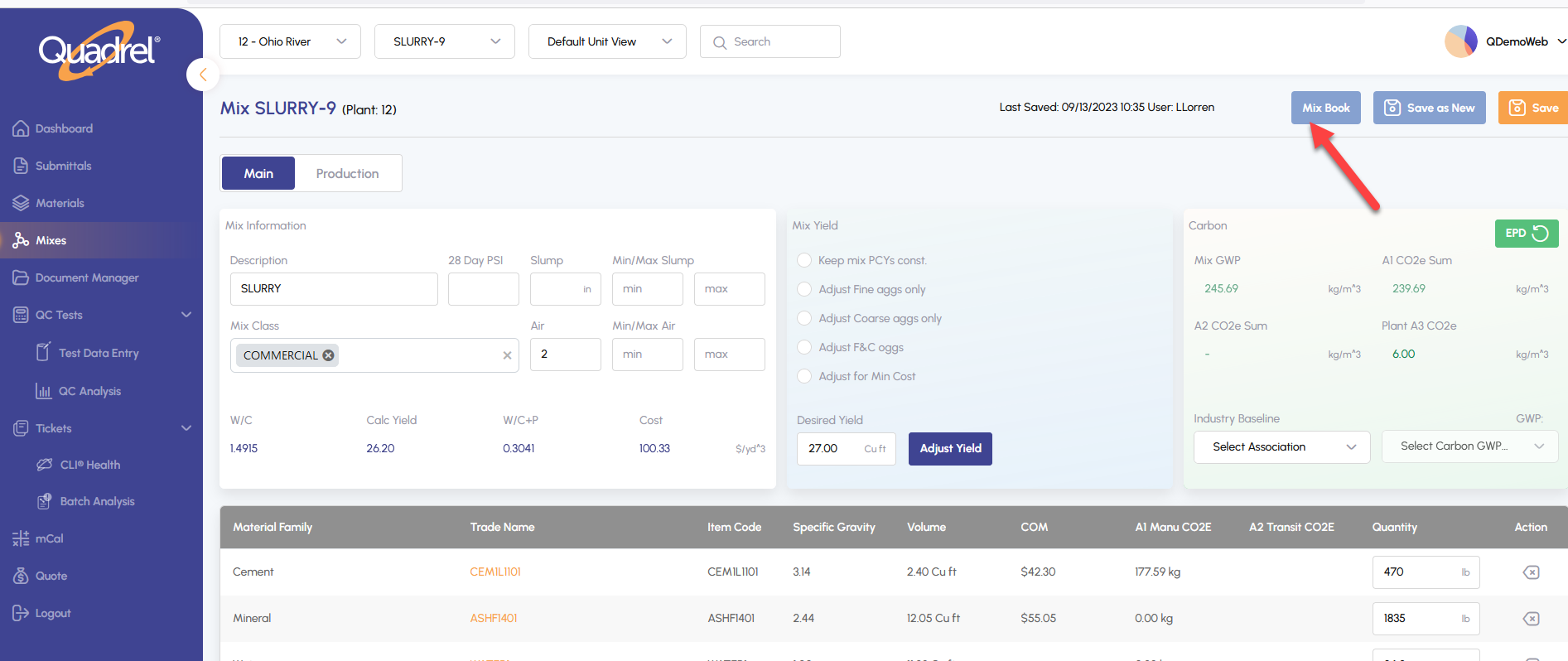
From the mix design area, now generate a mix book for selected mix.
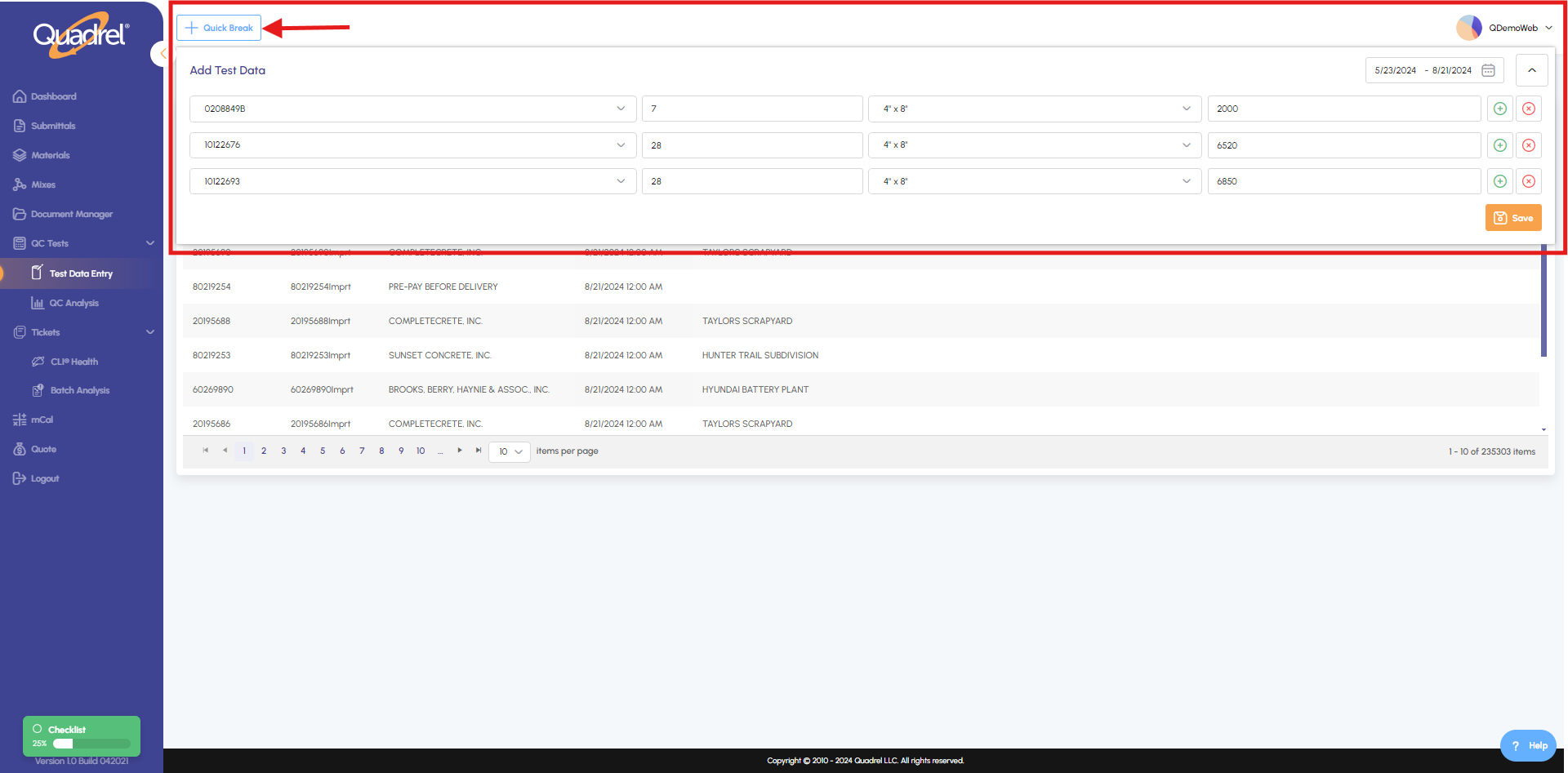
Quick Test Data Entry.
Add test data for multiple tickets without needing to access each ticket individually, reducing the time needed to record test data.

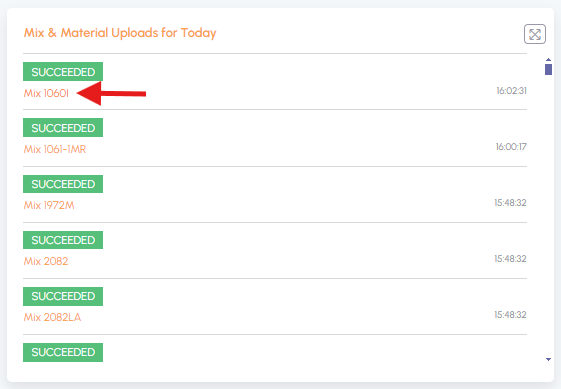
Dashboard direct links.
Access individual mixes directly.
Click on a specific ticket to view details.
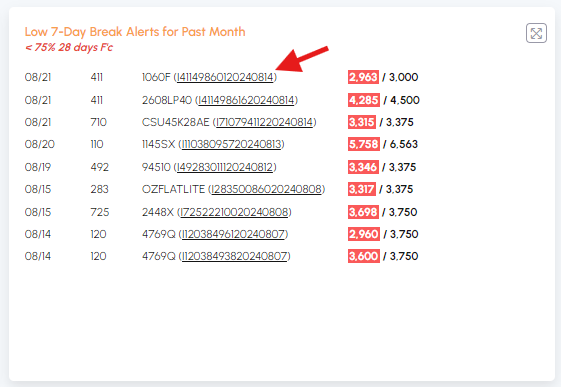
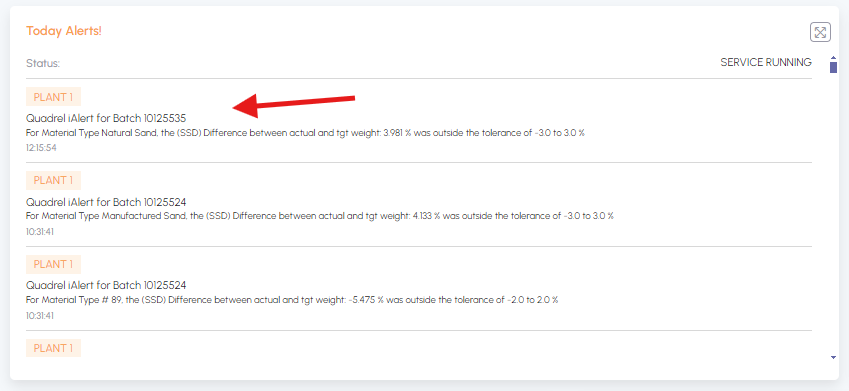
Click on an alert to view detailed information.
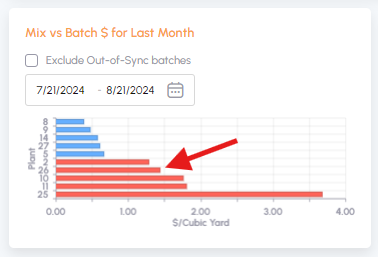
Click on a bar to access Batch Analysis data.
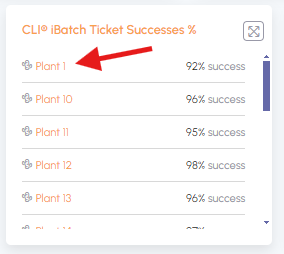
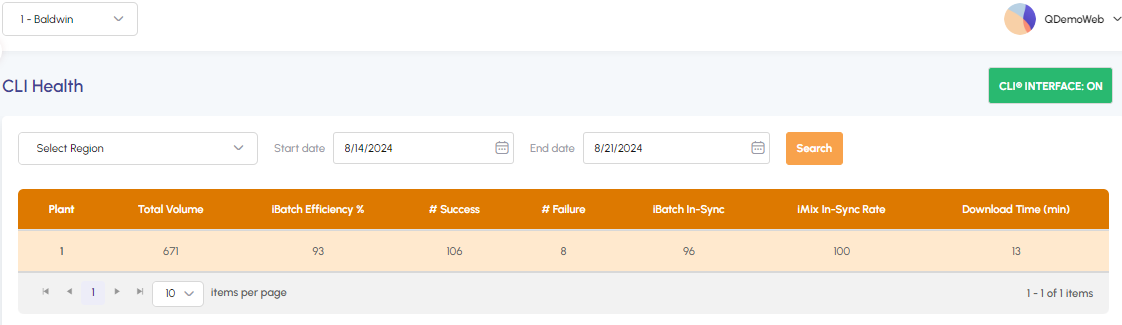
Click on a plant to view its data.
Advanced search for mixes.
Change a mix and save it as new.
Updated Submittal/Material Attachment Upload.
Drag and drop files or upload them from your computer.
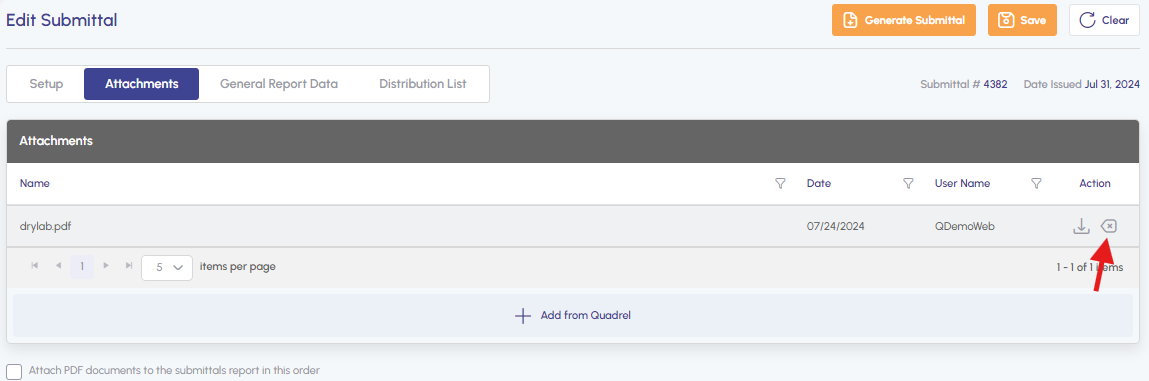
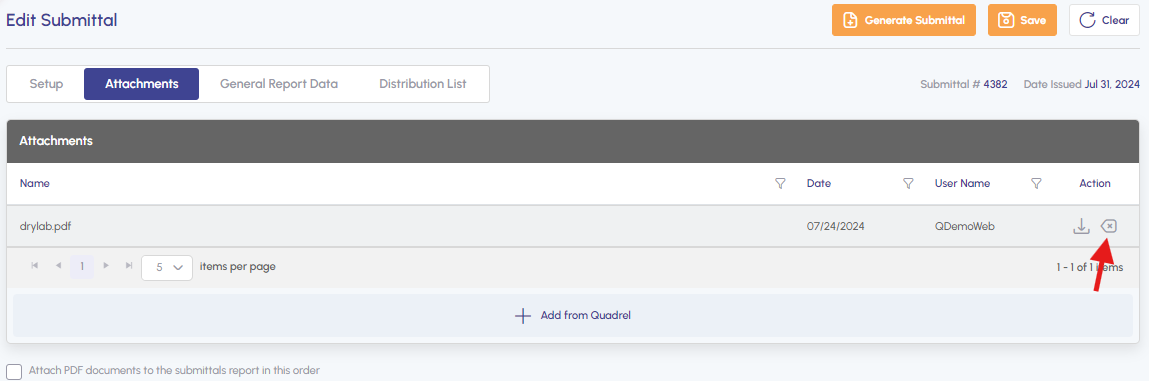
Remove files from a submittal when needed.
Generate a "Mix Book" report that creates a submittal-like PDF for a mix.
Delete attachment from a submittal/submittal mix.