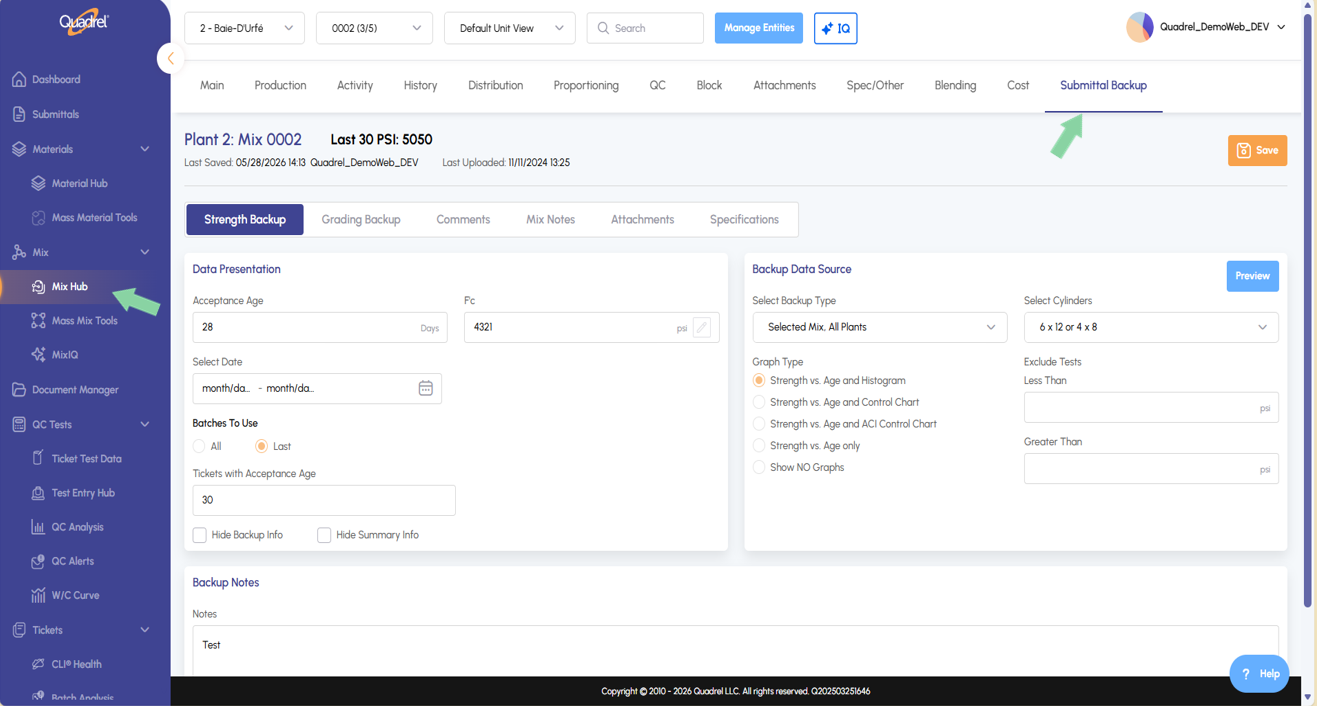
Mix Hub: Submittal Backup Tab A new Submittal Backup tab in Mix Hub lets users predefine backup data for a mix. When the mix is used in a submittal, technical service settings will be automatically pre-configured — streamlining the submittal process so that any user such as Sales can do submittals.
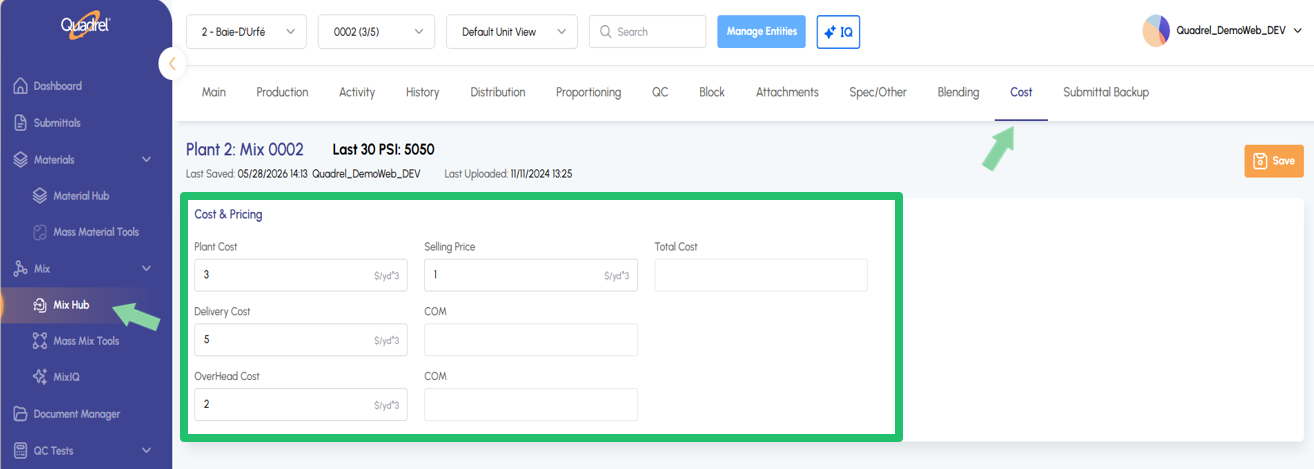
Mix Hub: Cost Tab Mix Hub now includes a Cost tab for tracking all financials tied to a selected mix. Users can view and manage Plant Cost, Delivery Cost, Overhead Cost, COM, Total Price, and Selling Price.
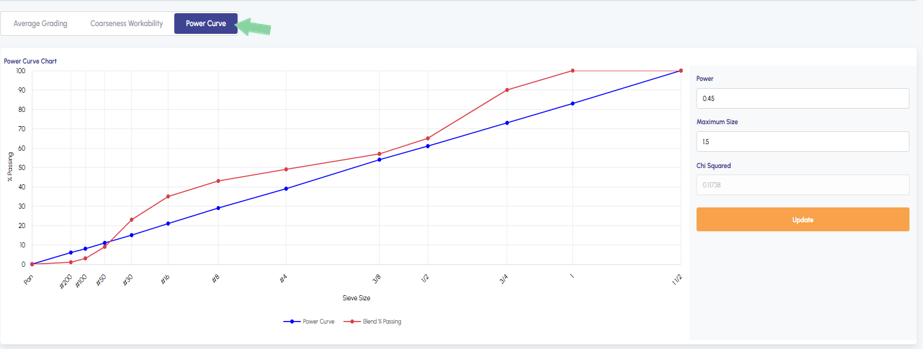
Mix Hub Blending: Power Curve In the Mix Hub on the blending tab users will now see a new tab down below called Power Curve. This feature allows you to compare actual aggregate blend's gradation against the theoretical ideals. It also calculates a Chi Squared goodness-of-fit score so you can immediately quantify how well your blend matches the optimal particle packing curve, with adjustable Power and Maximum Size parameters to update the desired target as needed.
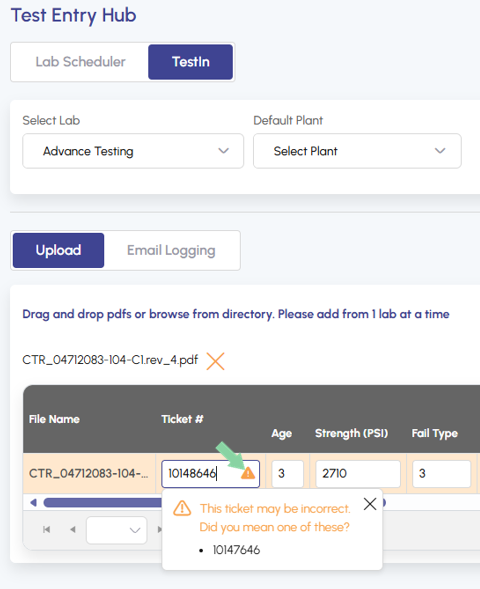
AI TestIn: Ticket Verification AI TestIn now validates ticket numbers automatically. When importing test data files, Quadrel will now catch unrecognized/missing tickets and recommend potential ticket numbers, reducing import errors.
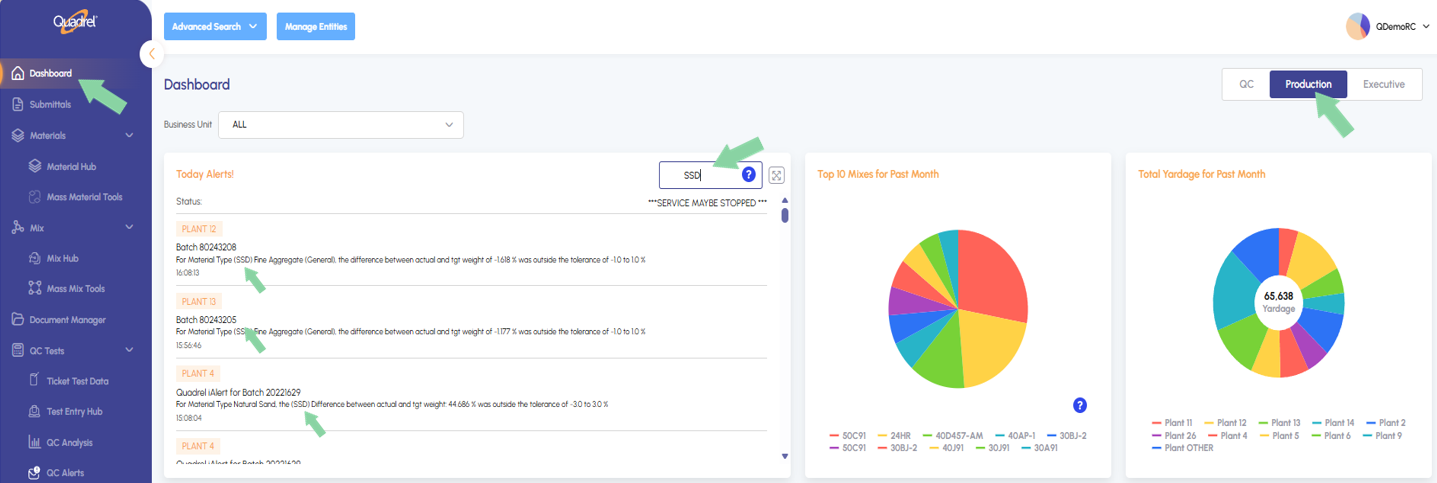
Production Dashboard: Search Todays Alerts Users can now search and filter results within the Today's Alerts tile on the Production tab of the web Quadrel Dashboard, making it easier to quickly locate specific alerts without manually scanning through the full list.
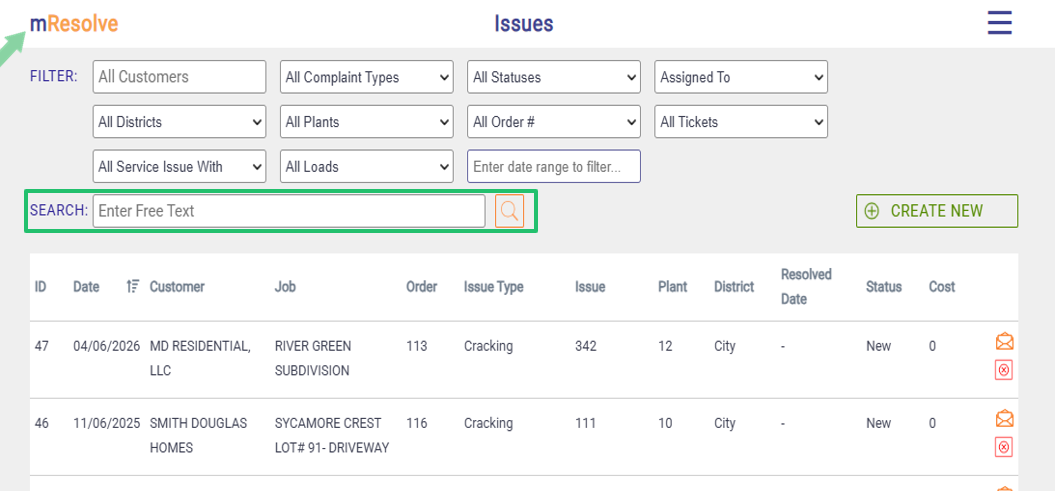
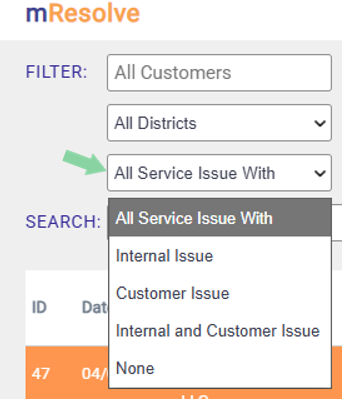
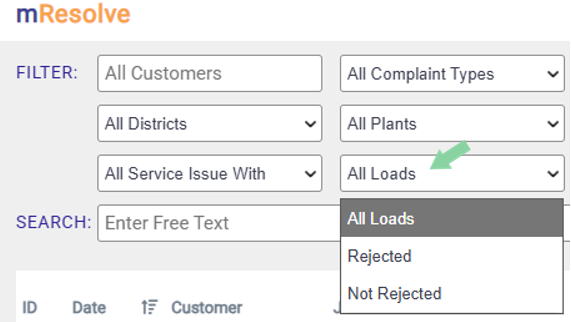
mResolve: Improvements mResolve in web Quadrel has received several notable updates. The main page now supports filtering by rejected loads and by issue type (internal vs. customer-facing). Users will also benefit from faster load times and an improved omni search experience.
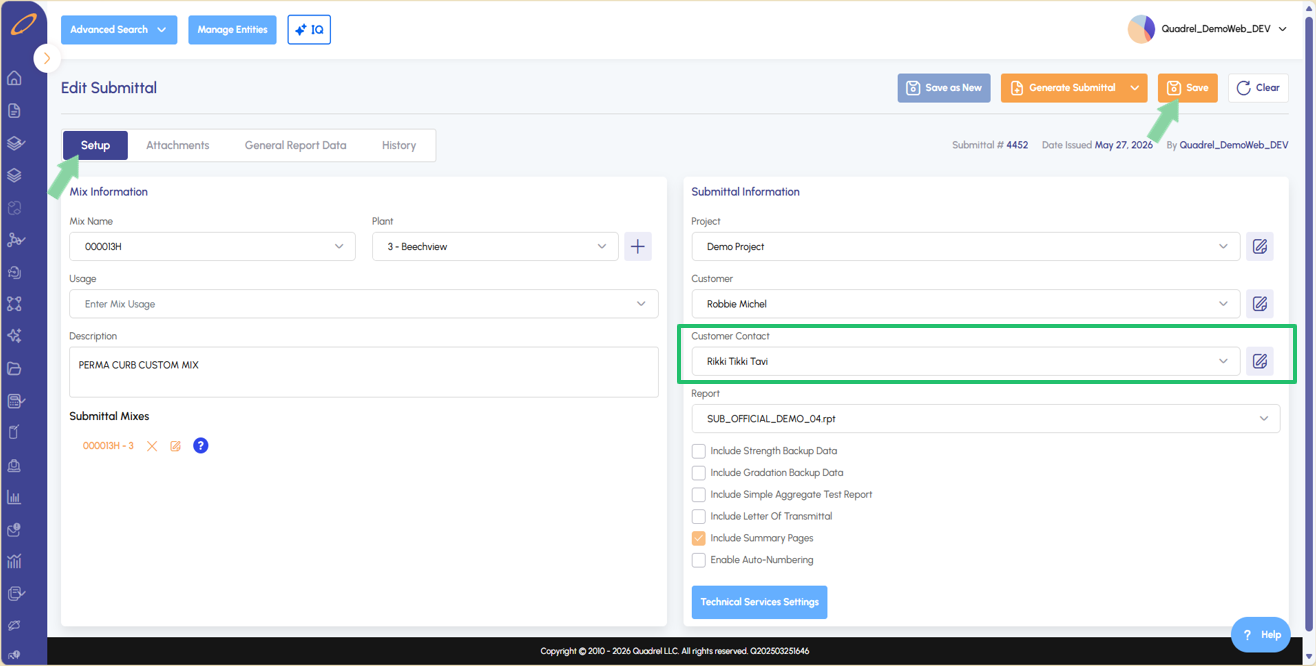
Submittals: Enter Customer Contact When creating or editing a submittal, users can now type a customer contact name directly into the contact field and save it to the submittal — no longer limited to pre-existing selections.
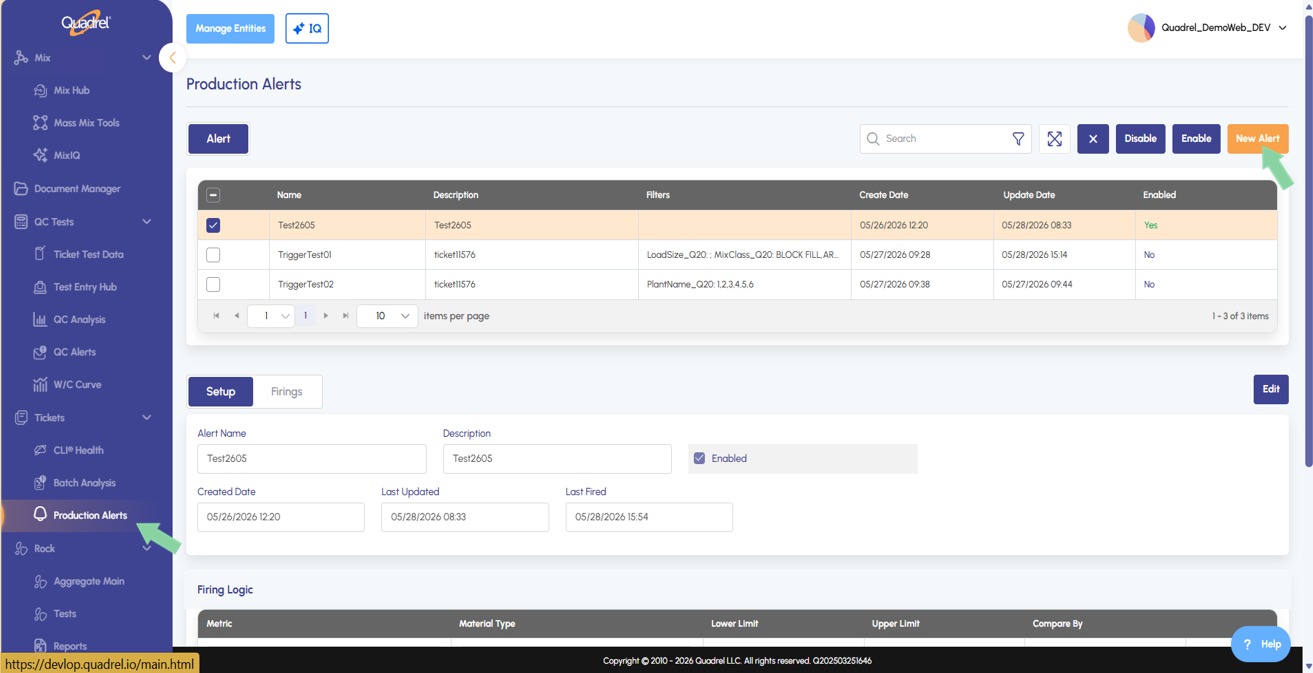
Tickets: Production Alerts Production alerts management is now available on the web. Users can setup material weight alerts using % or weight differences, apply filters (specific customers, projects, plants, etc.), and designate email recipients. Additional alert types will be released next month.
Web Enhancement: Automatic Cache Clearing No more needing to clearing temporary internet files between updates! Quadrel will now automatically manage cached files so that updates apply seamlessly in the background.
Mix Hub: Submittal Backup Tab.
A new tab called submittal backup allows users to predefine their backup data for specific mixes so when the mix is used in submittals the technical service settings are preconfigured for this mix if setup on the mix hub.
Mix Hub: Cost tab.
A new tab is now available in mix hub for cost related to the select mix. Users will now see new fields for Plant cost, Delivery Cost, Over Head Cost, Selling Price, COM, and Total Price.
Mix Hub Blending: Power Curve.
In the Mix Hub on the blending tab users will now see a new tab down below called Power Curve. This feature allows you to compare actual aggregate blend's gradation against the theoretical ideals. It also calculates a Chi Squared goodness-of-fit score so you can immediately quantify how well your blend matches the optimal particle packing curve, with adjustable Power and Maximum Size parameters to update the desired target as needed.
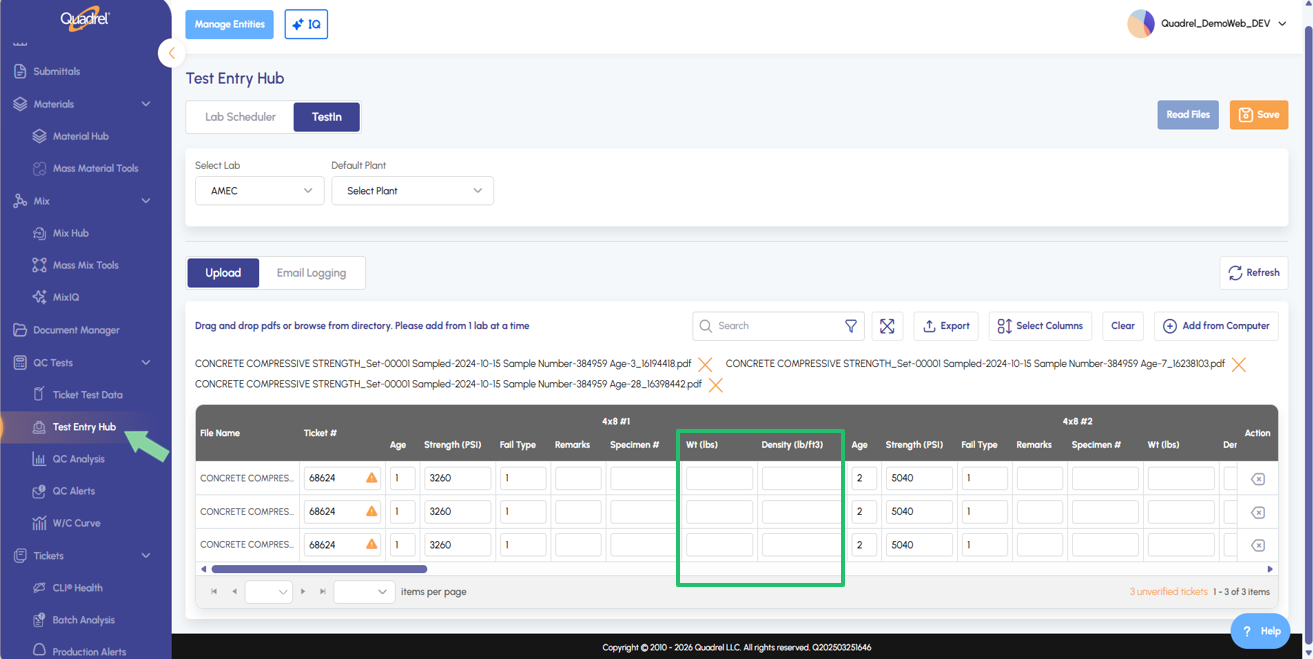
AI TestIn: Flow Density and Weight.
New Flow, Density, and Weight columns are now available in AI TestIn, giving users additional visibility into key mix properties directly from the main view.
AI TestIn: Ticket Verification.
AI TestIn now validates ticket numbers automatically. When importing test data files, Quadrel will catch unverified tickets and recommend the correct number — reducing errors before they happen.
Production Dashboard: Search Todays Alerts.
Users can now search and filter results within the Today's Alerts tile on the Production tab of the web Quadrel Dashboard, making it easier to quickly locate specific alerts without manually scanning through the full list.
mResolve: Improvements.
Several enhancements have been made to mResolve in web Quadrel. Users will notice on the main page of mResolve you can now filter for rejected loads as well as internal / customer issues. Additionally, users will find improved loading speeds as well as omni search.
Submittals: Enter Customer Contact.
While creating a new or editing an existing submittal users can direct type in a desired customer contact and save to the submittal.
Tickets: Production Alerts.
Production alerts now have their own dedicated page within Tickets, separate from QC alerts. This separation makes it easier to quickly identify and then act on alerts by category. Production alerts focus on what actually made it into the truck.
Web Enhancement: Automatic Cache Clearing.
No more clearing cache between updates — We've heard your frustration with having to clear temporary internet files every time Quadrel releases an update. We've reworked how our system handles cached files so that updates now apply seamlessly in the background — no extra steps, no interruptions, just a faster and smoother experience every time.