07/23/2026 Release: Activate Materials, Mix Pumpability, Edit Submittal PDF, Etc.
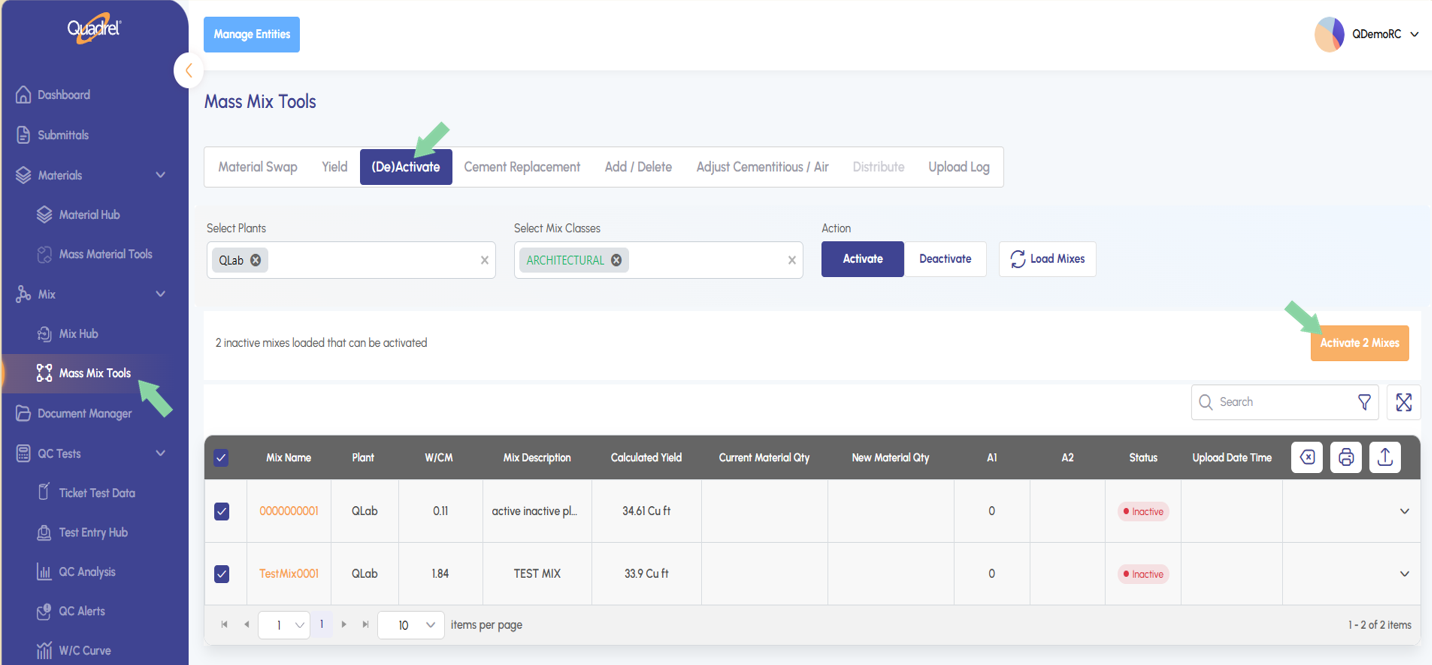
Mass Mix Tools: (De)Activate Users can now activate or deactivate mixes in bulk from web Quadrel — filter by plant and mix class, then apply the change across the whole group in one action instead of updating mixes one at a time.
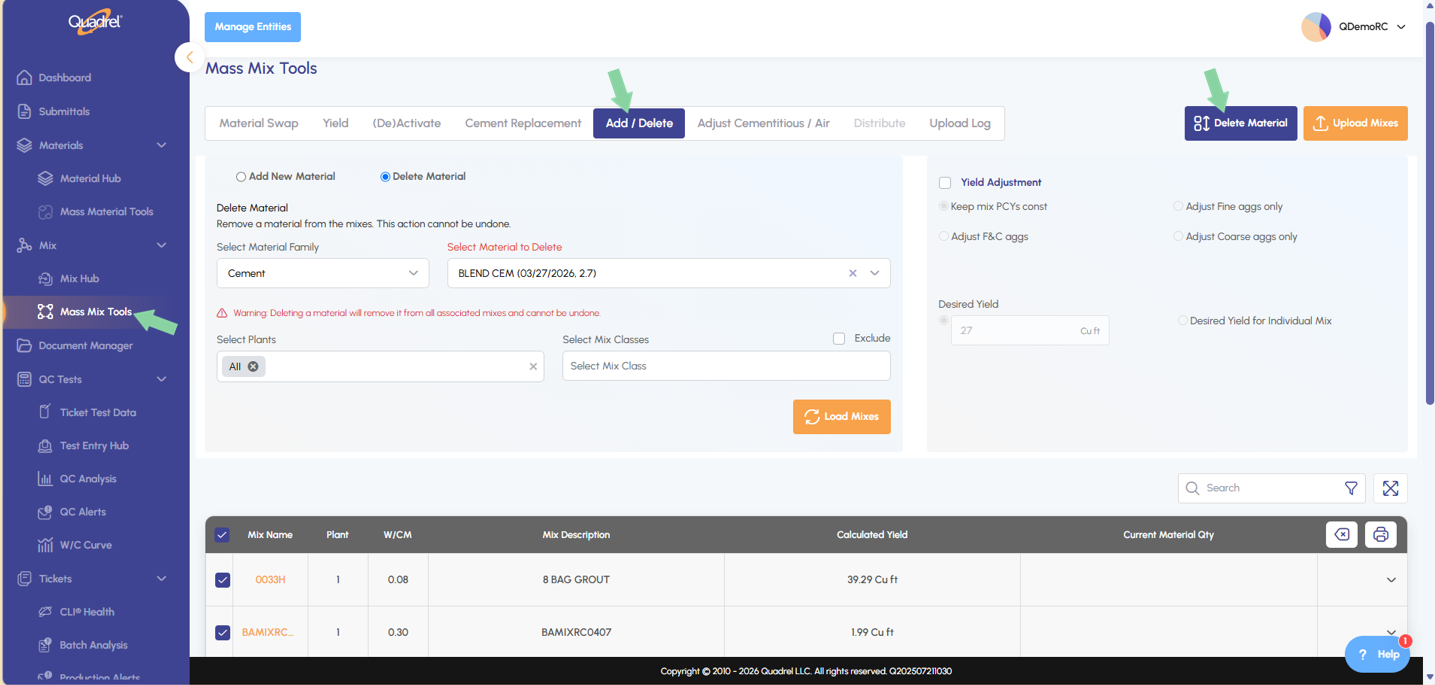
Mass Mix Tools: Add and Delete Materials Users can now add or remove a specific material across a group of mixes at once in web Quadrel, eliminating the need to open and edit each mix's recipe individually.
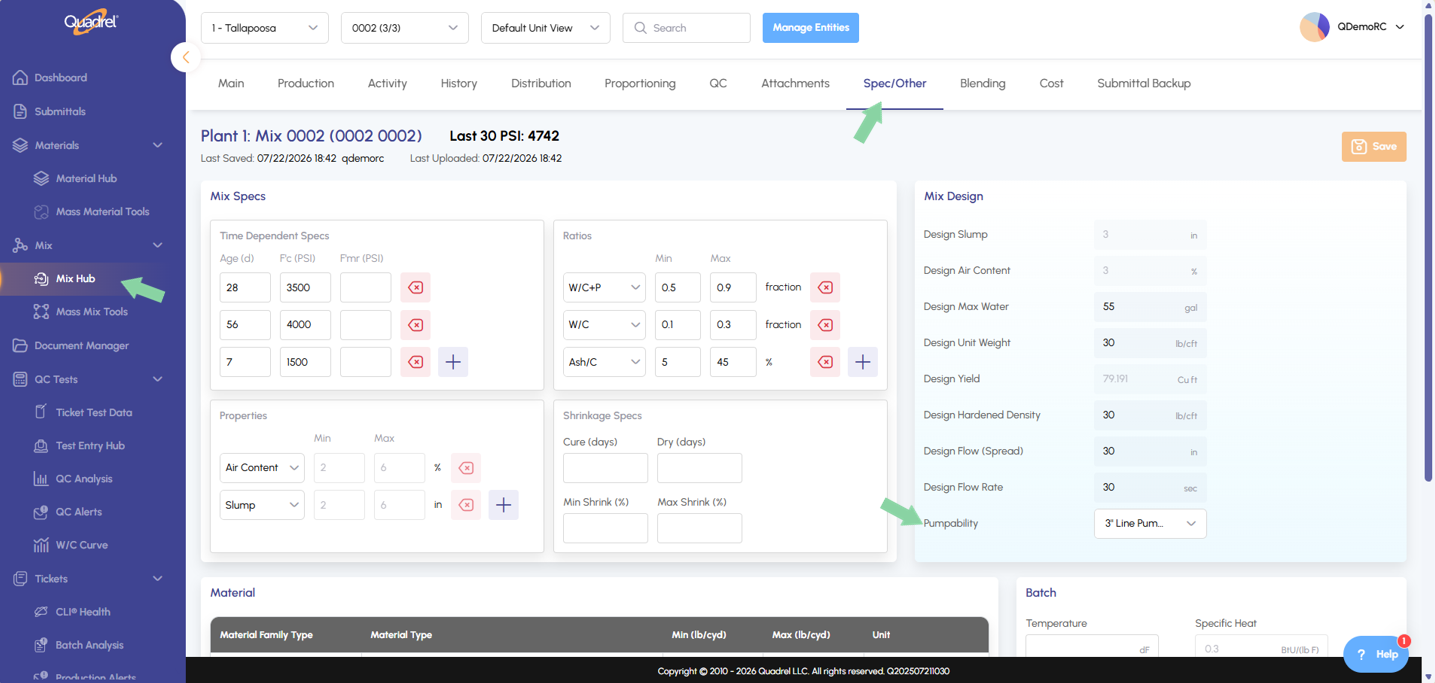
Mix Hub Spec and Other: Pumpability A new Pumpability dropdown is available under the Spec/Other tab in Mix Hub, letting users designate a mix as 2", 3", or 4" Line Pumpable, or Not Pumpable/Truck Discharge.
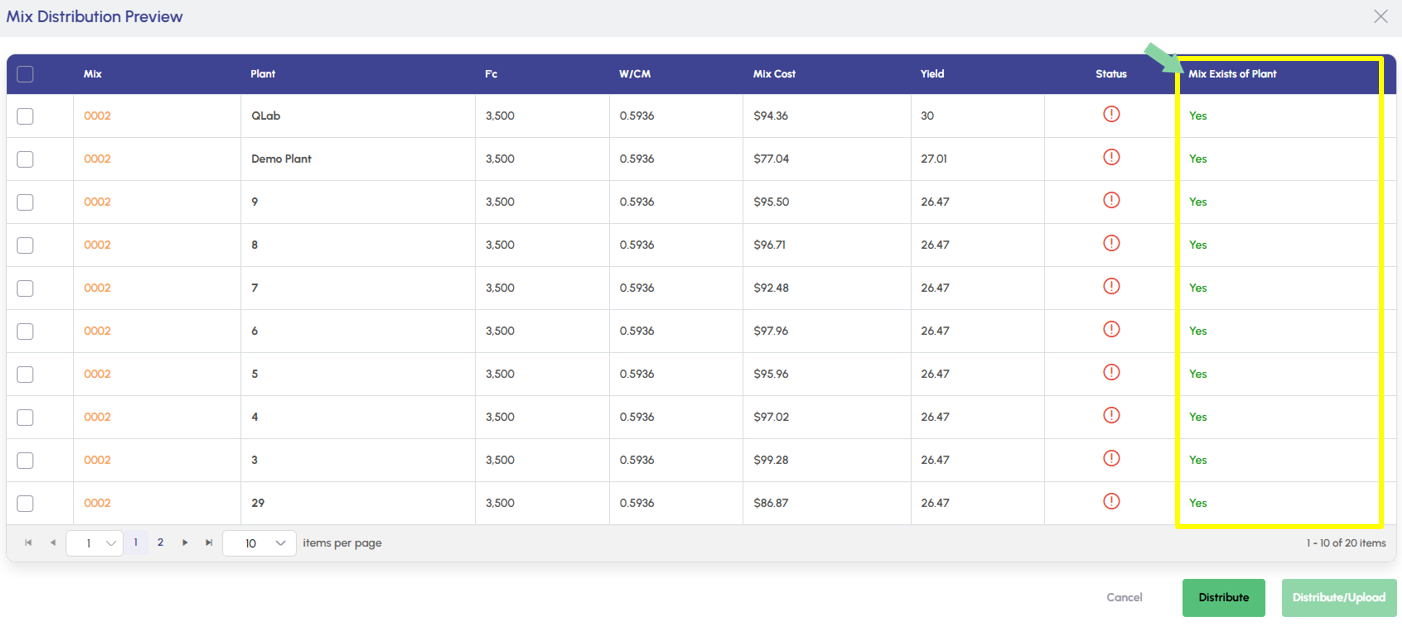
Mix Hub Distribution: Mix Exists of Plant The mix distribution preview now includes a column showing whether the mix already exists at the target plant, so users can spot potential duplicates before distributing.
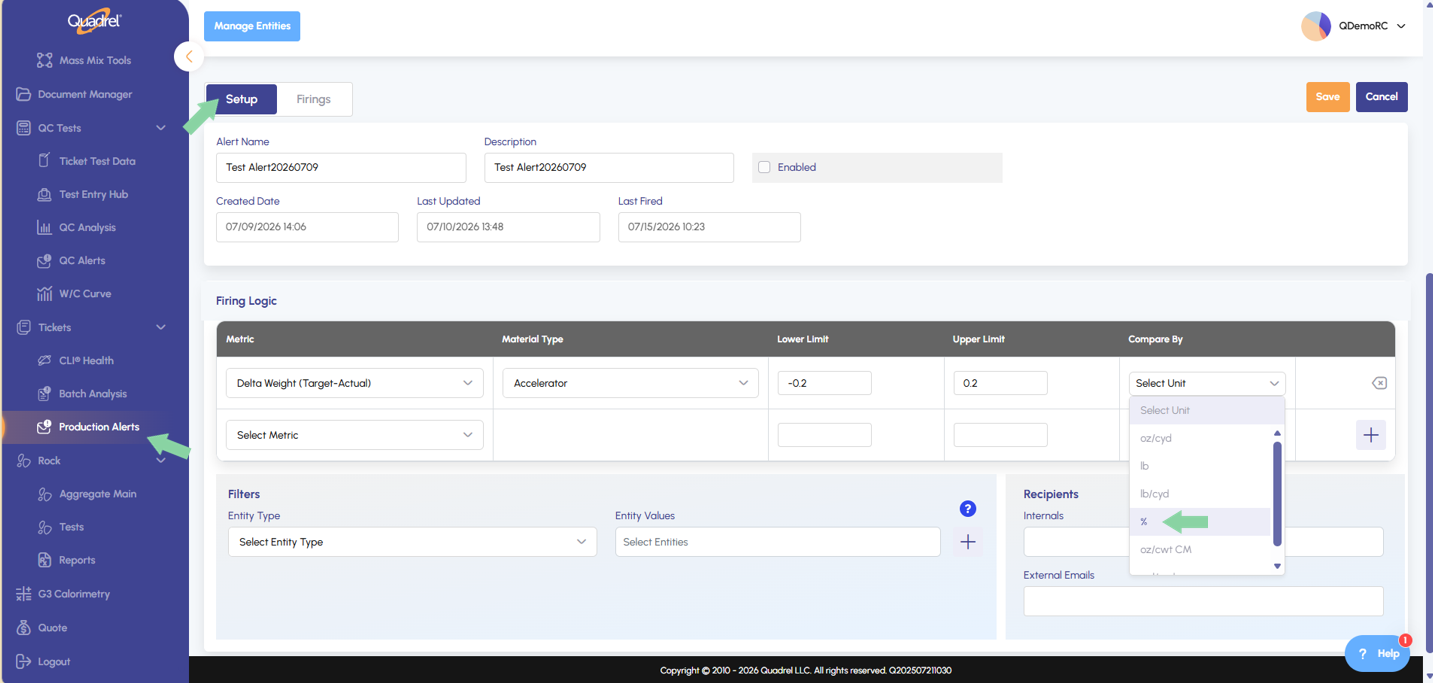
Production Alerts: Additional Firing Logic Production Alerts can now compare by percentage in addition to weight, giving users more flexibility in how firing thresholds are defined.
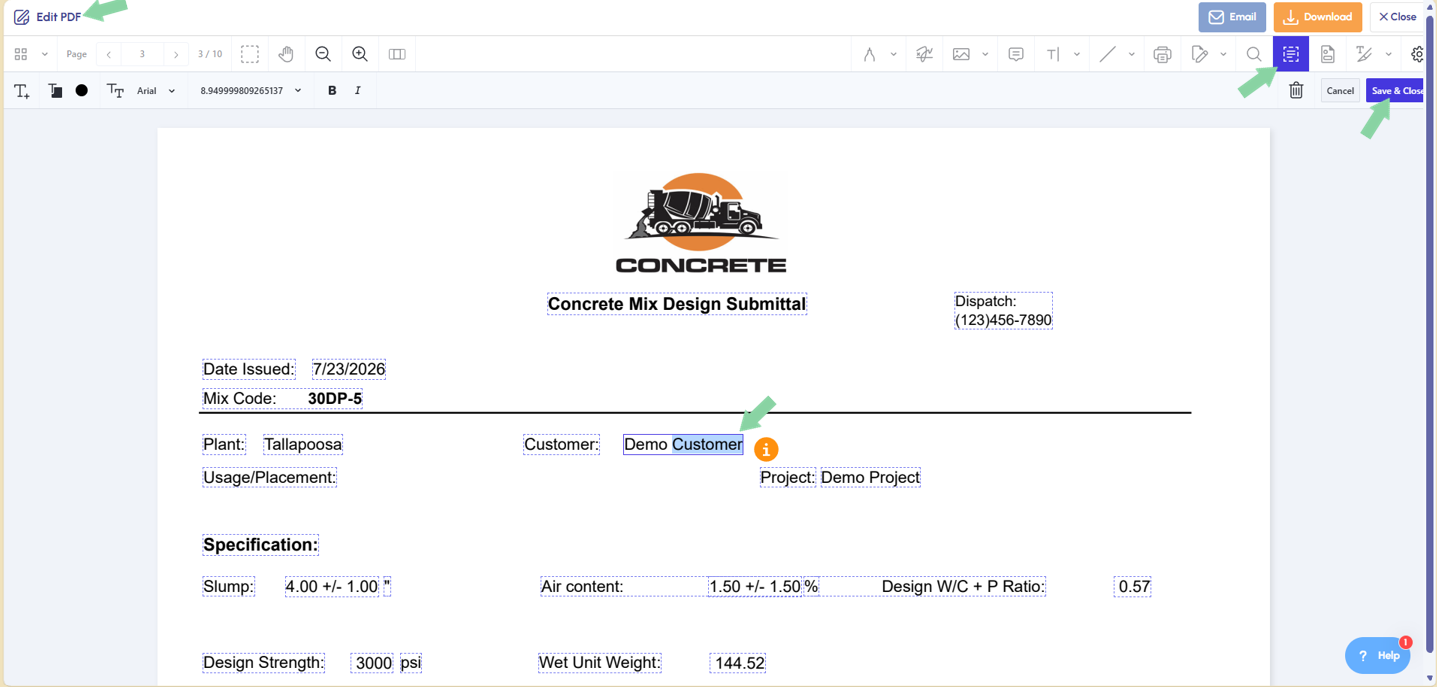
Submittals: Edit PDF Tools After generating a submittal PDF, users now have a full set of editing tools to make changes directly to the report before downloading or emailing — no need to leave Quadrel to touch up the document first.
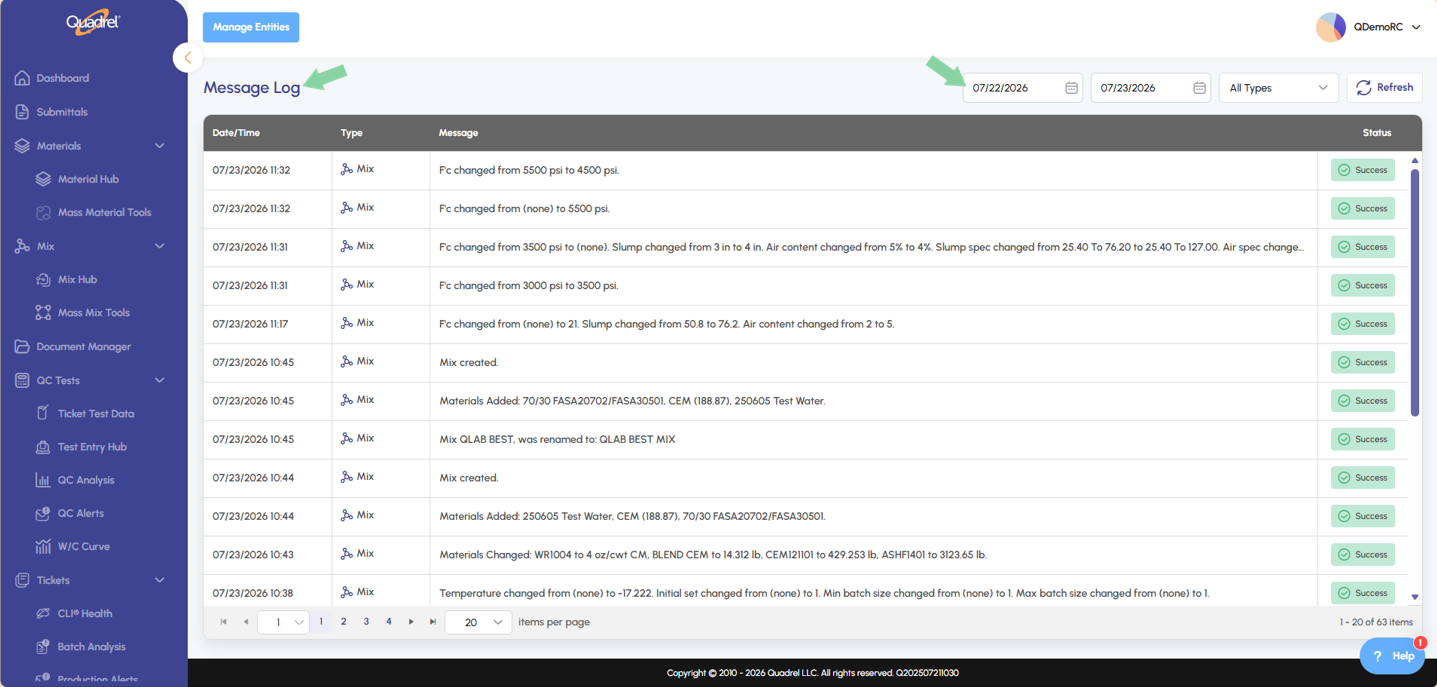
Quadrel Improvement: Message Log In-app notifications display for 10 seconds before disappearing but are now retained in a Message Log for one week (older entries roll off after that). Users can revisit the log any time to check a notification they missed.
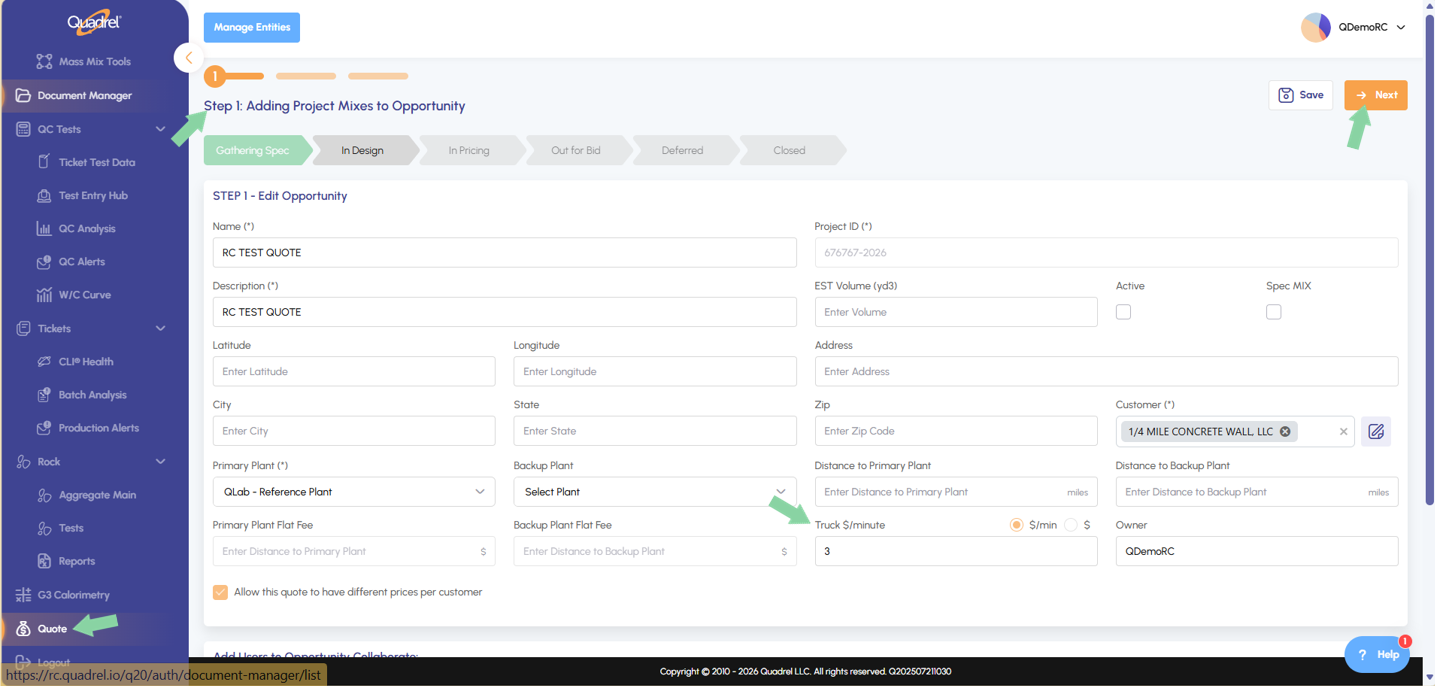
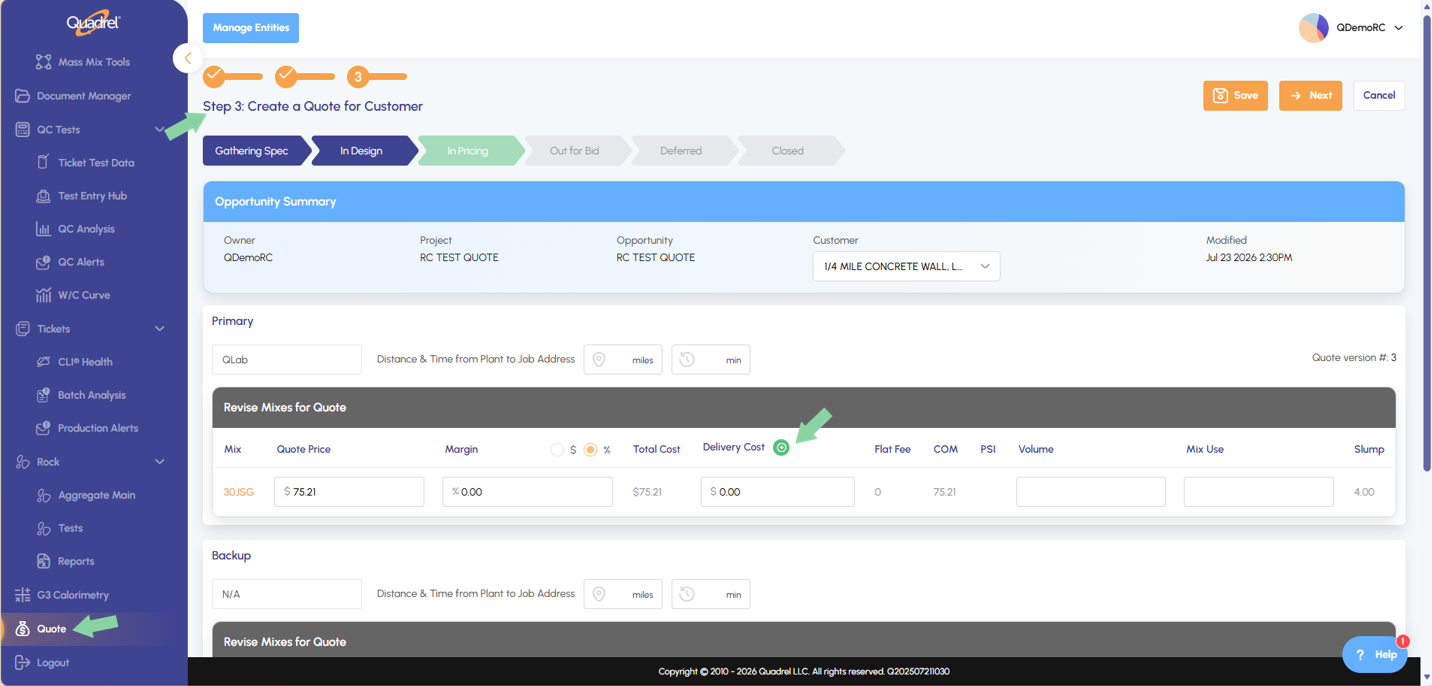
Quote: Delivery Cost Quote now supports a new tool for calculating truck delivery cost. Populate the "Truck $" field on Step 1, then use the green plus icon on Step 3 to calculate delivery cost.
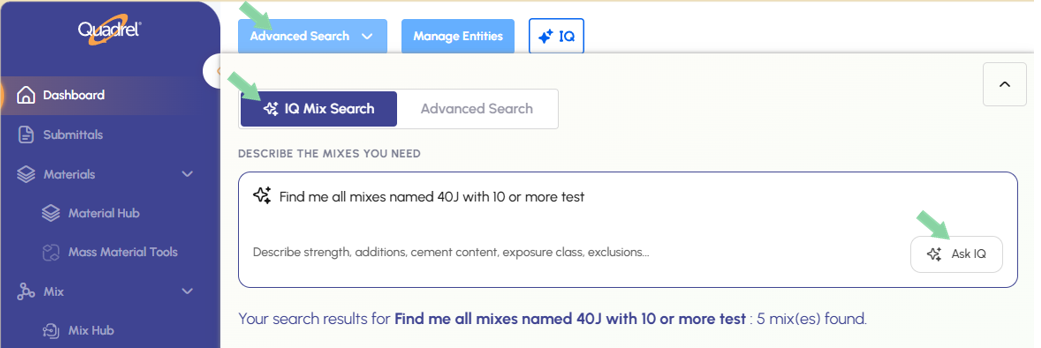
Advanced Seach: IQ Mix Search IQ Mix Search, part of the Advanced Search tool, lets users find mixes using natural, everyday language instead of navigating filters or knowing exact mix codes. Users type a plain-English description of what they're looking for, and IQ Mix Search interprets the request and returns the matching mixes.
Mass Mix Tools: (De)Activate.
Users can now activate or deactivate mixes in bulk from web Quadrel — filter by plant and mix class, then apply the change across the whole group in one action instead of updating mixes one at a time.
Mass Mix Tools: Add and Delete Materials.
Users can now add or remove a specific material across a group of mixes at once in web Quadrel, eliminating the need to open and edit each mix's recipe individually.
Mix Hub Spec and Other: Pumpability.
A new Pumpability dropdown is available under the Spec/Other tab in Mix Hub, letting users designate a mix as 2", 3", or 4" Line Pumpable, or Not Pumpable/Truck Discharge.
Mix Hub Distribution: Mix Exists of Plant.
The mix distribution preview now includes a column showing whether the mix already exists at the target plant, so users can spot potential duplicates before distributing.
Production Alerts: Additional Firing Logic.
Production Alerts can now compare by percentage in addition to weight, giving users more flexibility in how firing thresholds are defined.
Submittals: Edit PDF Tools.
After generating a submittal PDF, users now have a full set of editing tools to make changes directly to the file before downloading or emailing it — no need to leave Quadrel to touch up the document first.
When ready to generate your submittal, click generate as you are used too.
The submittal preview has improved to become the edit PDF page. Users will notice they now have full control over what gets displayed in the final copy of the submittal. Users can edit existing text, add text boxes, upload images, insert signatures, etc.
After making edits to the document be sure to click save and close, then email or download as usual!
Quadrel Improvement: Message Log.
In-app notifications display for 10 seconds before disappearing but are now retained in a Message Log for one week (older entries roll off after that). Users can revisit the log any time to check a notification they missed.
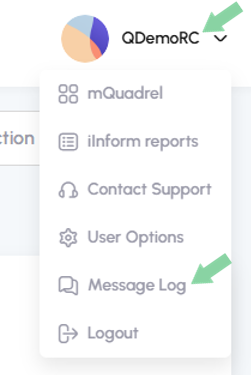
At the top right of Quadrel after signing in, click on your username to expand the menu and click on Message Log as shown below.
The Message Logs will open to the page shown below. The default date range is set to the past day.
Quote: Delivery Cost.
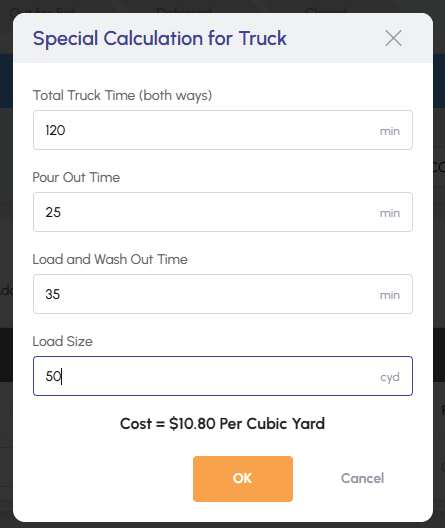
Quote now supports a new tool for calculating truck delivery cost. Populate the "Truck $" field on Step 1, then use the green plus icon on Step 3 to calculate delivery cost.
In the image below notice I am on step 1 of a new quote and have entered the value of 3$/min in the Truck $/Minute field.
Click next until you get to step 3, here you will click the green plus icon next to the field.
When the form opens, populate the field values as needed for the special calculation for truck and then click ok.
The form will close and the cost per cubic yard value will insert into the delivery cost field as shown below.
Advanced Search: IQ Mix Search.
IQ Mix Search, part of the Advanced Search tool, lets users find mixes using natural, everyday language instead of navigating filters or knowing exact mix codes. Users type a plain-English description of what they're looking for — for example, "Find me all mixes named 40J with 10 or more test" — and IQ Mix Search interprets the request and returns the matching mixes as shown in the example below.