
09/18/2026 Release: Batch Import Failed Tickets, Yield Load Size Alerts, Legacy Search Preview, Mass Mix Advanced Search, Site-Wide Tabbing, Mix Save Fixes, etc.
- Batch Import: View Failed Tickets in Ticket Test Data
For any Cloud based dispatch systems, failed tickets can now be found in Ticket Test Data. - Production Alerts: New Rule for Yield Load Size
Users can now create a Production Alert rule based on the Yield Load Size metric. - Advanced Search and IQ Assistant Now Available on Every Page
The Advanced Search and IQ Assistant are now visible and accessible from the top menu of every page. - Distribution: "Mix Exists at Plant" Displays A Warning
Distributing a mix that already exists at the target plant now triggers a warning. - Mass Mix Tools: Advanced Search Now Available for Yield
Advanced Search is now available in the Yield workflow, making it easy to bring in exactly the mix-and-plant rows you need. - Tabbing Available Site Wide
The ability to use the tab key is now available across the app, tabbing through fields without a mouse reliably highlights dropdowns, date fields, and grid cells everywhere. - Mix Creation: Distribution Tab Hidden Until Mix Is Created
The distribution tab is now hidden while creating a new mix. - Submittals: Preview Now Available for Legacy Searches
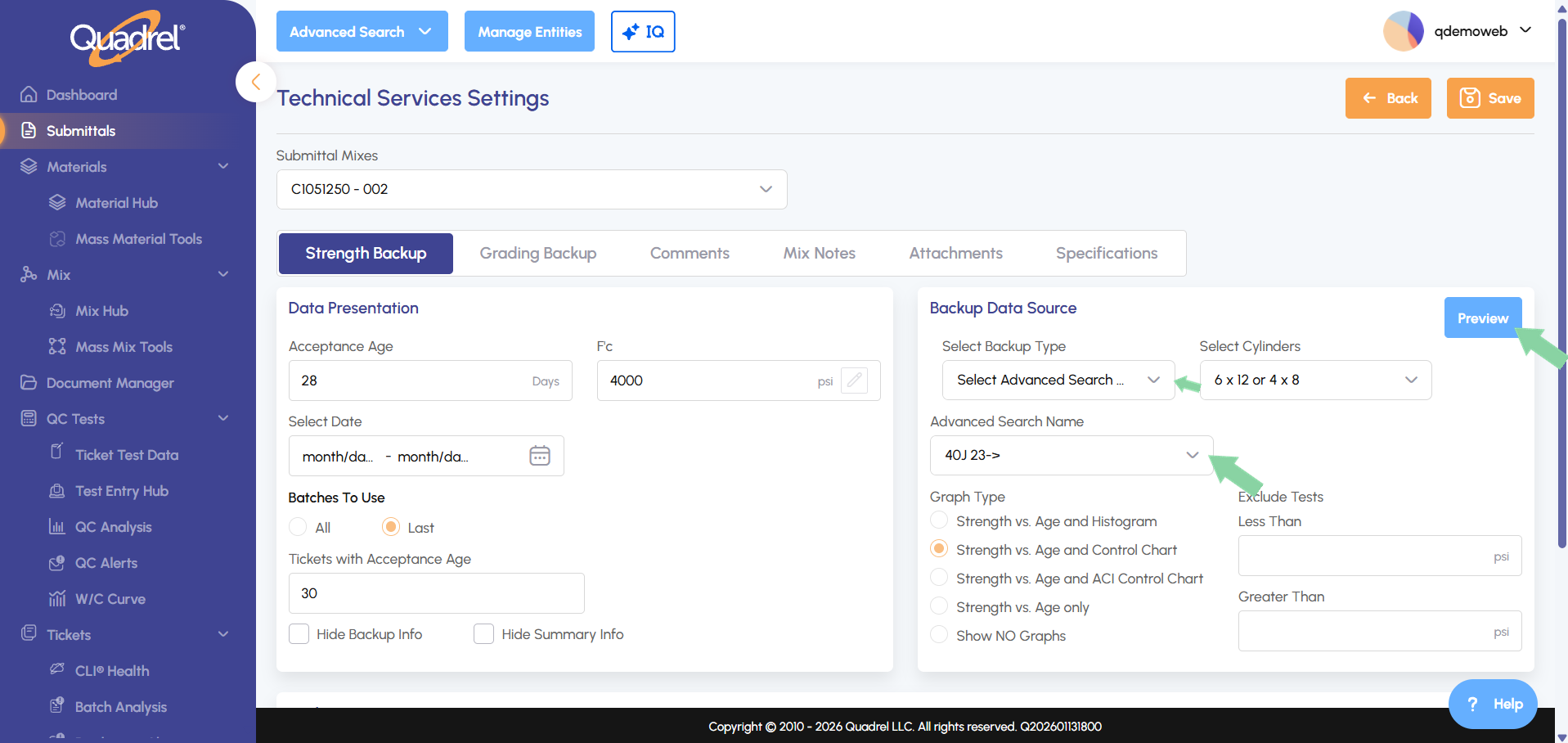
When generating a submittal, the preview popup (showing mix name, description, design air/slump ranges, F'c, F'cr, and average acceptance age) is now also available from the Technical Services settings backup area, and now works for saved searches originally created in Quadrel Legacy. - Mix Save: Fixed Several Issues Affecting Mix Saves
Resolved a validation issue that could prevent saving changes to f'c, slump/air range and Mix Class.
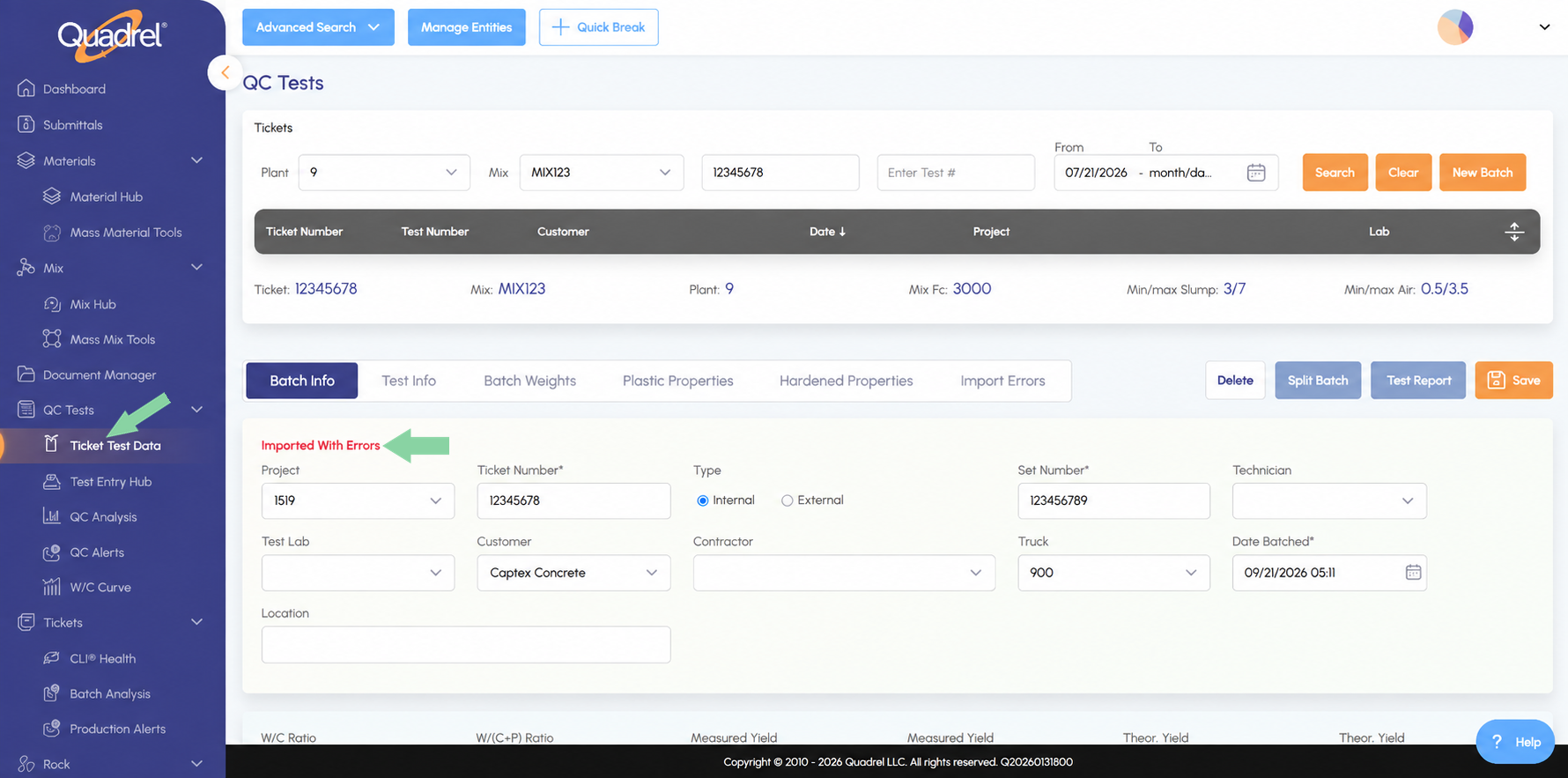
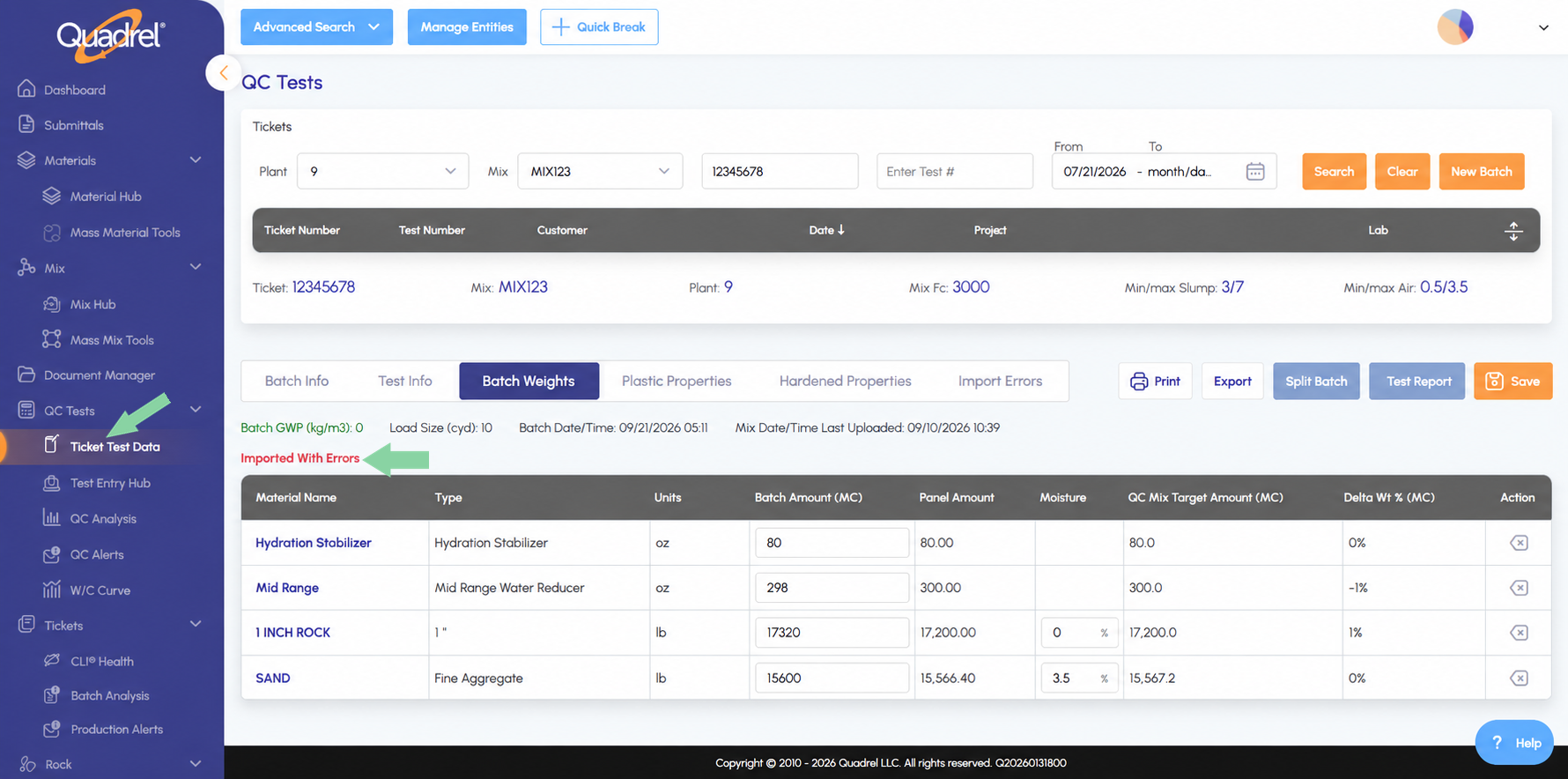
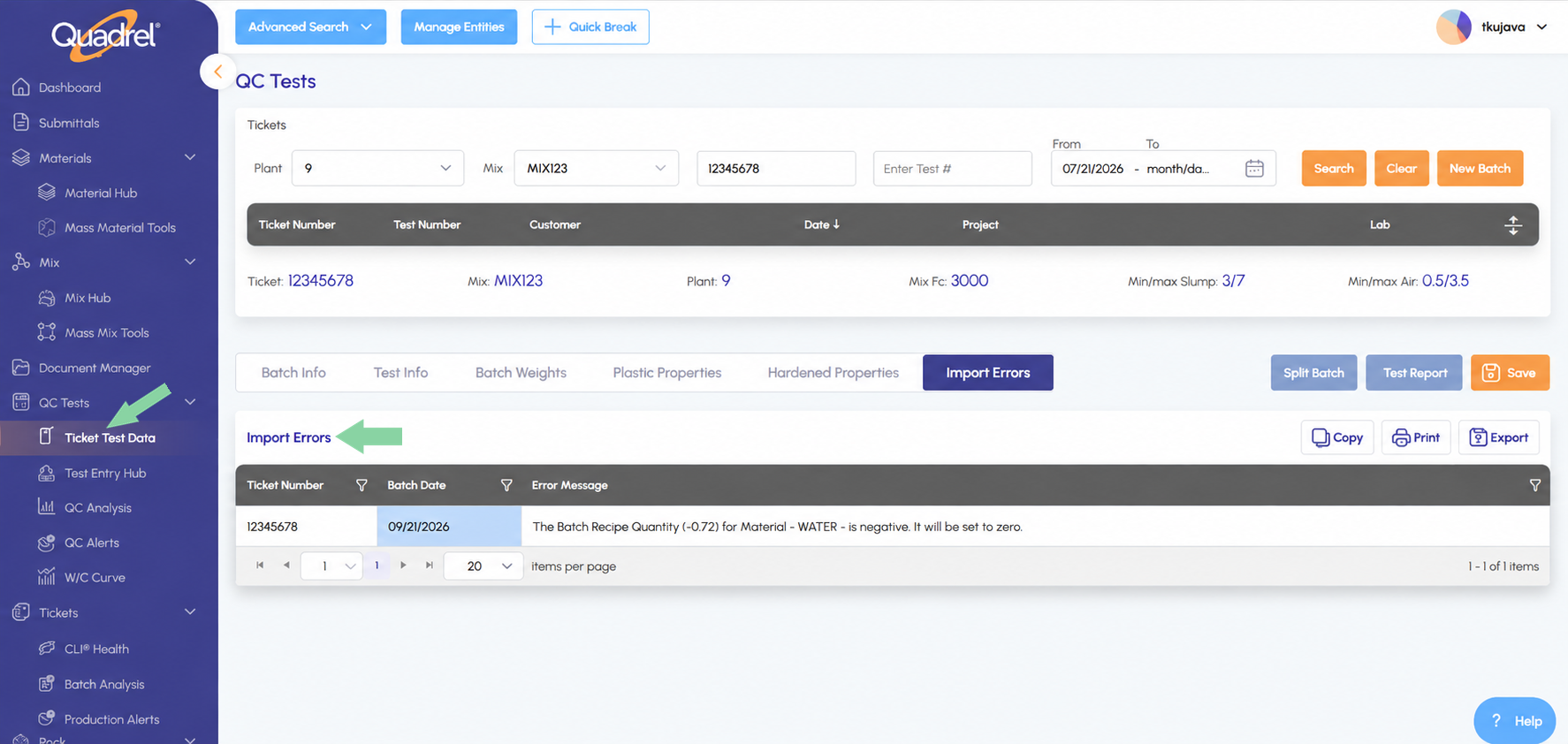
Batch Import: View Failed Tickets in Ticket Test Data.
If a ticket had a failure during import the ticket is still viewable under Ticket Test Data, it will display "Imported With Errors" letting you know.
Production Alerts: New Rule for Yield Load Size.
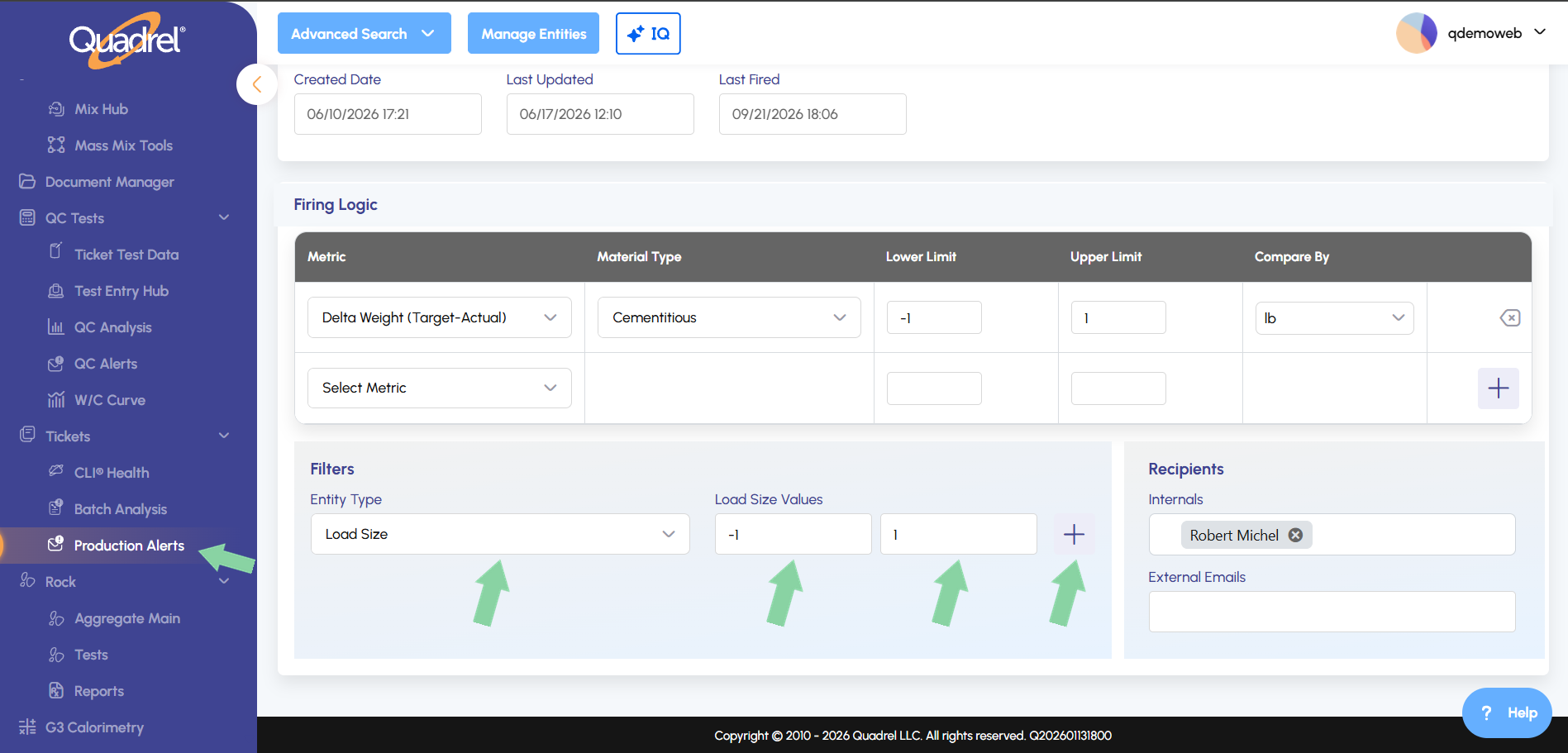
Users can now create Production Alerts based off the Yield Load Size.
Navigate to the Production Alerts tab, select or create a Production Alert then select Entity Type "Load Size" input values then press the blue plus icon.
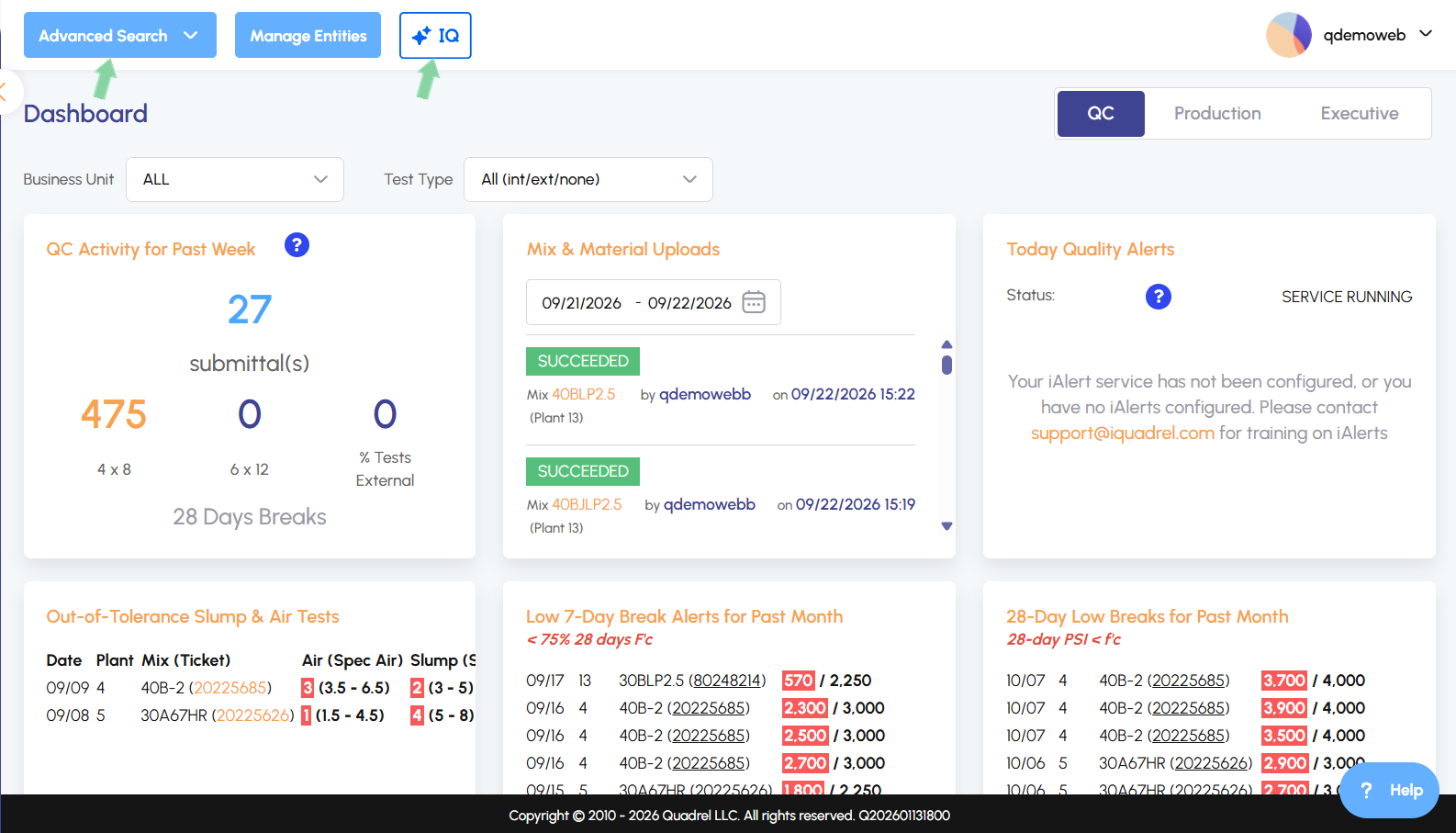
Navigation: Advanced Search and IQ Assistant Now Available on Every Page.
At the top of every page in Quadrel Advanced Search and IQ Assistant are now visible.
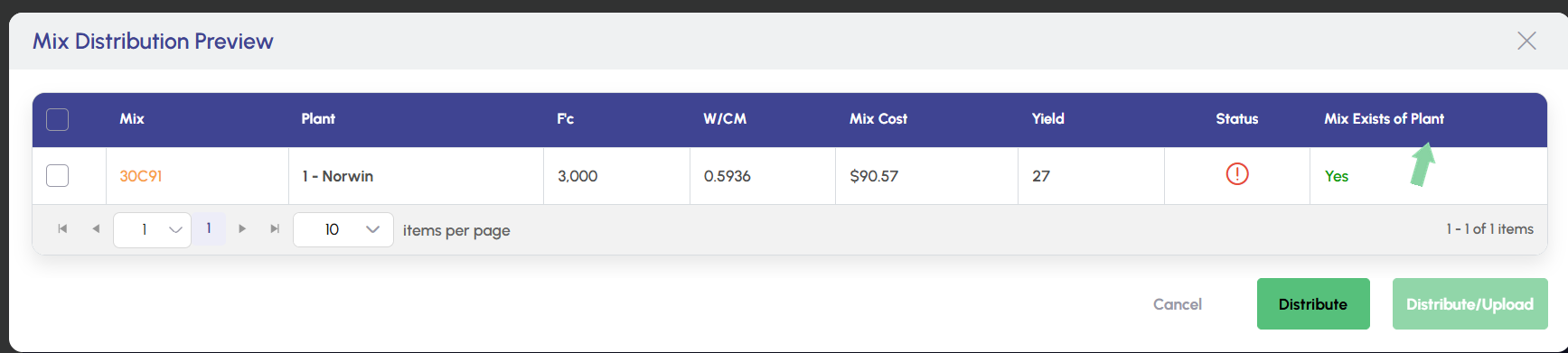
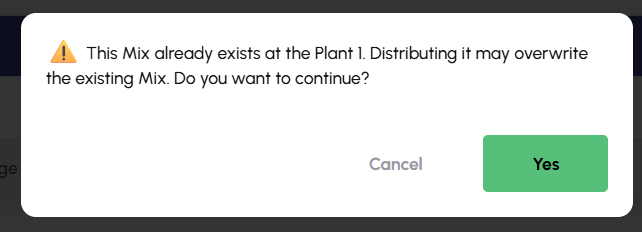
Distribution: "Mix Exists at Plant" Displays A Warning.
Distributing a mix that already exists at the target plant now triggers a warning alerting the user and as a visible option before selection the mix.
Mass Mix Tools: Advanced Search Now Available for Yield.
Advanced Search is now available for Yield on Mass Mix tools. Navigate to Mass Mix Tools, Yield and click on the Advanced Search dropdown.
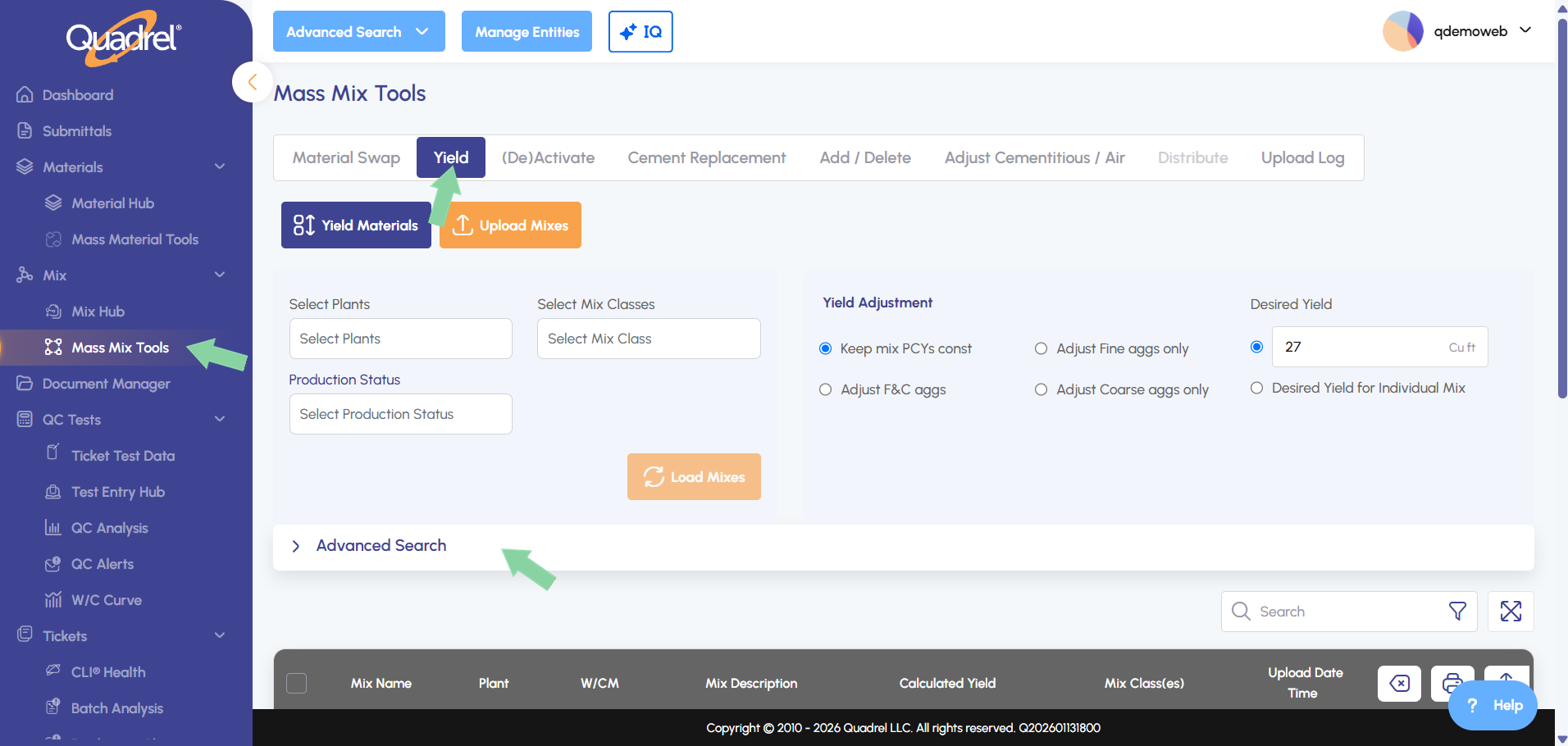
After clicking on the dropdown fill out the desired search.
Tabbing Available Site Wide.
The ability to use the tab key is now available across the app, tabbing through fields without a mouse reliably highlights dropdowns, date fields, and grid cells everywhere.
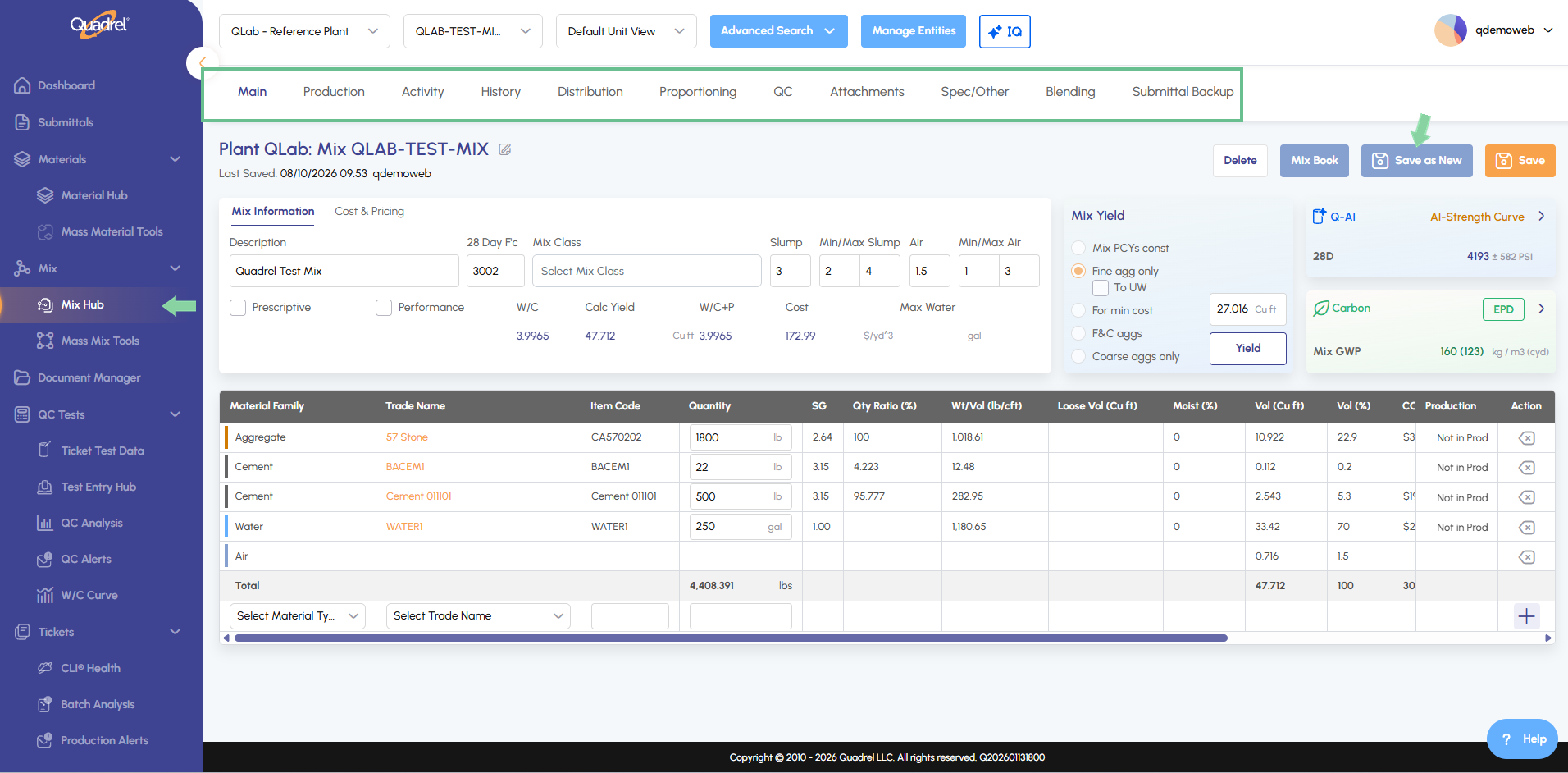
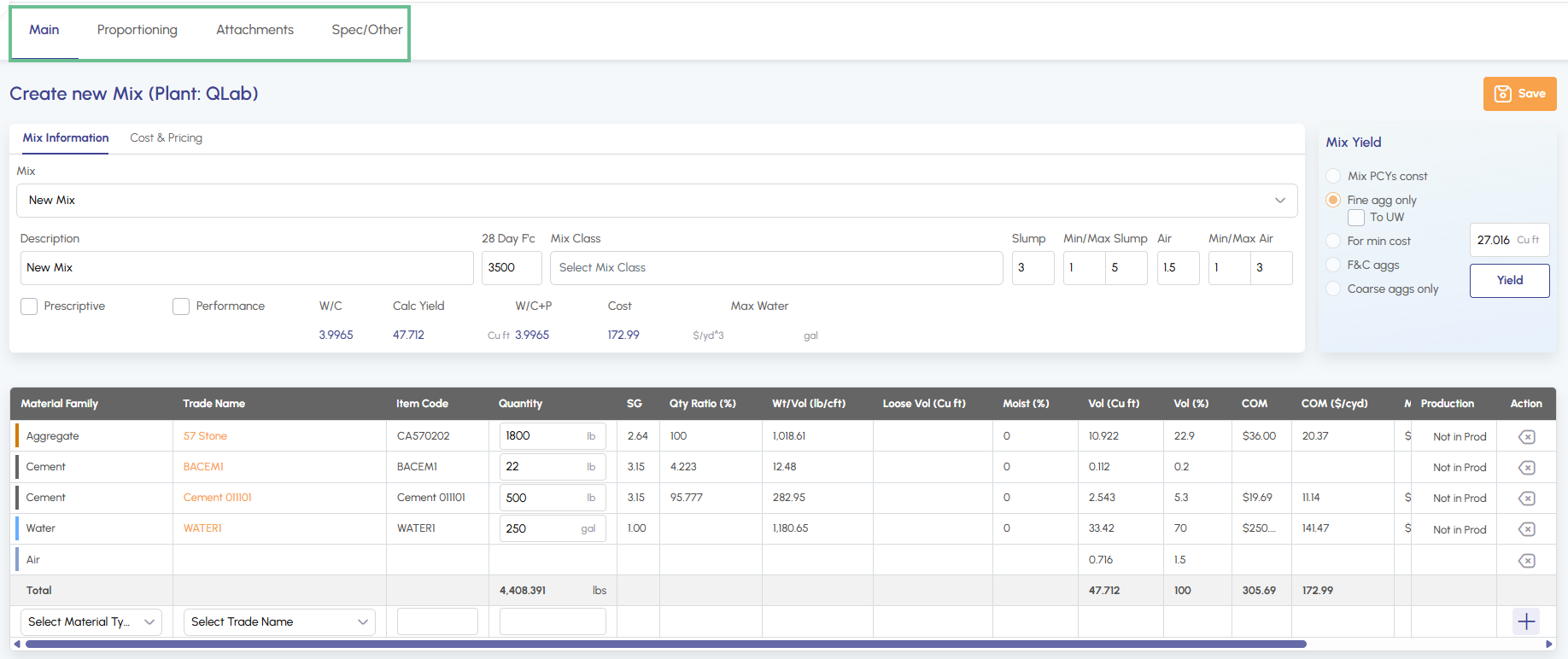
Mix Creation: Distribution Tab Hidden Until Mix Is Created.
The distribution tab is now hidden while creating a new mix. After the mix has been created the tabs for distribute will reappear.
Submittals: Preview Now Available for Legacy Searches.
Navigate to submittals, select a submittal and select a submittal mix, then Technical Service Settings. As a backup type of Advanced Search the searches created in Legacy Quadrel will now be visible.
Mix Save: Fixed Several Issues Affecting Mix Saves.
Technicians can now be restricted to specific aggregates via a checkbox on each technician. The Select Technician field also now defaults to the logged-in user.