02/19/2026 Release: Material Hub Additional Tab, Alternative Mix Codes, etc.
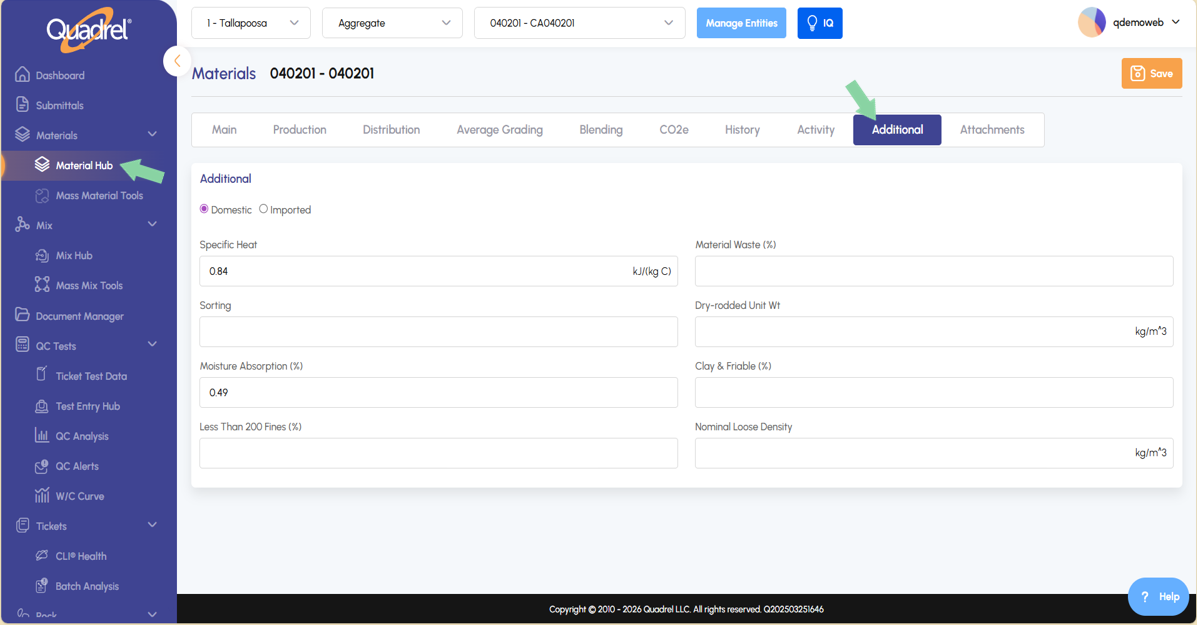
Material Hub: Additional Tab Material Hub now has a new tab named "Additional". Here users will find additional properties related to the selected material type that can be utilized if desired.
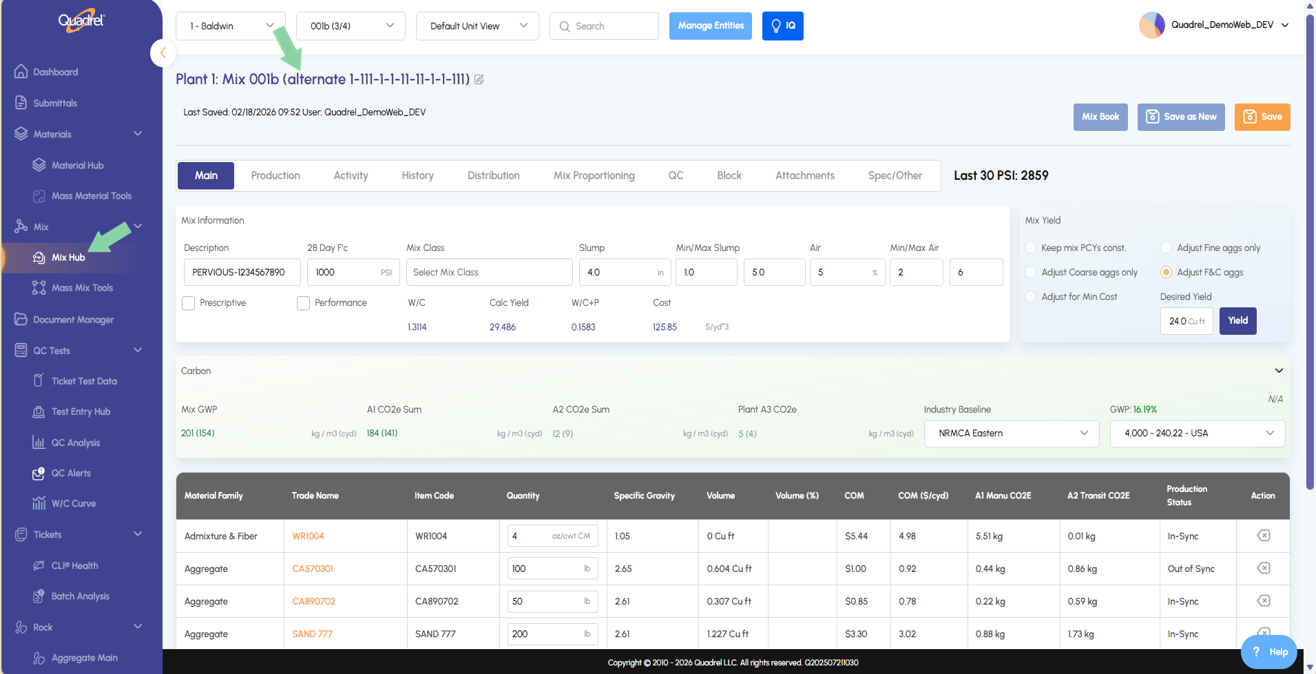
Mix Hub: Alternative Mix Codes Users who have instances of alternative mix codes will now see the alternate code displayed in the mix hub.
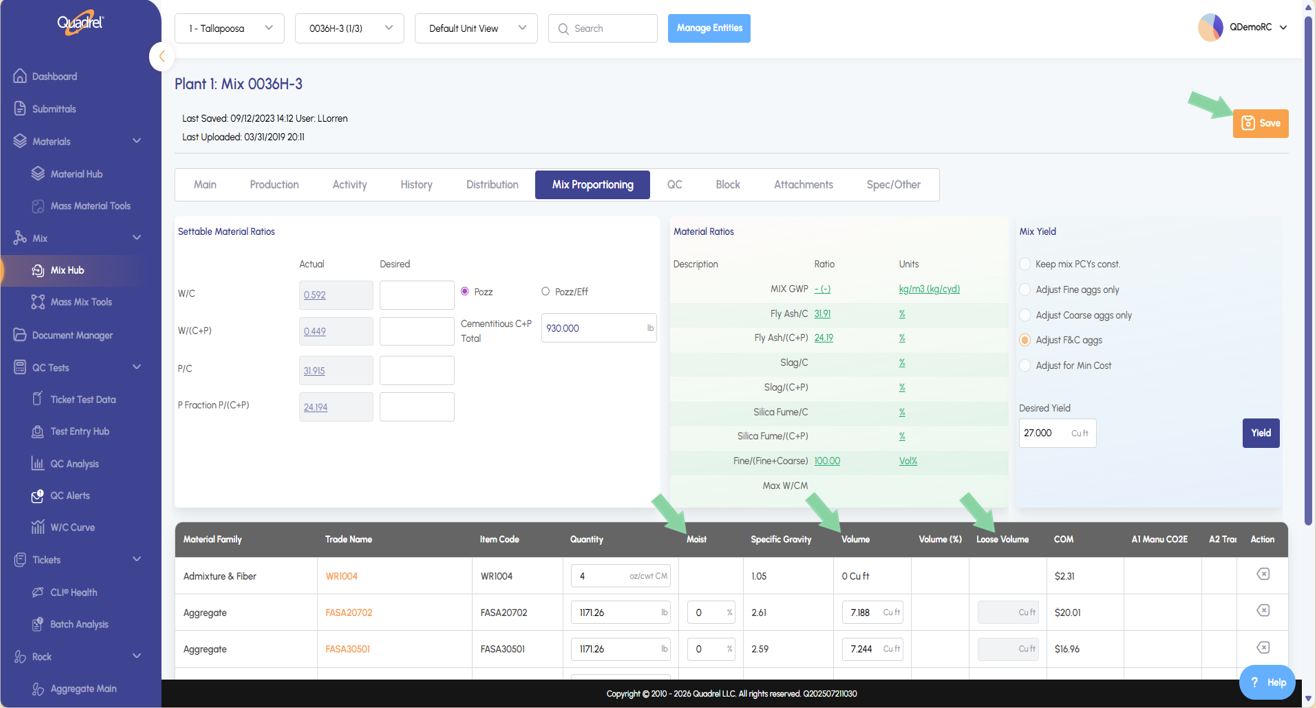
Mix Hub: Lab Mode Mix Hub Lab mode can be utilized to quickly update Moisture Percentage, Volume, and Loose Volume to a mix design.
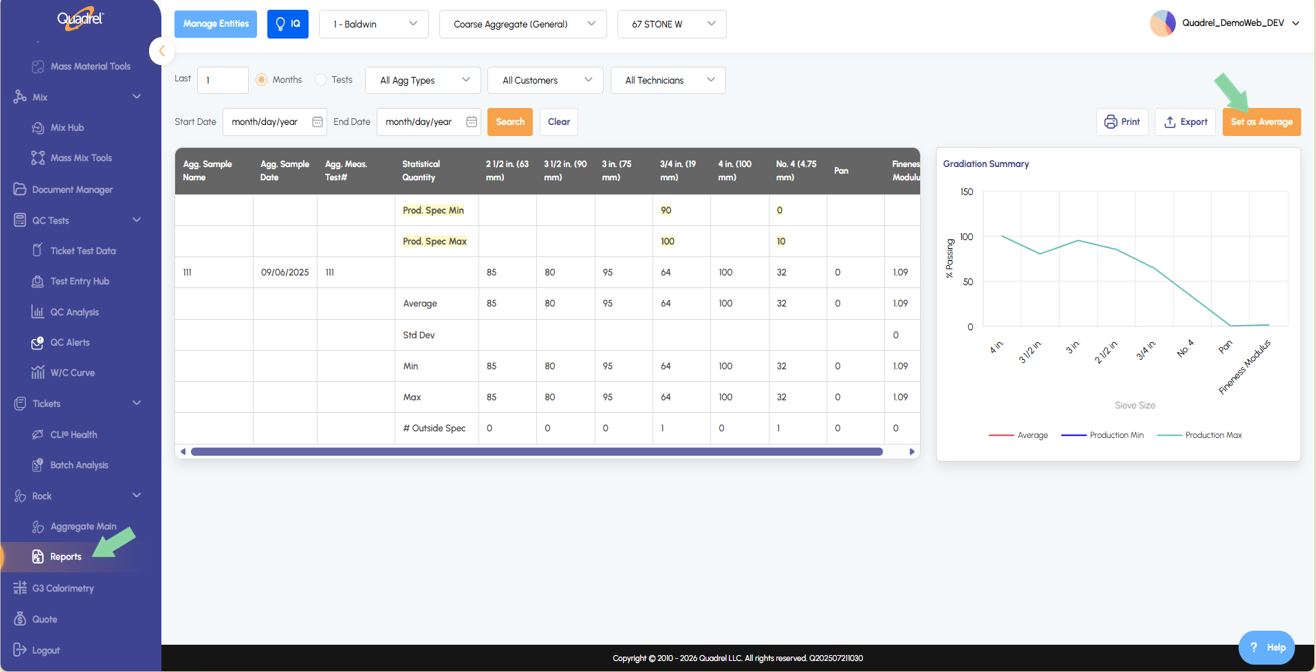
Rock Reports: Set as Average Users will notice there is a button to set the specified aggregate average in the Rock Reports page.
Material Hub: Additional Tab.
In material hub, users can now select a specific material within a plant. A new tab named "Additional" will be visible to users.
Mix Hub: Alternative Mix Codes.
Users will notice a new button in the attachments tab for materials named Assign Attachment.
Mix Hub: Lab Mode.
Users will notice in the mix hub, mix proportioning tab web Quadrel now offers Mix Lab Mode. In the screenshot below, notice the ability to edit column values for Moisture %, Volume, and Loose Volume. Always be sure to save at the top right after making changes.
Rock Reports: Set as Average.
Users will notice there is now a button to set the specified aggregate average in the Rock Reports page.