09/13/2024 Release Notes: Test Entry Hub and Submittal Backup Preview
We have renamed Lab Scheduler to Test Entry Hub because it will handle both internal and 3rd party test data, and an ever-expanding list of test types. This first version focuses on efficient mass entry of internal tests organized by due date.
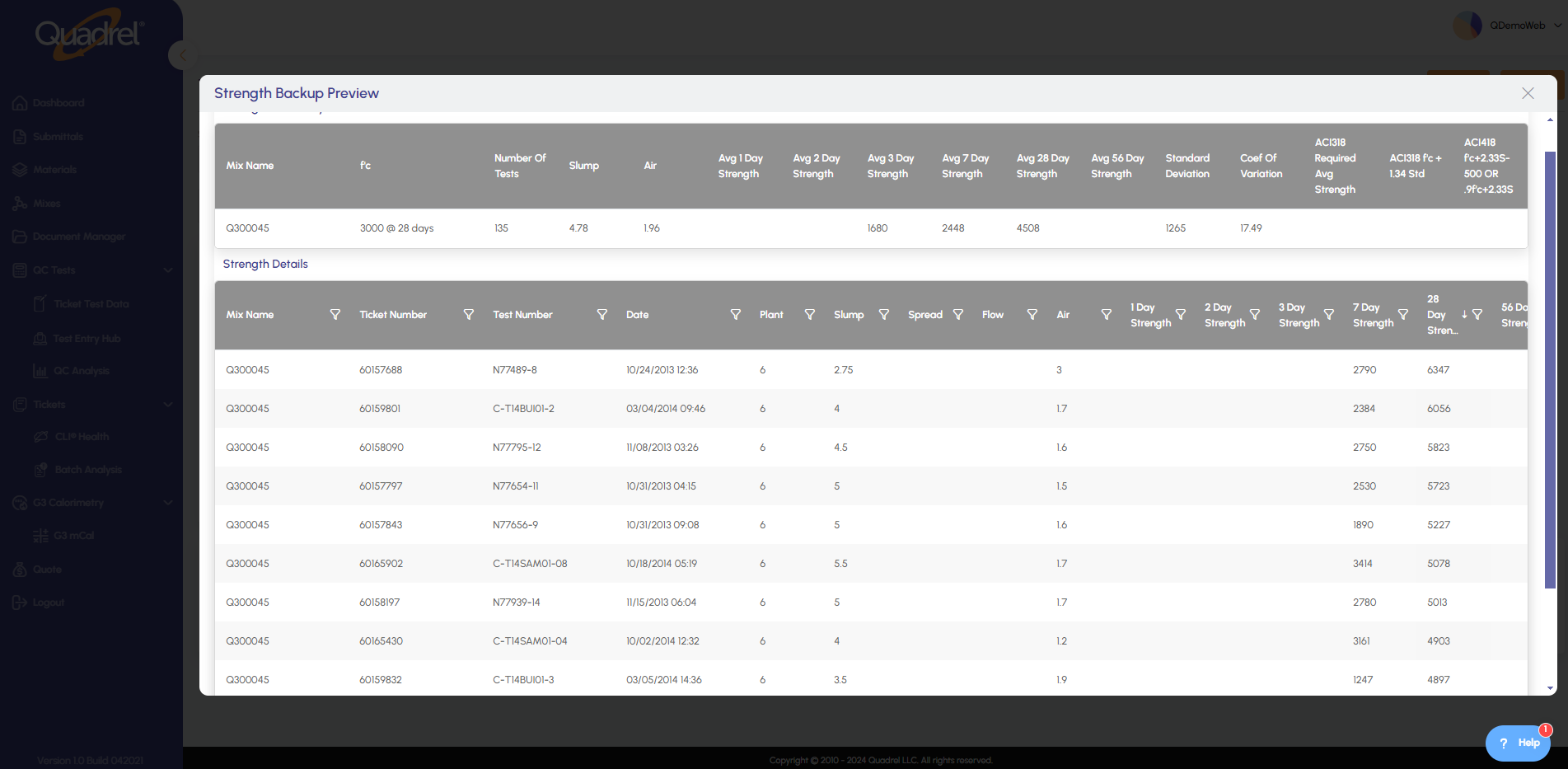
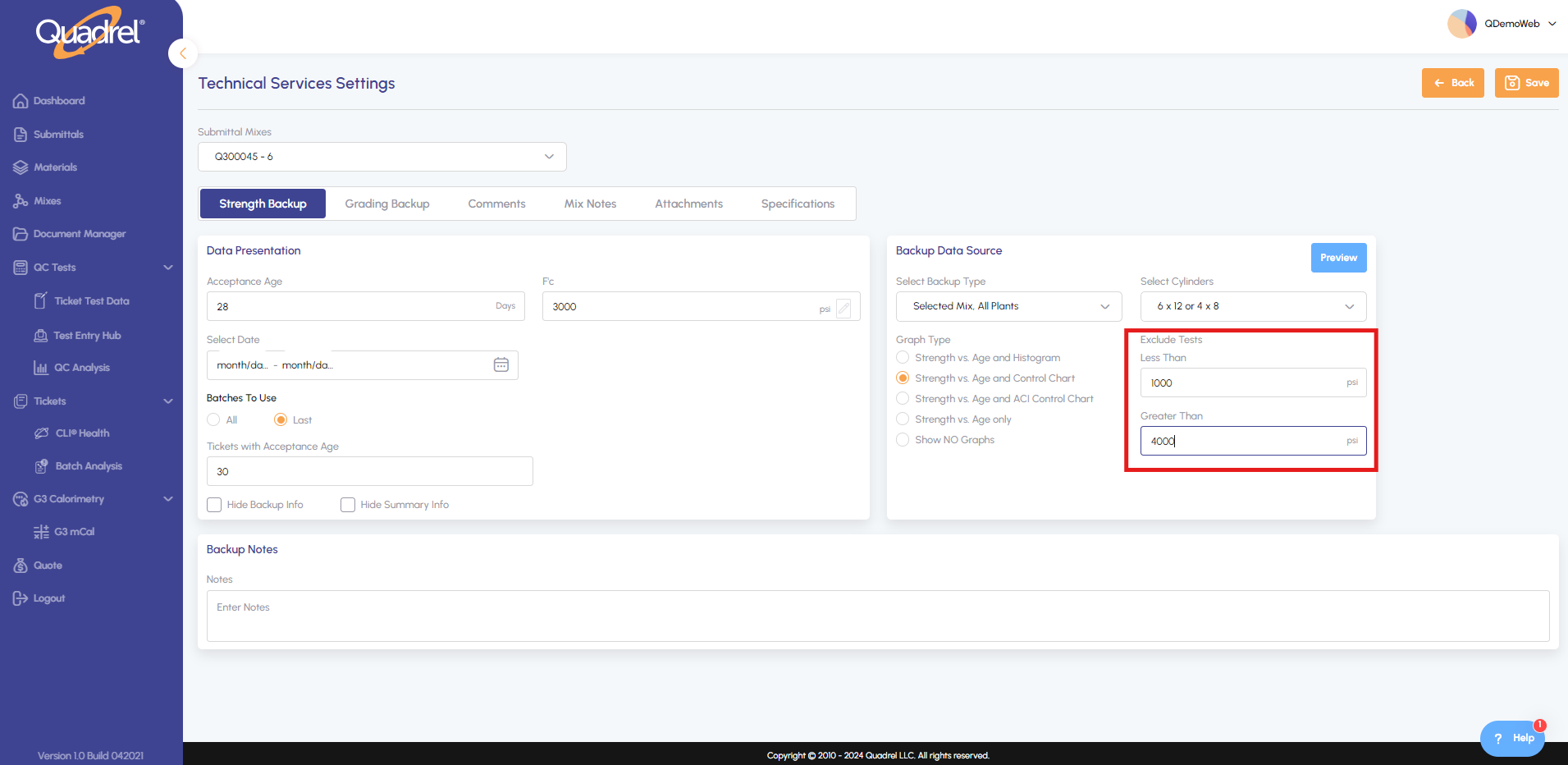
An entirely new feature ! Now verify and review backup data for your submittal without having to generate it. This not only lets you preview the backup data but also remove outliers on the fly.
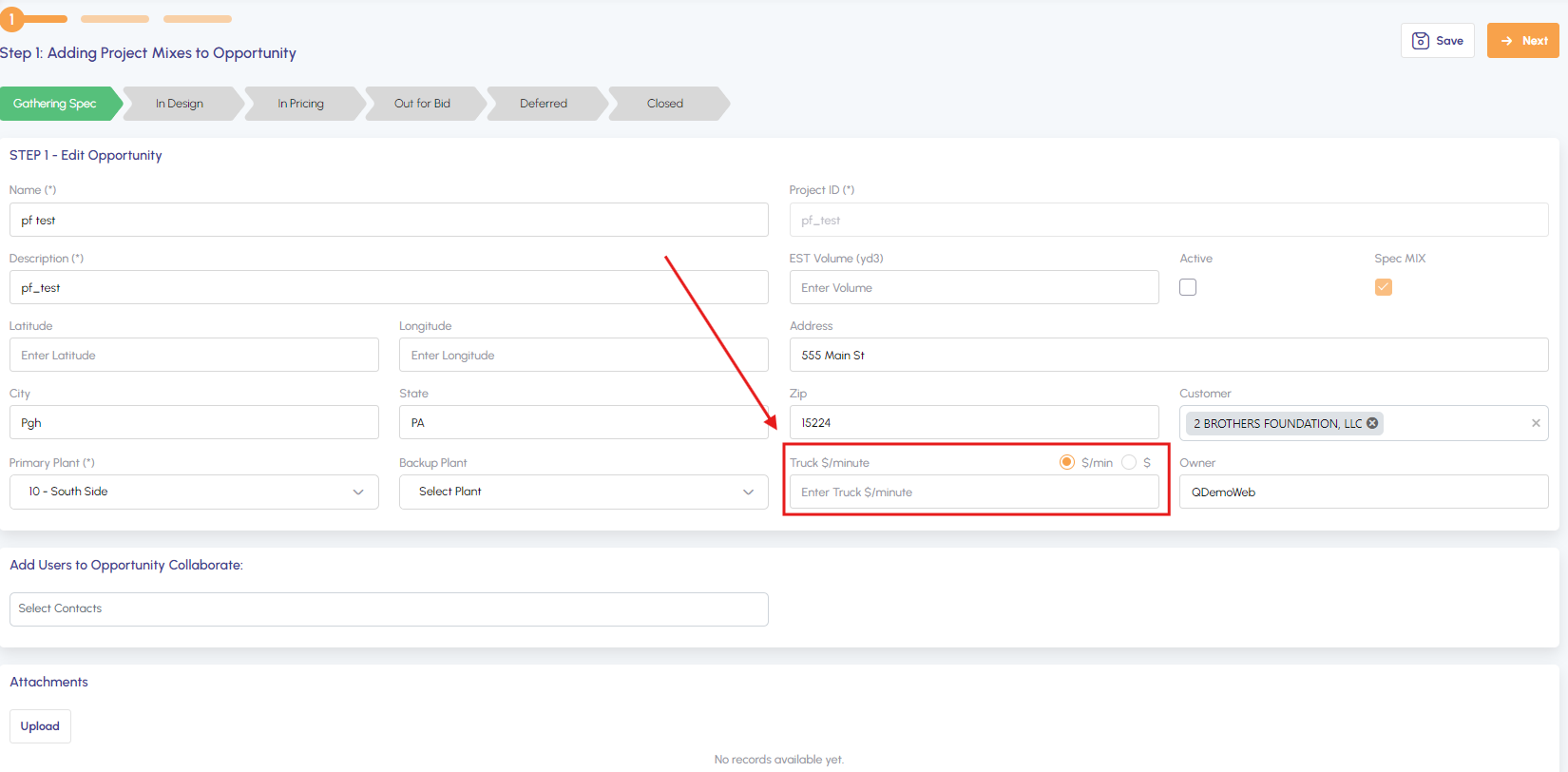
The delivery cost settings now offer the flexibility to select either per minute or per cubic yard billing, with the additional ability to specify extra charges.
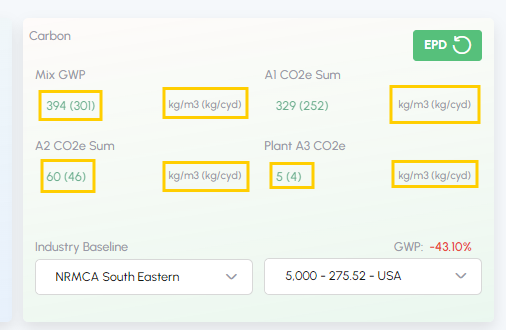
The Main tab now displays Carbon metrics in kg per cubic yard (in parentheses) for each mix, enabling users to easily compare options and make environmentally-informed decisions.
Test Entry Hub
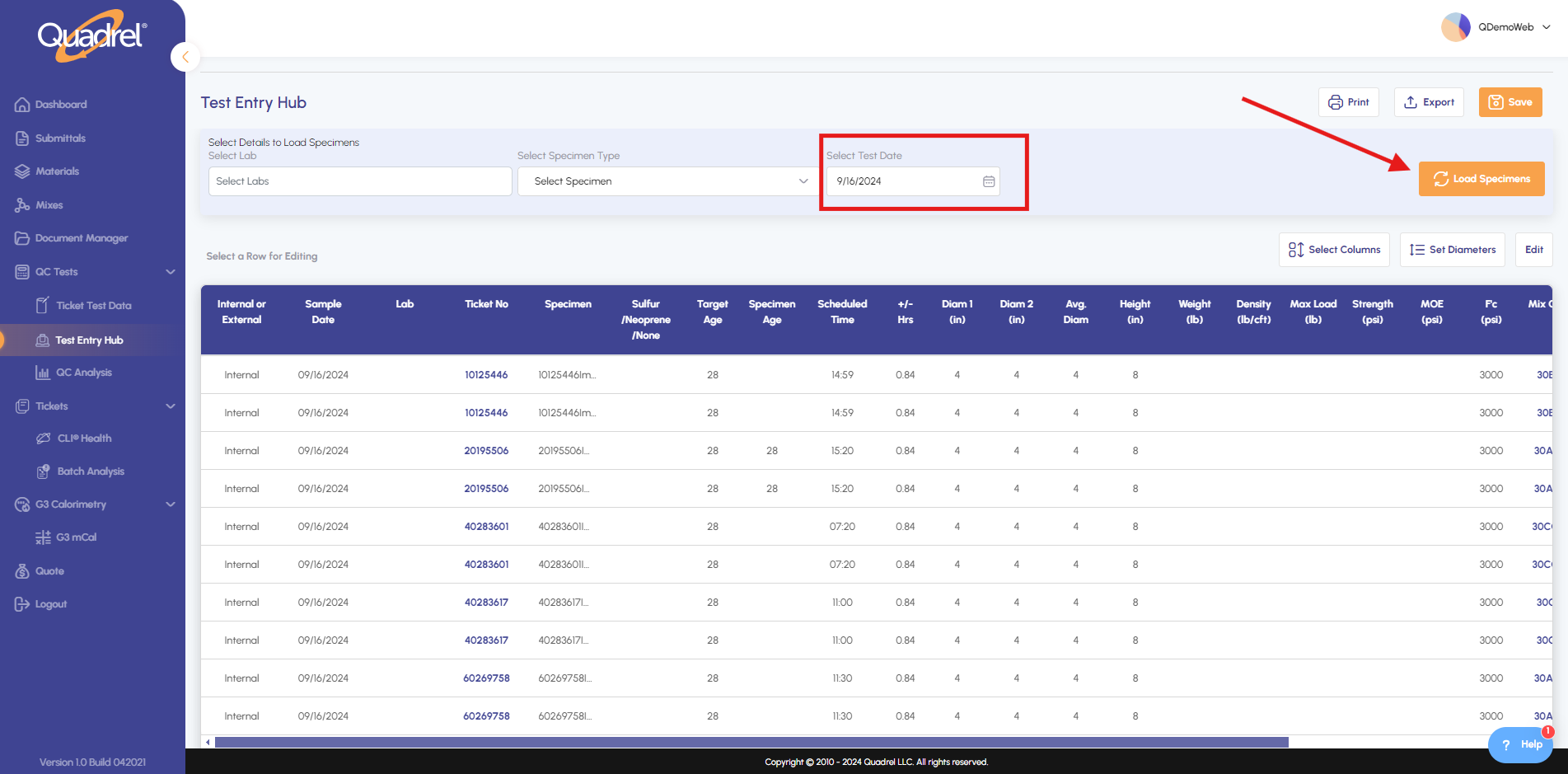
Choose the desired date and activate "Load Specimens" to retrieve relevant samples.
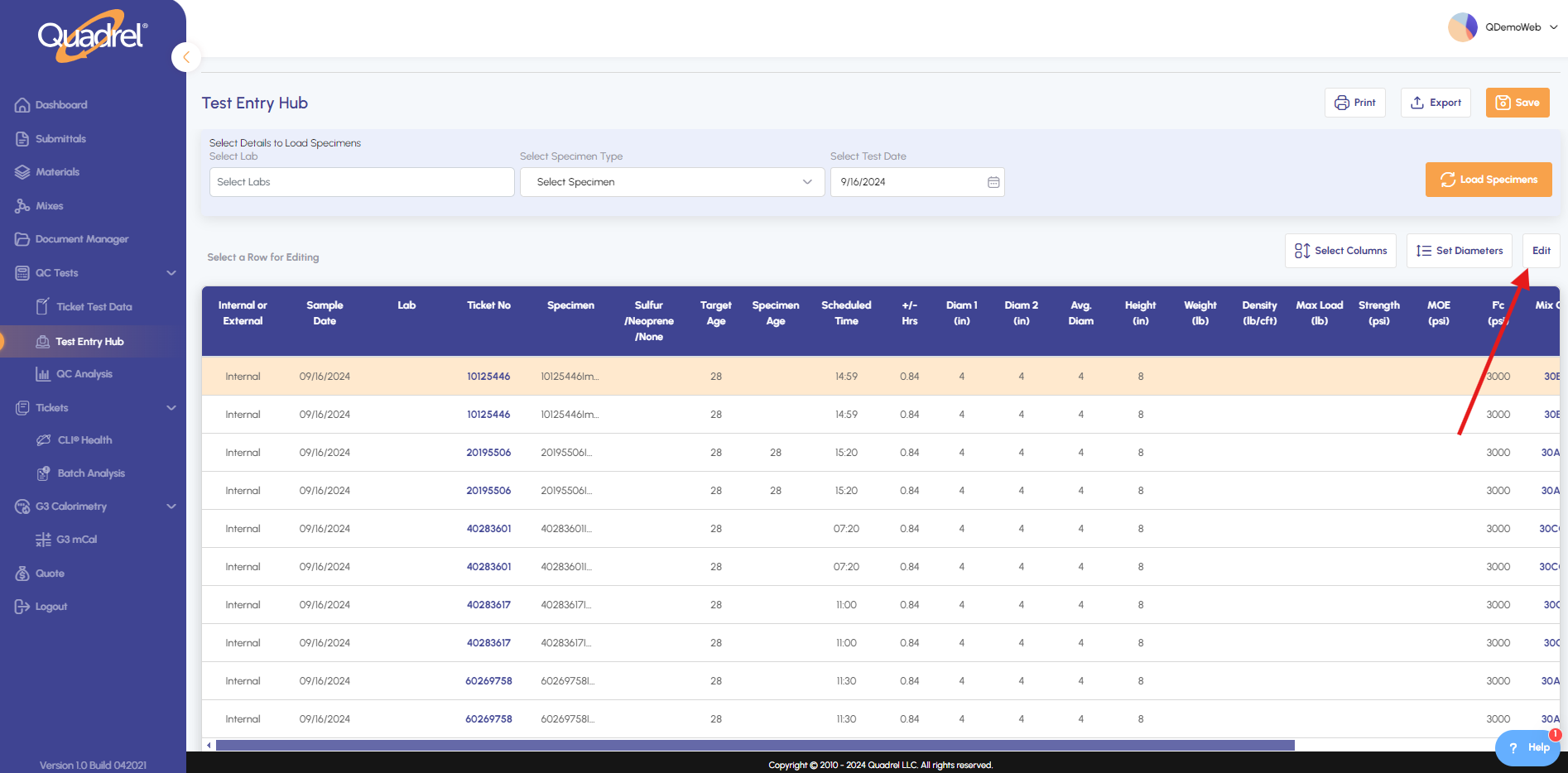
Update a single entry by selecting its row, or use the Edit button to modify multiple records simultaneously.
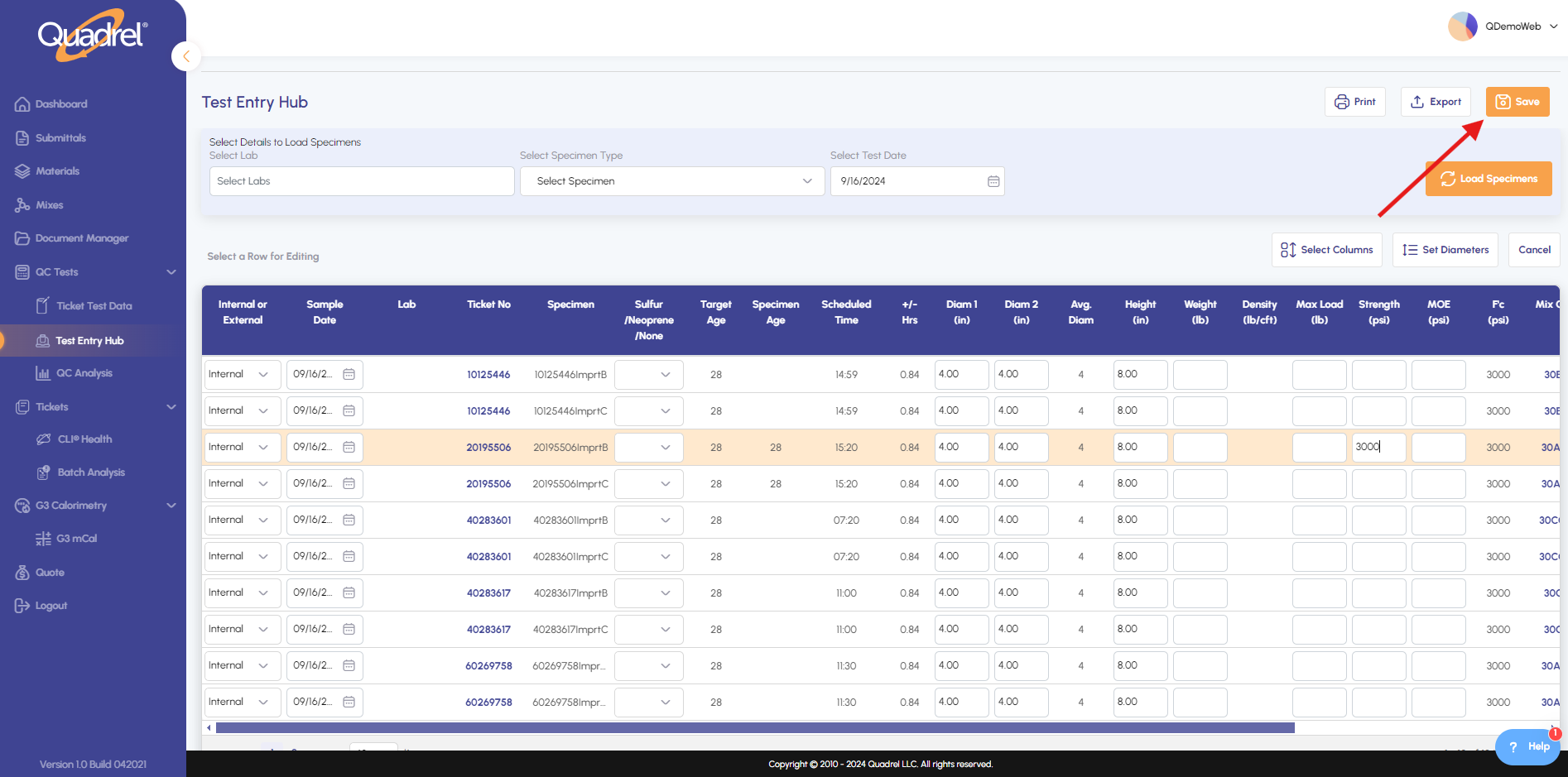
After modifying records, confirm your updates by saving changes.
Submittal Backup Preview
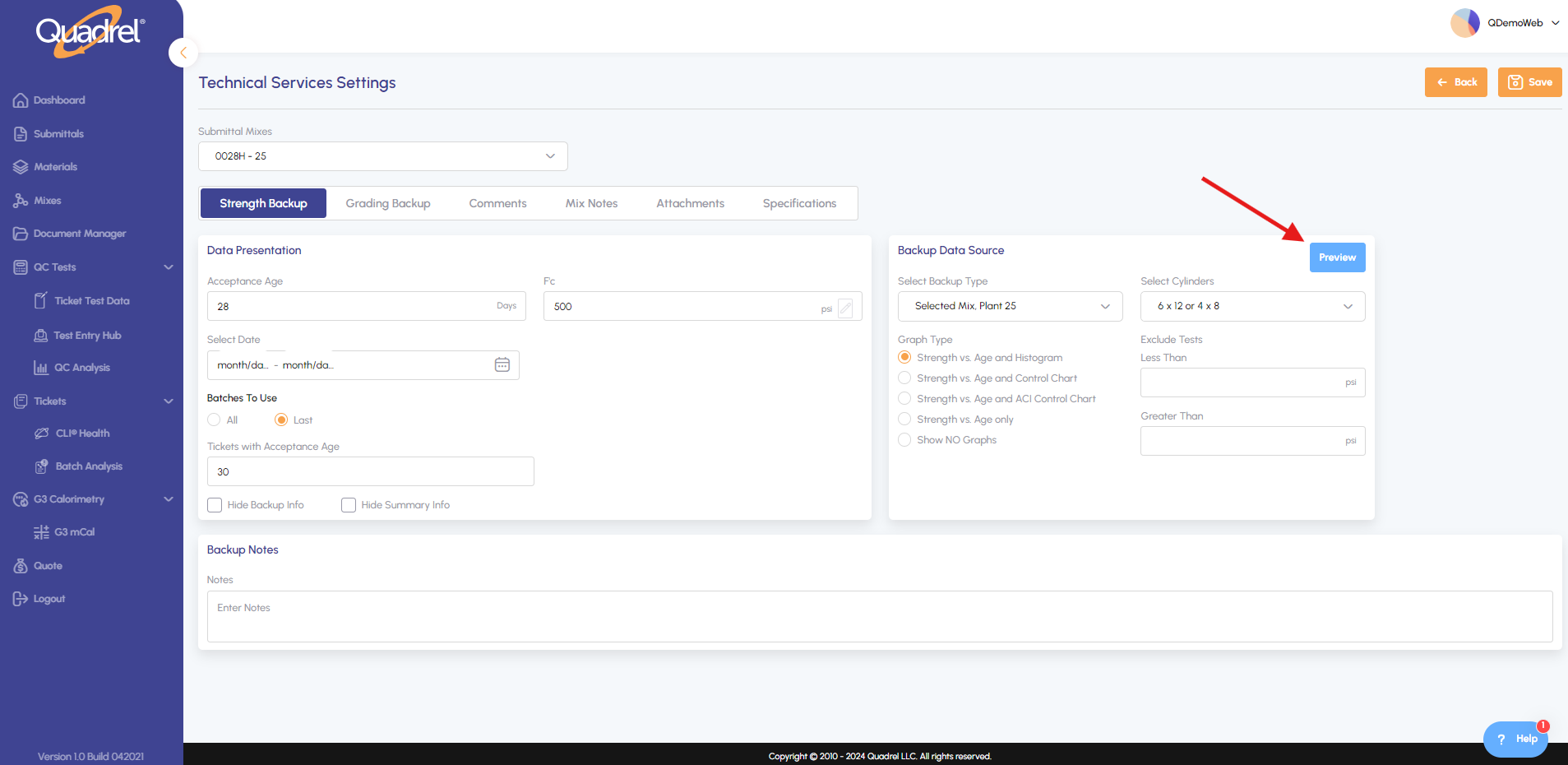
During submittal creation, navigate to Technical Services Settings for the chosen mix, then select Preview. Not available for pre-defined dataset.
Sort or filter strength columns to ensure backup data looks good and meets specification.
Filter out poor data points from your backup data set for more accurate results.
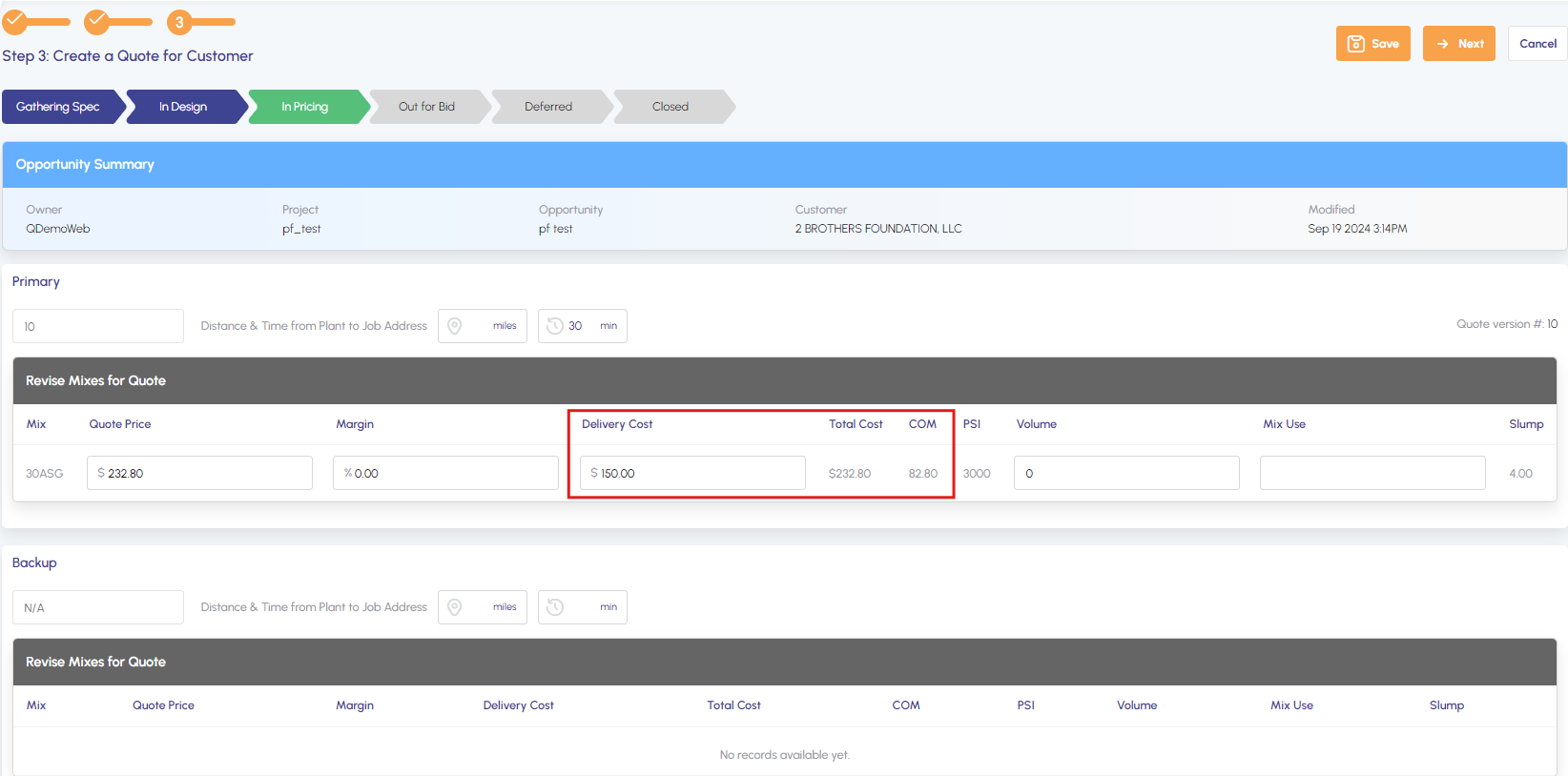
Quote delivery cost and adding extras
Delivery cost can now be calculated based on either time (per minute) or volume (per cubic yard).
Delivery cost is included in total cost.
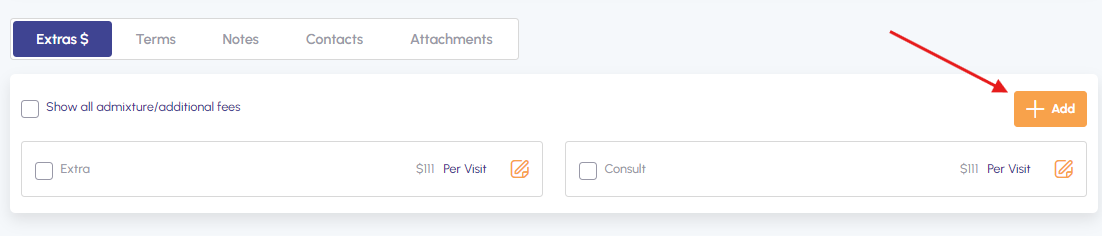
You can use either pre-determined Extras or add new ones.
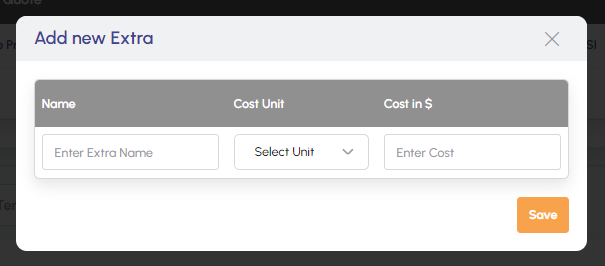
It allows you to specify the units and cost.
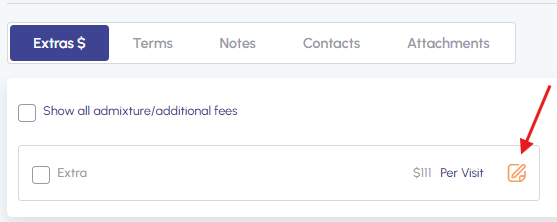
Additionally you can edit the existing one.
Carbon additional metrics
To view Carbon metrics for each mix, navigate to the Main tab and review the kg per cubic yard values displayed in parentheses, as shown below.