11/04/2024 Release Notes: Save as new Submittal, Quote default extras, etc
- Save as New Submittal.
Create new submittals effortlessly by duplicating existing ones - a highly requested feature that saves you time and ensures consistency. - Default quote Extras.
Never miss important additions by setting standard extras that automatically apply to every new quote. - New Overdesign Tab.
Analyze mix efficiency with our new Overdesign view. Identify overdesigned mixes, assess their impact, and discover potential cost savings. - Set default region.
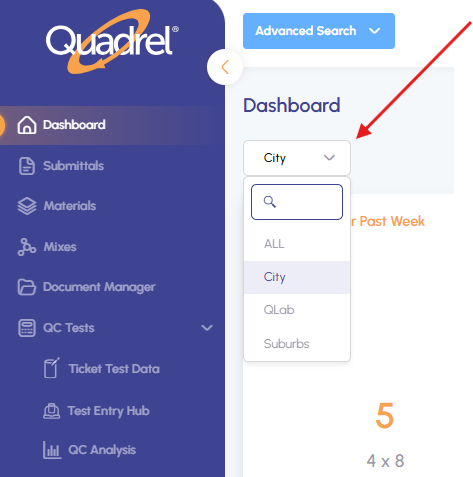
Streamline your workflow by setting a default region. Perfect for companies operating across multiple areas - see only the results relevant to you. - Search by ticket number.
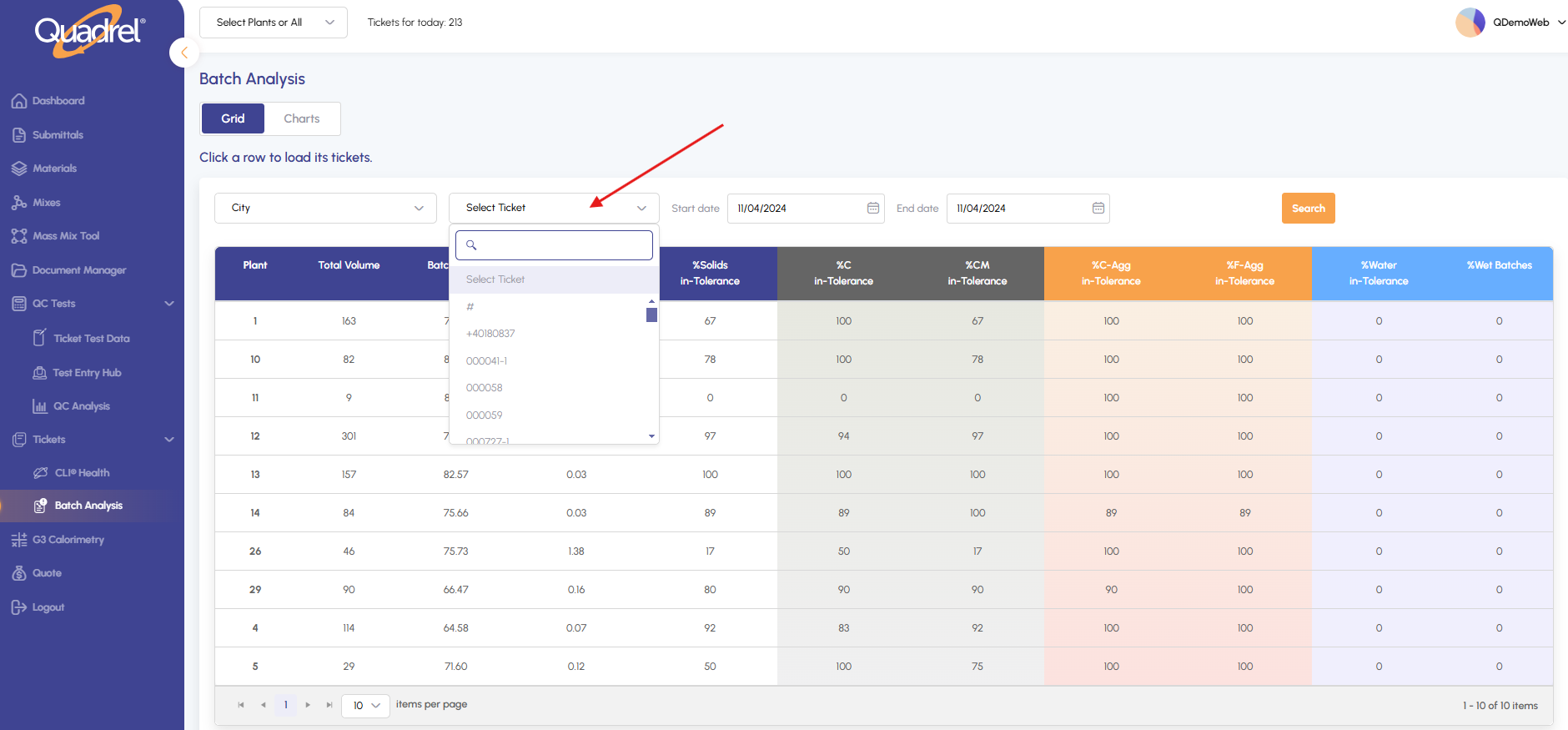
Find information faster with expanded search functionality in Batch Analysis, including convenient ticket number search.
Save as New Submittal
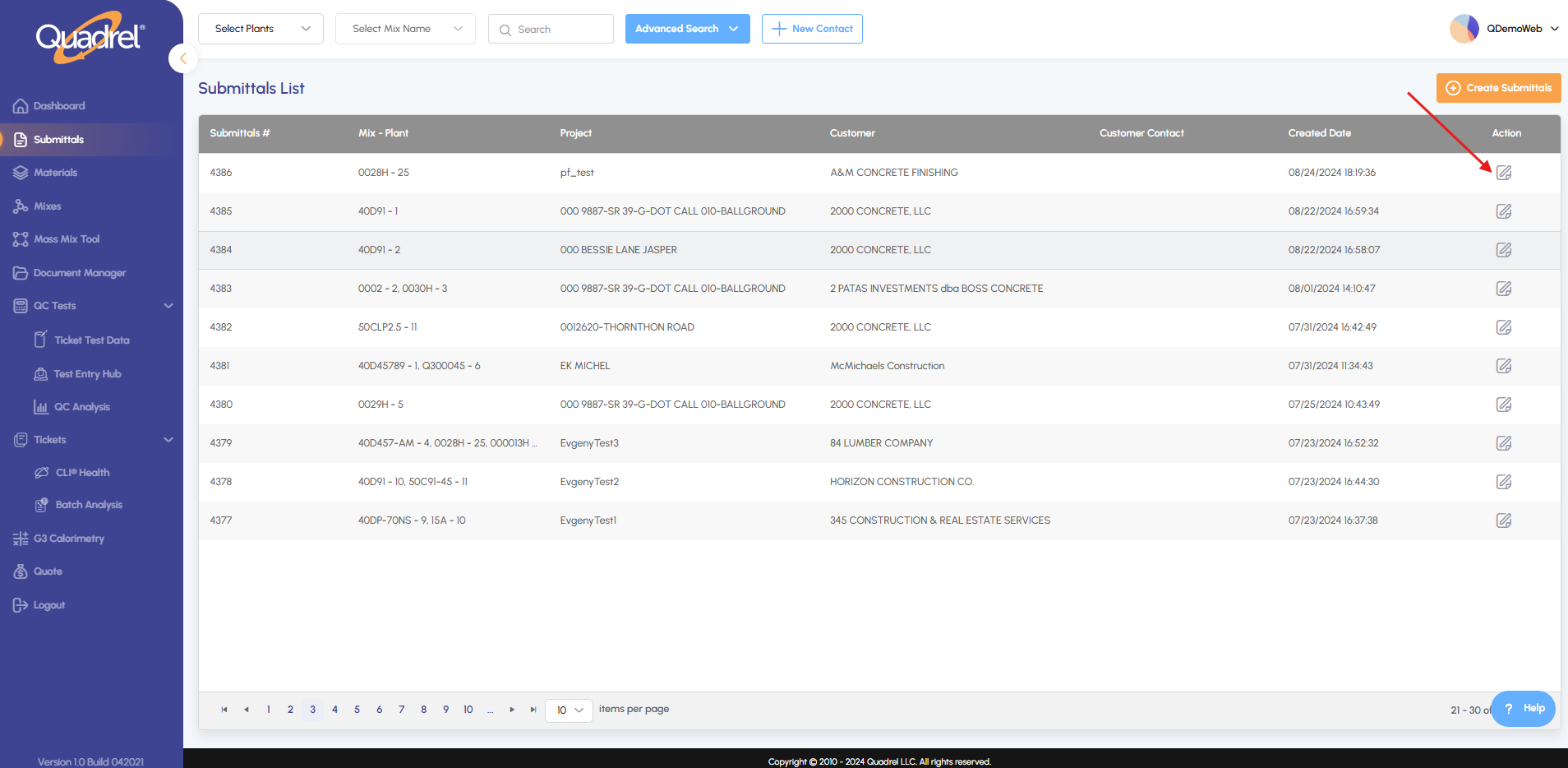
Navigate to the submittals menu and click the edit icon for your chosen submittal.
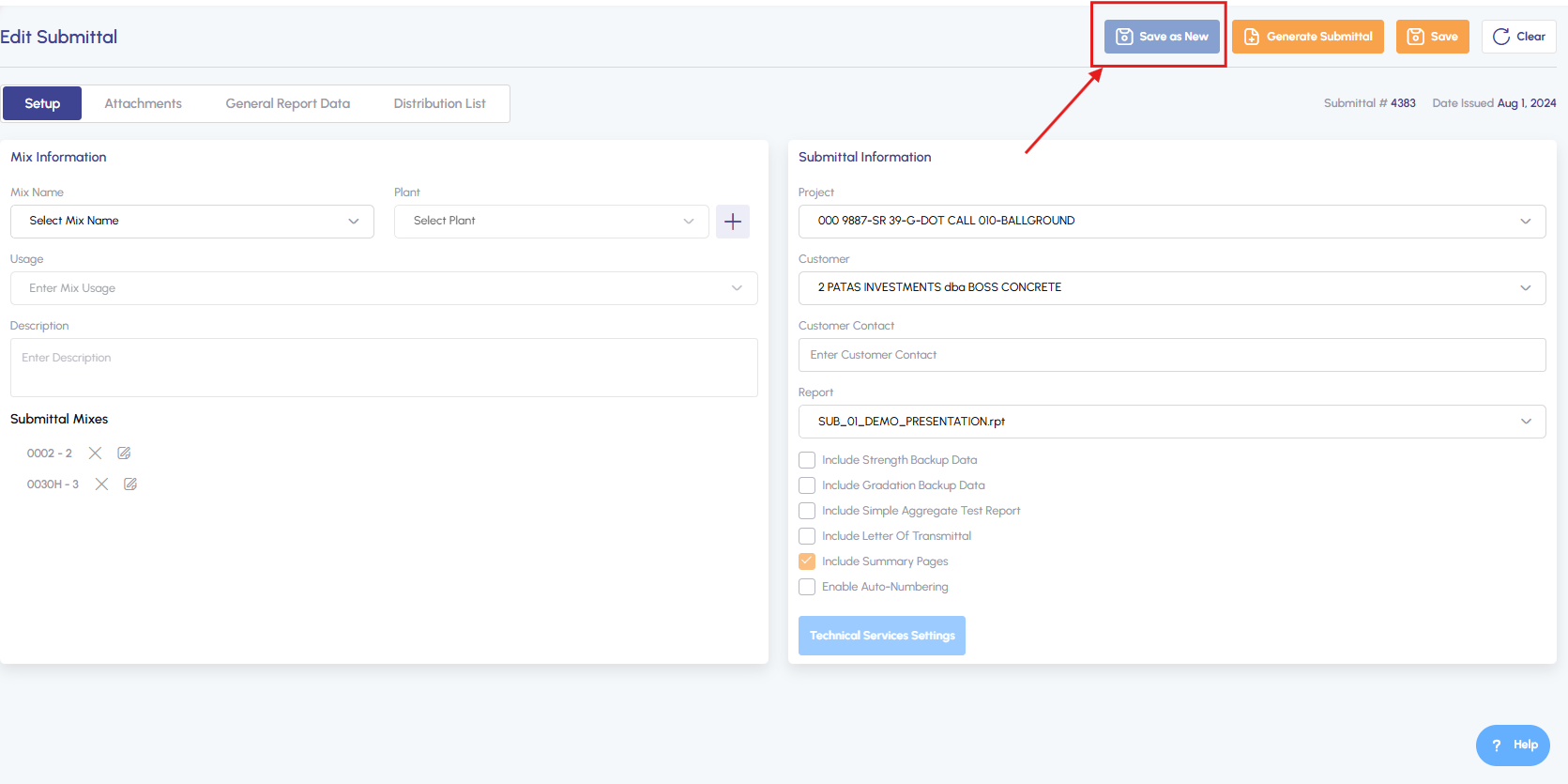
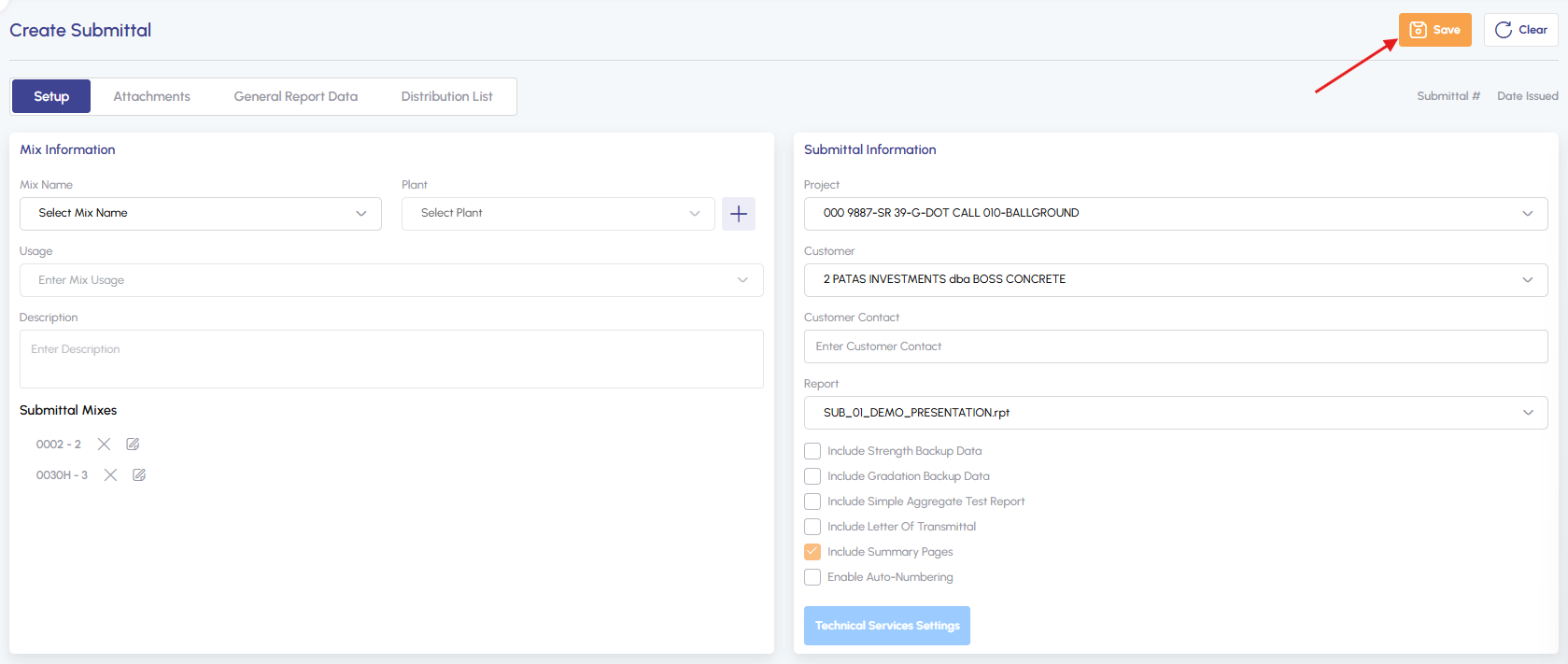
Select "Save as New", make your desired modifications and click Save.
Default Quote Extras
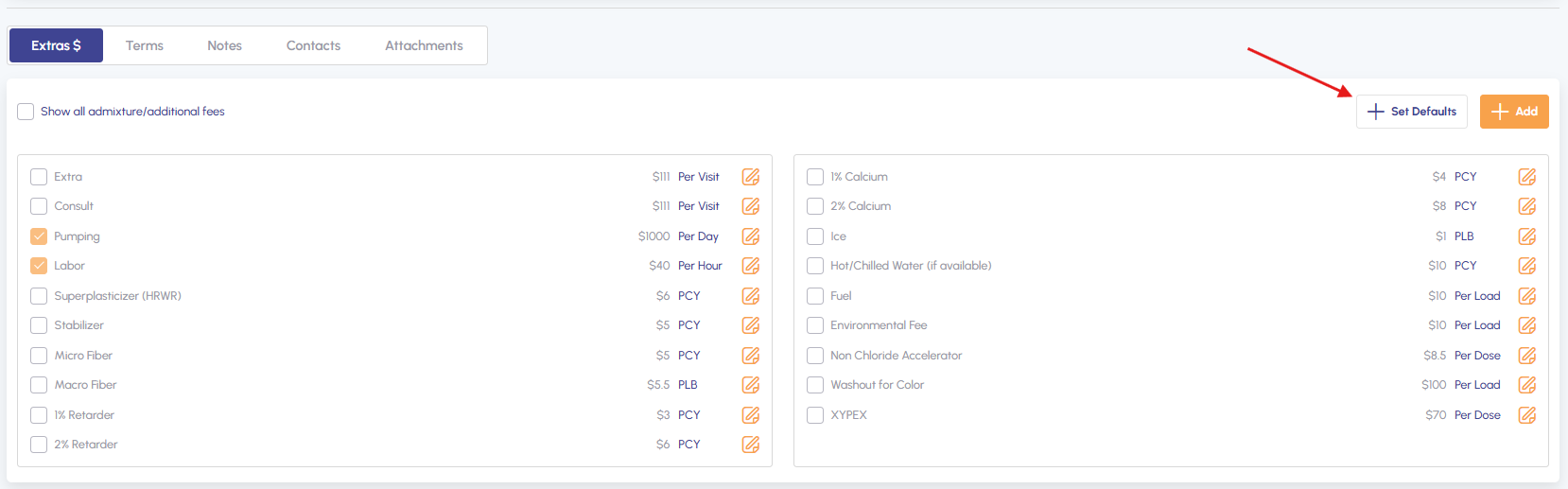
To set default extras either create a new quote or click edit icon. Under pricing tab scroll down to Extras and click "Set Defaults".
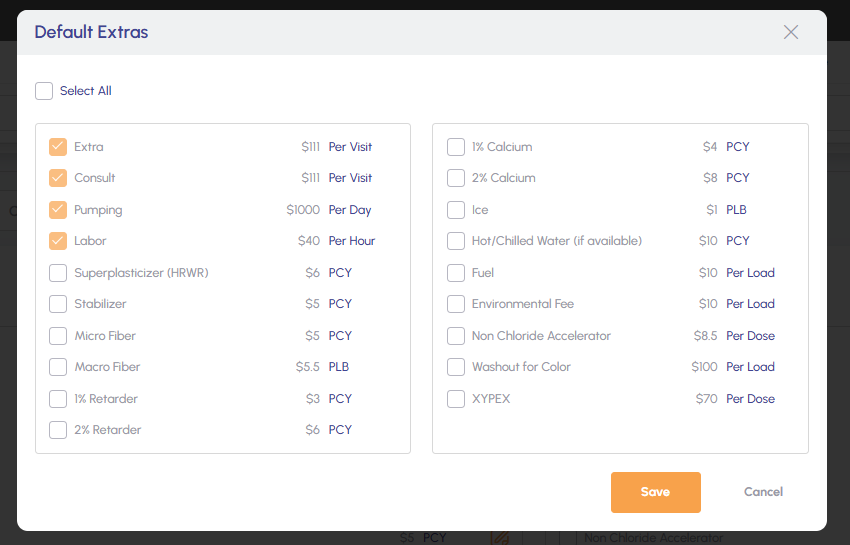
Choose your default options and save.
New Overdesign Tab
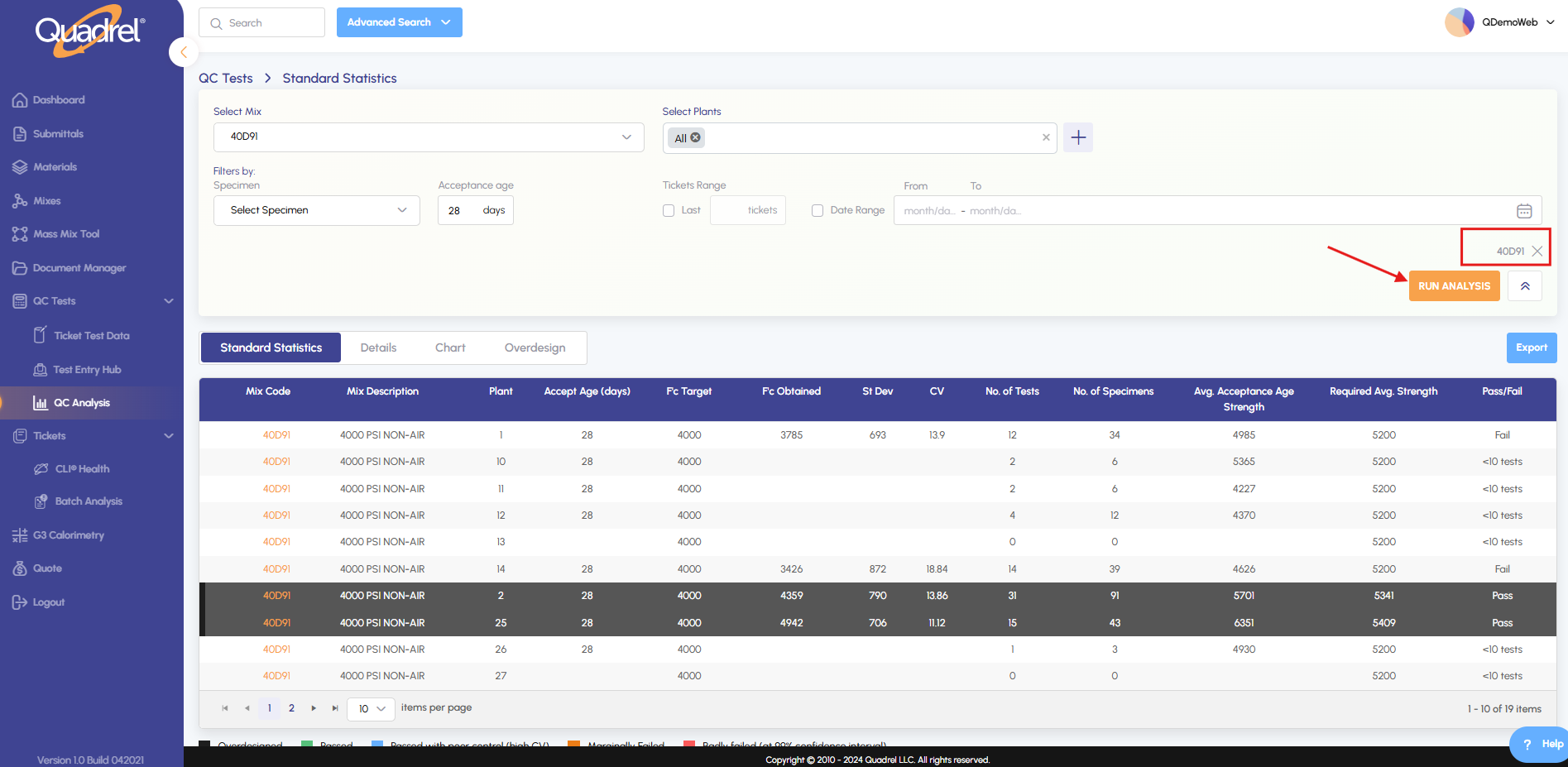
Select a mix ( or mixes) under QC Analysis and click Run Analysis.
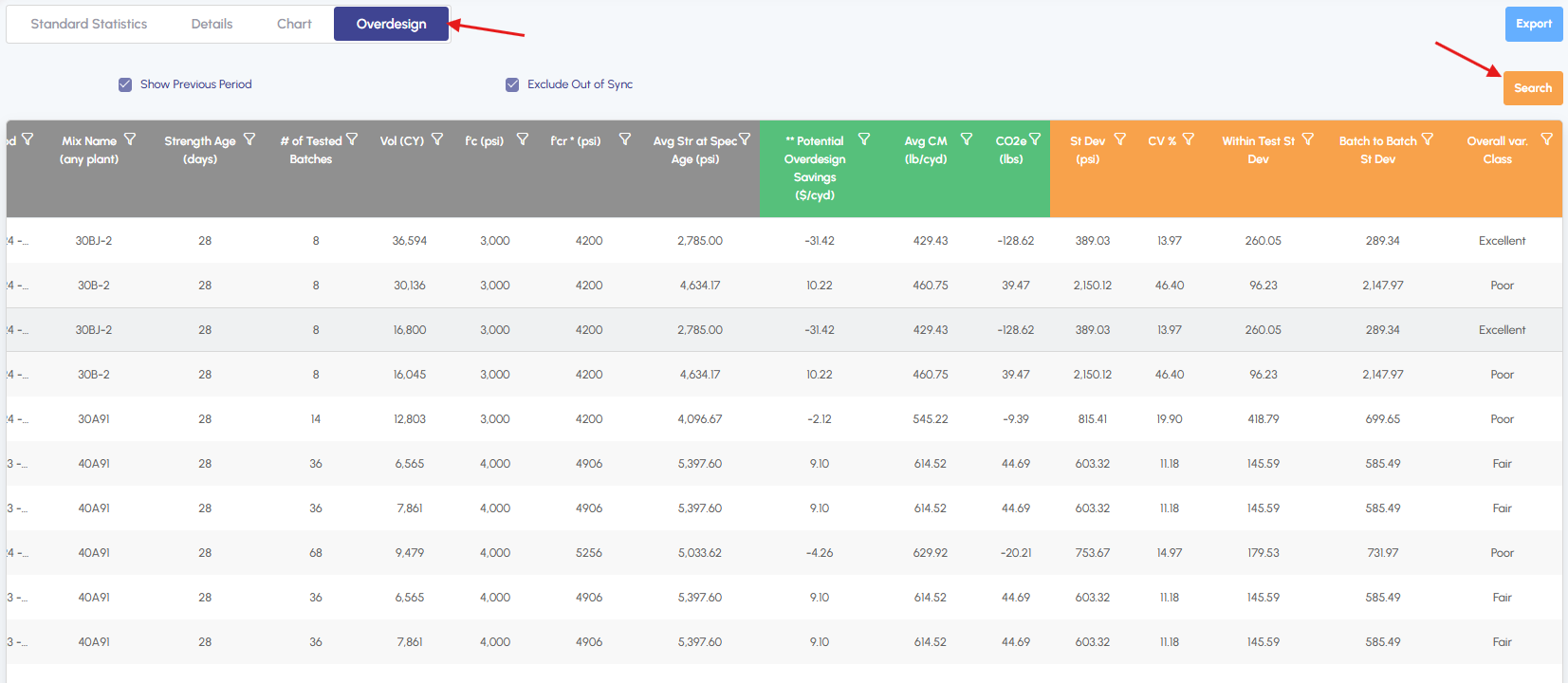
Click on the Overdesign tab and click Search.
Set Default Region
Select your preferred region from the dropdown menu. The system will automatically save this as your default setting.
Search by ticket number
Under Batch Analysis, enter or select a ticket number in the search field.