08/06/2026 Patch: Material Hub Visual Update, Mix Hub: Add & Delete In Mix Grid, Advanced Search Mass Mix Tools, etc.
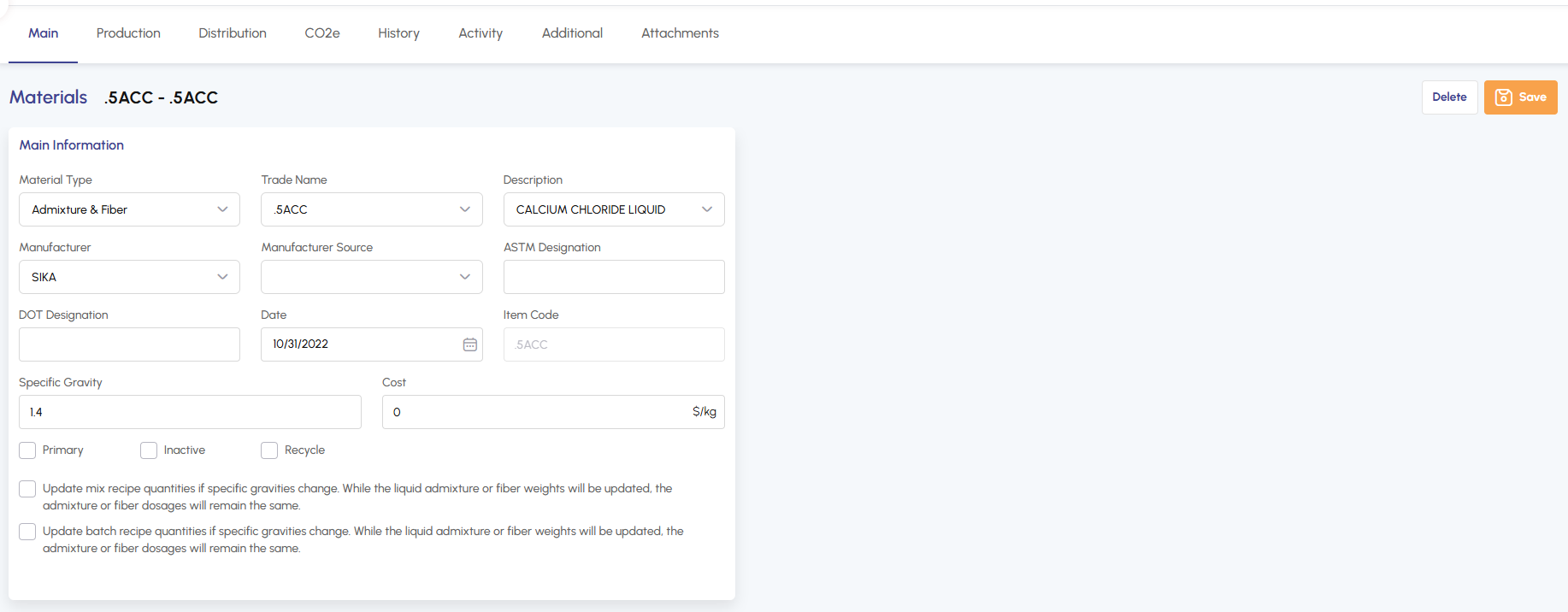
Material Hub: Visual Update The display of Material Hub has been updated for a cleaner, more streamlined look.
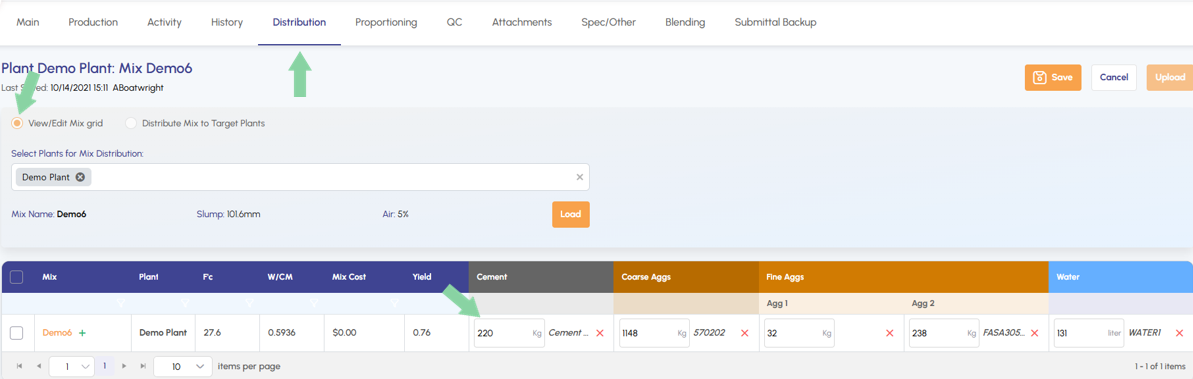
Mix Hub: Add And Delete In Mix Grid Users can now add or delete materials directly within the Mix Grid on the Mix Hub's Distribution tab, removing the need to return to the main tab.
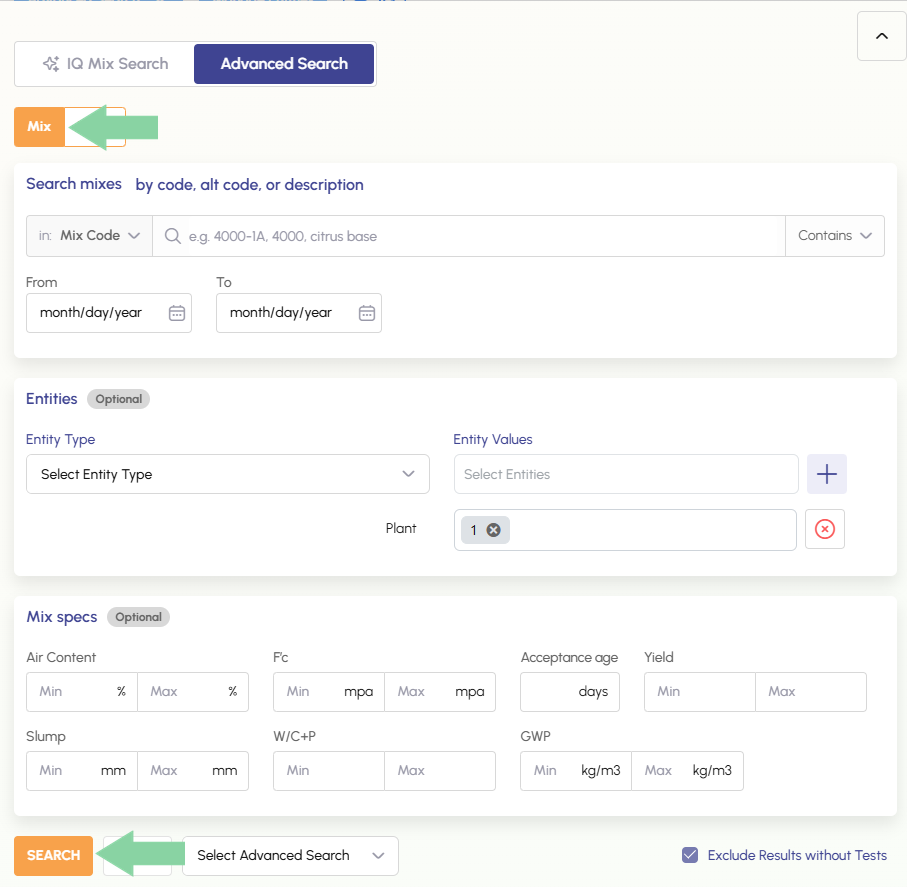
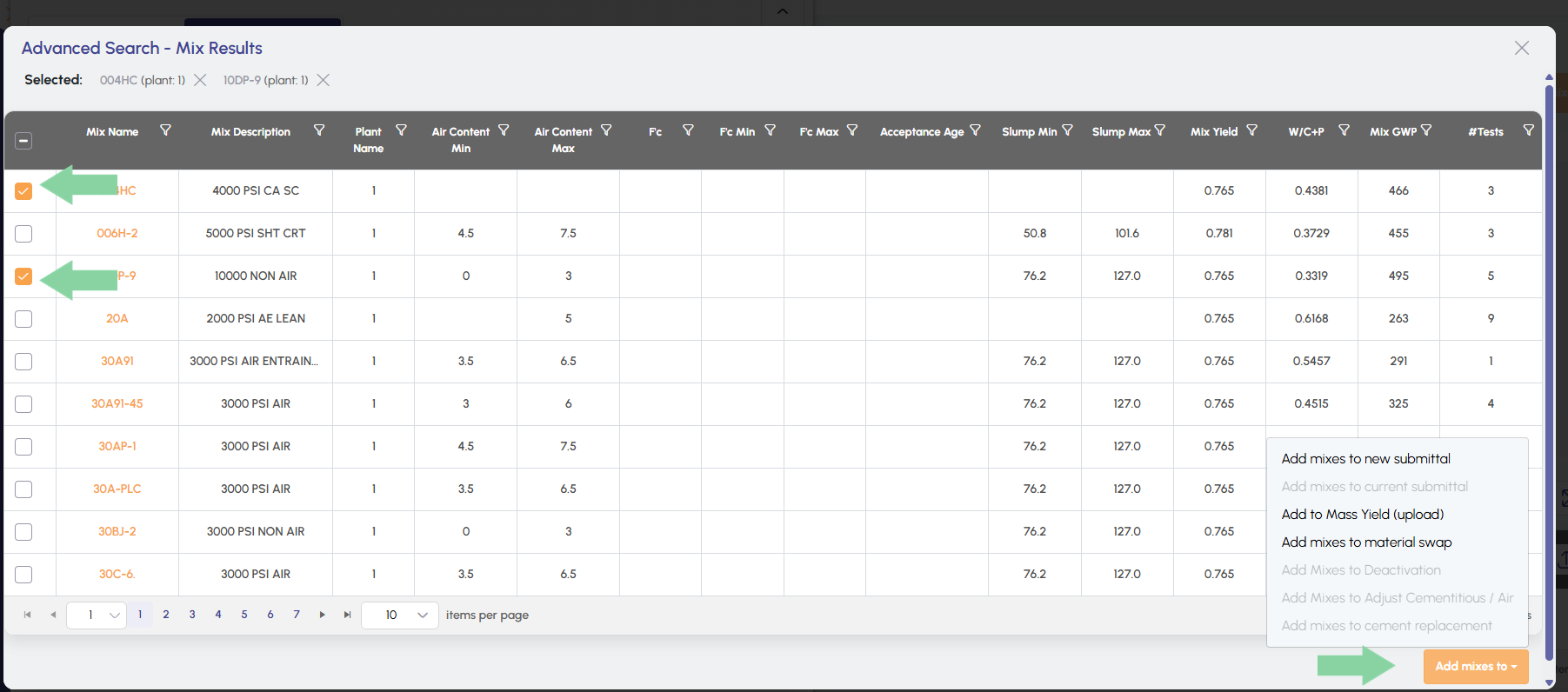
Mass Mix Tools: Advanced Search Mix Selection Advanced Search is now built directly into the Mass Mix Tools workflow, allowing mixes to be selected using Advanced Search without leaving Mass Mix Tools. These mixes can be added to Mass Yield (upload) or Material Swap.
Material Hub: Visual Update.
All mixes cost and pricing information now lives in a sub-tab within the Mix Hub main tab, reducing the number of main tabs users need to navigate in the Mix Hub.
Mix Hub: Add And Delete In Mix Grid.
Users can now add or delete materials directly within the Mix Grid on the Mix Hub's Distribution tab, removing the need to return to the main tab.
By clicking on the green plus icon users can add new materials.
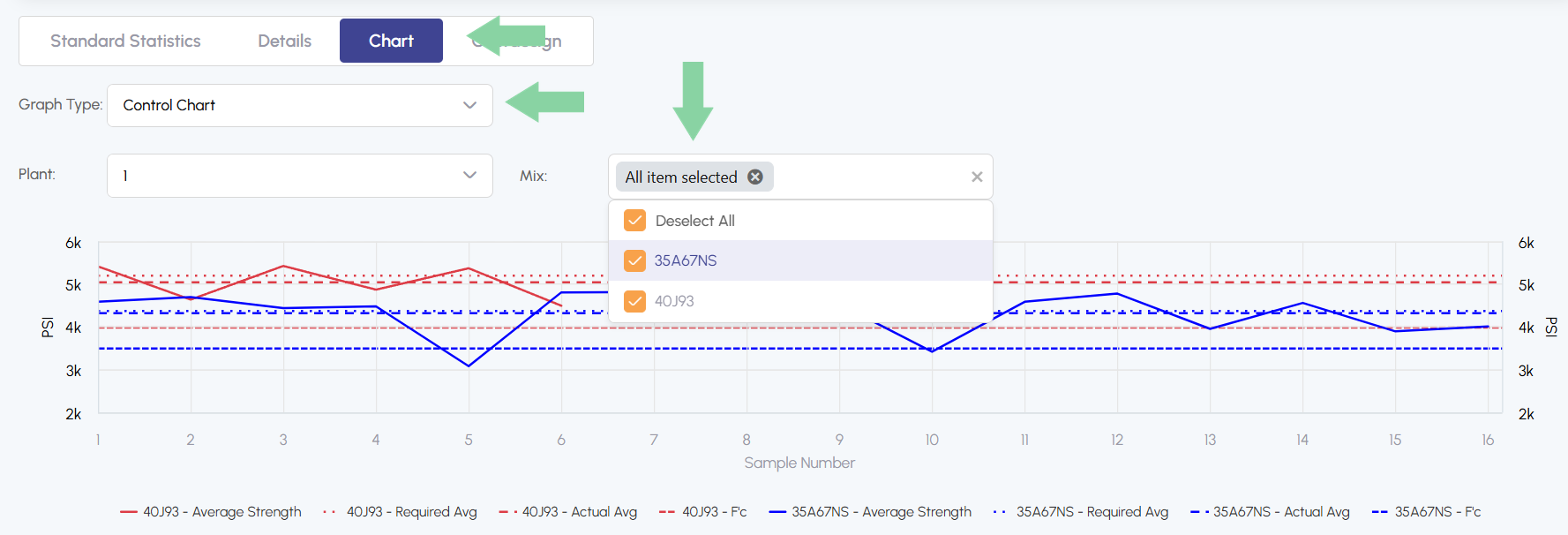
QC Analysis: Select Multiple Mixes On Control Chart.
Users can now select multiple mixes when using the Control Chart chart type on the QC Analysis Chart tab.
Mass Mix Tools: Advanced Search Mix Selection.
Advanced Search is now built directly into the Mass Mix Tools workflow, allowing mixes to be selected using Advanced Search without leaving Mass Mix Tools. These mixes can be added to Mass Yield (upload) or Material Swap.
Select criteria and then search
After searching select the desired mixes and select the preferred location to add them.