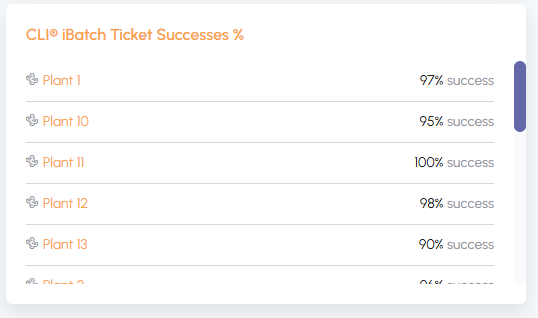
12/23/2024 Release: Mass Mix Tools, Mix History, Create New Batch, etc.
- Mass Mix Tools
Quickly swap materials in mixes across multiple plants. - Mix History
Easily view and export your mix history changes. - Create New Batch
Conveniently add a missing batch directly in Quadrel. - Additional Clickable Elements on Dashboard
Instantly access failures and key details from your dashboard.
Mass Mix Tools.
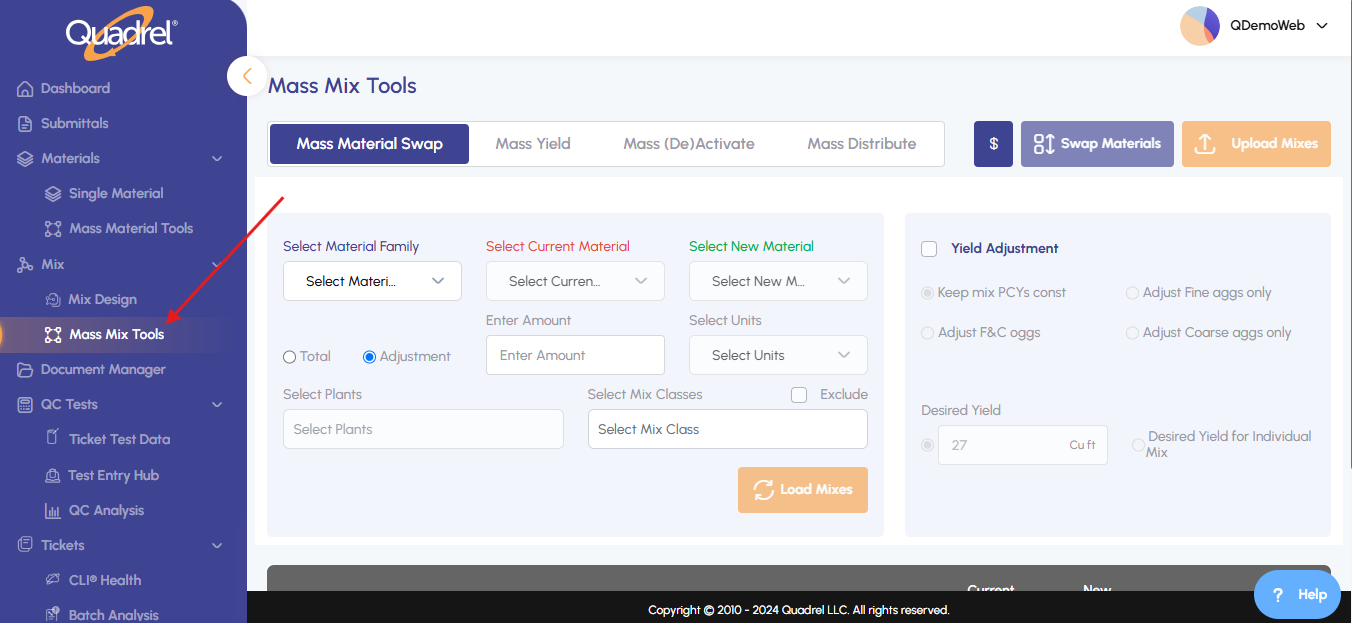
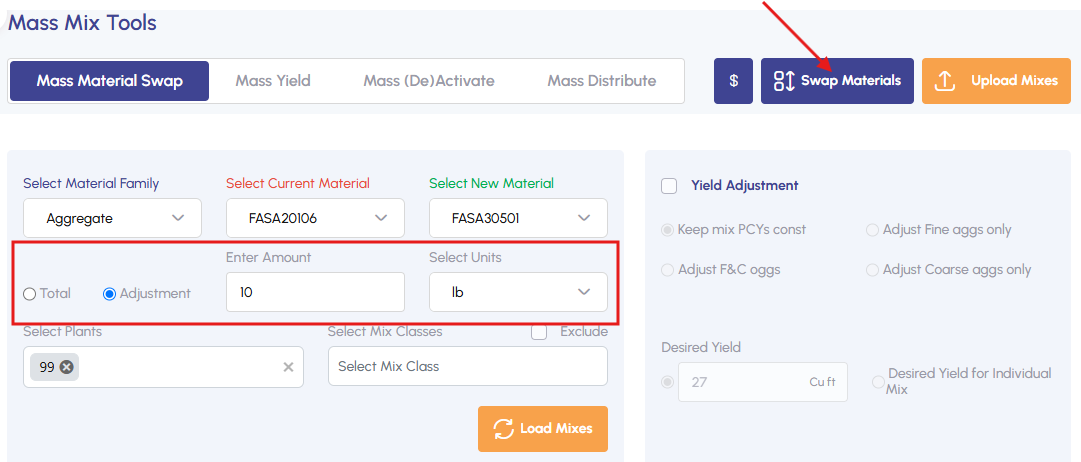
From the Mix menu, select Mass Mix Tools.
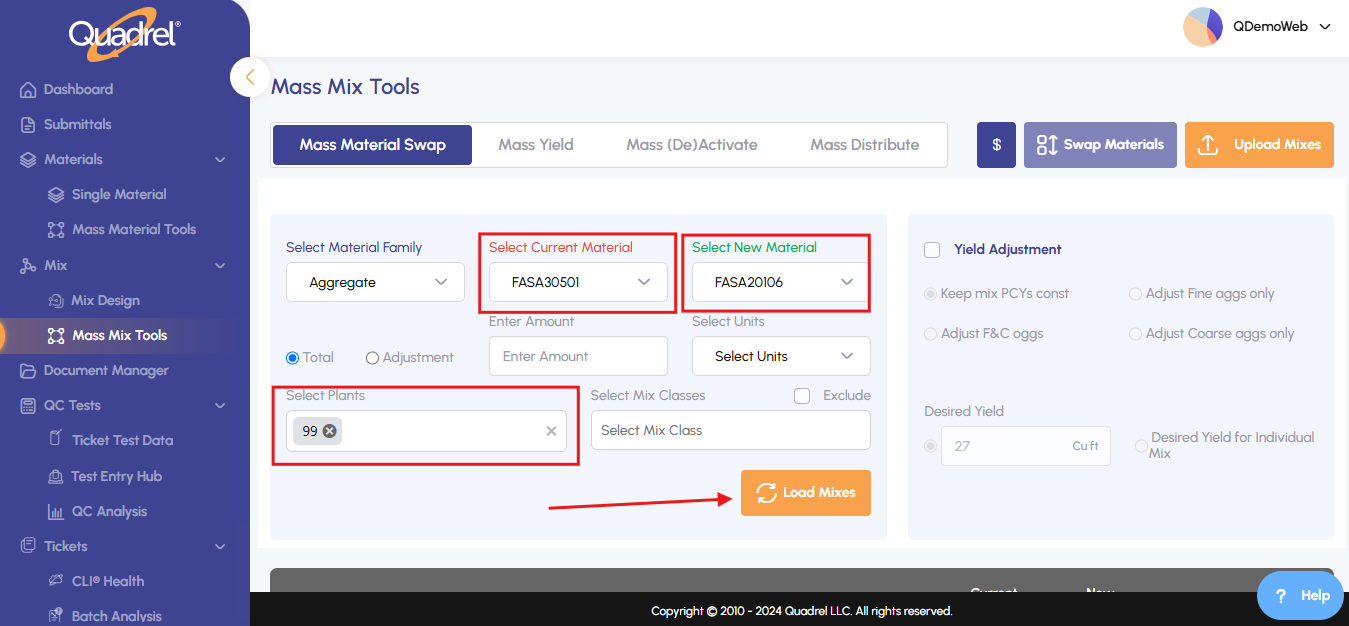
Choose the materials and plant(s), then click Load Mixes.
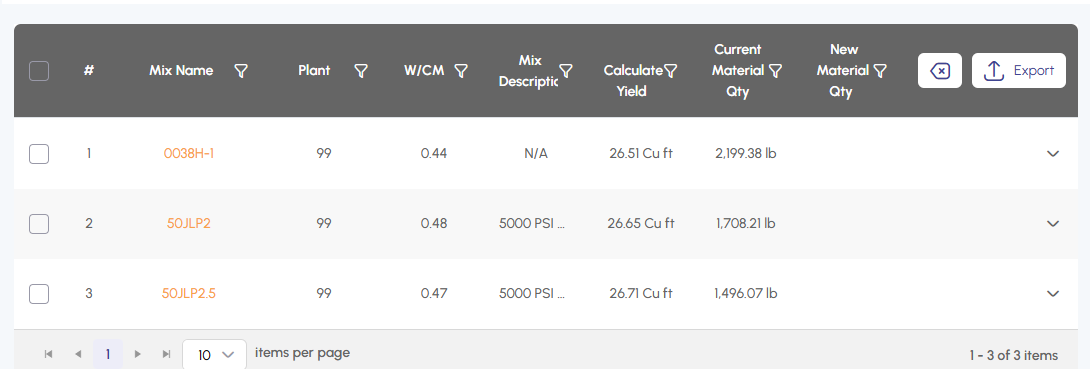
Check the listed mixes where you want to swap materials. Remove any mixes if needed.
While making material swaps click the checkbox to keep your mix yielded correctly using our options
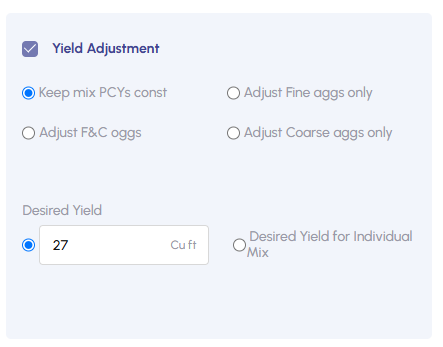
Enter the desired adjustment amount and click Swap Materials to complete the update.
Mix History.
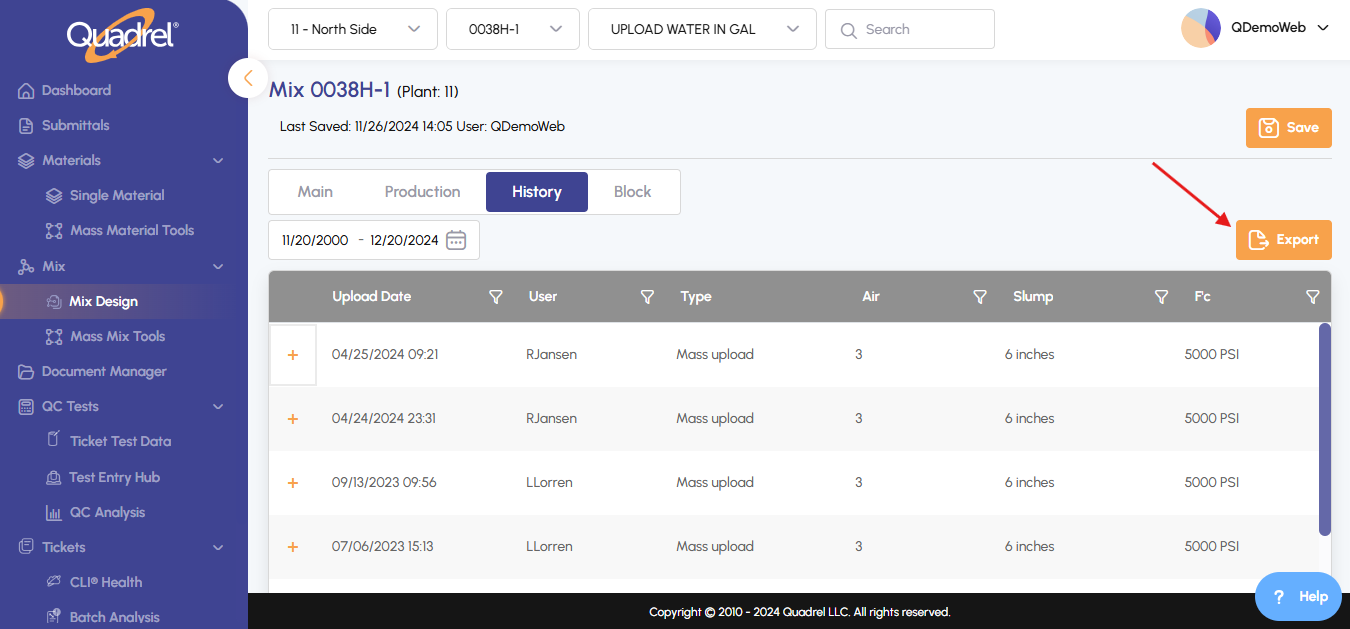
In the Mix Design menu, select a mix and click the History tab.
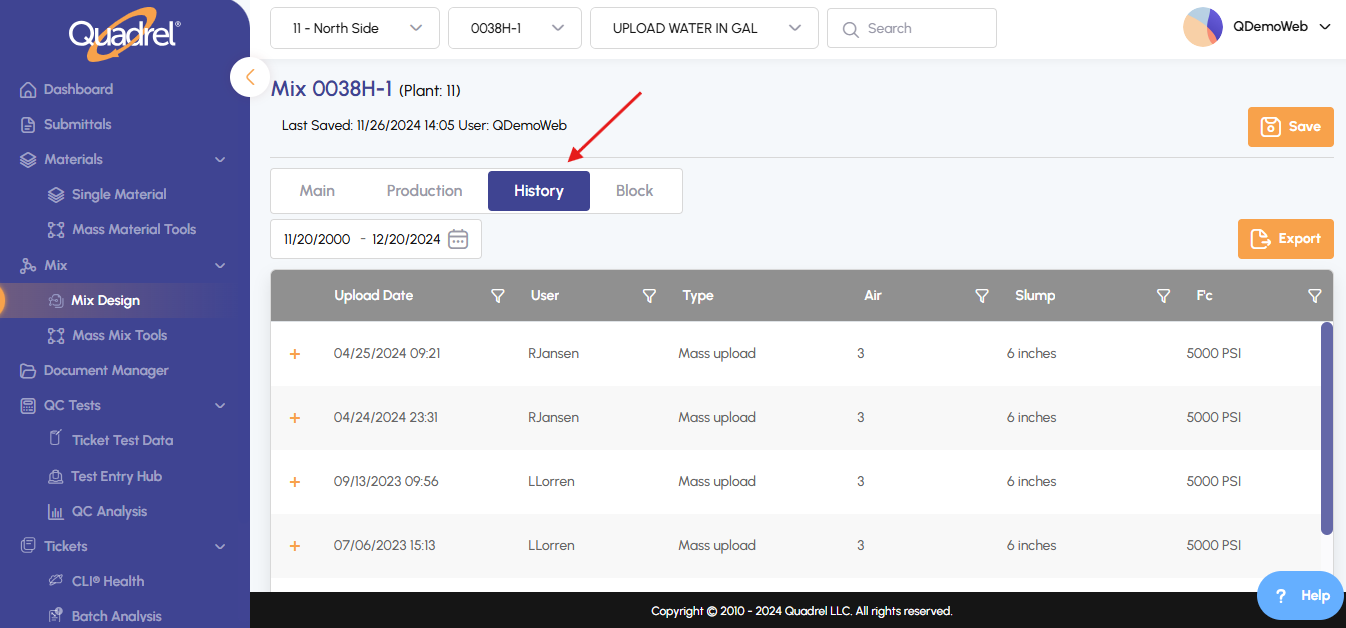
Click the + icon on any record to view detailed changes.
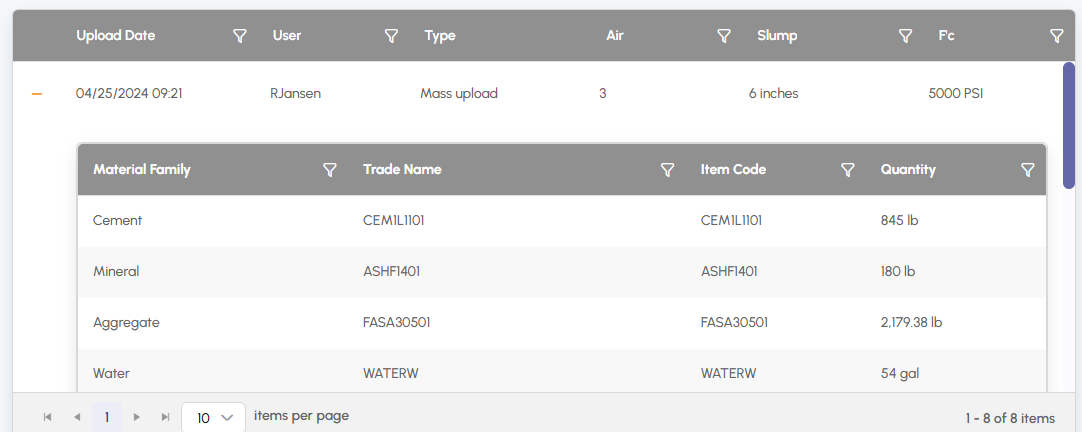
If needed, export the history by clicking Export Mix History to save an Excel file.
Create New Batch.
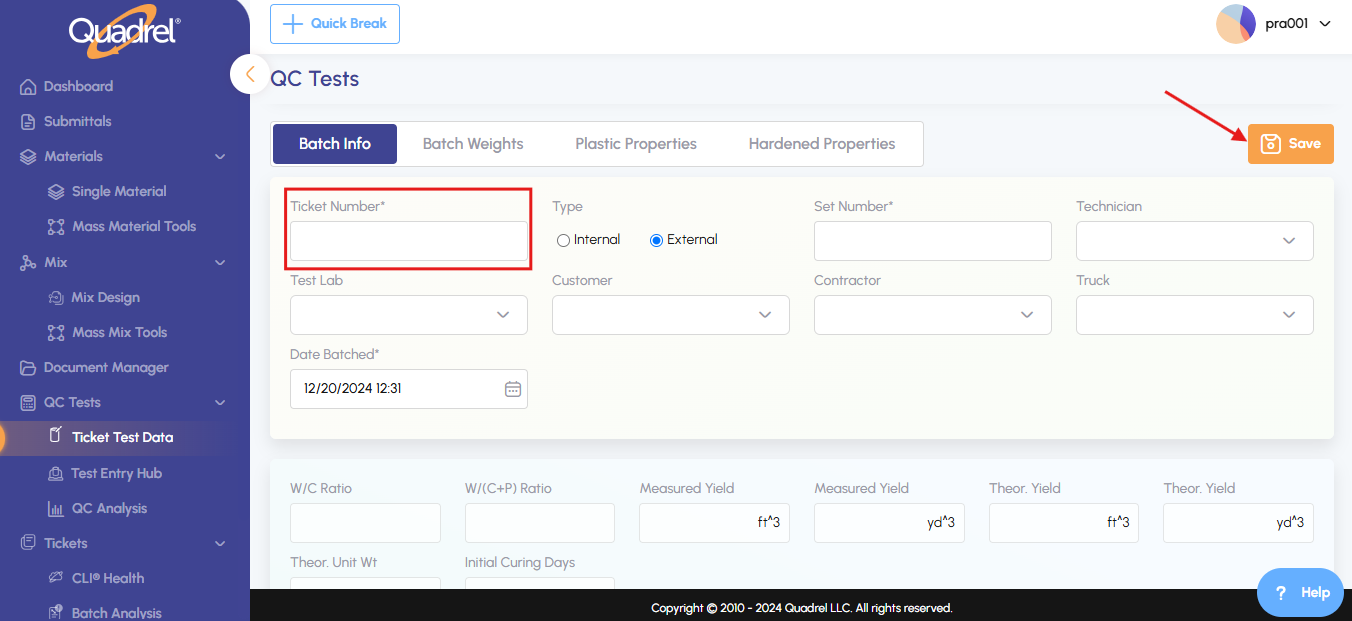
Go to Ticket Test Data, then click New Batch.
Fill out the required fields and click Save.
Additional clickable elements on Dashboard.
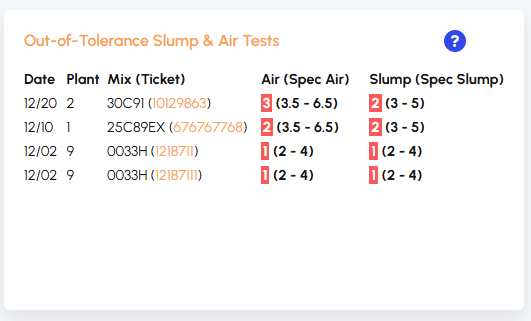
QC: Click a ticket number to view its plastic properties.
Production: Click on a plant name to access CLI Health details.