07/30/2025 Release: W/C Curve, Email Submittals, SSO, etc.
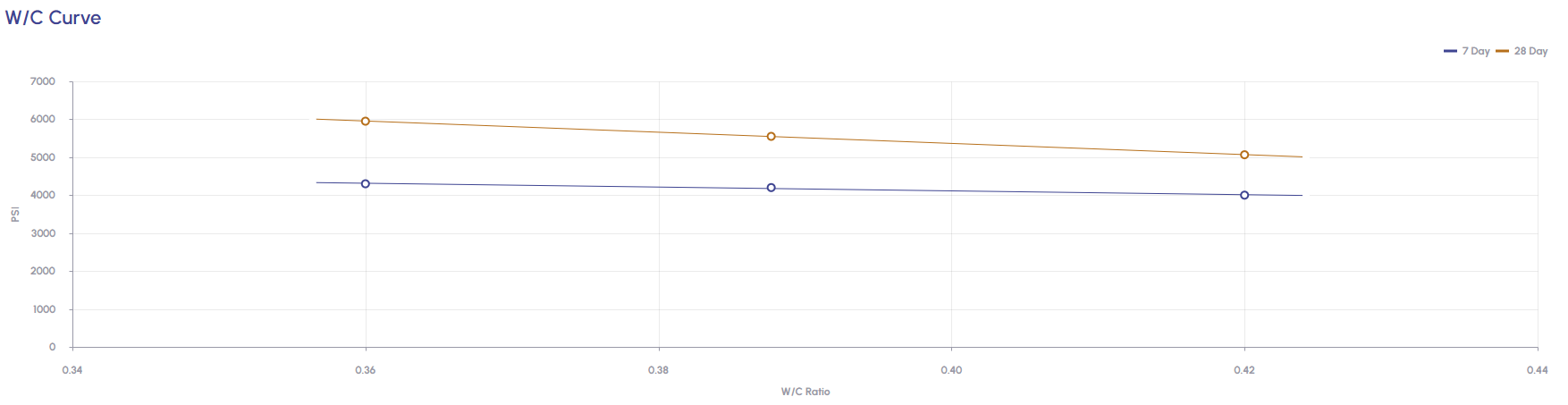
- QC Test: W/C Curve
Ability for users to generate W/C Curves using existing batches or by creating new batches. - Submittals: Email Submittals
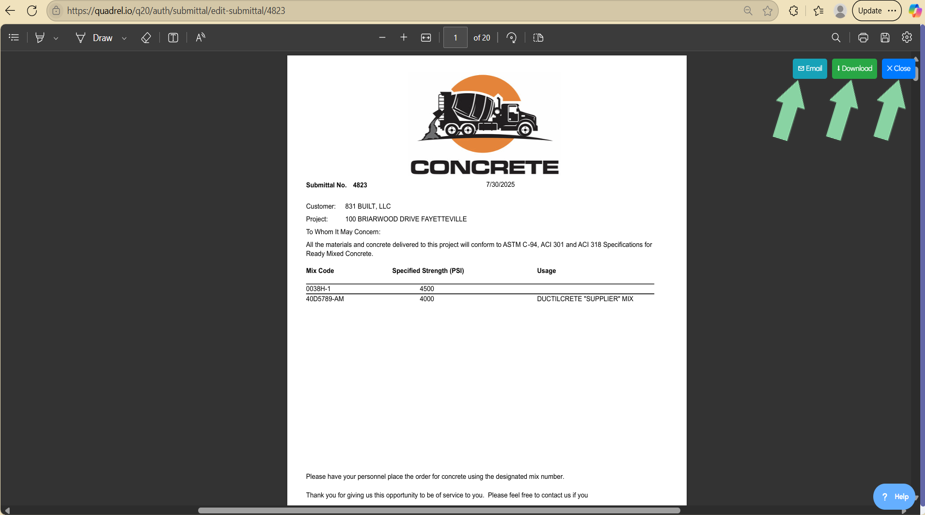
When a submittal is generated, a new option is now available to email the report to one or several addresses. - SSO: Single Sign-On
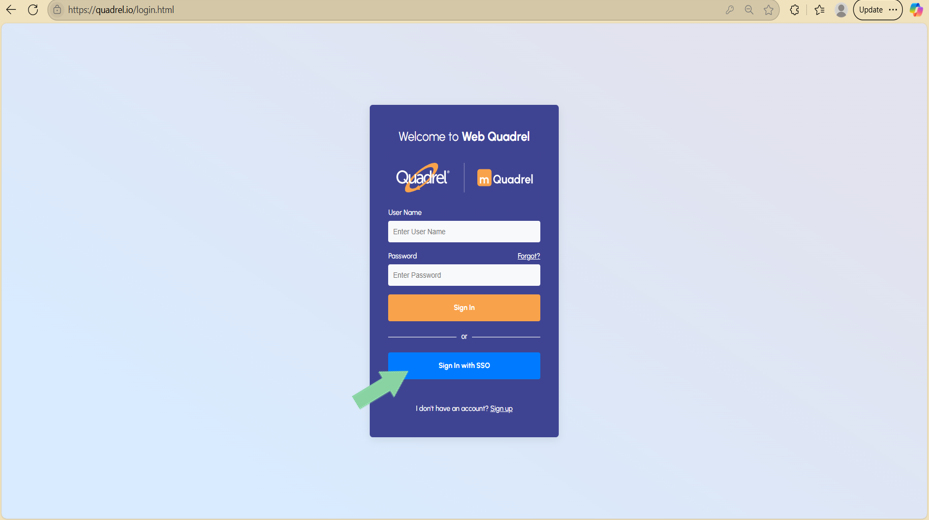
Single Sign-On (SSO) is an authentication mechanism that allows users to access multiple applications and websites using a single set of login credentials. - Test Entry Hub: TestIn Reader
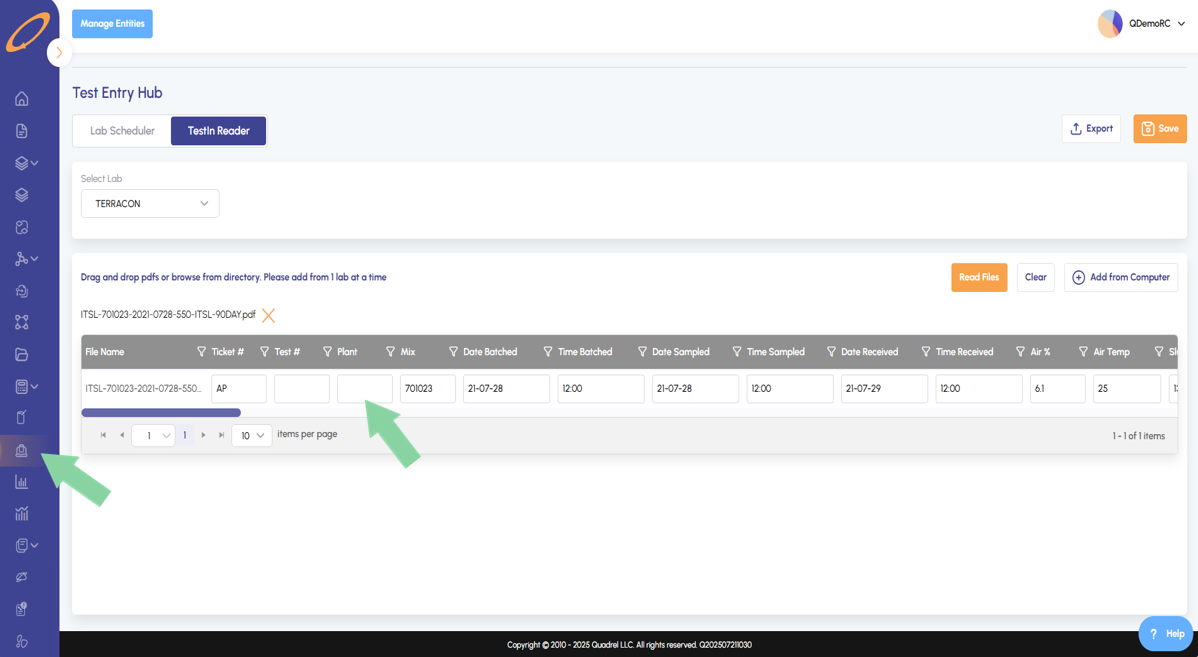
For the TestIn Reader in web Quadrel, a column was added for plant. This allows those still onboarding to import test data without Quadrel iBatch pulling in tickets from the dispatch system.
QC Test: W/C Curve.
Visit the W/C Curve page and the Trial Batches tab will load by default. Click on Create Trial Batches to either create the curve from existing batches or to create new batches.
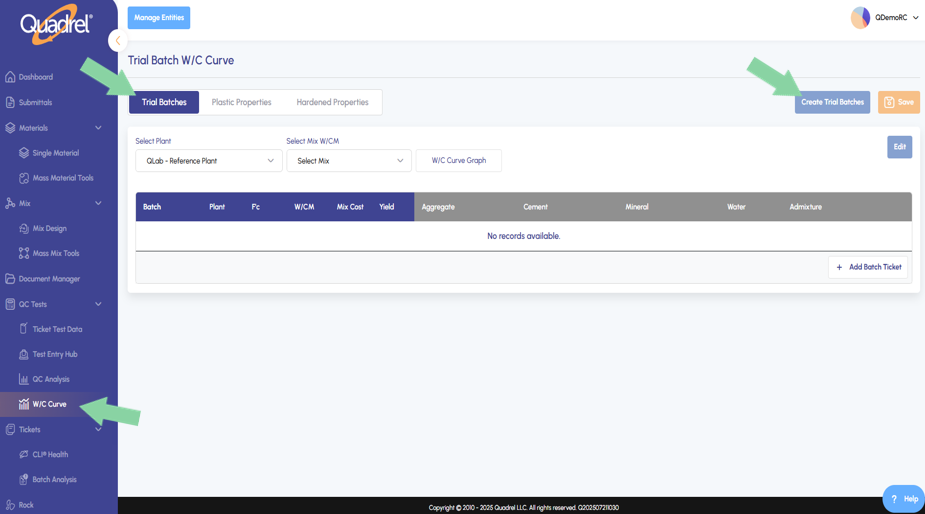
There are two methods for creating the W/C Curve.
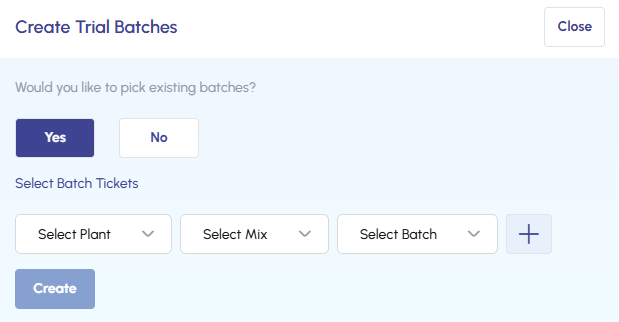
- To use existing batches, choose your plant and mix the batch belongs to, then select the batch to be used in the W/C Curve.
- To create new batches, select "No" and specify the number of batches to create.
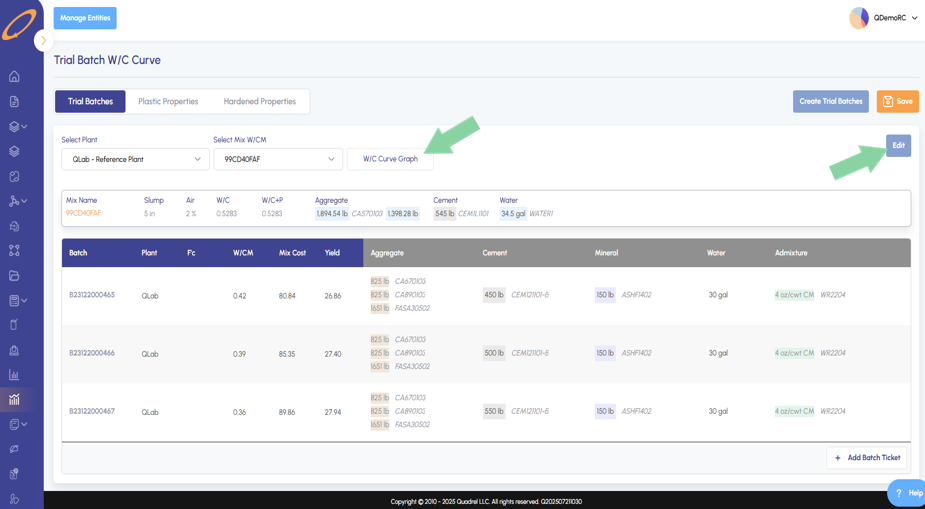
Once the desired batches have been added, click "W/C Curve Graph" to generate the W/C Curve.
Submittals: Email Submittals.
After generating submittals users now have three options at the top right of the page.
- Email - The email button will open a form allowing the user to enter one email address or multiple separated by a comma to receive the submittal.
- Download - The download button will save the submittals PDF locally to the user's download folder.
- Close - The close button will exit out of the generated report and return the user to the edit submittal page.
SSO: Single Sign-On.
Single Sign-On (SSO) is an authentication method that enables users to access multiple applications and websites with a single set of login credentials, improving both security and user convenience.
If your organization is interested in exploring SSO integration, please consult with your IT department. For more information or to begin the conversation, feel free to contact us at Sales@iQuadrel.com.
Test Entry Hub: TestIn Reader.
In Test Entry Hub, the TestIn Reader now has an additional table column for plant. This will allow those still onboarding to import test data without Quadrel iBatch pulling in tickets from the dispatch system.