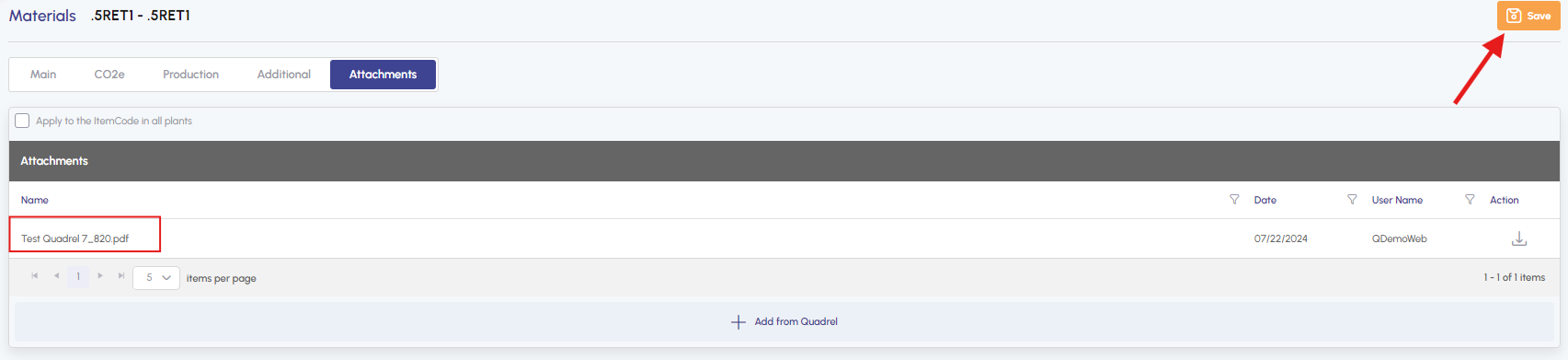
How do I add an attachment to a material?
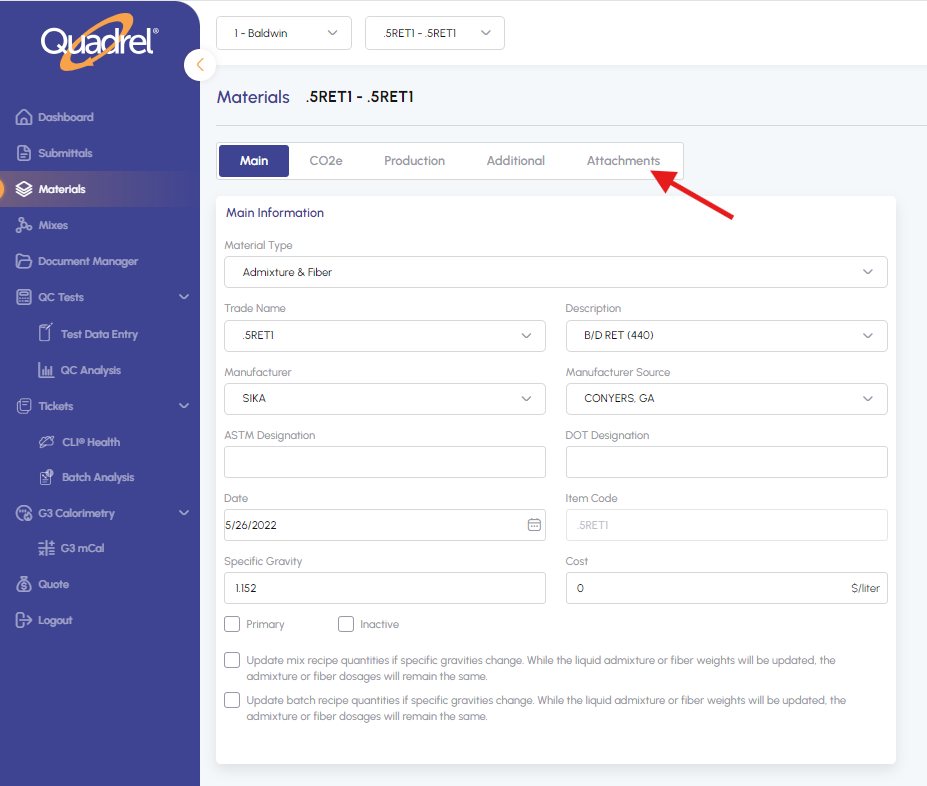
1. Click on "Materials" in the sidebar menu.
2. Select a plant
3. Select a material
4. Click on "Attachments" tab
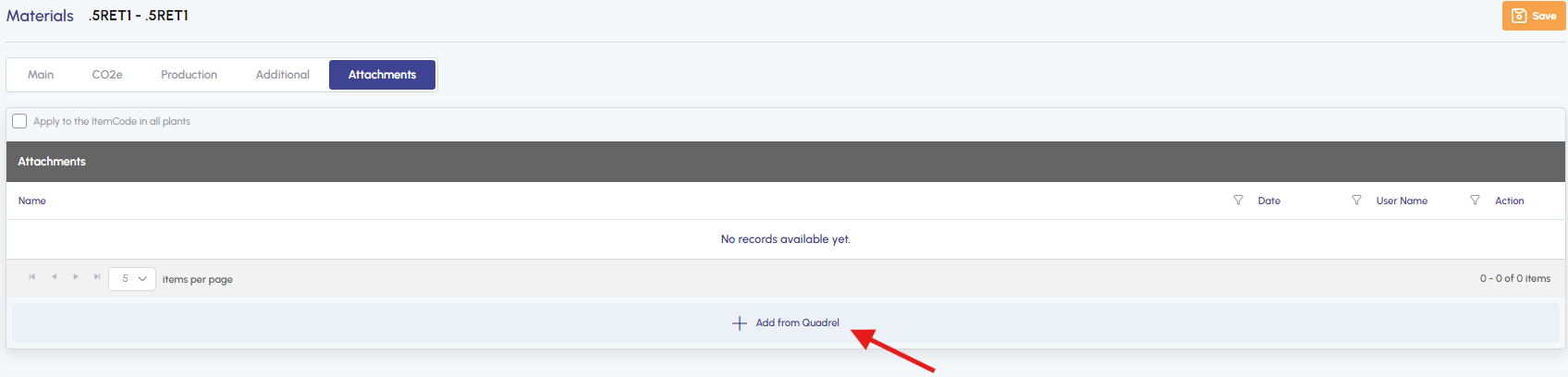
5. Click on "Add from Quadrel"
6. Click on "Upload" tab.
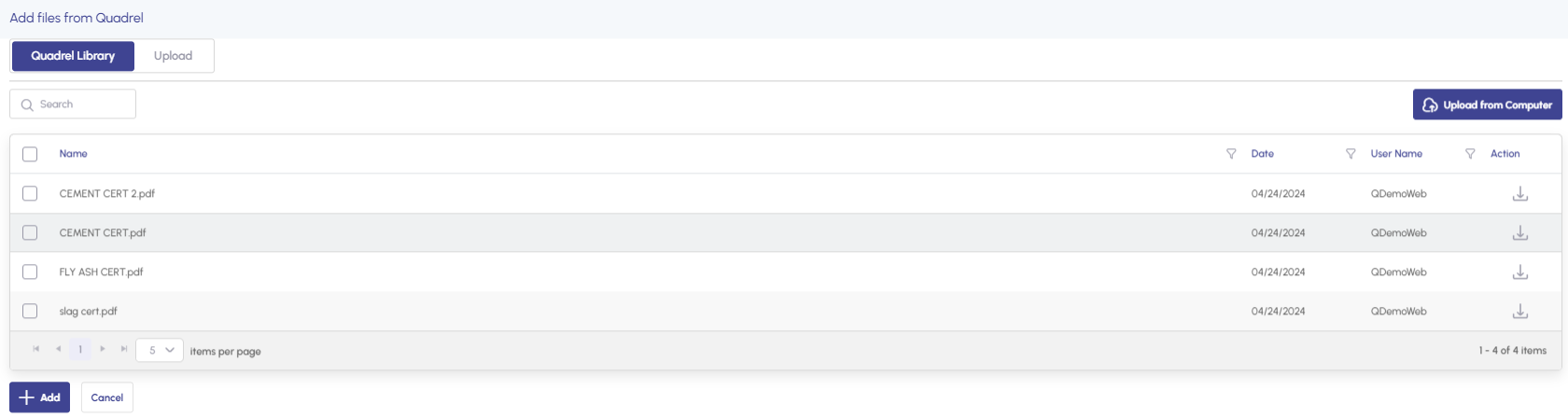
7. Either drag and drop files or select them from your computer.
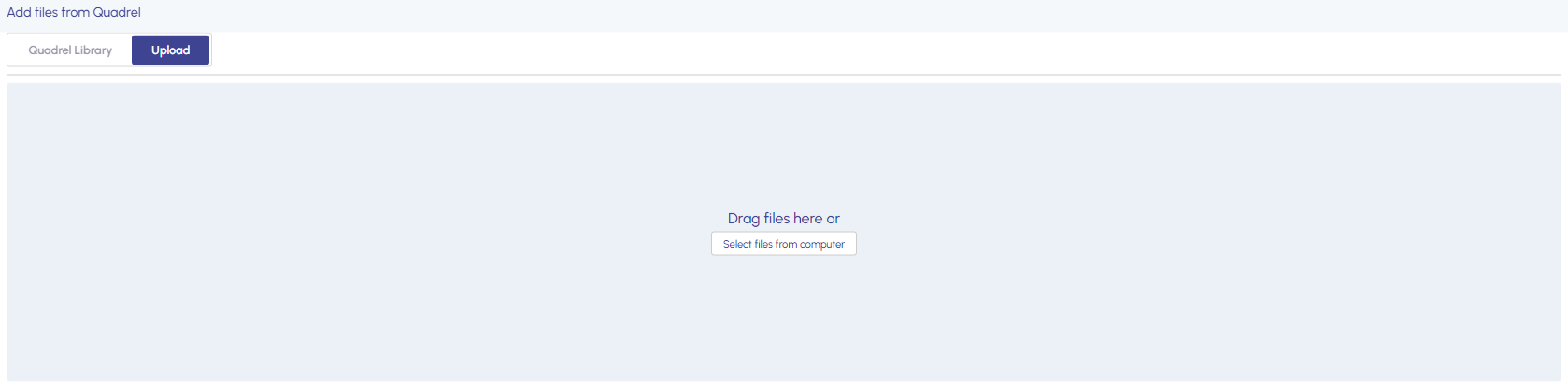
8. Once the files are uploaded, a green pop-up will appear.

9. Click on the "Quadrel Library" tab, select the files and click on "Add".
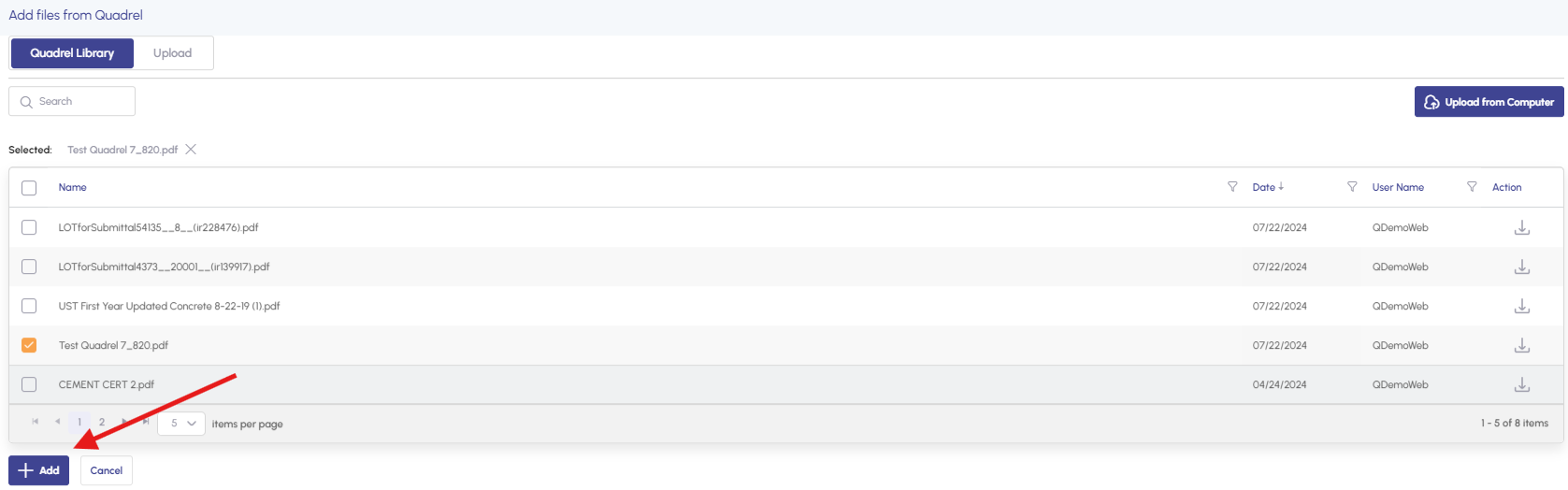
10. Afterwards, you will find attached files. Simply click "Save."