07/29/2026 Patch: Mix Cost User Interface, Basic and Advanced Submittals, etc.
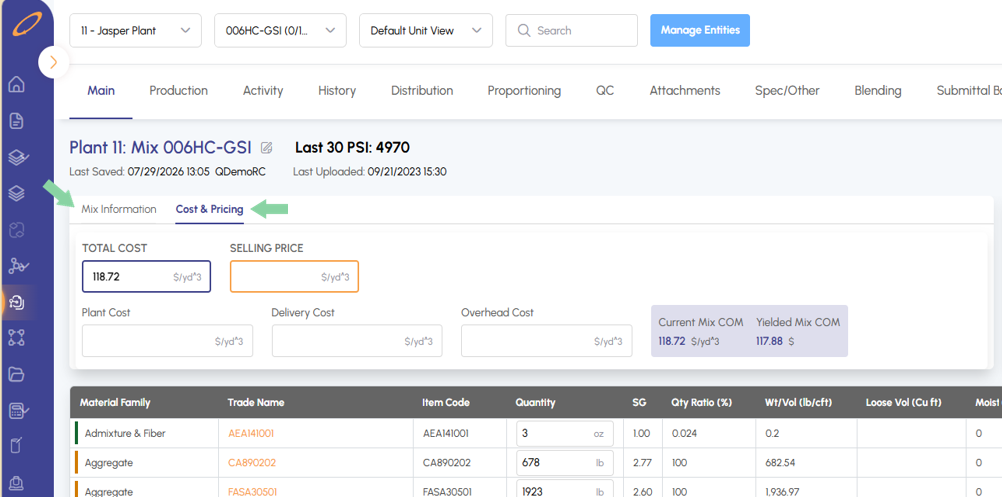
Mix Hub: Cost and Pricing Update All mixes cost and pricing information now lives in a sub-tab within the Mix Hub main tab, reducing the number of main tabs users need to navigate in the Mix Hub.
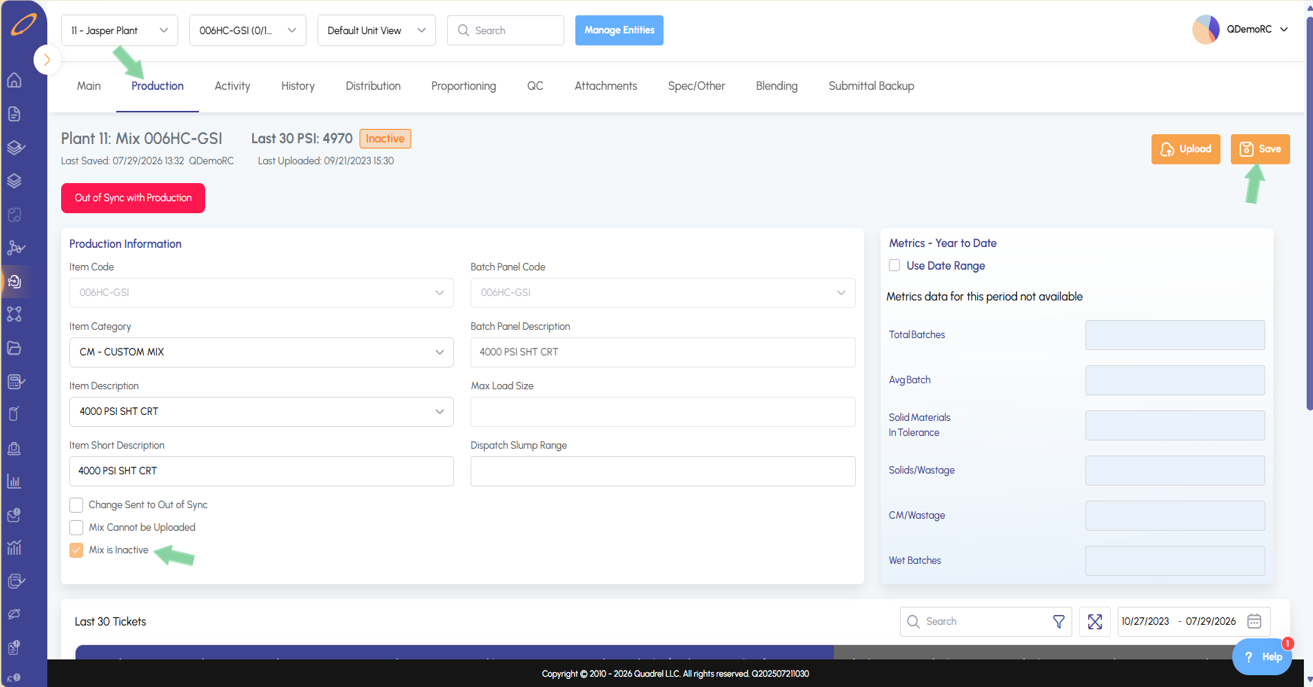
Mix Hub: Mix is Inactive Users can now reactivate or mark a mix as inactive directly within the Mix Hub on the production tab. Check mark the option Mix is Inactive and save to set the mix as inactive. To reactive the mix, uncheck the same option and resave.
Mix Hub: Change Sent to Out of Sync Users with a mix stuck in "Sent" status can now check the "Change Sent to Out of Sync" option and save in the Mix Hub production tab to clear the stuck upload.
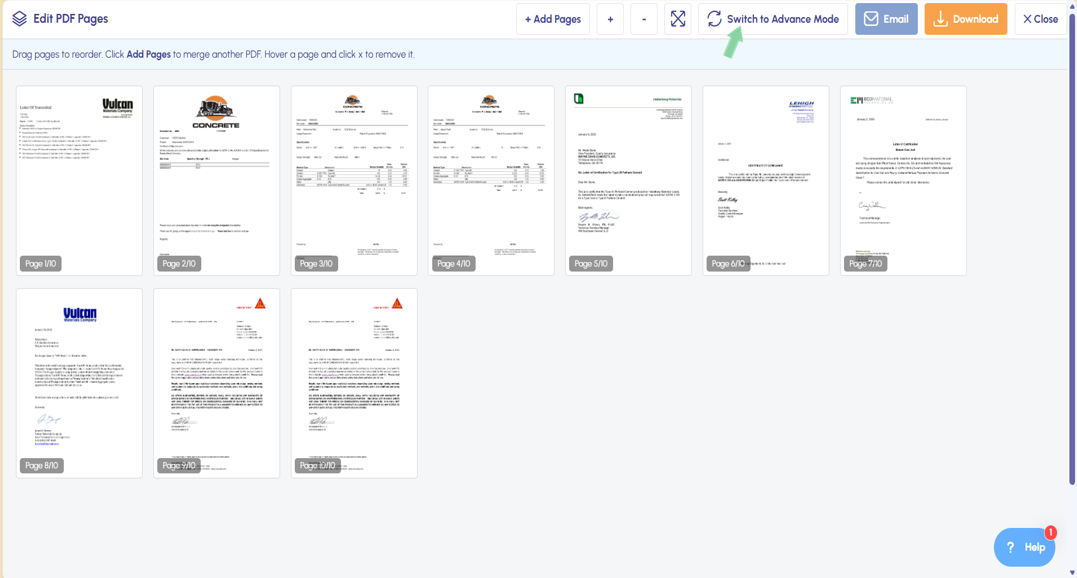
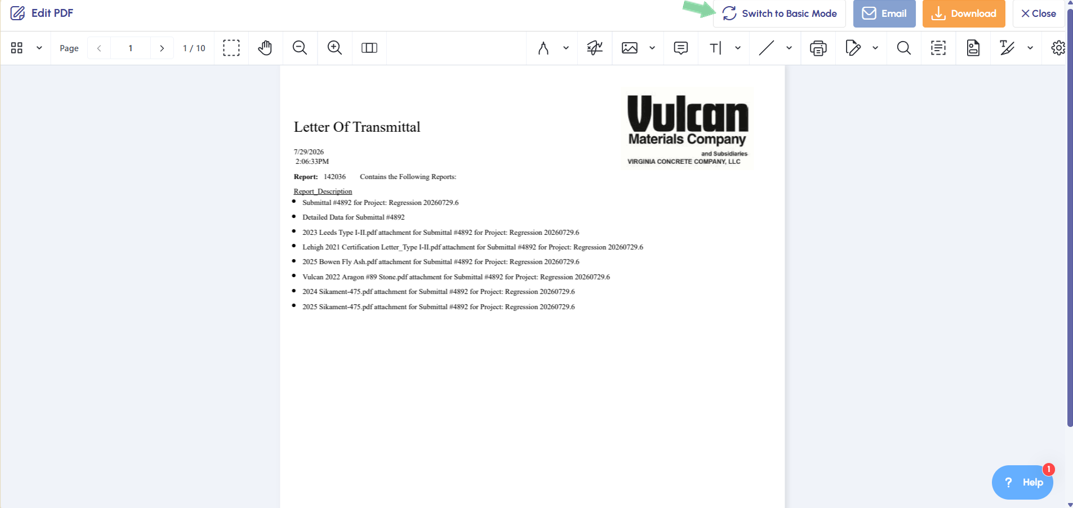
Submittals: Submittal Preview Defaults to Basic Mode By default, submittal PDFs now display in Basic Mode upon generation. Users who need additional editing tools can click "Switch to Advanced Mode" to access them and can freely switch back and forth as needed.
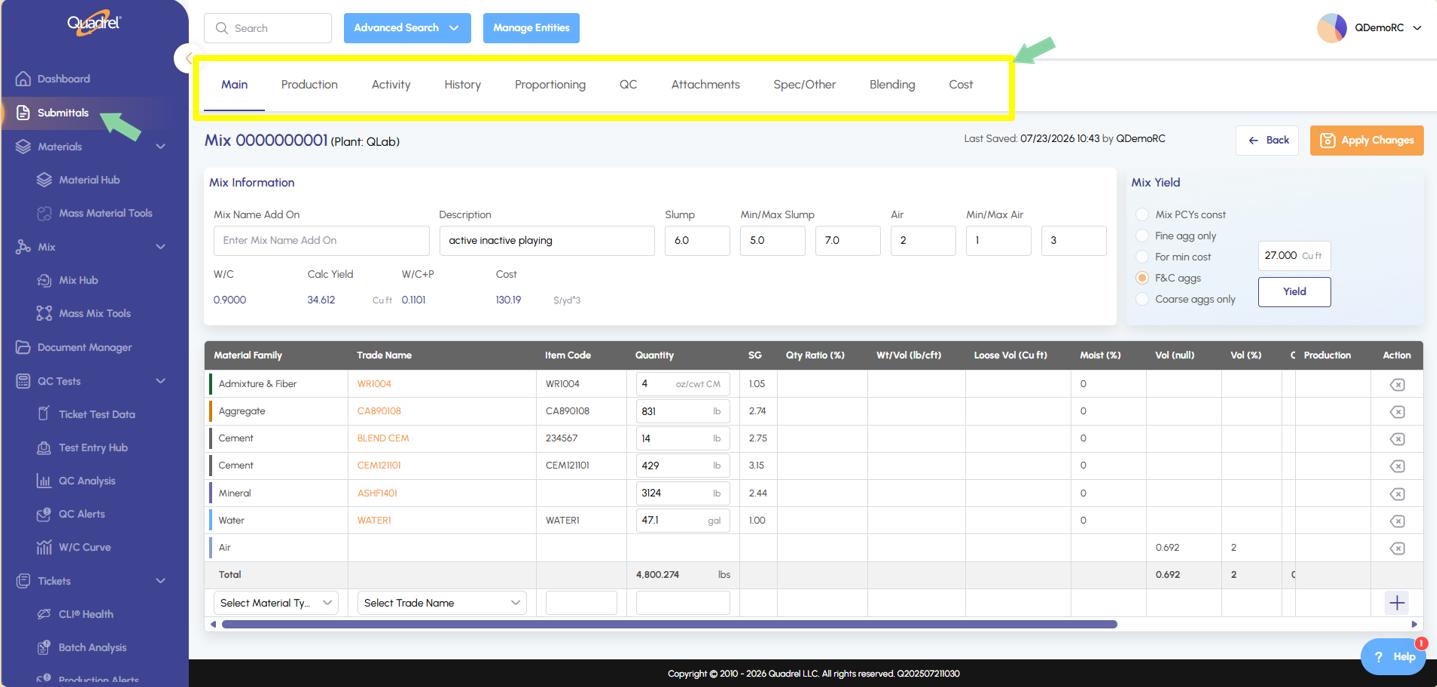
Submittals: Edit Mix in Submittal Additional Tabs Users now have all Mix Hub tabs available to them when editing a mix in submittals now. No more limitations to mix edits tied to specific submittals.
Mix Hub: Cost and Pricing Update.
All mixes cost and pricing information now lives in a sub-tab within the Mix Hub main tab, reducing the number of main tabs users need to navigate in the Mix Hub.
Mix Hub: Mix is Inactive.
Users can now reactivate or mark a mix as inactive directly within the Mix Hub on the production tab. Check mark the option Mix is Inactive and save to set the mix as inactive. To reactive the mix, uncheck the same option and resave.
Mix Hub: Change Sent to Out of Sync.
Users with a mix stuck in "Sent" status can now check the "Change Sent to Out of Sync" option and save in the Mix Hub production tab to clear the stuck upload.
Submittals: Submittal Preview Defaults to Basic Mode.
By default, submittal PDFs will display in basic mode. Users who need additional editing tools can now click switch to advanced mode to have access. Users can freely switch back and forth between modes as needed, refer to the examples shown below.
Users can return to the basic view if needed by clicking the switch to basic mode button.
Submittals: Edit Mix in Submittal Additional Tabs.
Users now have all Mix Hub tabs available to them when editing a mix in submittals now. No more limitations to mix edits tied to specific submittals.