04/07/2026 Release: Rock Redesigned, User Defined Grading, Additional Entities, etc.
Rock: Redesigned The Rock section of web Quadrel has been redesigned and separated into three pages to be more user friendly. Additionally, users can now create aggregate materials for Rock directly in Rock Aggregate Main.
Rock: User Defined Grading User defined gradings for materials in iRock can now be created on the iRock Tests page and applied on the iRock Aggregate Main page. The tarantula curve will be added to all customer databases as an example.
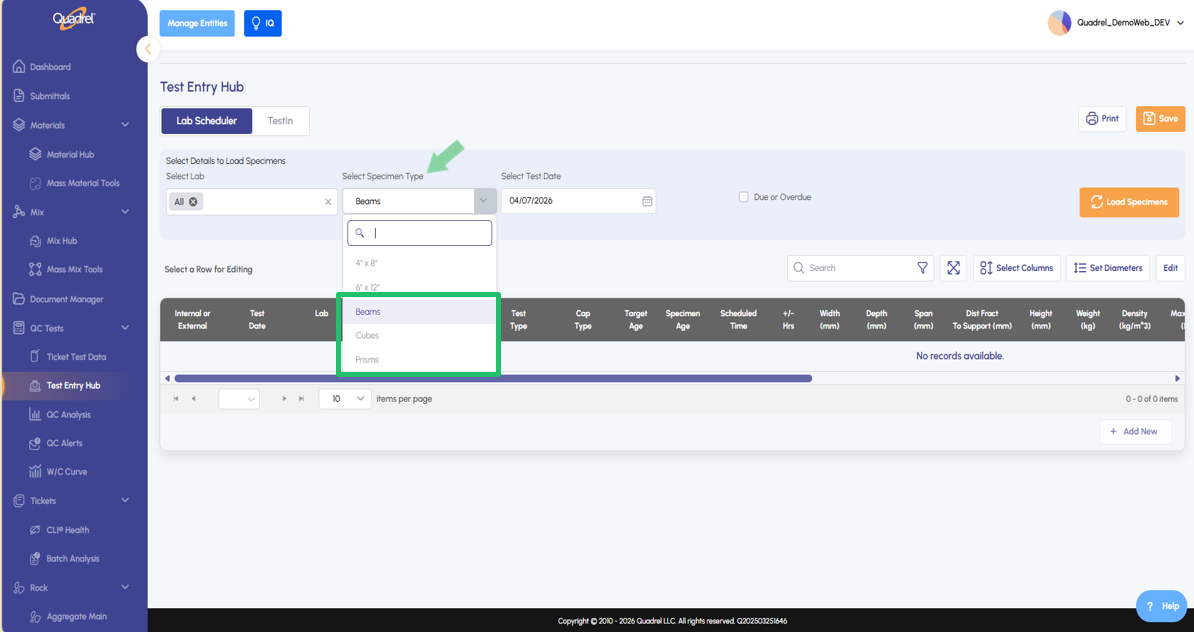
Lab Scheduler: Beams Prisms and Cubes The lab scheduler in web Quadrel now supports Beams, Prisms, and Cubes as test types. Navigate to the lab scheduler and use the specimen type dropdown menu to select the desired.
mResolve: Enhancements Users with access to the mResolve add on will notice workflow improvements to searching incidents and now can email incidents using the contact list.
Ticket Test Data: Legacy Search Method Users can now search tickets by plant or by plant & mix in addition to the prior existing search methods.
Rock: Redesigned.
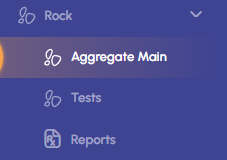
The Rock section of web Quadrel has been redesigned and separated into three pages to be more user friendly. Users can now create aggregate materials for Rock directly in Rock Aggregate Main. Continue reading below to learn about the new layout.
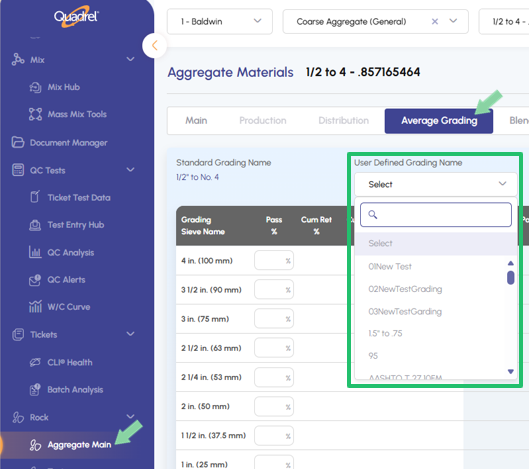
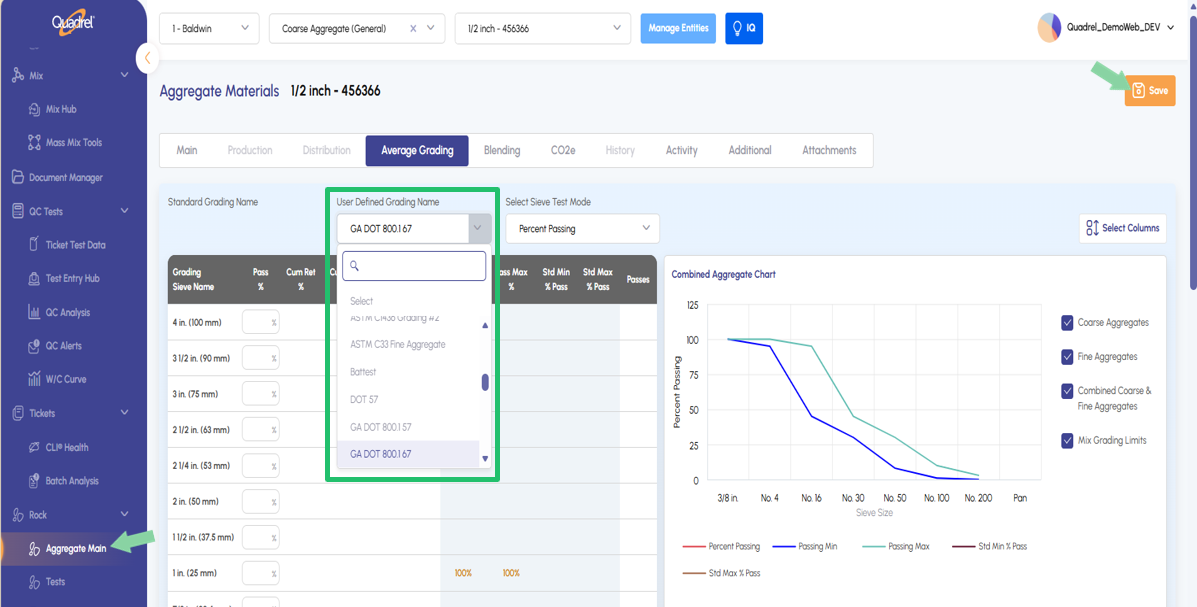
The Aggregate Main page is now a limited version of the material hub. On this page users are limited to creating and editing aggregate materials. Only tabs related to aggregates will be enabled, all other material tabs will be disabled. Assign and save the user defined grading per material on the average grading tab of aggregate main.
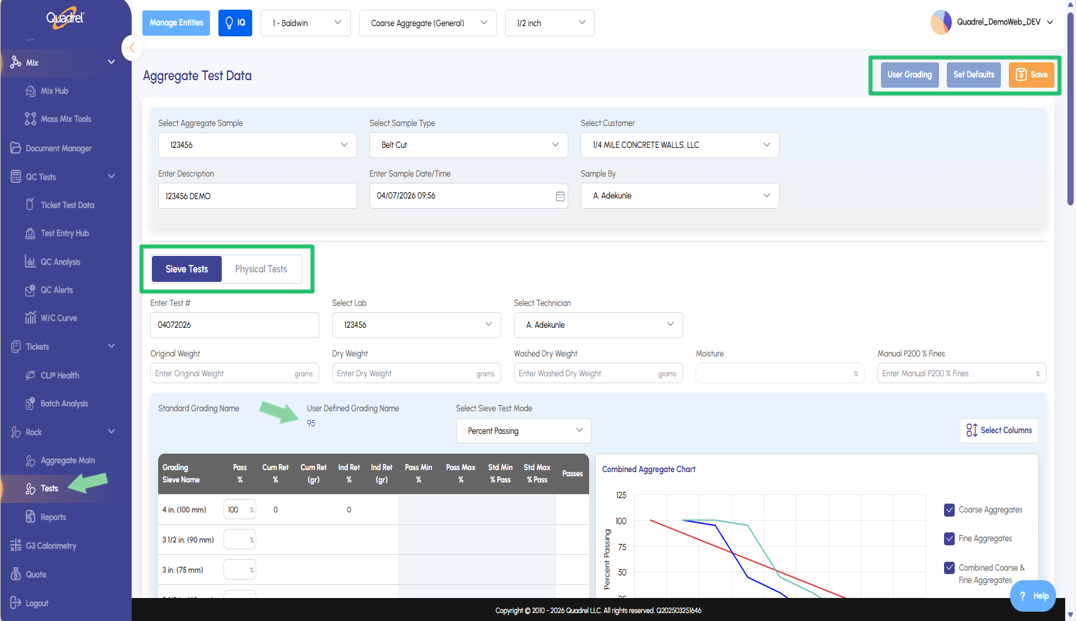
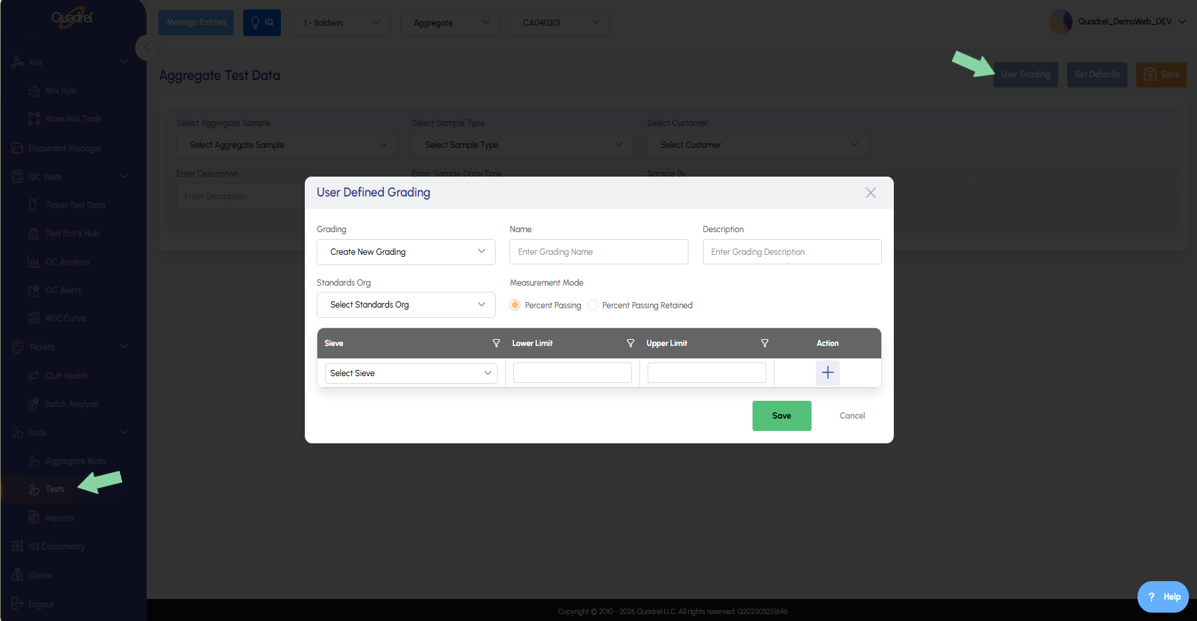
The Tests page is used to enter aggregate test data for both Sieve and Physical test. If a new user defined grading is needed, create that on this page by clicking the User Grading button at the upper right of the below screenshot.
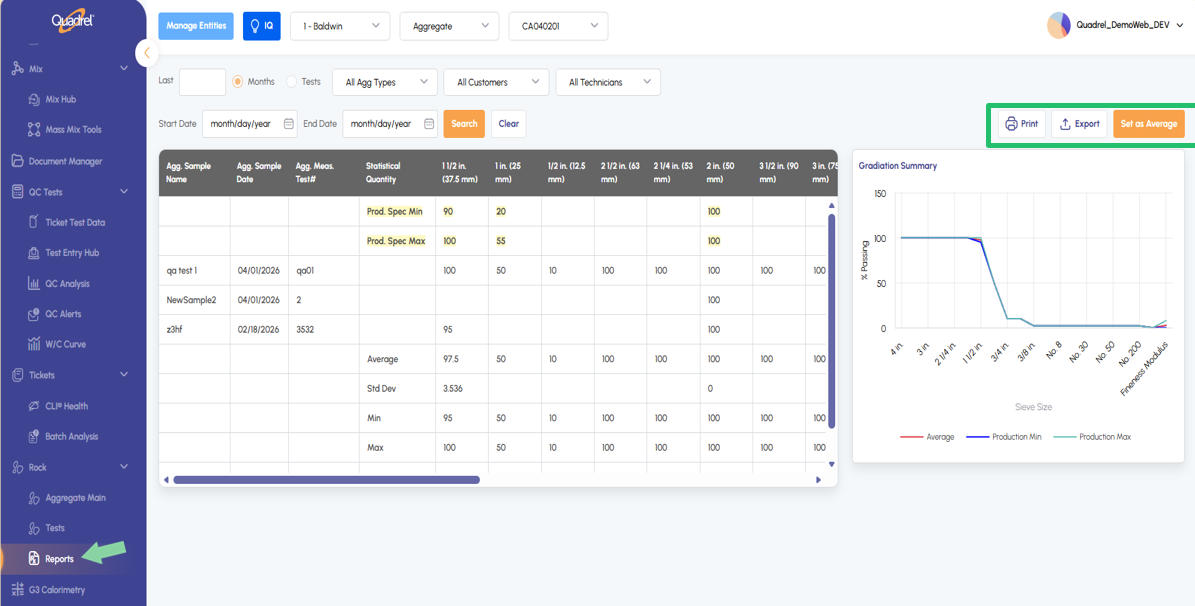
The Reports page is used to visualize aggregate test data results and export/print as needed. Additionally, user will find the feature from legacy Quadrel, "Set as Average" is now available on the iRock reports page.
Rock: User Defined Grading.
User defined gradings for materials in iRock can now be created on the iRock Tests page and applied on the iRock Aggregate Main page. In the screenshot below, the create new user defined grading form is open. Access this form on the iRock Test page and then click the User Grading button.
To apply the newly created user grading to an aggregate material, go to the iRock Aggregate Main page and select the desired aggregate material. Switch to the average grading tab to apply the average grading, be sure to click save after selecting.
Lab Scheduler: Beams Prisms and Cubes.
The lab scheduler in web Quadrel now supports Beams, Prisms, and Cubes as test types. Navigate to the lab scheduler and use the specimen type dropdown menu to select the desired.
Additional Entities: Contacts and Roles.
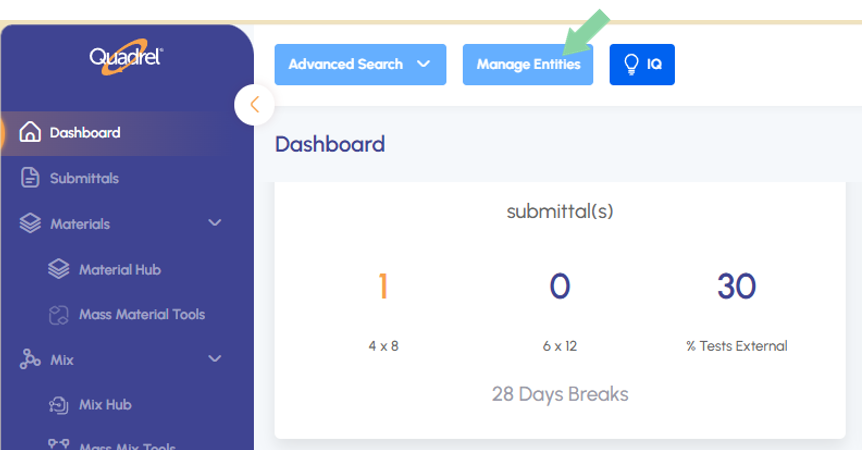
To access the additional entities added to web Quadrel click on the blue Manage Entities button at the top of Quadrel.
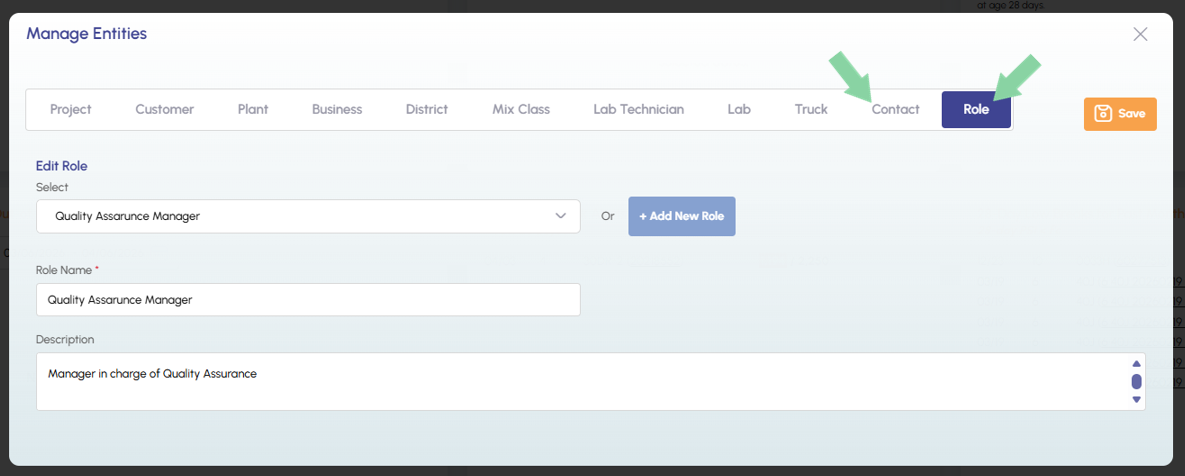
When the manage entities form opens, notice the two new tabs as pointed to in the screenshot below. Edit existing or create new and be sure to save after making changes.
mResolve: Enhancements.
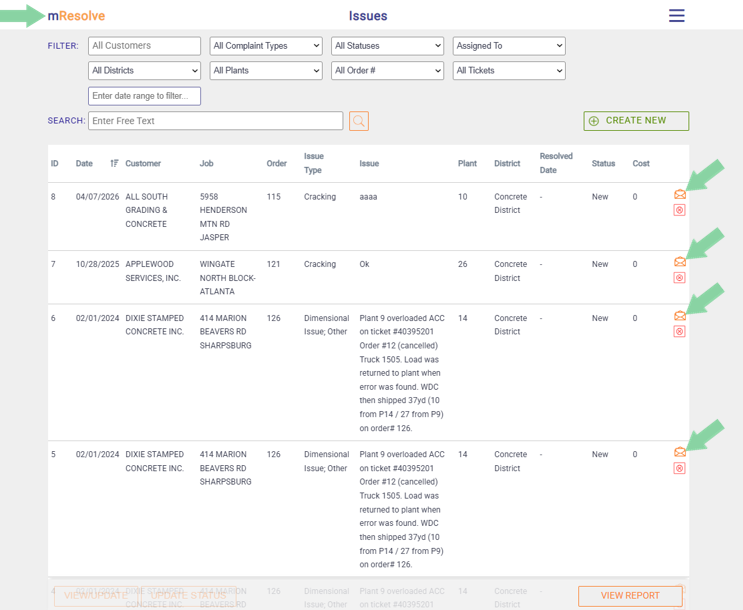
The first enhancement is the ability to email mResolve incidents. From the mResolve main page, notice the envelope icon in the last column. Click the icon to open up the email form for that specific incident row.
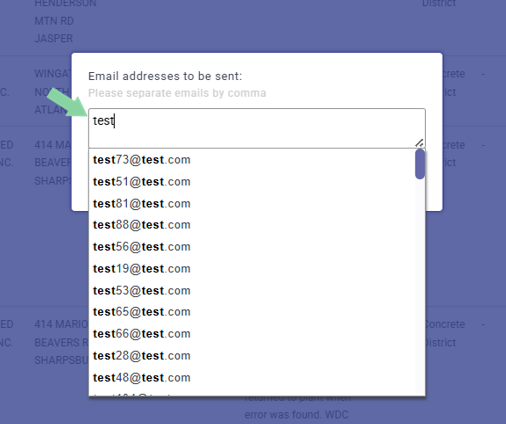
Start typing in an email address, if it is found as an existing contact it will populate in the dropdown menu. Separate additional emails with a comma, confirm when done to send out the email(s).
Additionally, mResolve will no longer clear out the search field, entered filters will be retained after searching.
Ticket Test Data: Legacy Search Method.
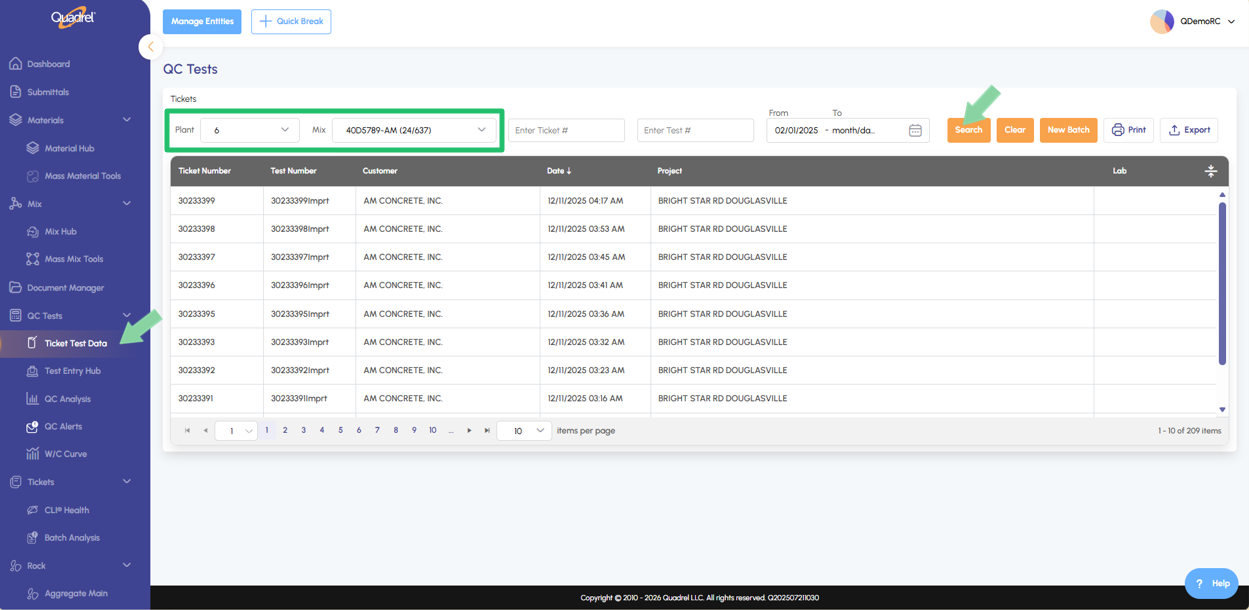
Previously in ticket test data, users could only search by ticket number, test number, or a date range. Web Quadrel has been updated to allow users to use the familiar ticket search method from Legacy Quadrel. Notice in the screenshot below users can now search tickets by plant or by plant & mix.