08/22/2025 Release: Split Batch, Mix Hub.
- Ticket Test Data: Split Batch
Ability for users to split batches, typically used when a field technician and external lab take samples from the same batch of concrete. - Mix Design: Mix Hub
Several additions to the mix design page giving users insight into mix usage and related QC information. Learn more about the mix page additions below.
Ticket Test Data: Split Batch.
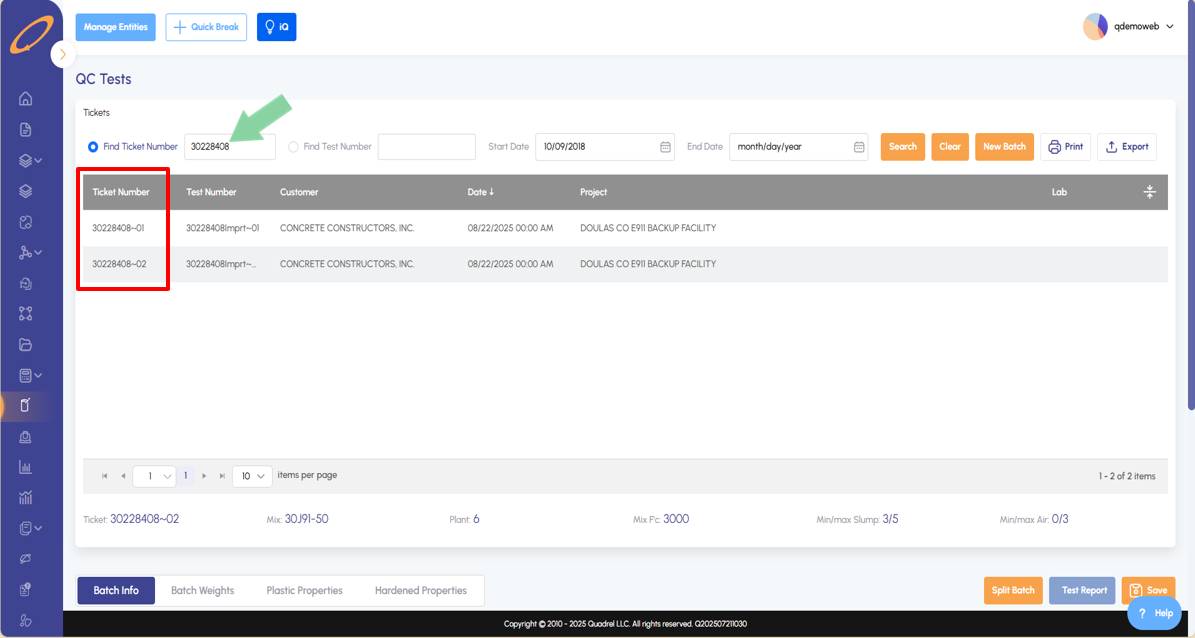
Visit the Ticket Test Data page and select the ticket you want to work with. By default, the batch info tab will load.
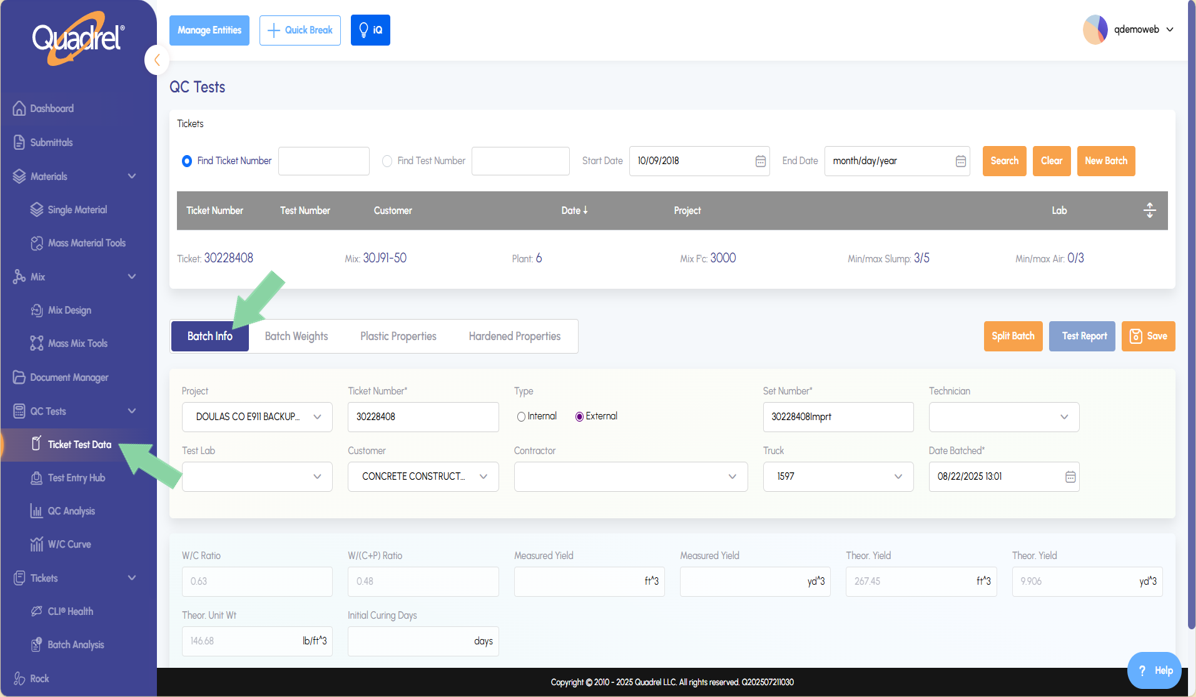
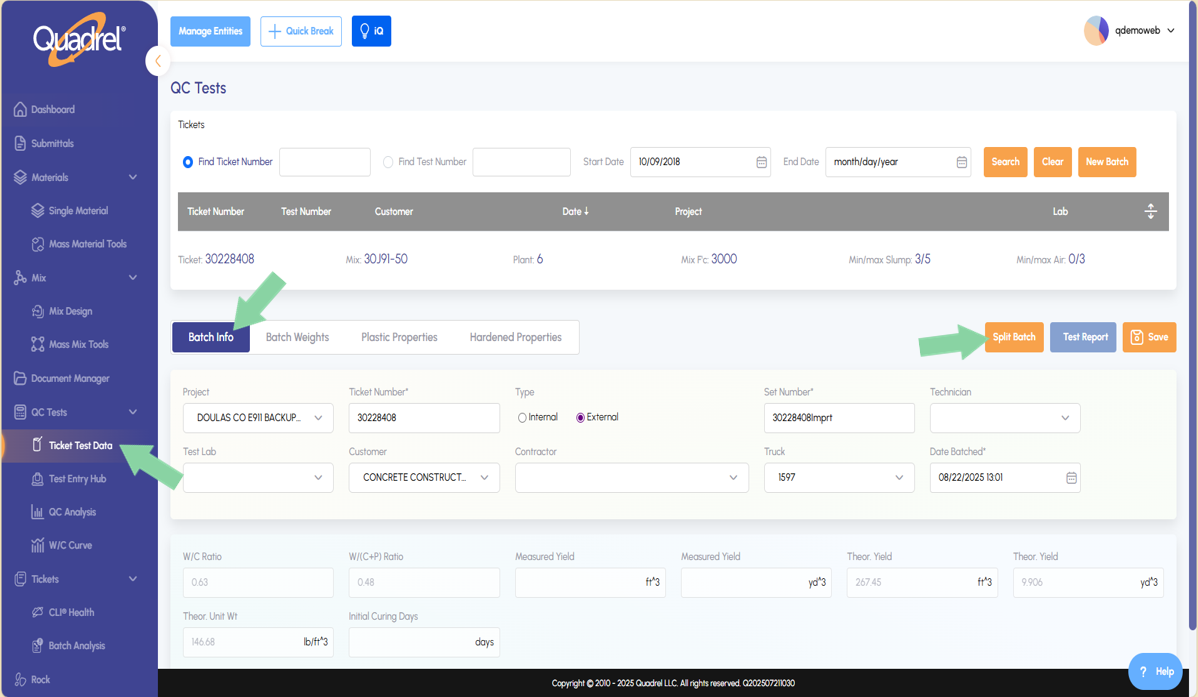
Using Quadrel's mField or ticket test data features, technicians will enter plastic properties and planned ages for hardened properties. To split the batch in an internal and external test click split batch.
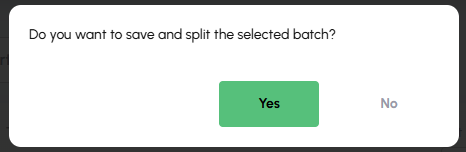
Once Split Batch is clicked, a form will pop up asking the user to confirm they want to split the selected batch, if so, click yes.
The ticket number originally was "30228408". After splitting the batch, Quadrel software takes the original ticket number and creates "30228408~01" & "30228408~02". The user can then search the original ticket number and easily locate the split batch. Users can add any additional data from external laboratories to the split batch by editing its data fields and saving.
Mix Design: Mix Hub.
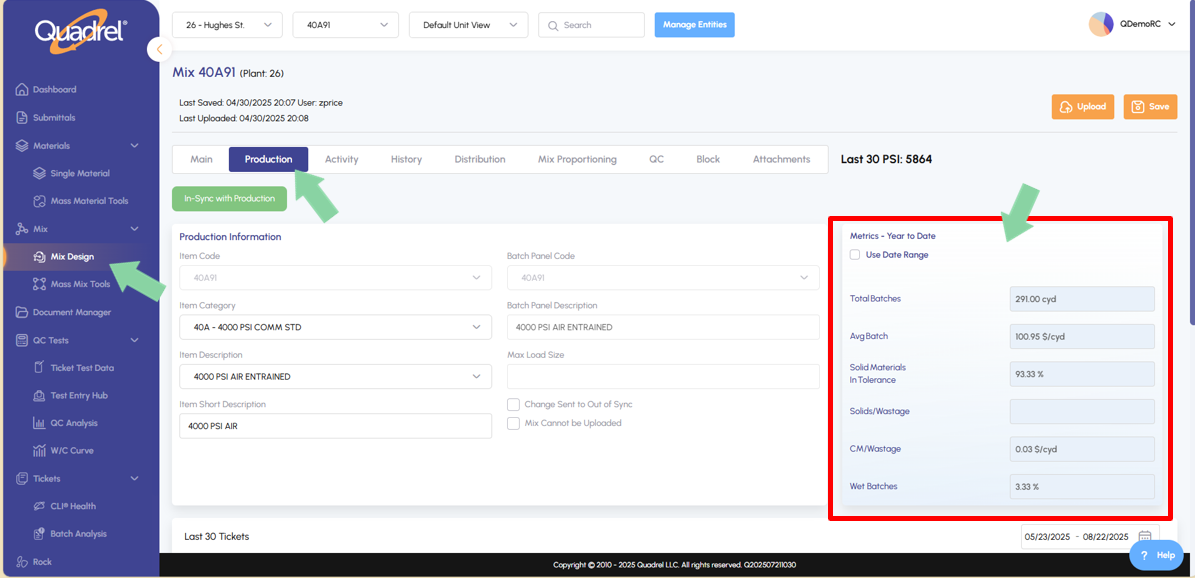
- In the Mix Design page on the Production tab, users will see changes to the upper and lower portions of the page.
- New table at the upper right of the production tab shows year to date metrics on the selected mix, with the option to use a date range if desired.
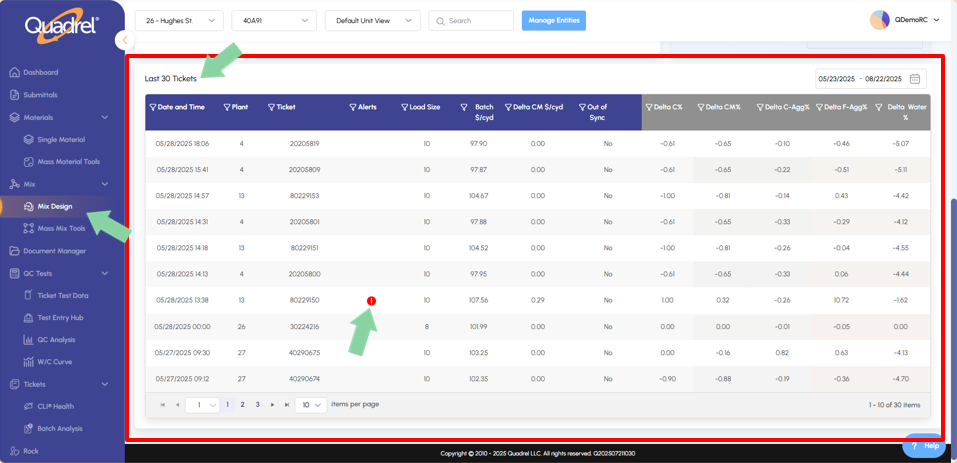
- Scrolling down on the same production tab users will see the last 30 tickets that were batched for the selected mix. Users can utilize the date range if desired. In the alert column a red icon will appear if there is an issue with a ticket in the table.
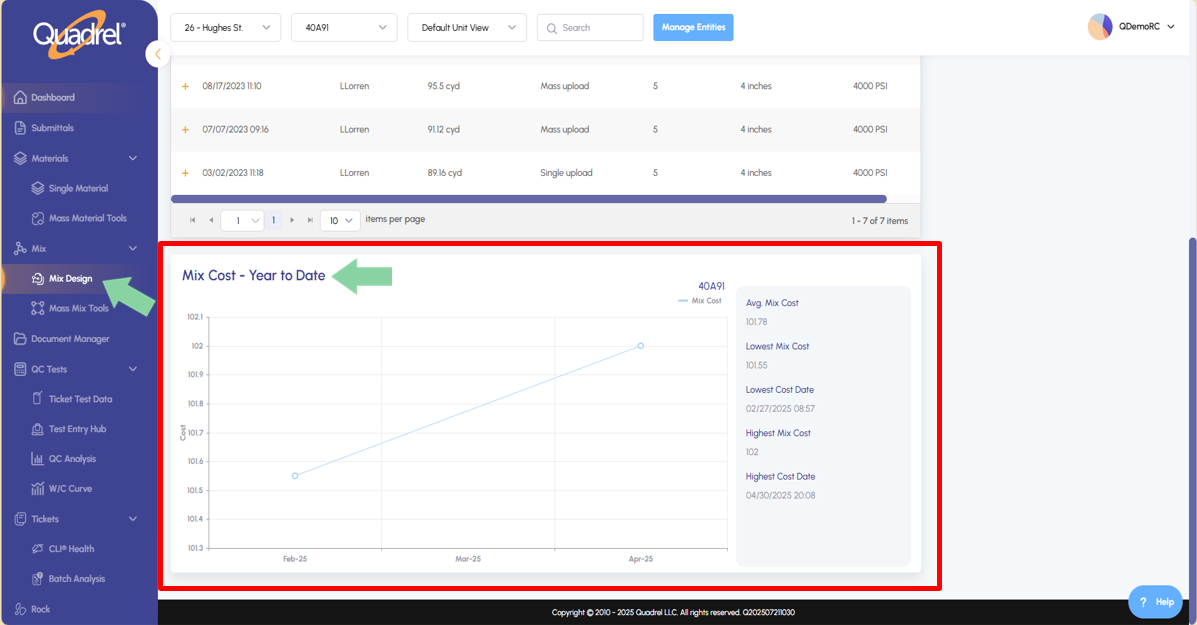
- Still on the mix design page, switch to the History tab. Now on the bottom of this tab users can see historical mix cost graphed in year-to-date format.
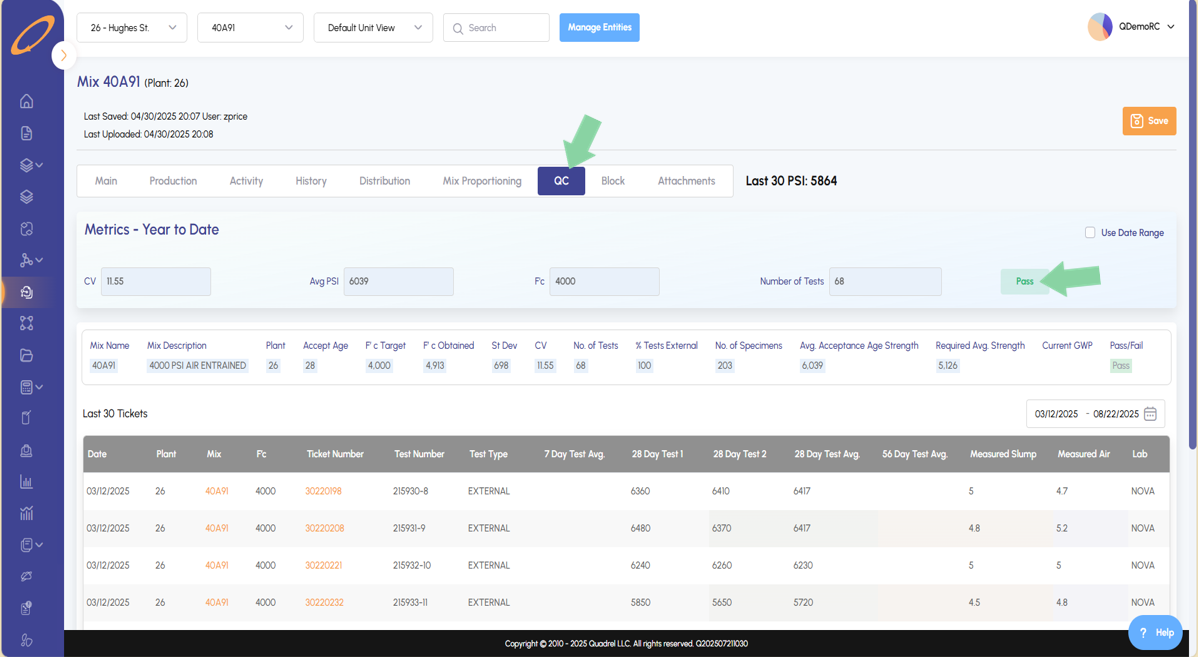
- The next addition is found in the QC tab in the Mix Design page.
- The Year-to-Date Metrics section will inform the user if the mix passes or fails ACI standards.
- Mix data will be displayed in regard to plastic and hardened properties testing.
- The bottom table will inform the user of the last 30 batches of the selected mix that have a test.