03/24/2025 Release: Mix Distribution, Expanded Search, Dashboard updates, etc.
- Mix Distribution
Edit mix quantities across plants and distribute mixes to other facilities, streamlining production standardization and ensuring consistency in your operations. - Expanded Advanced Search
Exclude mixes or batches without tests from search results. - Mix Attachments
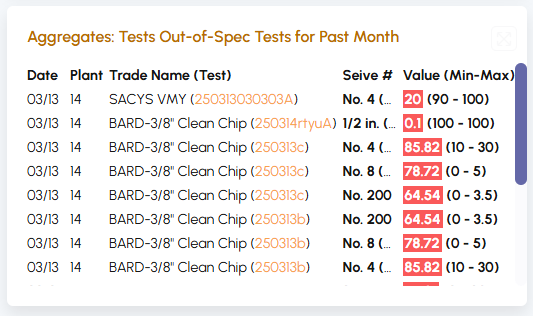
Directly attach a document to a mix. - Dashboard: Aggregate Sieve Tests
View out of the tolerance aggregate sieve tests. - Dashboard: Customize Top 10 mixes view
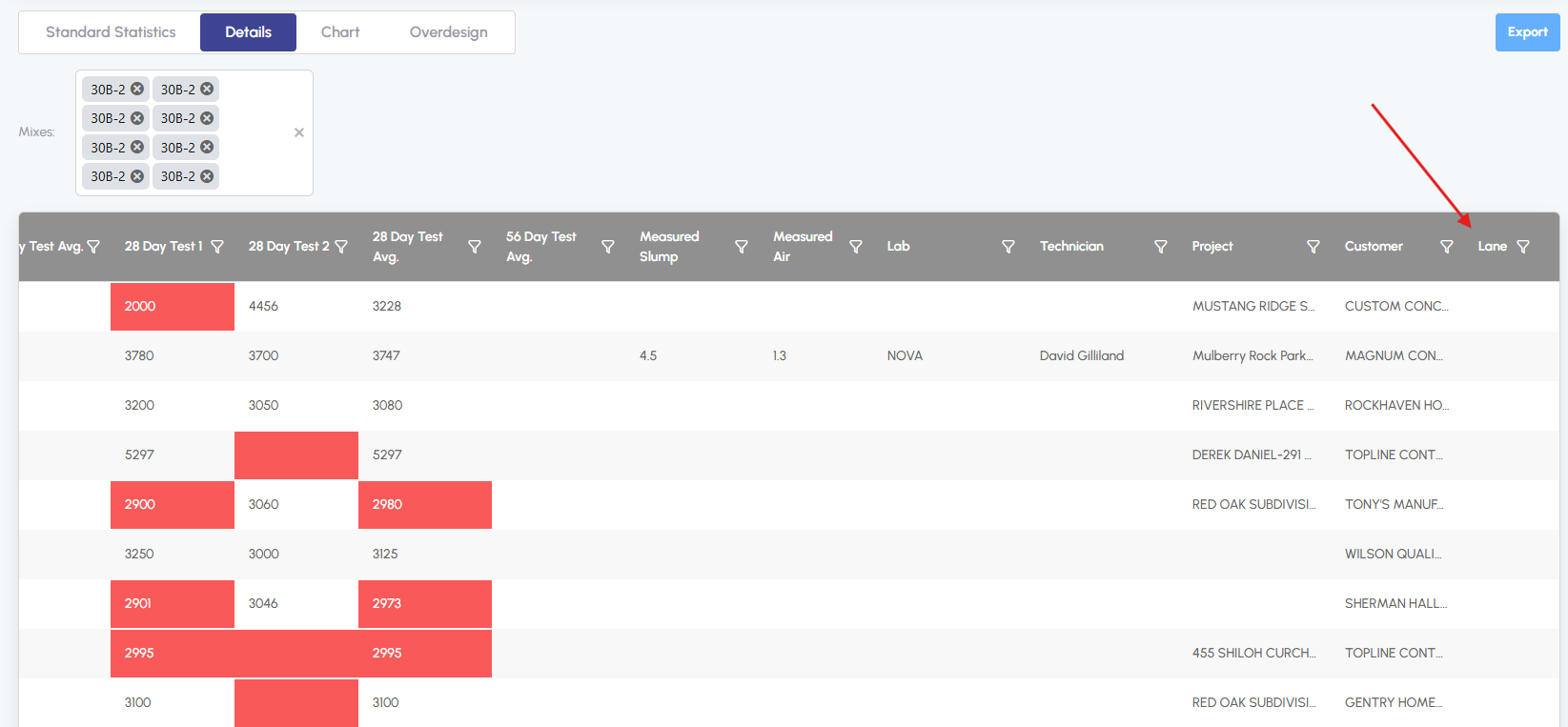
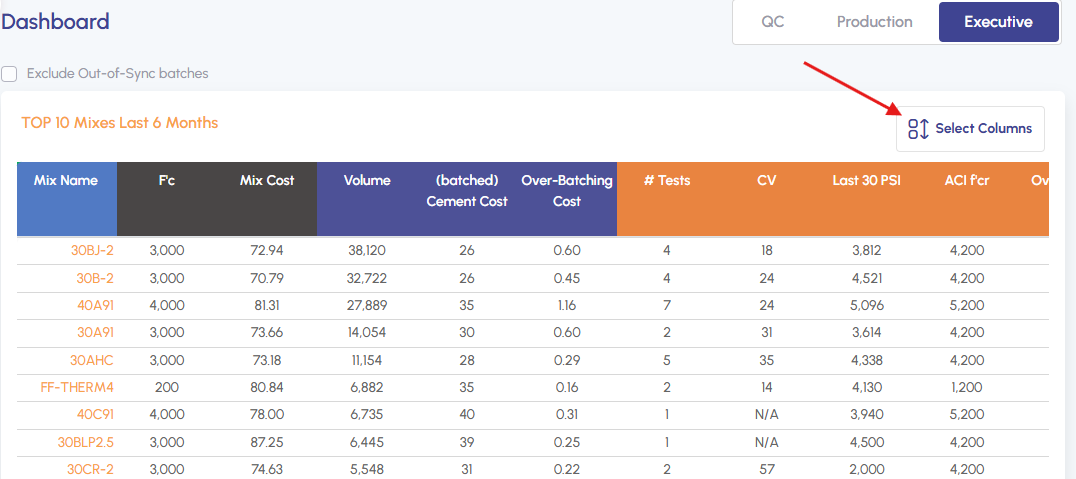
Customize the view of top mixes grid. - Added Lane in QC Analysis
For dual alley plants, view what lane was used during batching.
Mix Distribution.
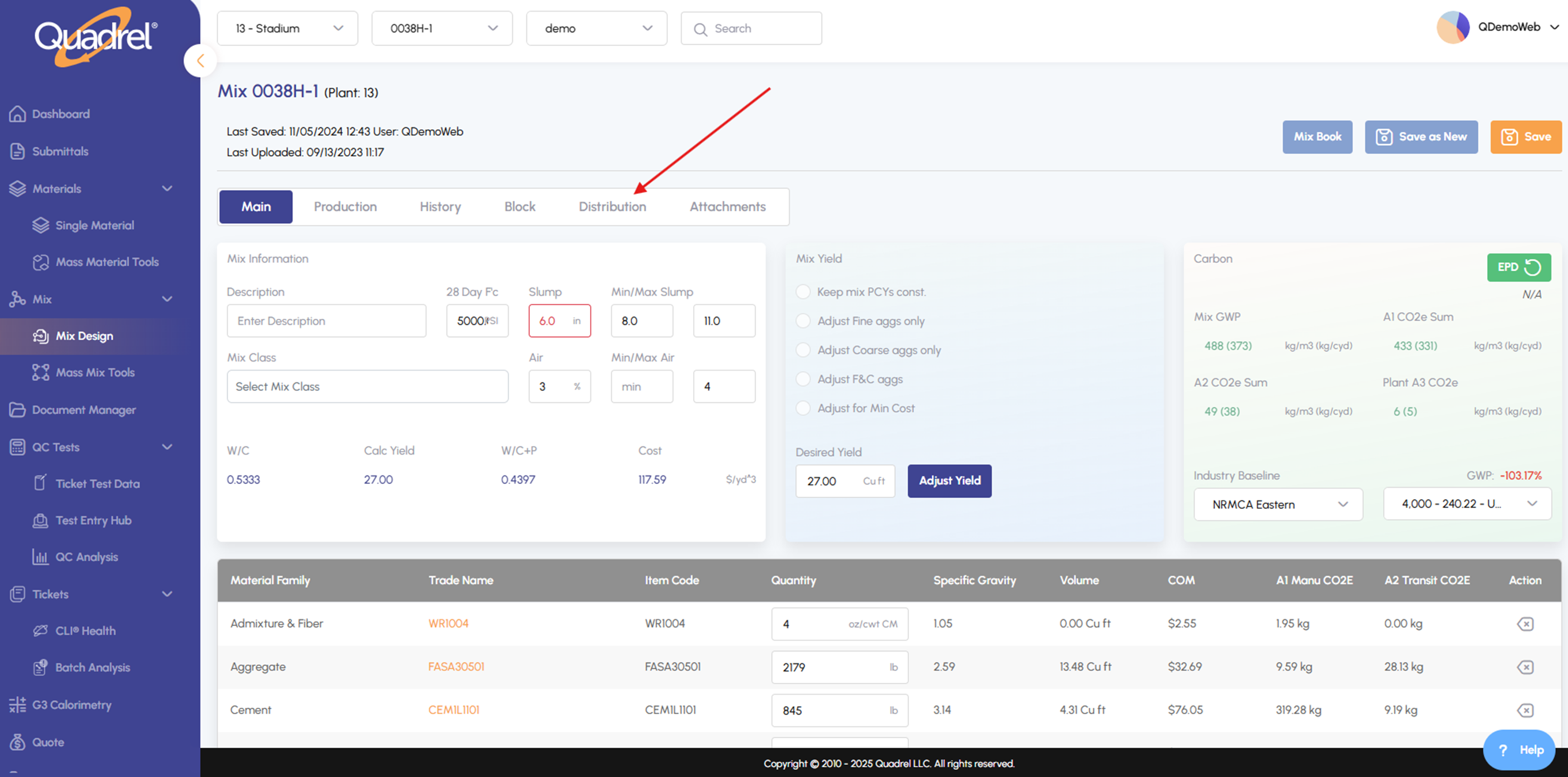
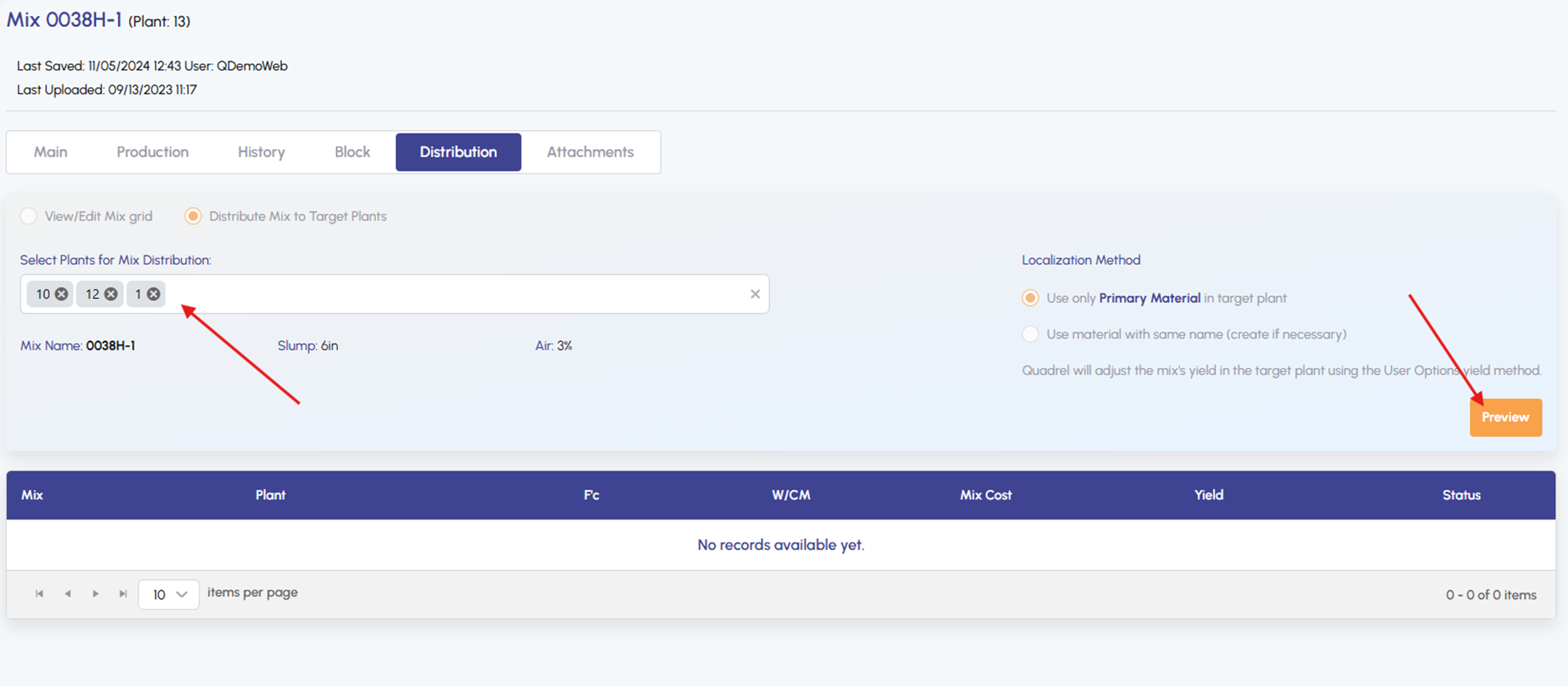
To access Distribution settings, open any mix and click on the Distribution tab.
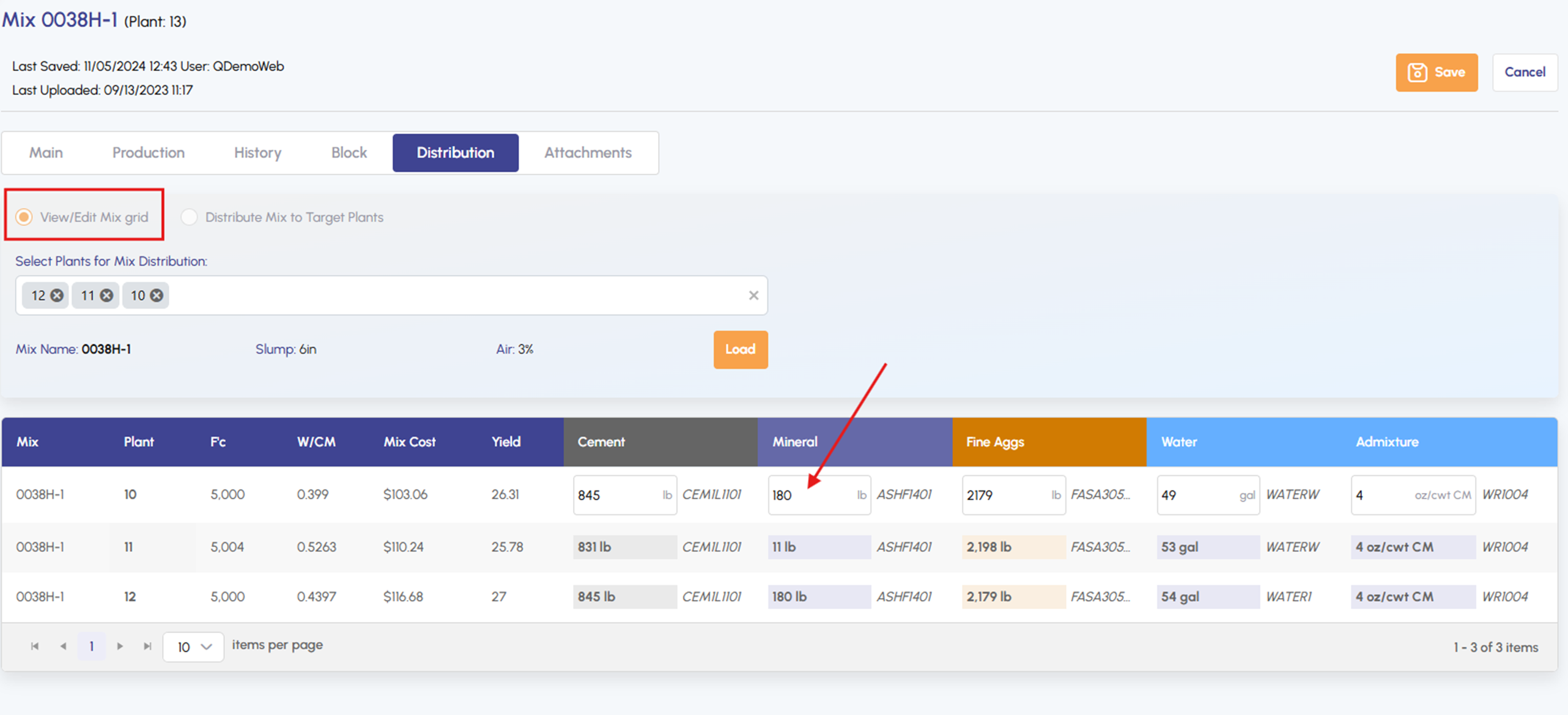
To edit mix values, click any row in the View/Edit Mix grid, update the information, and click Save.
To distribute a mix to other plants, select the Distribute Mix option.
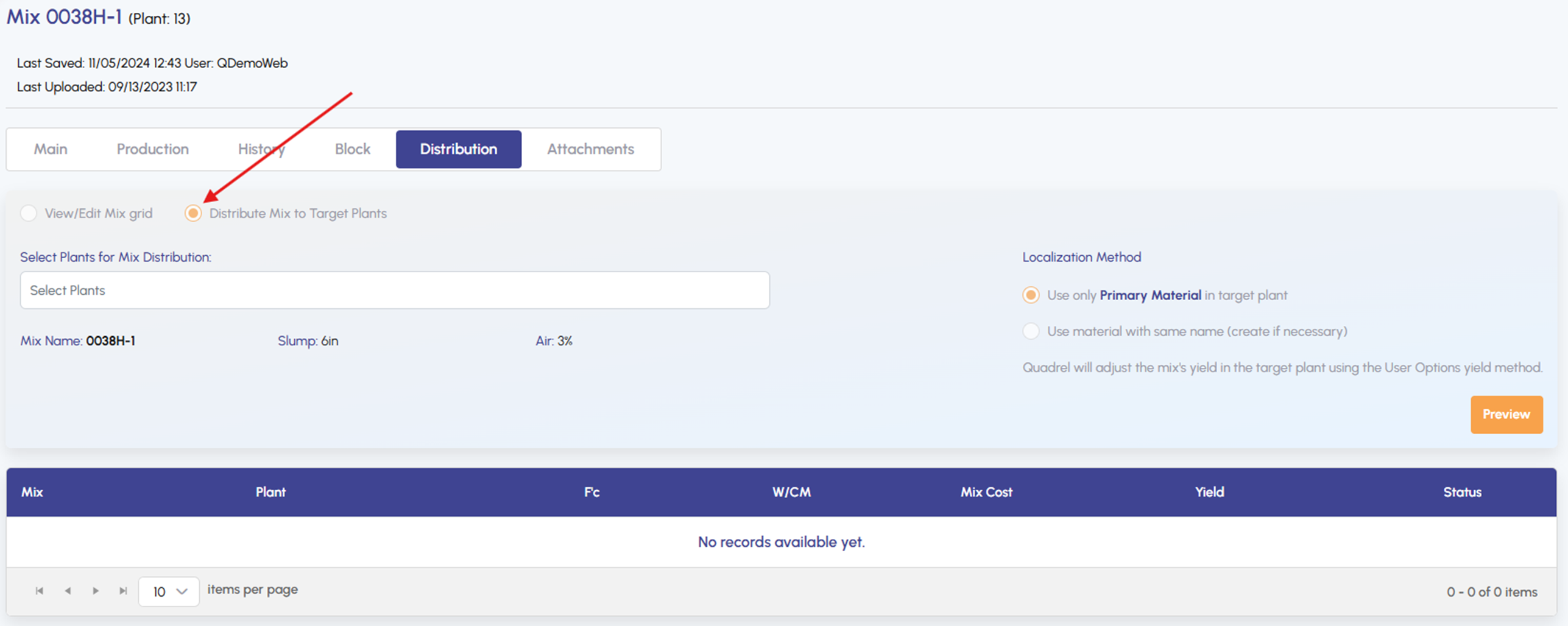
To distribute a mix to other plants, select the plant(s) you want to distribute to and click Preview.
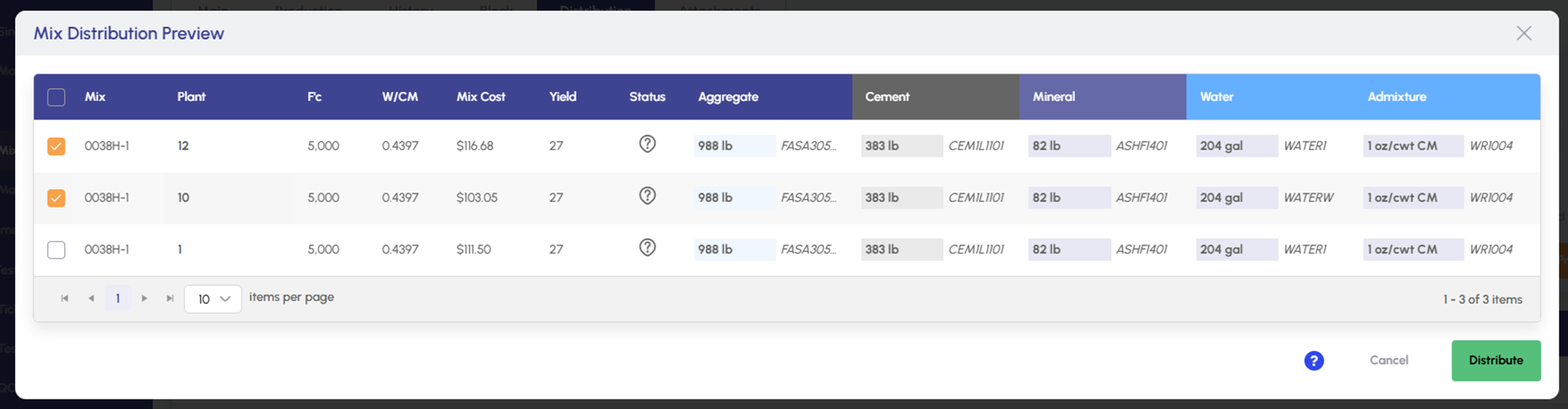
To complete a distribution, select the plants you want to distribute to and click the Distribute button.
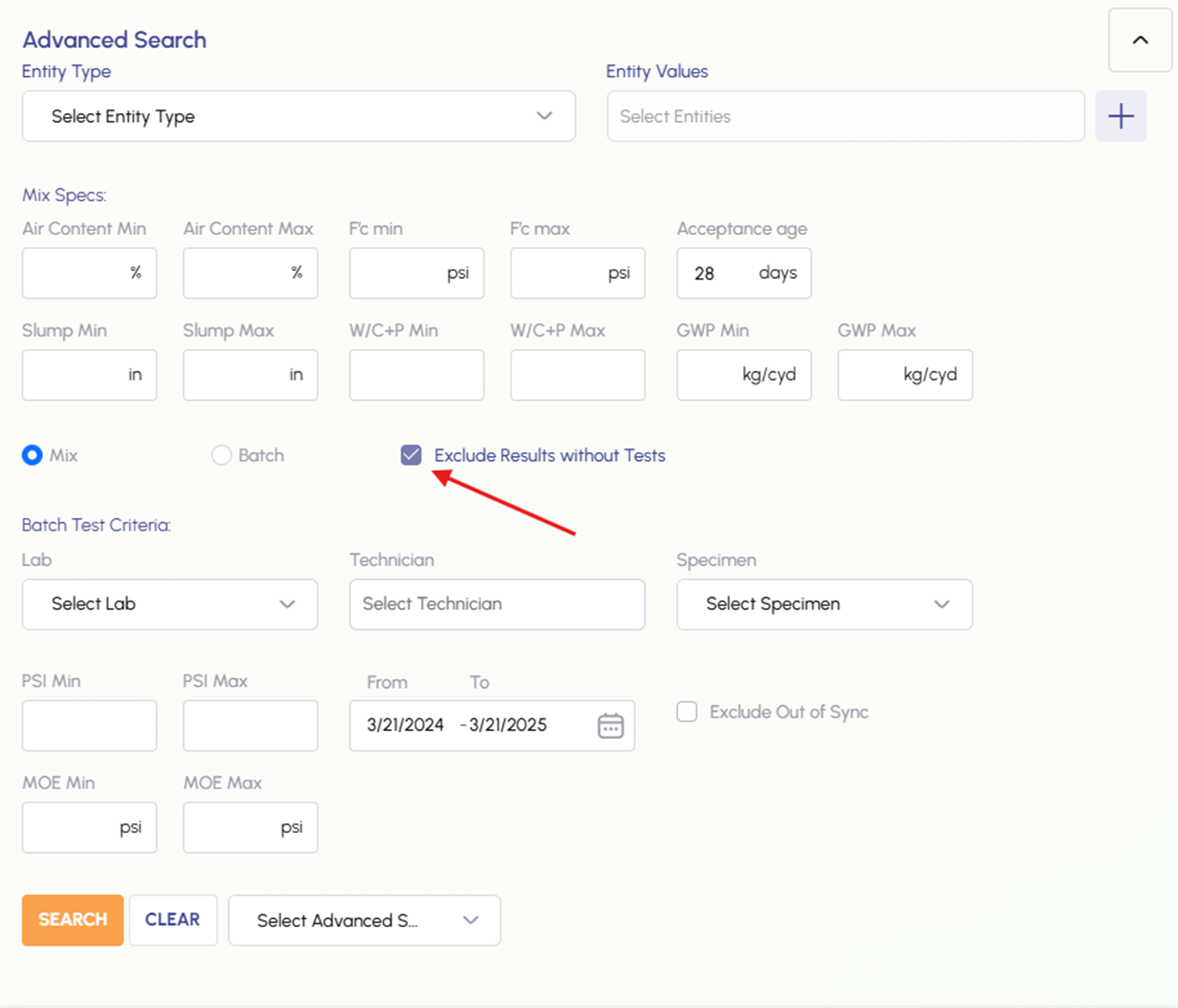
Expanded Advanced Search.
To exclude results without tests, check this box.
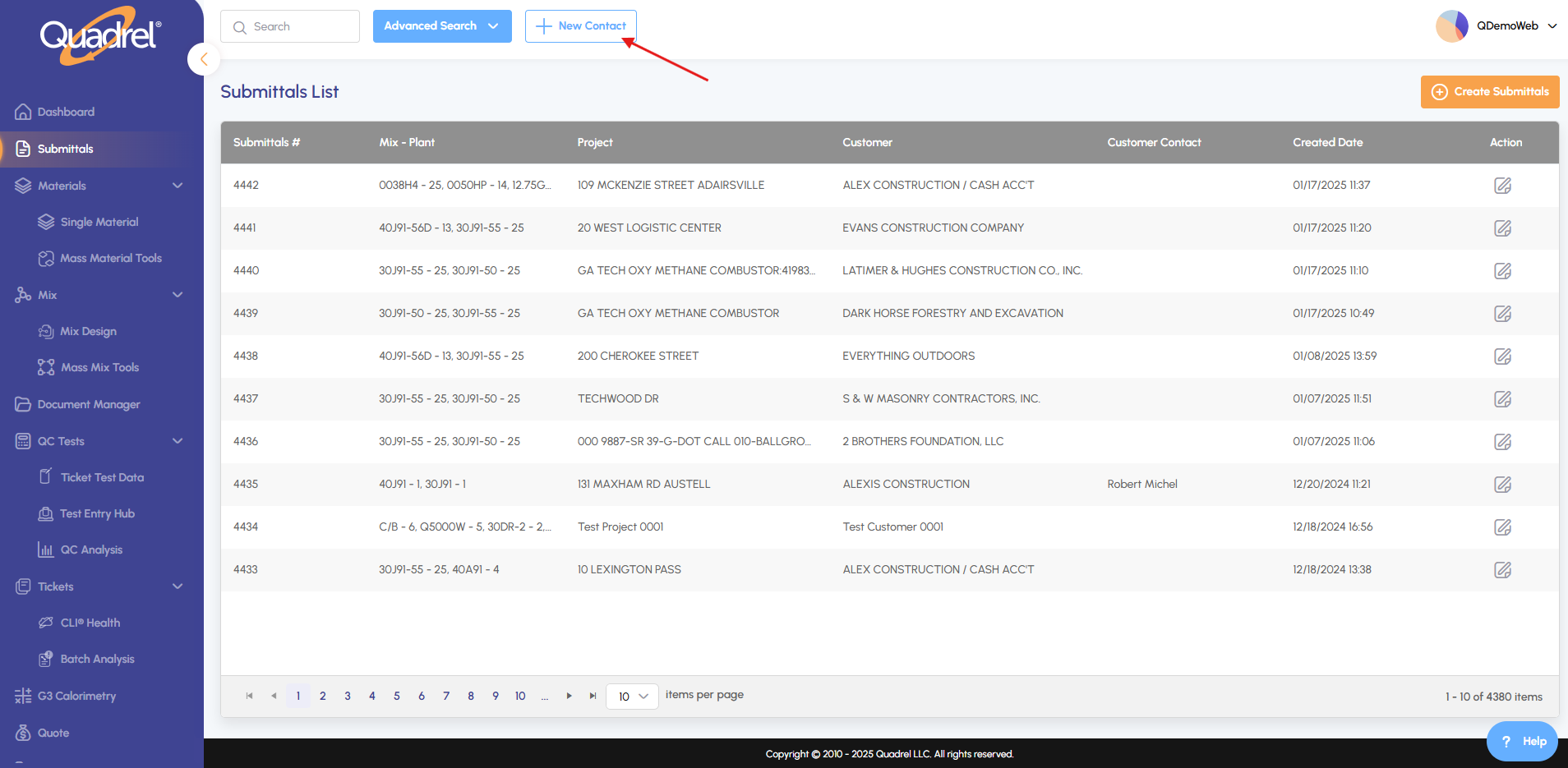
Mix Attachment.
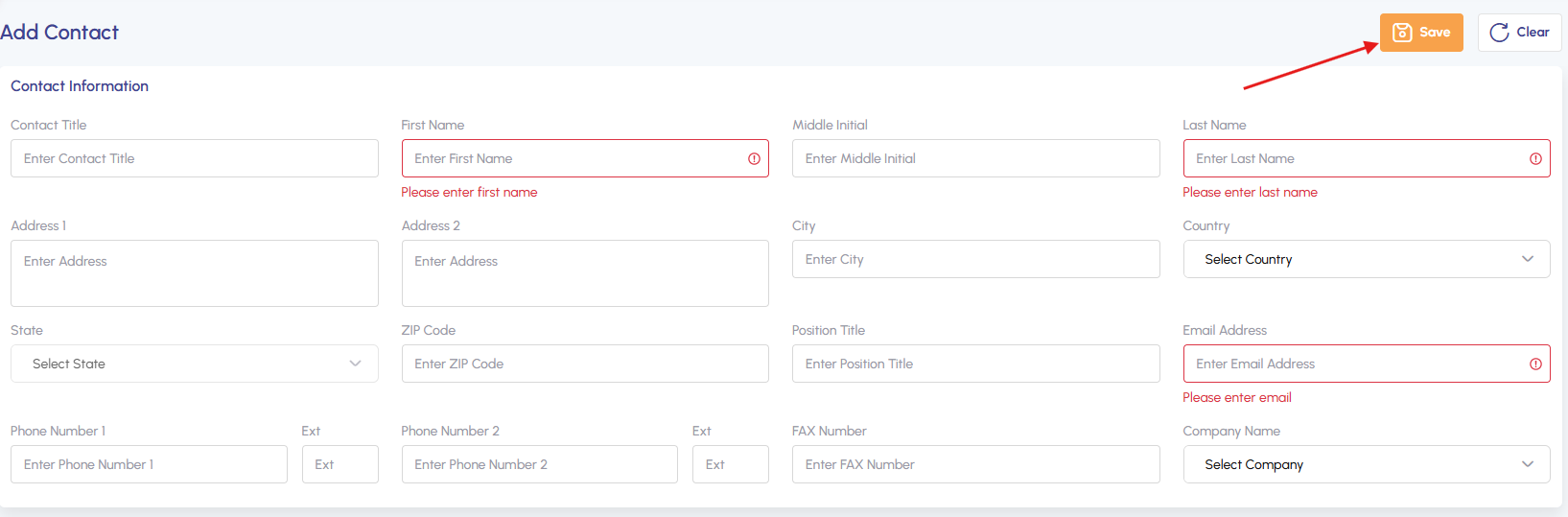
Go to Submittals, then click New Contact.
Enter required fields, then click Save.
Dashboard: Aggregate Sieve Tests.
Out of tolerance tests could be found in QC Dashboard.
Dashboard: Customize Top 10 Mixes Panel.
To customize your dashboard view, navigate to the Executive Dashboard and select your preferred columns.
Lane in QC Analysis.
Now you can view a lane on a ticket in QC Analysis.